
ALAND's Immersive Hypixel SkyBlock
✨ A Hypixel SkyBlock modpack that focuses on immersion and reliability. Contains all the optimization, immersion, and QoL mods for a unique experience.
Versions
Gallery
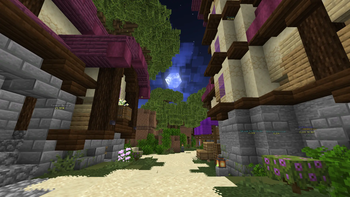
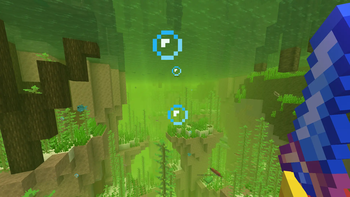
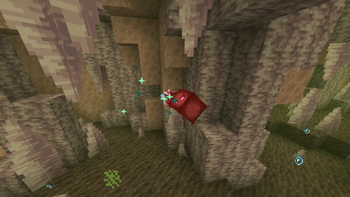
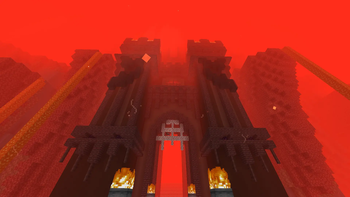


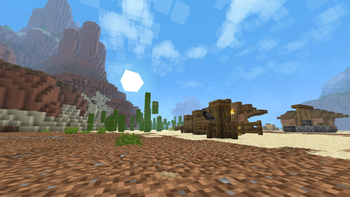
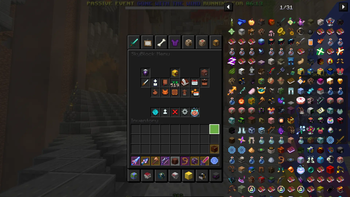
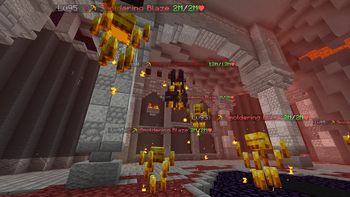
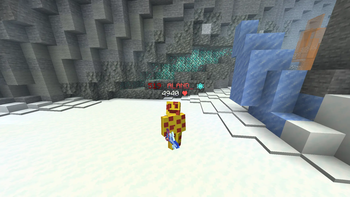
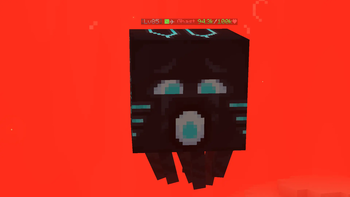
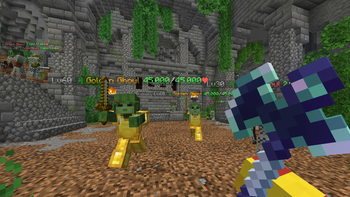
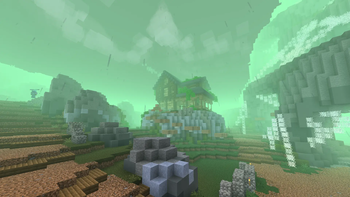
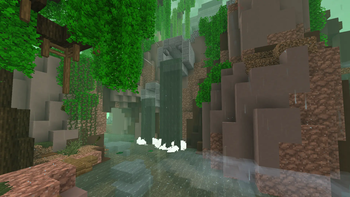
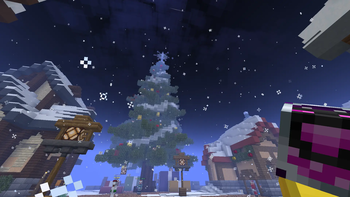
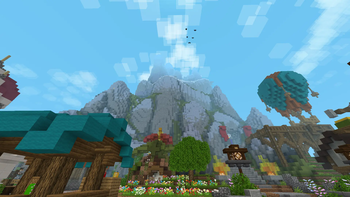
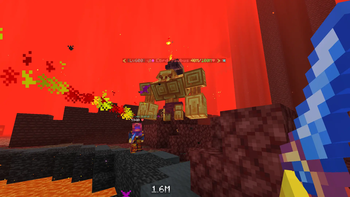
About
What sets this modpack apart from others:
- Includes all the essential optimization and QoL mods for Hypixel SkyBlock
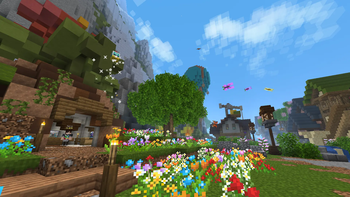
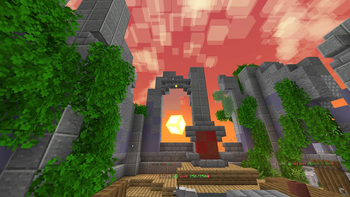
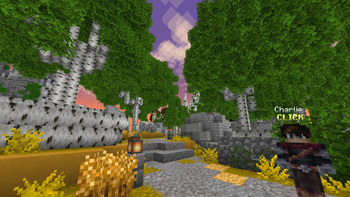
- Includes a ton of immersive client-side mods that enhance visuals and gameplay
- Pre-configured mods with all the necessary features without having 20 obtrusive overlays
- Ready-to-go command macros/keybinds for almost every warp and menu in SkyBlock
- Fully open source with frequent updates for all relevant versions
- Expressive animations for players and mobs that make the world come alive
- 80 unique player emotes to enhance social interactions and fun moments with friends
- Optional resource packs that enhance the general experience
💻 Installation Guide & Tips
Installation Guide:
- Install Prism Launcher (HIGHLY RECOMMENDED, It's faster, better, and has a ton of QoL features)
- In Prism Launcher, click Add Instance ➞ Modrinth ➞ Type "ALAND" in the Search ➞ Click the Modpack ➞ Click OK
- TIP 1: For Prism users, make sure you select the correct Java version and dedicate at least 4GB of RAM.
- TIP 2: Type /firmament macros or tap the "Delete" key on your keyboard to open the command macros/keybinds. These run commands for Hypixel SkyBlock such as warps and menus.
- TIP 3: Go to Control Settings to figure out how to open other menus like the weather control and emote wheel.
- TIP 4: If you use the Hypixel+ resource pack, then put this inside the JVM arguments field: -Xss4M
- TIP 5: Don't like a certain mod/feature/resource pack? Just delete/configure it however you like!
⚙️ Mods & Features (87)
🌎 Hypixel SkyBlock Mods:
- SkyHanni: Broad list of QoL features (Garden, Chocolate Factory, Slayer, etc.)
- Skyblocker: More QoL not in SkyHanni (Dungeons, Chat Filters, UI & Armor Customization, etc.)
- Firmament: Small but neat QoL (Item List, Command Macros/Keybinds, NEU Textures, etc.)
- SkyBlock Profile Viewer: Adds a /pv command to view player profiles like NEU
⚡️ Performance Mods:
- Async
- AsyncParticles
- BadOptimizations
- Better Biome Reblend
- Dynamic FPS
- Entity Culling
- Fast IP Ping
- FerriteCore
- ImmediatelyFast
- Krypton
- Ksyxis
- Lithium
- More Culling
- ScalableLux
- Sodium
- Very Many Players (Fabric)
✨ Immersive Mods:
- AmbientSounds: Adds relaxing ambient sounds
- Animated Typing: Makes typing in chat smoothly animated
- Better Clouds: Adds fancy animated clouds with varied size and height
- Biome Particle Weather: Adds new particles to biomes and weather
- Chunks Fade In: Adds many fade-in animations for loading chunks
- Continuity: Allows for efficient connected textures
- Cool Rain: Adds different rain sounds based on block type
- Cosy Critters & Creepy Crawlies: Adds ambient birds, spiders, and moths to the world
- Dynamic Crosshair: Changes the crosshair depending on context
- Emotecraft: Adds all kinds of emotes and dances in an emote wheel
- [EMF] Entity Model Features: Adds resource pack support for custom entity models
- [ETF] Entity Texture Features: Adds resource pack support for custom entity textures
- Fancy Block Particles - Renewed: Adds a block placing animation
- Hold My Items: Revamps all hand animations
- Immersive Hotbar: Makes your hotbar animated and reactive
- Inventory Particles: Adds interactive particles to items in your inventory
- Item Interactions Mod: Adds more particles and animations to items in your inventory
- Mining Quakes: Adds block mining animations
- Online Emotes: Allows you to see other players' emotes online
- Particle Rain: Revamps rain and adds fog and other effects
- Particulate: Adds water splashes and other particles and sounds
- Polytone: Adds tons of customization features for resource packs to use
- 3D Skin Layers: Makes the outer layer of skins 3D
- Sounds: Adds new sounds to items, blocks, UI, and more
- Subtle Effects: Adds many new subtle details through particles and sounds
- Tiny Item Animations: Adds pick/insert animations to the UI
- Visuality: Adds new particles to mobs
- Wavey Capes: Makes your cape animated with physics
❤️ QoL Mods:
- Better F1 Reborn: Adds an intermediate F1 state that turns off only the HUD
- BetterF3: Makes the F3 menu more readable and customizable
- Capes: Lets you use capes from OptiFine, LabyMod and other cape mods
- Chat Patches: QoL changes and improvements to chat
- Cubes Without Borders: Allows you to play Minecraft in a borderless fullscreen window
- Dark Loading Screen: Makes the Mojang loading screen darker
- Draggable Lists: Makes resource packs, servers, and more draggable
- kennytvs-epic-force-close-loading-screen-mod-for-fabric: Removes the "Dirt" loading screen
- LocalTime: Allows client-side control over time and weather
- Cursors Extended: Changes the mouse cursor to be more fancy and adaptive
- Model Gap Fix: Fixes gaps in Block Models and Item Models
- Mod Menu: Adds a mod menu to view and config your mods
- Nametag Tweaks: Makes your nametag viewable in third person and more
- Vanilla Notebook: Adds a personal notebook into your GUI
- No Telemetry: Removes telemetry data for added privacy
- Not Enough Crashes: Takes you back to the title screen when you crash
- Reese's Sodium Options: Alternative Options Menu for Sodium with QoL improvements
- Roughly Enough Items (REI): Adds an item list to SkyBlock with search functionality
- REI Search Bar Calculations: Adds a calculator to REI's search bar
- Respackopts: Adds a config menu to some resource packs
- Scoreboard Overhaul: Revamps the scoreboard and makes it customizable
- Screencopy: Automatically copies screenshots to clipboard
- Smooth Scrolling: Smoothly scrolls chat, hotbar, creative inventory and more
- Sodium Extra: Adds most of OptiFine's eye-candy options to Sodium
- Tooltip Scroll: Allows you to move/scroll tooltips
- Zoomify: A zoom mod with infinite customizability
📒 Library Mods (Dependencies):
🖼️ Resource Packs (29)
- Fresh Animations: Gives mobs better animations
- Drodi's Blazes x Fresh Animations: Retextures the blaze and adds a boss variant with FA support
- AL's Boss Rush x Fresh Animations: Retextures bosses with FA support
- AL's Creepers Revamped: Retextures creepers with FA support
- AL's Dungeons Boss Bars: Improves the look of boss bars
- AL's Enderman Revamped x Fresh Animations: Adds new enderman variants with FA support
- AL's Piglins Revamped x Fresh Animations: Adds new piglin variants with FA support
- AL's Skeletons Revamped x Fresh Animations: Adds new skeleton variants with FA support
- AL's Spiders Revamped x Fresh Animations: Adds new spider variants with FA support
- AL's Zombies Revamped x Fresh Animations: Adds new zombie variants with FA support
- Fresh Animations x Baby Animals Remastered: Retextures baby animals to be more cute
- Fresh Animations - Ghasts Galore: Adds new ghast and squid variants with FA support
- Golems Refreshed + Fresh Animations: Adds new golem variants with FA support
- Item Interactions: Adds more animations to the Item Interactions mod
- Detailed Animations: Gives better animations to the player
- Detailed Animations X Just Expressions: Gives better animations to the player, including animated eyes
- Hypixel Plus: Retextures SkyBlock items in a style faithful to vanilla
- Furfsky Reborn: Retextures SkyBlock items in an artistic and themed style
- FurfSky Legacy: Similar to the original, but brings back older textures of Hyperion and more
- Stay True: Retextures the whole game in a faithful vanilla+ style
- Skyblock Dark UI: Makes every menu dark so you don't get flashbanged
- SkyBlock Dark Mode: Makes The Mist, The End, Glacite Tunnels, and more places dark
- ALAND's Hypixel SkyBlock Enchanted Books: Gives Hypixel SkyBlock's enchanted books unique textures
- Cookie Clicker Click Sound: Replaces the menu clicking sound with the one from Cookie Clicker
- Dungeon Tooltips: Makes item tooltips much better
- Shaded Font: Adds a subtle shading effect to the default font
- Vanilla Tweaks: Adds a 3D sun & moon, twinkling stars, menu slot highlight, and more
- Visual Effects+: Adds tons of fancy visual effects, particles, and ambience to your world
- The Wither, King of the Nether: Retextures the wither into a cooler design
❓ FAQ
Why did the modpack crash/fail to load?
- Make sure you select the correct Java version and dedicate at least 4GB of RAM. Guide
Why is my FPS stuck at 60?
- VSync is turned on to prevent screen tear artefacts and reduce resource usage, ensuring a smooth experience. You can disable it in the general Video Settings and by configuring the Dynamic FPS mod to turn it off everywhere.
I'm having FPS issues! How to fix?
- If you play on a potato, try disabling some/all resource packs, deleting the Roughly Enough Items and REI Search Bar Calculations mod, and further lowering your graphical settings. P.S. Lag during game startup is to be expected, just give it a minute or two to load everything.
How do I get animated eyes?
- Disable the Detailed Animations resource pack and enable the Detailed Animations x Just Expressions one, and then follow this guide.
Why do some player/NPC skins have broken faces?
- If you're using Detailed Animations x Just Expressions like mentioned above, some skins with extra pixels in their texture will inevitably break because of the way Hypixel made them. To fix this, press ESC ➞ Mods ➞ Search for Entity Model Features and open config ➞ Models ➞ Player Settings ➞ Turn on "Only modify your player model and back out of the menu to save. This will disable player animations for all other players which isn't the best, but it's there if you want.
How do I emote?
- Tap the "Left Alt" key to open the emote wheel. To change this keybind, go to Settings ➞ Controls ➞ Keybinds ➞ Find the keybind for Emotecraft's emote wheel.
Why is there no fog?
- It's disabled due to a glitch which turns it pitch-black when entering the Matriarch. If you still want it, go to Resource Packs ➞ Click the config button over Visual Effects+ ➞ Set "Biome Fog" to "True" ➞ Close the menu.
How do I inspect or spin/do tricks with my weapon?
- On 1.21.5, hold down the scroll wheen or MMB button. On 1.21.8, hold the "G" key.
How do I change time/weather?
- Tap the "Right Control" key. If you can't find it, go to Settings ➞ Controls ➞ Keybinds ➞ Find the keybind for LocalTime or Client Time to open the time and gui menu.
I don't use Prism Launcher, how do I load the modpack?
- Install Prism Launcher, it's lightweight, super fast, and allows you to download mods/resource packs with ease. It's the best option for modern Minecraft.
Can I transfer my own config files for x mod?
- Yes, you can just delete the config file of any mod in the modpack's "config" folder and replace it with your own. This way, you can transfer your own SkyHanni/Skyblocker/other settings over.
Why did I randomly warp/trigger a command by tapping a random key?
- These are known as command macros/keybinds. Type /firmament macros or tap the "Delete" key to open the config menu. You can assign any key and make it run any command you want to make warping/accessing menus easier!
I have other questions/feedback/issues...
- Join the Discord and feel free to ping me so I can help!
⭐️ Credits
- Huge thanks to ic22487 for creating the modpack icon! Get this man a Ko-fi on my behalf, would ya?
- Big thanks to TraitorAlmighty from the Furfsky Reborn team for helping out with optimization and setup.
- Shoutout to haimcyfly and Stay True for being awesome. Check out Stay True's CurseForge page here: https://www.curseforge.com/minecraft/texture-packs/stay-true
- All credit for the mods and resource packs goes to their original creators, I do not claim that I own any of their work. Be sure to check out and support their mods and other projects.


![Cobblemon Official Modpack [Fabric]](https://cdn.modrinth.com/data/5FFgwNNP/e7f9ee2e9d361623847853fe2ddce42f519ee64f.png)



Conversation