
Respackopts
Config menus for resource packs
Versions
[1.21.1] 4.14.0+forge Backport.2
4.14.0+1.21.1.forge.2 · 3 weeks ago · 553.20 KB
[1.21.1] 4.14.0+forge Backport.1
4.14.0+1.21.1.forge.1 · 1 month ago · 550.88 KB
[1.21.5] 4.14.0+forge Backport
4.14.0+1.21.5.forge · 1 month ago · 554.31 KB
[1.21.5] 4.14.0 Backport
4.14.0+1.21.5 · 1 month ago · 552.03 KB
[1.21.1] 4.14.0+forge Backport
4.14.0+1.21.1.forge · 1 month ago · 549.84 KB
About
Respackopts
PSA: Depending on the version you are downloading, a separate installation of cloth config, or LibJF may be required
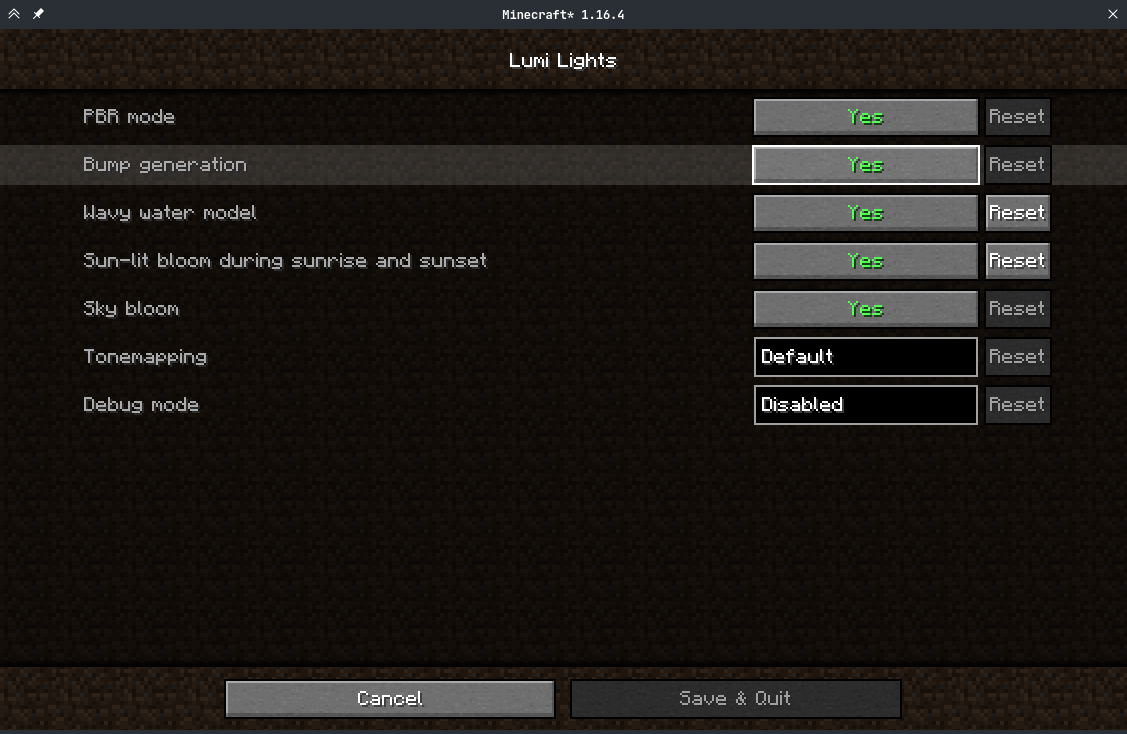
Respackopts provides resource and data packs with config menus
By default, it provides a custom system for conditional resources, resource expansion and integrates with frex, canvas and fabulous shaders
Using Respackopts
Users
After installing respackopts, a menu button will appear besides all supported resource packs. No further configuration is needed.
Pack authors
Please head to the wiki for details on how to use respackopts in a pack.
Performance Impact
Performance always depends on factors other than the game itself like disk speed, resource usage by other programs, the OS you are using, etc. These measurements were taken with Minecraft 1.20.1, Fabric Loader 0.14.21, Fabric API 0.84.0, LibJF 3.8.0 and Therefore, please do not assume these measurements to be accurate for all use cases.
LibJF injects hooks into the resource loader, meaning there is additional overhead for every resource access. In practice, this results in a five percent increase in resource reloading time over vanilla and an eight percent increase in game load times over vanilla (.2 seconds).
Respackopts uses those hooks and additional mixins to work, adding additional overhead. In practice, this results in a six percent increase in resource reloading time over vanilla and an eighteen percent increase in game load times over vanilla (.43 seconds).
The most significant increase is measurable during pack scanning, which takes nearly 100 times longer when comparing Minecraft with Respackopts to vanilla. This is because Respackopts performs and caches most parsing and computation during this stage. As the statistic for game loading shows, this is not necessarily noticeable during startup, because the total is still comparably small. It is only noticeable in the resource pack screen, where scanning is performed every 20 ticks and whenever the screen is resized and the impact is much larger. For this reason, I have created a separate mod that tweaks that screen for increased performance.

Related projects


Mod Menu
by Prospector
Adds a mod menu to view the list of mods you have installed.

YetAnotherConfigLib (YACL)
by isxander
A builder-based configuration library for Minecraft!

Xaero's Minimap
by thexaero
Displays a map of the nearby world terrain, players, mobs, entities in the corner of your screen. Lets you create waypoints which help you find the locations you've marked.
Download Respackopts
or
Select a game version to see available downloads
No versions match your filters
About the creator


Conversation