What are you searching for?

Wavy Water
Wavy Water

Wavy Water

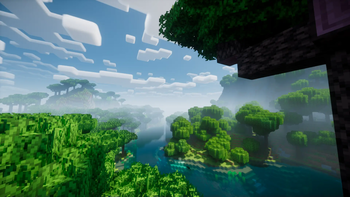
Windy water in Vanilla Minecraft.

download 17.6K Downloads · favorite 41 Followers · Updated 3 months ago
Blocks Core-shaders Cursed Decoration Environment Minecraft Realistic Tweaks Vanilla Vanilla-like 1.20.2 1.20.3 1.20.4 1.20.5 1.20.6 +11 more

Versions

inventory_2
1.20.2-1.21.10

2.0.3 · 3 months ago · 8.11 KB

Release download
Minecraft 1.20.2 1.20.3 1.20.4
inventory_2
1.20.2-1.21.1, 1.21.6-1.21.10

2.0.2 · 4 months ago · 7.43 KB

Minecraft 1.20.2 1.20.3 1.20.4
inventory_2
1.20.5-1.21.8

2.0.1 · 5 months ago · 9.03 KB

Release download
Minecraft 1.20.5 1.20.6 1.21
inventory_2
1.20.5-1.21.5

2.0.0 · 5 months ago · 9.02 KB

Minecraft Vanilla 1.20.5 1.20.6 1.21

About

Showcase

a preview gif of the waves

To see more previews, check out the gallery

Description

This is a texture pack (not a mod or shaderpack) that works in Vanilla Minecraft. To use, all you need to do is apply the pack. No other required installs and no required settings tweaks. There are optional settings that you can access in the texture pack itself or with an optional mod called respackopts.

The waves in the texture pack are extremely simple, and is done by calculating a sine wave for the x direction and a cosine wave for the z direction (both based on height, speed and frequency) then just taking the average of the two. The waves are not meant to be realistic, and instead are meant to add more depth to the base game.

How to Use

  1. Download and install the texture pack like normal
  2. Optionally, install respackopts for more control on how the waves look. After installing this, you should see a settings icon appear on the texture pack.
  3. If the effect isn't working, try disabling other packs. This texture pack also notably does not work with the Sodium mod.
  4. If you can't find the texture pack in the list, try enabling folder view in the bottom left if you have recursive resources and then searching for it with the search bar.
  5. To configure the pack without respackopts, open the texture pack file and then head to assets/minecraft/shaders/include then open the config.glsl file. There will be 3 values that you can change to any number you want.

Support

Join My Discord

  • Report bugs
  • Create suggestions
  • Vote on future packs
  • Interact with the community
  • Ask for help with texture packs
  • This is the place to ask if you can use this pack in your own pack

Check out The Repository

  • Report bugs
  • Create suggestions
  • Contribute by creating a pull request

https://www.alphaleo.li/resourcepacks

open_in_new View on Modrinth
Compatibility
Client: Required Server: Unsupported
gavel LicenseRef-All-Rights-Reserved

Conversation

What are your thoughts?

Related projects

16x Entities Models
Fresh Animations
Fresh Animations icon
Fresh Animations

by FreshLX

Make your game like the trailers! Dynamic animated entities to freshen your Minecraft experience.

download 25.1M
favorite 11,045
128x 16x 256x
Dramatic Skys
Dramatic Skys icon
Dramatic Skys

by thebaum64

Dramatic Skys is an add on pack that will make the skies in your game HD with realistic clouds and lighting. This pack works with any other resource pack, just simply add it over any other pack on the selection screen!

download 12.1M
favorite 2,838
Locale Modded Tweaks
Translations for Sodium
Translations for Sodium icon
Translations for Sodium

by robotkoer

Unofficial translations for the Sodium Minecraft mod

download 12.0M
favorite 1,200
Modded Models Realistic
Motschen's Better Leaves
Motschen's Better Leaves icon
Motschen's Better Leaves

by Motschen

Improves the appearance of leaves with high mod compatibility and performance!

download 11.7M
favorite 3,470
lock Cookie consent

SkinMC uses cookies to provide functionality and features.