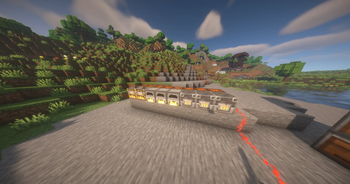

Smart Sorter
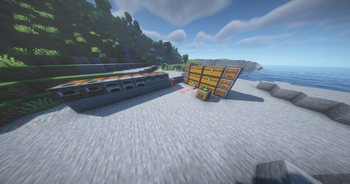
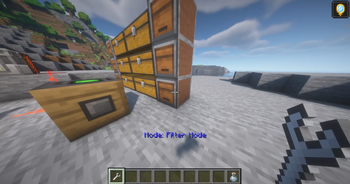
Smart Sorter is a powerful, lightweight mod that can automatically store and organize items. (With Filters!)
Versions
Gallery
About
🧠 Smart Sorter
Transform your messy storage into an intelligent, automated network!
Smart Sorter brings modular, data-driven sorting to Minecraft with a sleek, intuitive design. No commands, just effortless organization.
📖 SmartSorter Player Tutorial
A complete guide on how to use SmartSorter to automate your storage!
<iframe width="560" height="315" src="https://www.youtube-nocookie.com/embed/BAqrncKMDeA" title="YouTube video player" frameborder="0" allow="accelerometer; autoplay; clipboard-write; encrypted-media; gyroscope; picture-in-picture; web-share" allowfullscreen></iframe>🎮 Getting Started - The Basics
What This Mod Does:
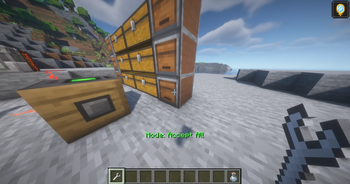
SmartSorter automatically moves and sorts items from chests into organized storage - like hoppers but WAY smarter!
The 5 Main Blocks:
- 🟦 Intake Block - Pulls items FROM chests
- 🟨 Output Probe - Pushes items INTO chests
- 🟥 Storage Controller - The "brain" that manages everything
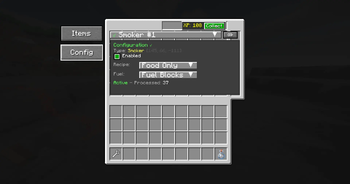
- 🟩 Process Probe - Controls furnaces/machines (advanced)
- 🔧 Linking Tool - Connects everything together
🚀 Quick Start: Your First Sorting System
Simple 2-Chest Sorter (No Controller Needed!)
Want to sort diamonds from cobblestone? Here's how:
-
Place your blocks:
[Input Chest] ← [Intake] ... [Output Probe] → [Diamond Chest] ... [Output Probe] → [Trash Chest] -
Link them together:
- Hold Linking Tool
- Right-click the Intake block (message: "Intake selected")
- Right-click first Output Probe (links them)
- Click Intake again, then second Output Probe
-
Set up filters:
- Right-click first Output Probe (opens GUI)
- Put a diamond in the filter slot
- Shift+right-click second probe until it shows "Green Mode: Accept All"
Done! Diamonds go to diamond chest, everything else to trash!
🎯 Advanced Setup: Using a Storage Controller
The Storage Controller lets you manage complex sorting with priorities!
Setting It Up:
-
Place your Storage Controller (this is your hub)
-
Connect an Intake:
- Hold Linking Tool
- Right-click Storage Controller ("Controller selected")
- Right-click Intake block ("Intake linked")
-
Connect Output Probes:
- Still holding Linking Tool (controller still selected)
- Right-click each Output Probe
- Each one shows "Output Probe linked"
-
Clear the tool when done:
- Shift+right-click air
Example: Mining Sorter
[Dump Chest] ← [Intake] → [Controller] → [Probe] → [Valuables]
                                      → [Probe] → [Ores]
                                      → [Probe] → [Stones]
                                      → [Probe] → [Misc]
🔧 Using the Linking Tool
The Three Workflows:
1. Controller Mode (Recommended for big builds):
- Click Controller → Click Intakes/Probes
- Everything connects to the controller
2. Direct Mode (Simple setups):
- Click Intake → Click Output Probe
- Direct connection, no controller needed
3. Clear/Reset:
- Shift+right-click air = Clear tool
- Shift+right-click probe = Change probe mode
📦 Practical Examples
Example 1: Auto-Smelter
Setup:
[Ore Chest] ← [Output Probe] → [Controller] → [Process Probe at the side/back of Furnace]
[Coal Chest] ← [Output Probe] ↗
- Place Intake facing your ore chest
- Place another Intake facing coal chest
- Place Controller
- Put Output Probes on furnaces (top for items, side for fuel)
- Link everything to controller
- Set filters (ores for top probe, coal for side probe)
Example 2: Mob Farm Sorter
[Hopper] → [Input Chest] ← [Intake] → [Controller]
                                    ↓
                    [Bones] ← [Probe: Filter bones]
                    [Gunpowder] ← [Probe: Filter gunpowder]
                    [Trash] ← [Probe: Accept All]
🎯 What Does It Do?
Smart Sorter creates a network-based storage system that automatically routes, processes, and organizes items across your world.
From mining runs to massive modpacks — your items always know exactly where to go.
🧩 Core Features
✨ Automatic Sorting – Items intelligently find their way to the correct chest or storage block
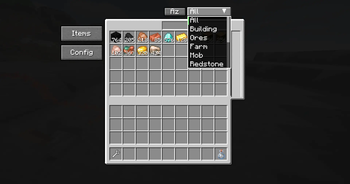
🔍 Network Search – Instantly find any item across hundreds of chests
🎮 Simple Setup – Just 4 blocks and 1 tool — no complex configuration required
⚙️ Process Logic – Use the new Process Probe for crafting (soon) or smelting automation
📦 Smart Routing – Uses category, filter, and priority logic for perfect organization
🔗 Unified Access – Manage all items from one GUI
🧰 Fully Mod-Compatible – Works with most vanilla and modded inventories
🧱 Block Overview
| Block / Item | Description |
|---|---|
| 🧠 Storage Controller | Central hub — manages network, sorting, and access. |
| 📥 Intake Block | Pulls items into the network automatically. |
| 🎯 Output Probe | Sends specific items to target chests. |
| ⚙️ Process Probe | Handles processing and advanced sorting. |
| 🛠️ Linking Tool | Connects blocks together. |
🧩 Mod Compatibility
✅ Vanilla Chests, Barrels, Shulker Boxes
✅ Iron Chests (All Tiers)
✅ Sophisticated Storage (All Variants)
✅ Storage Drawers & Controller Blocks
✅ Any Inventory from Modded Containers
✨ Perfect For...
- 🏗️ Mega Build Projects – Keep thousands of blocks organized
- ⛏️ Mining Expeditions – Auto-sort all your ores and drops
- 🧙 Modded Playthroughs – Handle hundreds of custom items effortlessly
- 🏰 Survival Bases – Centralized storage and automation
- 📦 Item Halls / Factories – Full network access from one terminal
💡 Pro Tips
Organization Strategies
- By Category — Blocks, Ores, Food, Tools (coming as filter presets)
- By Frequency — Common → large chests, Rare → small chests
- Always Have Overflow — at least one “Accept All” chest per network
Performance Tips
- 🔗 Group probes close to their target inventories
- 💾 One Controller can handle 50+ probes easily
- ⚡ Avoid redundant links — one probe per container is ideal
🔄 Recent Updates (v2.0.0+)
- 🧱 Added Intake Block
- ⚙️ Added Process Probe for automation & filtering
- 🔄 Full Networking Refactor — stable multiplayer sync
- 🎨 New Creative Tab Integration
- 💾 Added CategoryManager for datapack-based filters
- 🔊 XP collection sound & on-screen feedback
- 🧰 Registry cleanup using
Identifier.of()and proper key handling
🐛 Support & Feedback
Found a Bug?
- 🐛 Report it on GitHub
- Include: Minecraft version, mod version, crash log, and steps to reproduce
Want a Feature?
- 💡 Submit a suggestion
- 🗳️ Vote on ideas and improvements
❤️ Show Support
If you enjoy Smart Sorter:
⭐ Leave a rating on Modrinth
💬 Share feedback or screenshots
🎥 Showcase your setup on YouTube or Reddit
☕ Support development on Ko-fi
📜 License
Smart Sorter is licensed under MIT — use it freely in:
- ✅ Modpacks
- ✅ Servers
- ✅ Personal or public projects
- ✅ Forks & improvements
🙏 Credits
Developer: SlimShaddii
Special Thanks:
- Tom’s Simple Storage — inspiration for early system design
- Fabric Community — for ongoing support and tooling
Automation made simple. Storage made smart.
✨ Download now and let your items sort themselves! 🚀



Conversation