
Visible Invisibility
TrueSight for invisibility particles
Versions
Gallery
About
Showcase
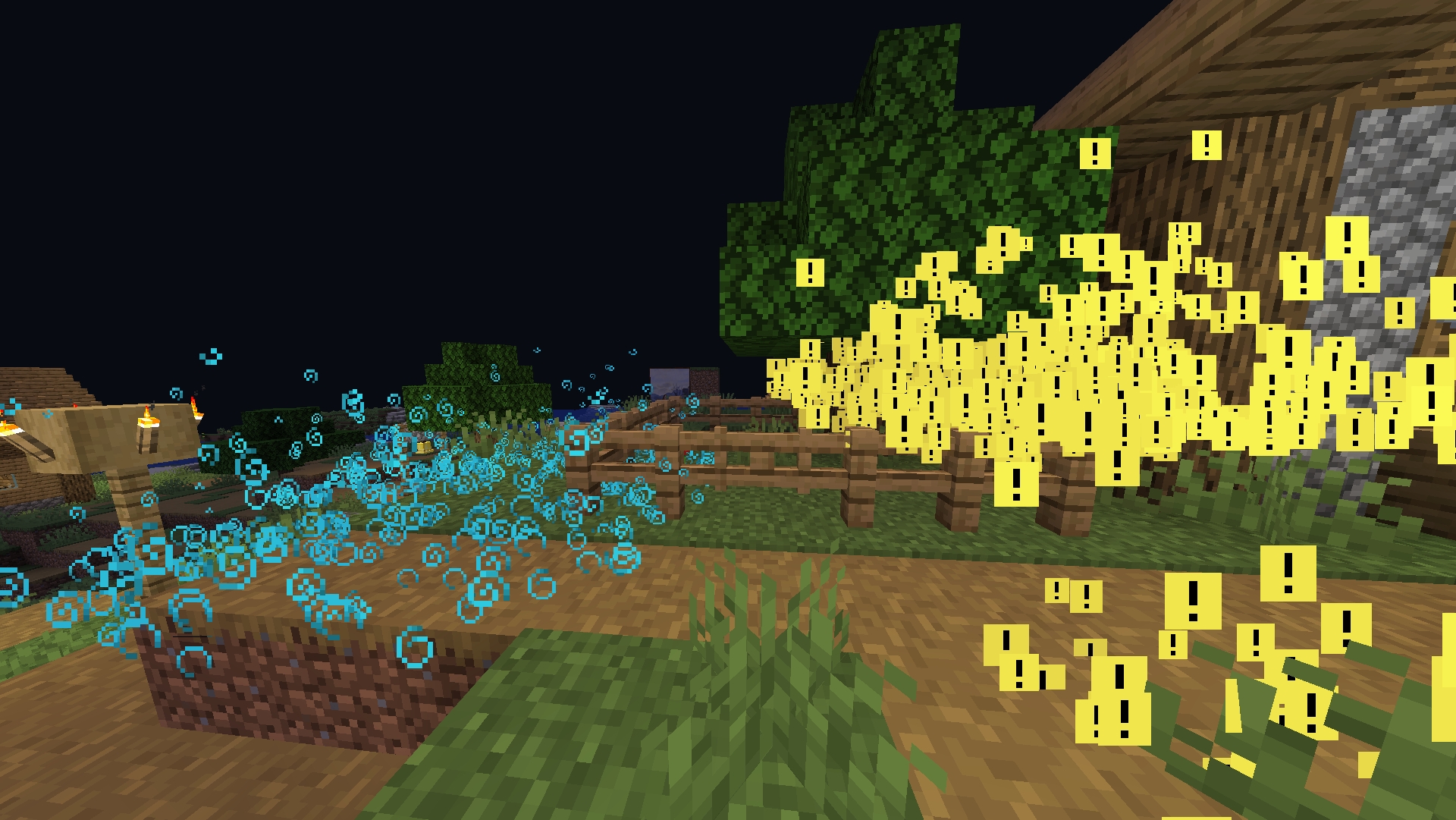
The image above shows many speed particles on the left and many invisibility particles on the right. As you can see, only invisibility particles are affected by the pack. For more example images, head to the gallery
Description
This pack uses vanilla's core shaders in order to change the texture of invisibility particles. No other particle is changed, making it the perfect pack if you just want to make people who are invisible stand out to you.
Until now, no pack has been able to only change the invisibility particles. This is the only pack as of the time of creation that makes use of this technique. If you install another similar pack, it would be changing particles for speed, strength, etc. Additionally, it would have a weird tint for every particle. However, this pack removed the tint leaving the bright yellow color to stand out to you.
If you want to know more about how this works, or have questions about other vanilla shader related things, you can join my discord and ask in there :)
For Pack Creators
If you would like to upload your own custom texture for the invisibility particle or normal particles, then follow these directions. Keep in mind this only works on versions 2.0.0 and higher.
- Create the textures as normal. The invisibility particle should be the lower half of the texture, and all other particles will use the top texture.
- Make the transparency of all the colored pixels equal to 0.75, as in 75/100 transparency or around 191.25/255 (if your transparency value is out of 255, then just use 191)
- Make all the background pixels black, and make their transparency equal to 0.25, as in 25/100 transparency or around 63.75/255 (if your transparency value is out of 255, then just use 64)
- If you have any trouble while creating the pack, refer to the support section at the bottom of the page.
After completing your texture, it should look something like this (this is the default effect_3 for the pack):
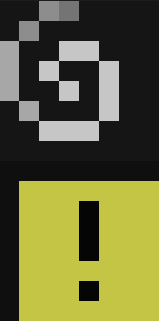
For reference, each of the colored pixels you see in the image above (the [!] and @ texture) both have transparency values of 191/255, while all the background colors have a transparency of 64/255
Here are some things to keep in mind when creating textures for this pack:
- If you would like to post a different version of this pack, you must credit me and link back to this page. If instead you want to make a texture for this pack specifically, you can join my discord or dm me and I can add it to the project and then add you to the project.
- All your textures will become 100% opaque after the shader is done doing its stuff. This is because otherwise everything would be slightly transparent, as you know from the steps above.
- You most likely cannot make them HD textures.
- With this pack, the only texture you can change individually is the invisibility particle. If you would like the ability to change the texture of all particles, then please check out the Unique Particle Effects texture pack.
Support
Join My Discord
- Report bugs
- Create suggestions
- Vote on future packs
- Interact with the community
- Ask for help with texture packs
- This is the place to ask if you can use this pack in your own pack
Check out The Repository
- Report bugs
- Create suggestions
- Contribute by creating a pull request






Conversation