
Fog
Enhances fog rendering with dynamic, customizable effects—improving atmosphere and depth while preserving the vanilla experience and maintaining compatibility with other mods.
Versions
Fog 1.11.0
1.11.0+1.21.9-fabric · 4 months ago · 296.87 KB
Fog 1.11.0
1.11.0+1.21-fabric · 4 months ago · 299.35 KB
Fog 1.11.0
1.11.0+1.21-neoforge · 4 months ago · 293.24 KB
Fog 1.11.0
1.11.0+1.21.9-neoforge · 4 months ago · 290.82 KB
Fog 1.10.0
1.10.0+1.21-neoforge · 4 months ago · 293.24 KB
Gallery
About



Requires Fabric API (for Fabric), M.R.U and Architectury API.
Fog
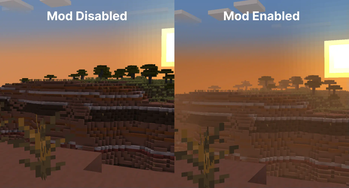
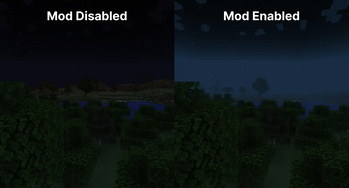
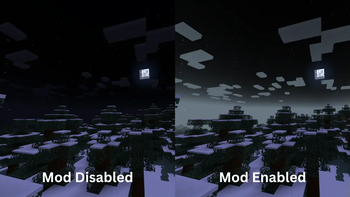
<iframe width="560" height="315" src="https://www.youtube-nocookie.com/embed/ontx7EfnZ8w" title="YouTube video player" frameborder="0" allow="accelerometer; autoplay; clipboard-write; encrypted-media; gyroscope; picture-in-picture; web-share" allowfullscreen></iframe>As it says on the tin - Fog is a mod that completely revamps how Minecraft handles fog, including its color, start, and end points. It creates a greater sense of depth and atmosphere in Minecraft by shifting the fog start forward, maintaining the same view distance while greatly improving the visuals of the game.
Features
It should be noted that the majority of these features can be fully customized via the configuration screen or resource packs - if you're using Fabric, you will need Mod Menu to access the configuration screen.
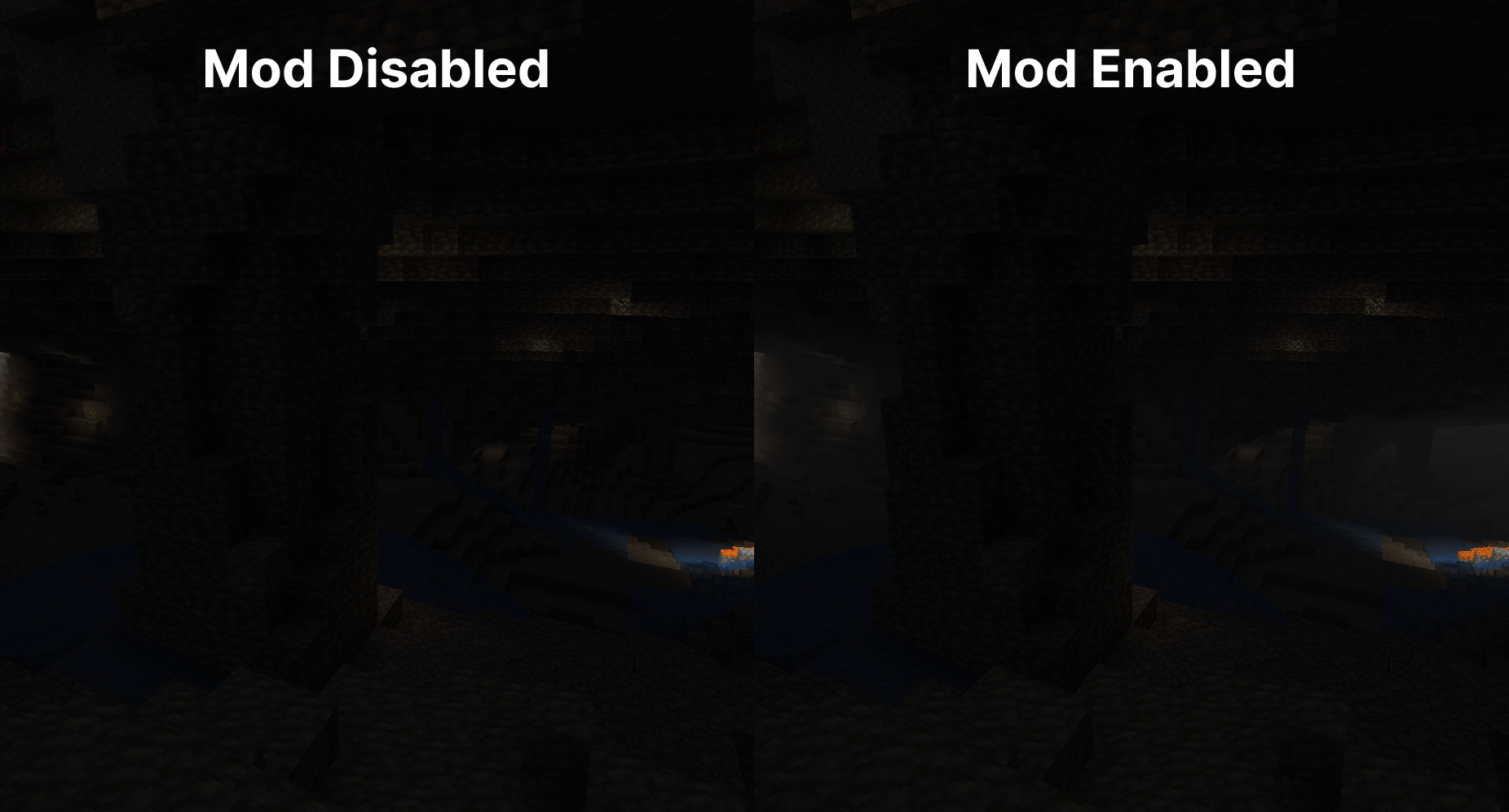
Cave Fog
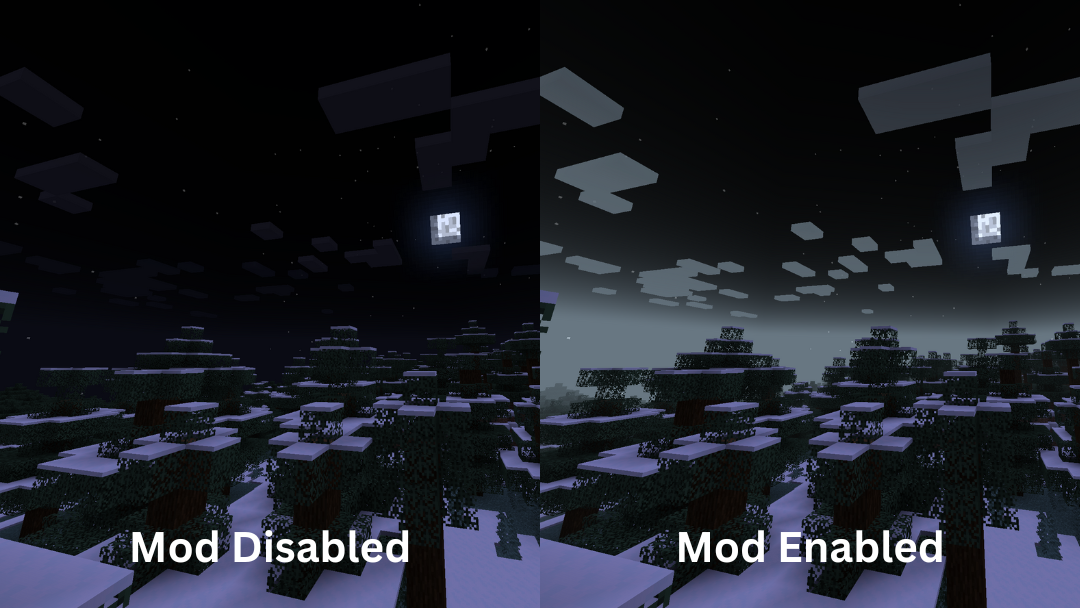
As you go deeper underground, the fog gets thicker. This adds to the spooky and mysterious feel of caves, making exploration more intense and immersive. It helps create a sense of depth, making the underground environment feel more alive and engaging.
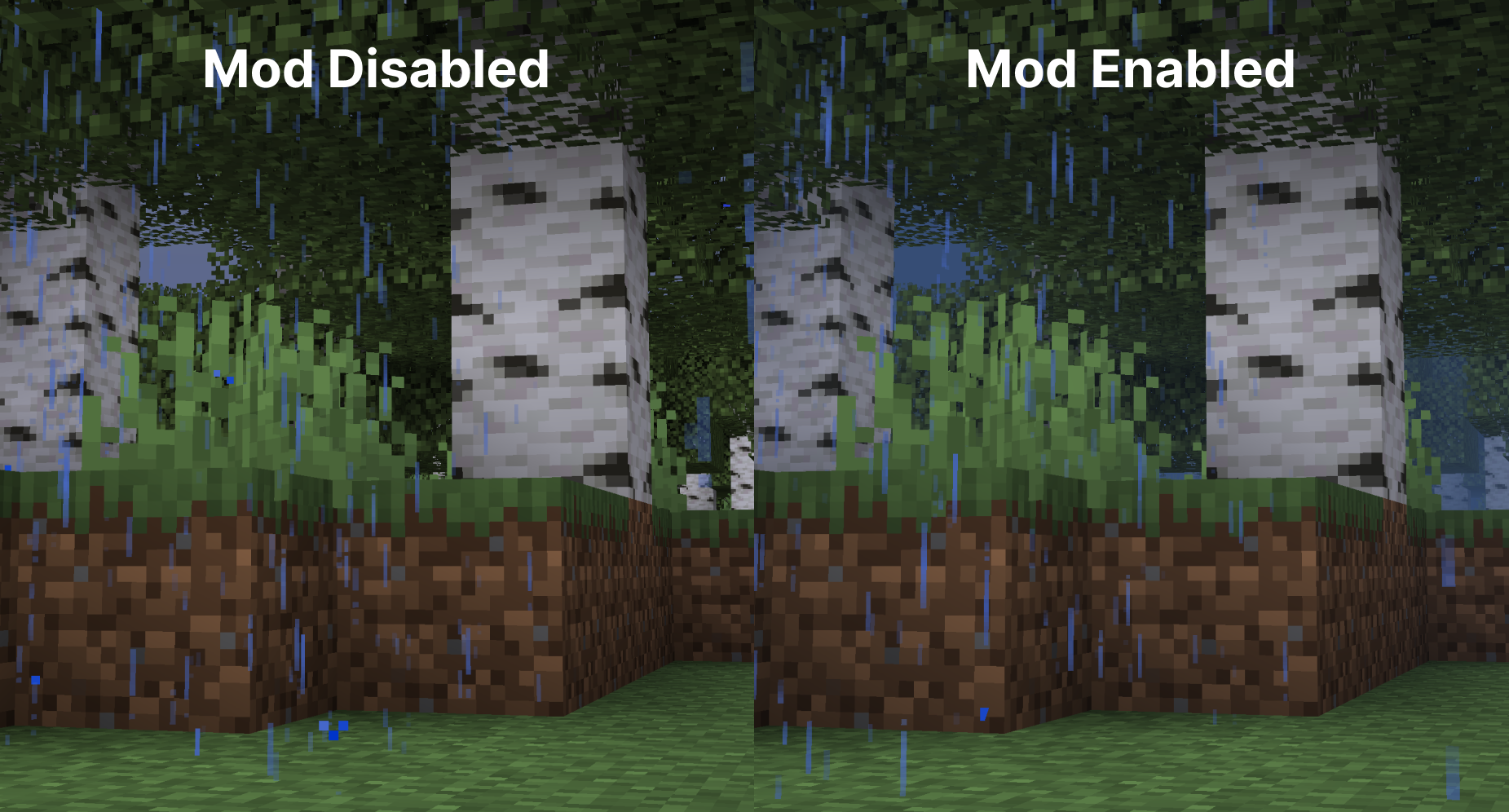
Weather Fog Modifiers
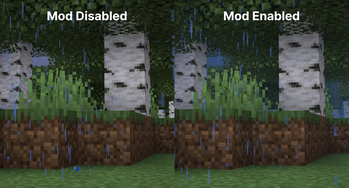
The fog adjusts with the weather, so during rain or snow, the fog will change accordingly. This adds to the overall atmosphere, making each weather condition feel distinct and visually appealing.
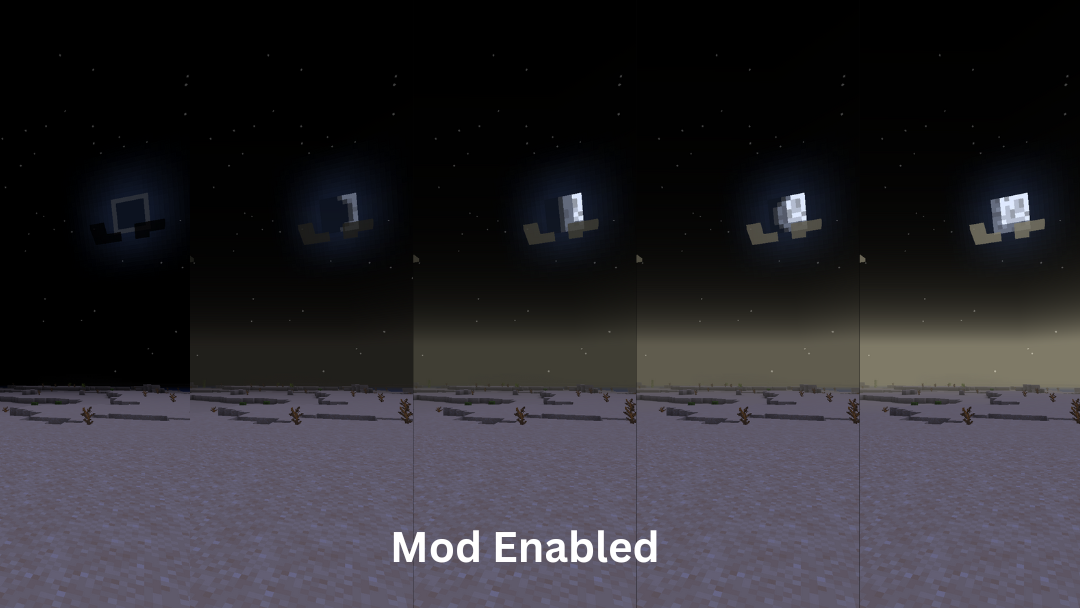
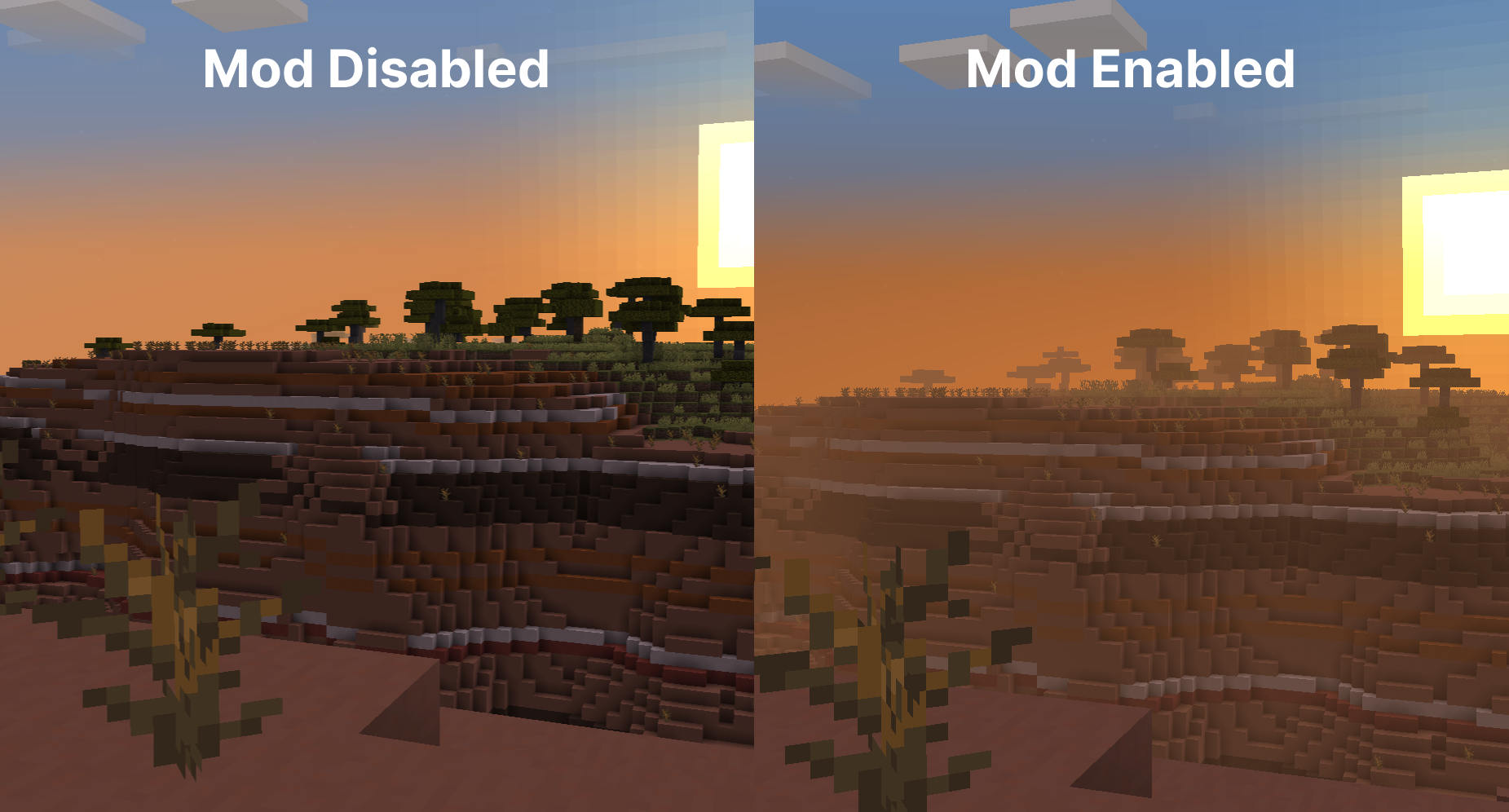
Time-based Modifiers
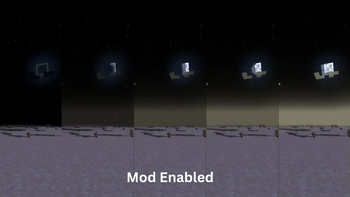
Fog becomes more colorful and vibrant during sunsets, sunrises. During night the fog colour will be dependent on the current moon cycle.
Biome Fog Colors
Fog changes color based on the biome you're in, giving each area a unique look and feel. This helps create a coherent visual experience as you move through different biomes. It supports modded biomes and is easy to customize using resource packs, allowing for a highly personalized game experience.
Sky Fixes
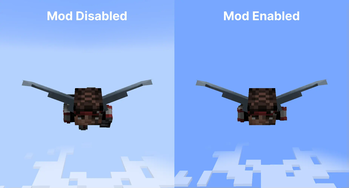
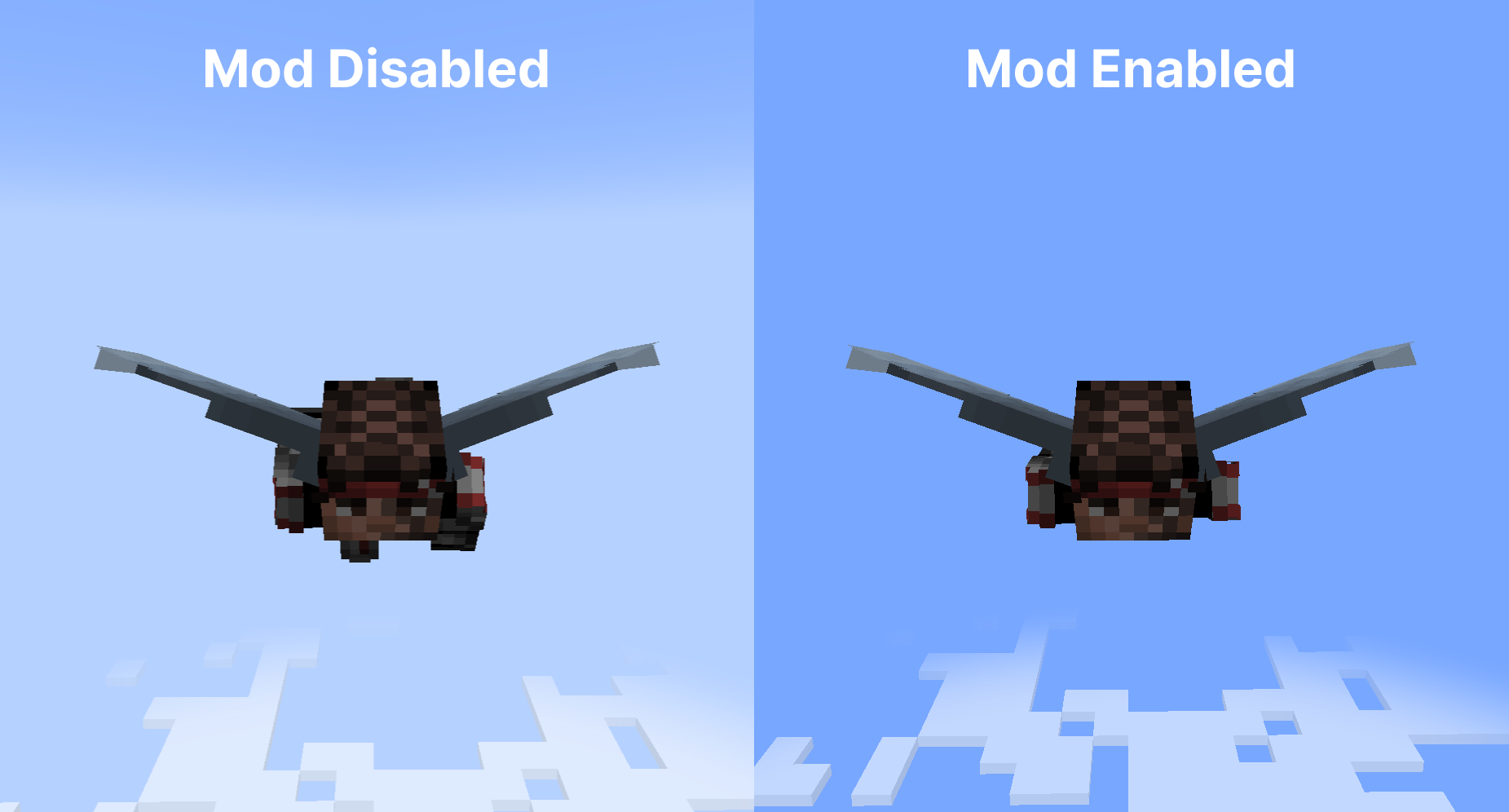
When flying with an elytra above the clouds, the fog gradually fades away, offering a clear view of the sky without any strange horizon lines.
Additionally, clouds maintain their natural look and are not affected by fog color, ensuring they always appear consistent and visually appealing.
Configuration
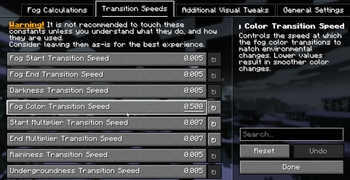
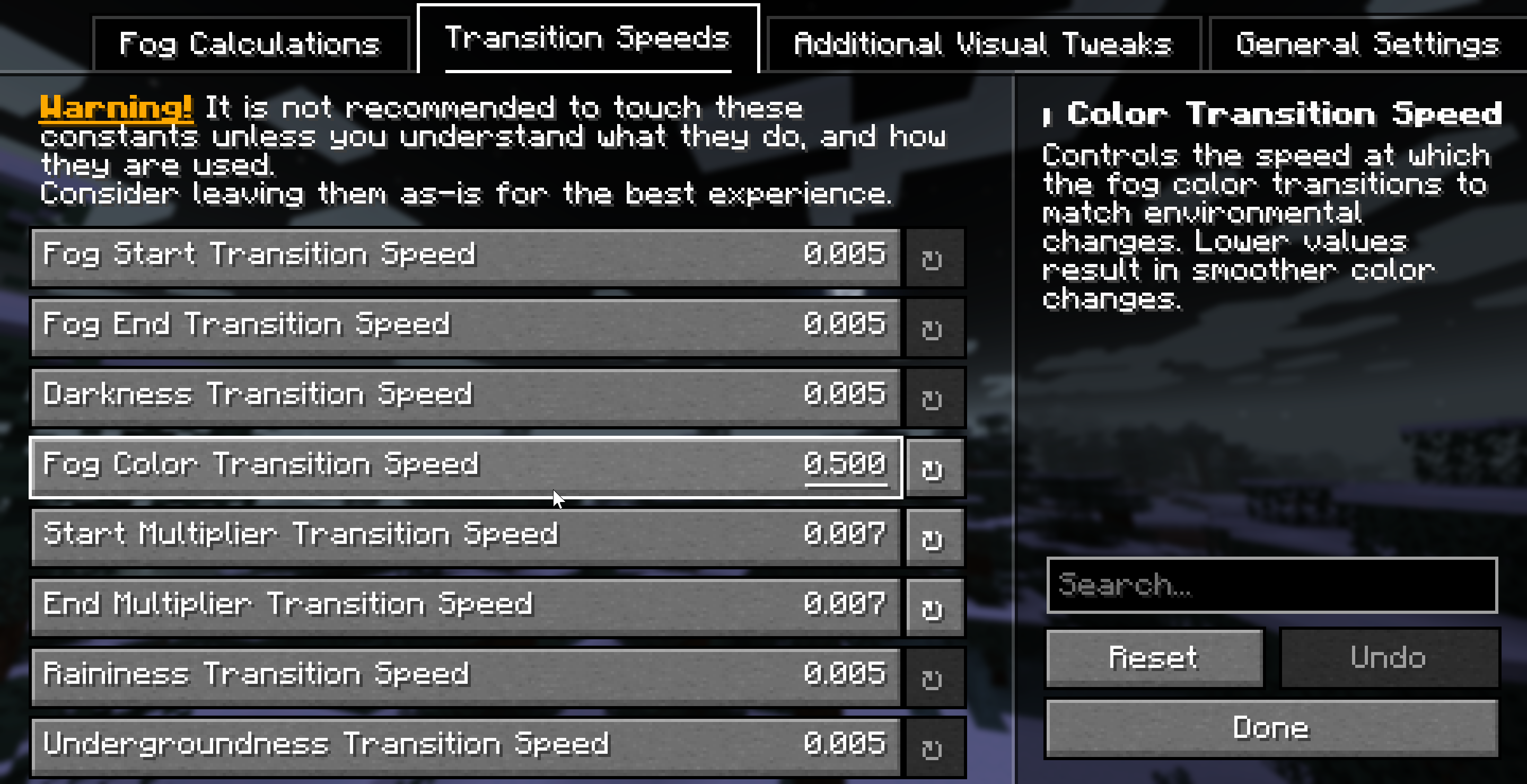
Fog is extremely customizable thanks to Yet Another Config Library, you should check the configuration screen accessible via Mod Menu on Fabric, or the Mods List on NeoForge for a full list of configuration options.
Dependencies
Required
Compatibility info
Compatible mods
- Mod Menu: allows access to the configuration screen
- Sodium: fully compatible, ensuring that your visuals remain consistent even with performance-enhancing mods
- True Darkness - Whilst we haven't added explicit compatibility, the mod works well with our moon phase modifiers that weaken biome fog strength depending on the moon phase.
- Shaders that use Minecraft’s default fog settings: fully compatible
- Distant Horizons: planned for the future
Incompatibilities
See the issue tracker for a list of incompatibilities.
Download
Fog is available for NeoForge and Fabric for 1.21-1.21.4 versions. You can download Fog from the following locations:
FAQ
-
Q: Will you be backporting this mod to lower Minecraft versions?
No - it takes too much time and effort to backport to older versions, and it's not worth the time investment as very little of the community is on those versions.
-
Q: Will you be supporting Forge for 1.21+?
No, you should consider moving to the NeoForge mod loader.
-
Q: Do you support Quilt?
Unfortunately, we are unable to provide support for issues arising from attempting to use this mod with Quilt - you are welcome to try to use it at your own risk.
-
Q: Does this mod work in multiplayer?
Yes! This mod is fully multiplayer compatible - only clients need to have the mod installed, but if your friends have the mod installed, you should have similar visuals.
-
Q: Does only the client need this mod or does the server need it too?
This is a completely client side mod, so only the client needs to have it installed. The server does not need to have it installed.
For Developers and Server Admins
If you want to add support for your modded biomes, you can utilize Fog's custom JSON fog definition format to create unique fog effects. The mod is fully customizable via resource packs and a dedicated configuration file.
Furthermore, if you're developing a Fabric mod, you can utilize Fog's custom datagen providers to speed your development workflow up when adding compatability with the mod.
Server owners can adjust fog start/end points and biome colors to match their server's aesthetic.
For more information, check out Fog's documentation.
License
This project is licensed under All Rights Reserved, see LICENSE.
Attribution
- birsy, the original author of Fog Looks Good Now - many of the systems and ideas were expanded from this mod.
- Steveplays, the author of the Biome Fog mod - who collaborated with IMB11 to bring biome fog colors to Fog.
Related projects


Mod Menu
by Prospector
Adds a mod menu to view the list of mods you have installed.

YetAnotherConfigLib (YACL)
by isxander
A builder-based configuration library for Minecraft!

Xaero's Minimap
by thexaero
Displays a map of the nearby world terrain, players, mobs, entities in the corner of your screen. Lets you create waypoints which help you find the locations you've marked.
Fog
Download Fog
or
Select a game version to see available downloads
No versions match your filters
About the creator

About the creator

Steveplays
Member · Fog
Hi, I'm Steve! I like making games in Godot and modding! Currently maintaining mods for various games (MC, SF, +more) https://steveplays.com
Member since February 2022
View profile on Modrinth
Conversation