What are you searching for?

Enchantment Descriptions Java

Enchantment Descriptions Java

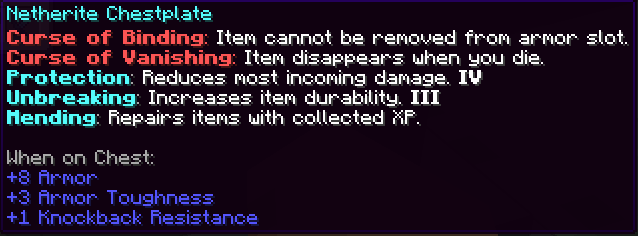
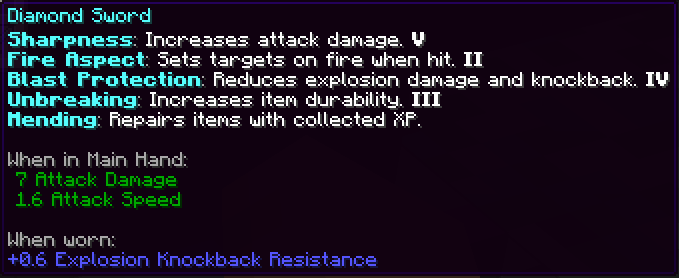
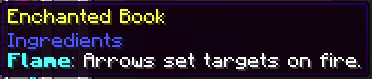
This resource pack enhances Minecraft’s enchantment system by providing detailed descriptions of every enchantment directly in-game. Whether you're new or experienced, it helps you make better choices while enchanting your gear.

download 20.3K Downloads · favorite 43 Followers · Updated 4 months ago
Datapack Fabric Forge Magic Management Minecraft Neoforge Optimization Quilt Utility 1.14 1.14.1 1.14.2 1.14.3 1.14.4 +36 more

Versions

inventory_2
1.3.0

1.3.0+mod · 4 months ago · 3.41 MB

Release download
Fabric Forge Neoforge Quilt 1.17 1.17.1 1.18
inventory_2
1.3.0

1.3.0 · 4 months ago · 1.67 MB

Release download
Datapack 1.17 1.17.1 1.18
inventory_2
Enchantment Descriptions Java

1.2.0+mod · 6 months ago · 3.37 MB

Release download
Fabric Forge Neoforge Quilt 1.17 1.17.1 1.18
inventory_2
Enchantment Descriptions Java

1.2.0+mod · 7 months ago · 3.37 MB

Release download
Fabric Forge Neoforge Quilt 1.21 1.21.1 1.21.2
inventory_2
Enchantment Descriptions Java

1.2.0+mod · 8 months ago · 3.37 MB

Release download
Fabric Forge Neoforge Quilt 1.14 1.14.1 1.14.2

Gallery

About

Support me on Patreon   Join our Discord    Support me on Ko-fi

Enchantment Descriptions

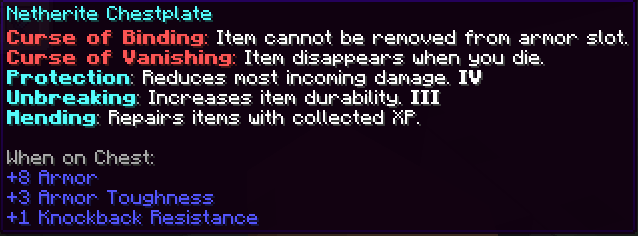
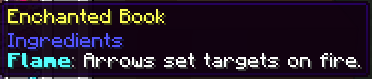
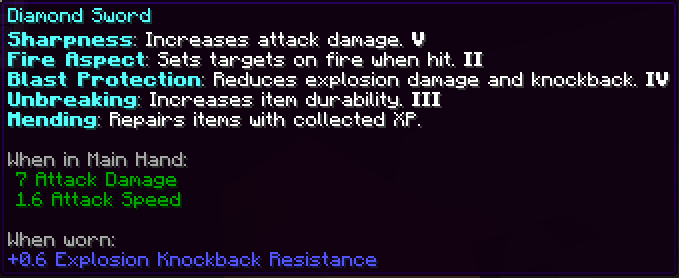
A simple but powerful resource pack that adds detailed enchantment descriptions to tooltips in Minecraft Java Edition. No more guessing what each enchantment does—this pack shows you all relevant information directly in-game.


🎨 Screenshots
1

2

3

4

5

Installation (Resource Pack - .zip)

  1. Download the .zip file.
  2. Place it in your resourcepacks folder.
  3. Launch Minecraft → Options → Resource Packs → Enable the pack.

Installation (Mod Version - .jar)

To install the .jar version of Enchantment Descriptions:

  1. Make sure you have Minecraft Forge or Fabric installed.
  2. Download the latest .jar file from the Files section.
  3. Place the .jar file into your mods/ folder, located in:
    • Windows: %appdata%\.minecraft\mods
    • macOS: ~/Library/Application Support/minecraft/mods
    • Linux: ~/.minecraft/mods
  4. Launch Minecraft using the appropriate mod loader.
  5. Enjoy detailed enchantment tooltips in-game!

This is a client-side visual aid only — it does not affect gameplay or servers.


Report if you find any mistranslation or bug

open_in_new View on Modrinth
Compatibility
Client: Optional Server: Required
gavel MIT

Conversation

What are your thoughts?

Related projects

Optimization
Sodium
Sodium

by jellysquid3

The fastest and most compatible rendering optimization mod for Minecraft. Now available for both NeoForge and Fabric!

download 118.2M
favorite 32,788
Decoration Optimization
Iris Shaders
Iris Shaders

by coderbot

A modern shader pack loader for Minecraft intended to be compatible with existing OptiFine shader packs

download 90.5M
favorite 23,773
Optimization Utility
FerriteCore
FerriteCore

by malte0811

Memory usage optimizations

download 84.3M
favorite 12,712
Optimization
Entity Culling
Entity Culling

by tr7zw

Using async path-tracing to hide Block-/Entities that are not visible

download 84.0M
favorite 13,759
lock Cookie consent

SkinMC uses cookies to provide functionality and features.