
Sound Controller
Sound Controller is a mod that provides complete control over the volume of every sound in the game.
Versions
Gallery
About
Sound Controller



We've all dealt with that loud portal before, or those ridiculously loud mob farms. Perhaps you're even listening out for a particular mob while caving. Have you ever wanted to just fine-tune those specific sounds without being limited by the category sliders?
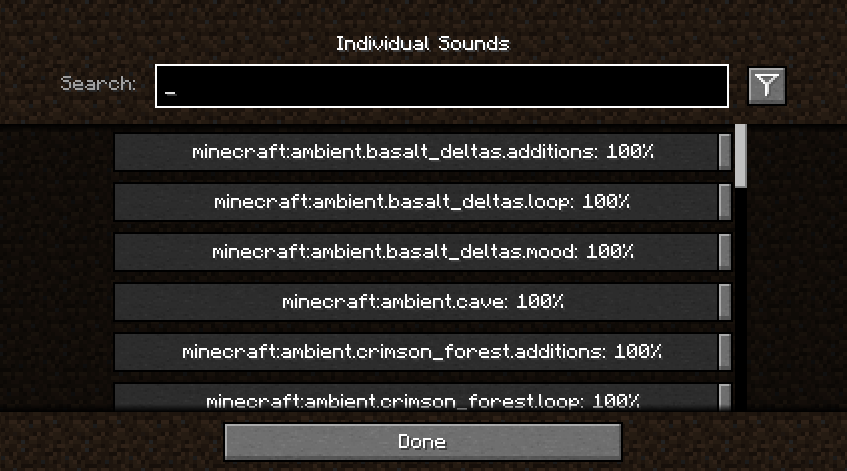
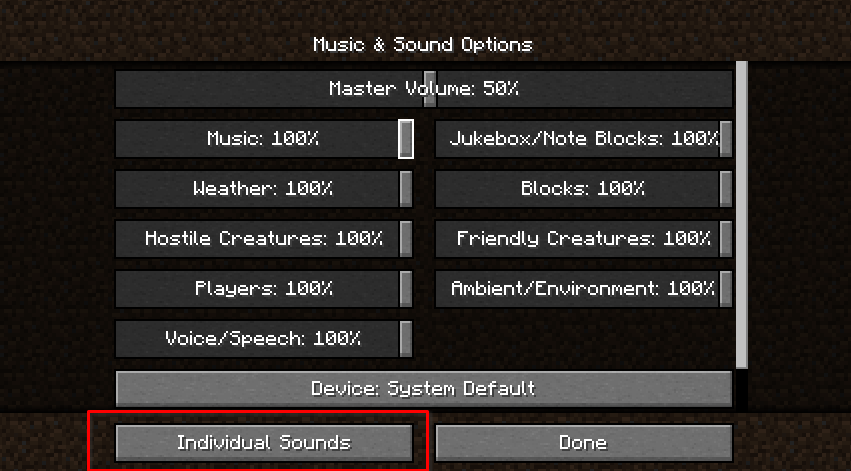
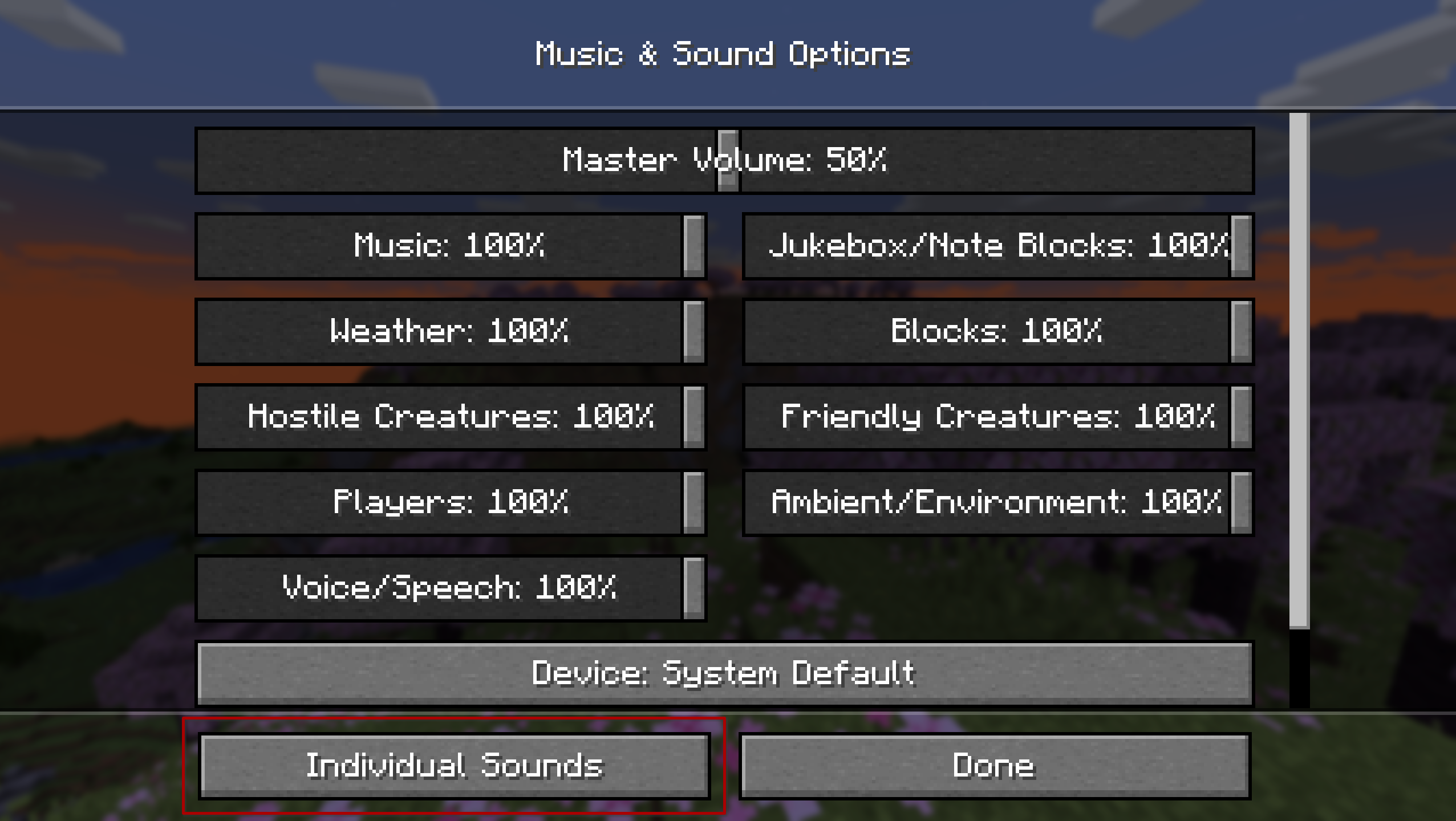
Sound Controller is a fabric mod providing complete volume control over the sounds played in the game. It adds an extra set of options to your sound settings, providing you with volume sliders for every single sound between 0-200%.
By utilising the minecraft registry, this mod should also include all other sounds added to the game by your favourite mods (provided those mods add their sounds to the normal registry).
This mod is available on GitHub, CurseForge, and Modrinth.
Features
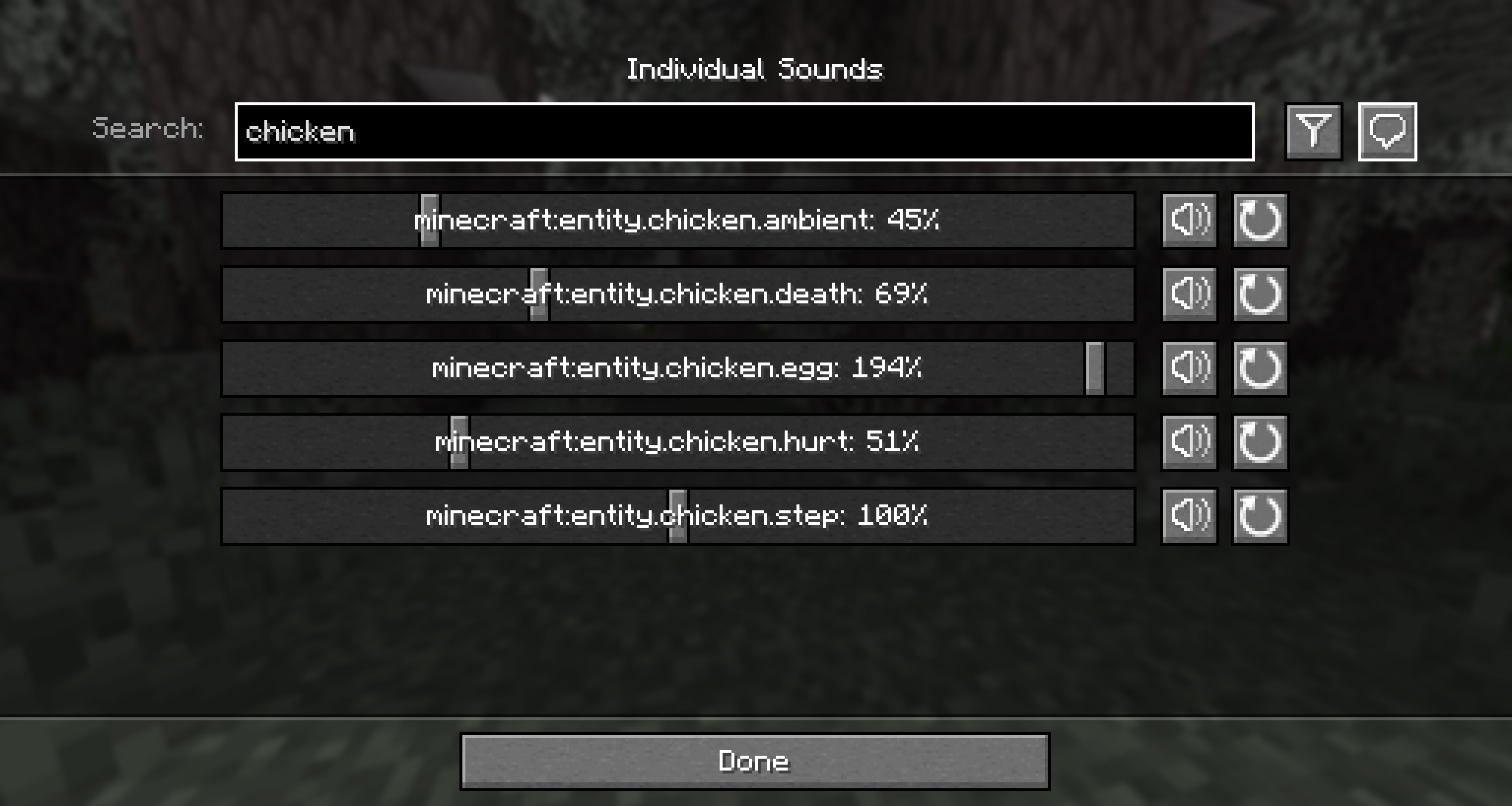
- A search bar to quickly find the sound you're looking for
- A toggle that filters to your modified volumes, so you can easily find the sounds you've changed
- A toggle that replaces vanilla subtitles with sound ids, so you can identify the name of that pesky noise nearby
- Sliders for every sound in the game, including those added by mods. Allows setting volumes between 0% to 200%.
- A button for every slider that will play the sound at the volume you've set
- A button to reset sounds to their default values
When using the final feature, it may be hard to hear your sound around all the other game sounds. The easiest place to use it is directly from the menu, however you may want to temporarily disable the minecraft:music.menu too!
Images
Contributing
Contributions and suggestions are always welcome! Please limit all issues to only one feature at a time - feel free to open multiple at once if you have many ideas. Similarly, please limit pull requests to a single feature at a time and try to follow the existing code style.
To further discuss or get notifications of new updates, check out my Discord. If you like what I do, consider supporting me on Ko-Fi! 





Conversation