
SkyBlock Enhanced – Legacy Edition
Improve your Hypixel SkyBlock experience with carefully selected mods in a one-click modpack. Enjoy a performance boost and convenient quality-of-life upgrades.
Versions
Gallery

About
END OF LIFE
This modpack is no longer maintained.
Hypixel will soon require Minecraft 1.21.5 or newer for SkyBlock. The 1.8.9 version will not receive any more updates or fixes.
Please switch to SkyBlock Enhanced – Modern Edition: https://modrinth.com/project/e0oMrxjp
SkyBlock Enhanced: Your All-in-One Modpack for Hypixel Skyblock!
SkyBlock Enhanced bundles essential mods to elevate your Hypixel Skyblock gameplay. Enjoy an easy, one-click installation for improved performance and helpful on-screen quality-of-life features.
🔔 Important Notes (Read Before Installing!)
- 📢 Manual Optifine Installation Required: For custom Skyblock textures and optimal performance, you must install Optifine separately.
- 📢 Allocate Sufficient RAM: Assign at least 4GB of RAM to Minecraft for smooth gameplay. 2GB will lead to stuttering and lag.
- Enjoying the modpack? Show your appreciation on the forum post.
⚙️ Pre-configured for Optimal Performance
SkyBlock Enhanced features fine-tuned configurations for all included mods, ensuring they work together seamlessly and preventing on-screen clutter from overlapping GUIs.
Automatic Configuration (Version 2.0+): PackCore manages settings for different screen resolutions (1440p and 1080p).
- First Launch: You'll be prompted to select the best configuration for your screen.
- Resetting: To reset, go to
PackCore Configsin the main menu, enableShow Default Config Dialog, and restart. (Warning: This will overwrite your current settings!)
Configuration for Versions Before 2.0
- Default: 1080p settings are applied initially.
- To Change (e.g., to 1440p):
- Go to
Settings. - Click
Easy Configs(bottom corner). - Click
Load Configs. - Select
EasyConfigSave1for 1440p (orEasyConfigSave0for 1080p). - Optionally, check
include mcOptionsfor keybinds and video settings. - Click
Loadand restart the game.
- Go to
✨ How to Install Optifine (Manual Installation Required)
Due to Optifine's licensing, it cannot be included in the modpack and must be installed manually. Optifine improves performance and enables custom Skyblock textures.
Video Tutorial: (Watch from 2:32)
<iframe width="560" height="315" src="https://www.youtube-nocookie.com/embed/Al6Bhe4kwhI" title="YouTube video player" frameborder="0" allow="accelerometer; autoplay; clipboard-write; encrypted-media; gyroscope; picture-in-picture; web-share" allowfullscreen></iframe>📝 Want a written tutorial read her.
How to install Optifine
- Go to the Optfine website and download Optifine for 1.8.9. Link to download.
- When you have clicked the link you should be here.
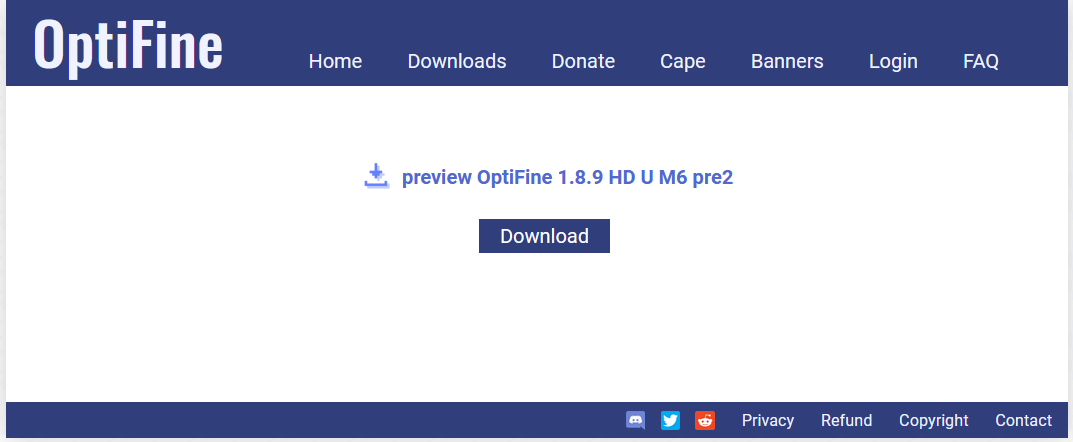
- Click download
- When you have downloaded the file, can you find it in the Download folder in File Explorer.
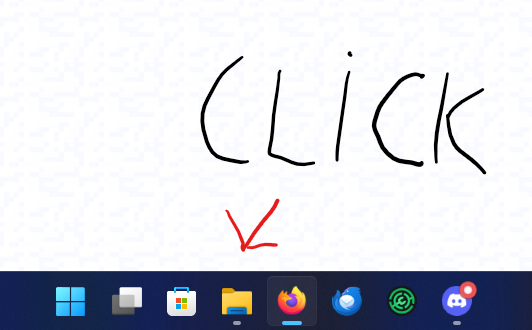
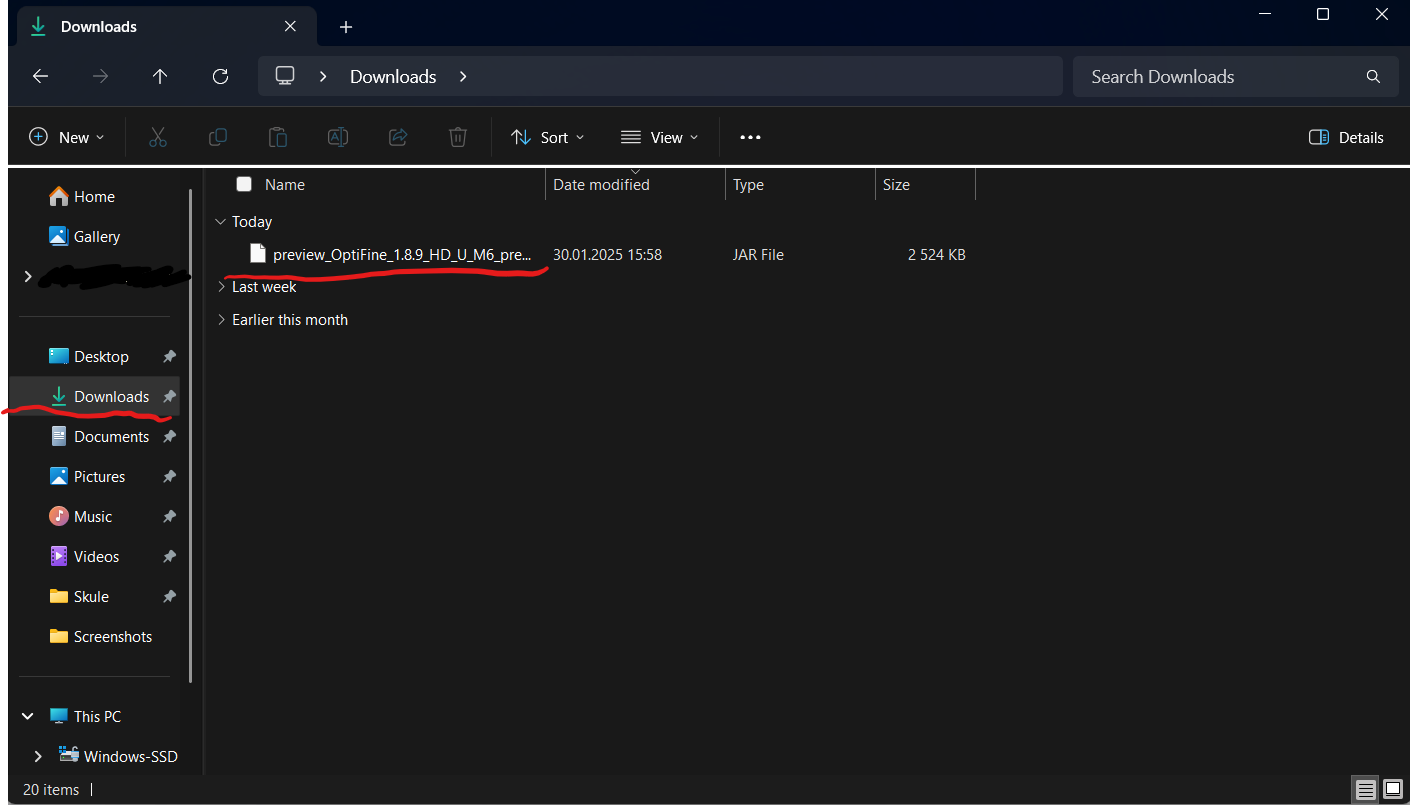
- Open the Modrinth app and locate the SkyBlock Enhanced installation.
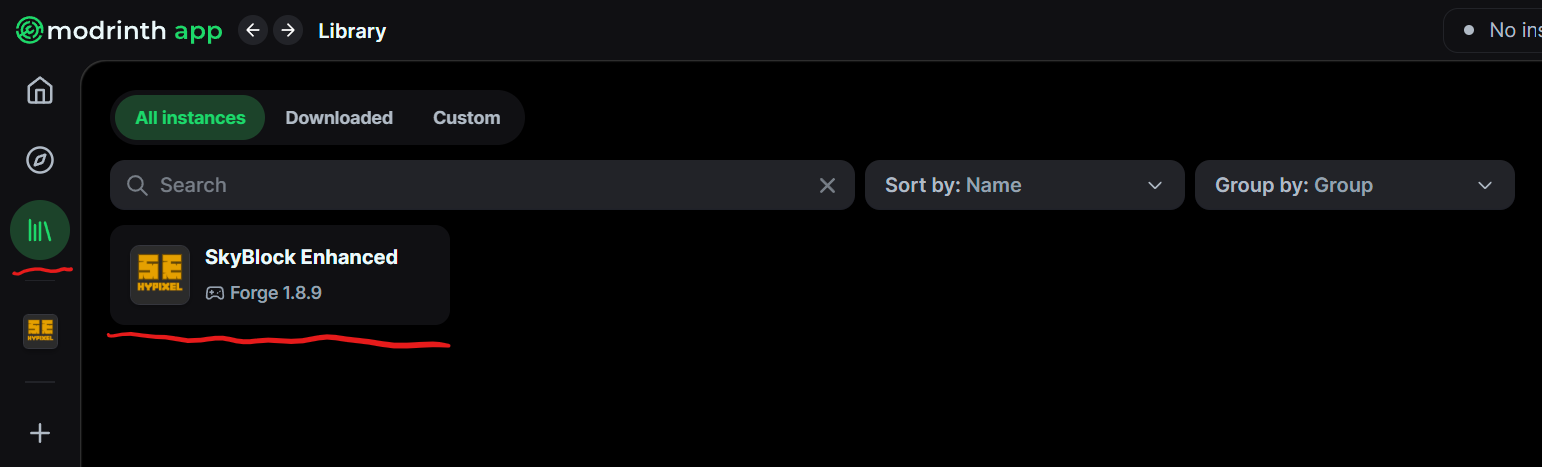
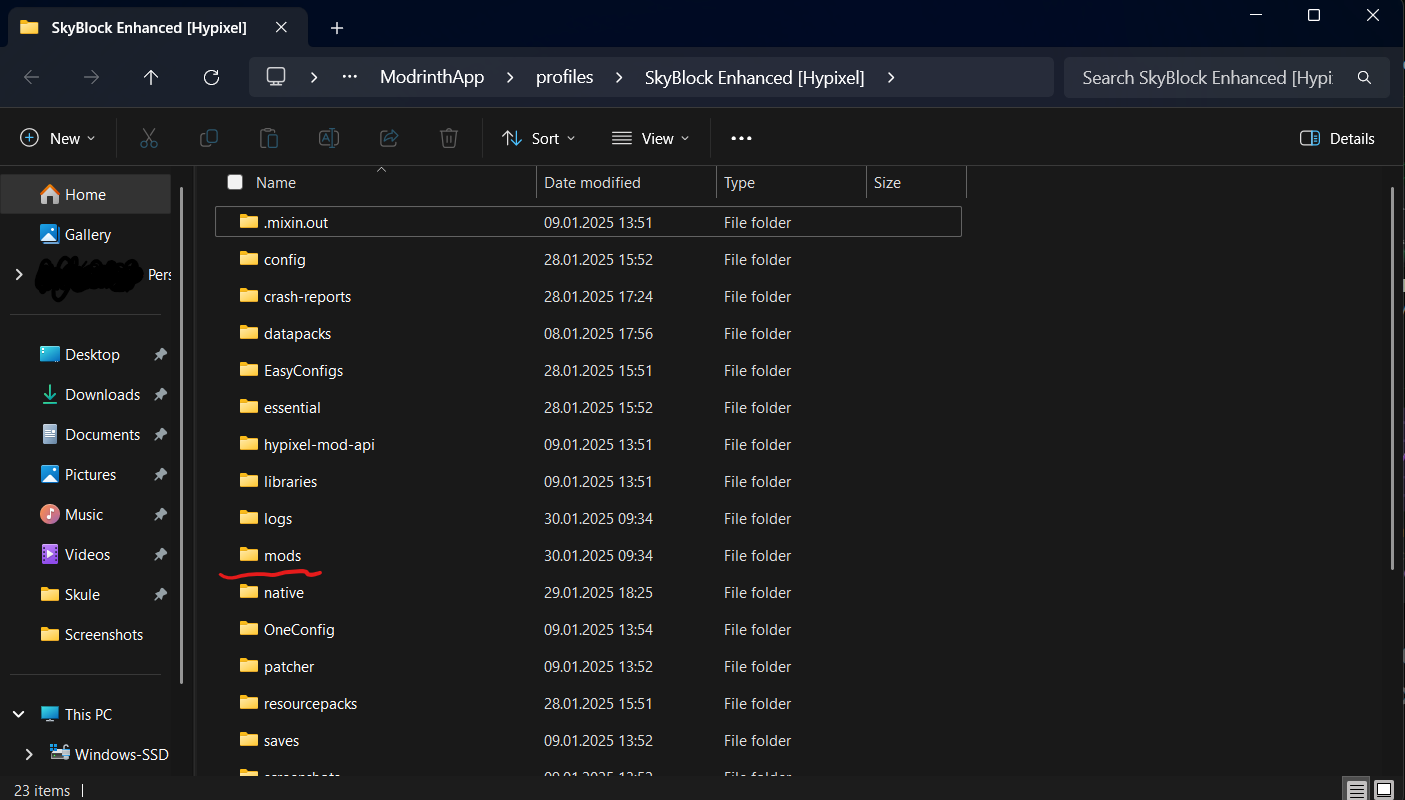
- Then open the folder of the installation.

- Locate the mods folder and open it.
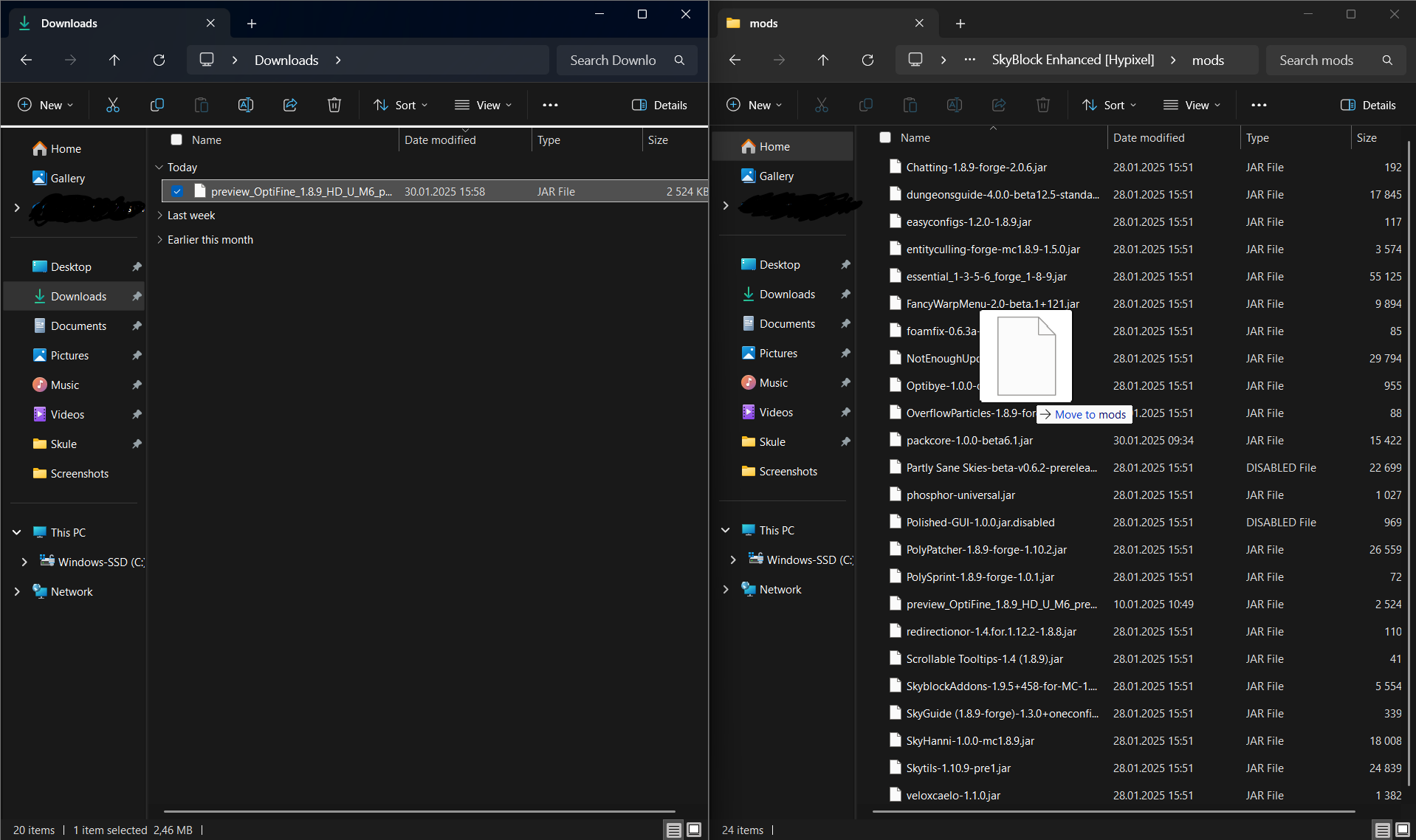
- When opened copy the Optifine file over from the Download folder and into the mods folder that you just opened. This can be done by just left-clicking the optfine jar and holding it down until you are over the mods folder.
- Open Modrinth, click play and have fun!
✨How to install
If you need help with installing the modpack watch the video. Have questions comment on the video and I will help.
<iframe width="560" height="315" src="https://www.youtube-nocookie.com/embed/Al6Bhe4kwhI" title="YouTube video player" frameborder="0" allow="accelerometer; autoplay; clipboard-write; encrypted-media; gyroscope; picture-in-picture; web-share" allowfullscreen></iframe>📝Want a written tutorial read her.
Step 1 Download the Modrinth app (Tutorials for different lunchers will be added at a later point) Step 2 Download the Skyblock Enhanced Mod Pack
How to install Modrinth app
- Go to https://modrinth.com/app
- Click the Green button if on a Windows PC.

or click the "More Download Option" button if on another type of PC and find the correct one.

3 When you have downloaded the installer, click it.
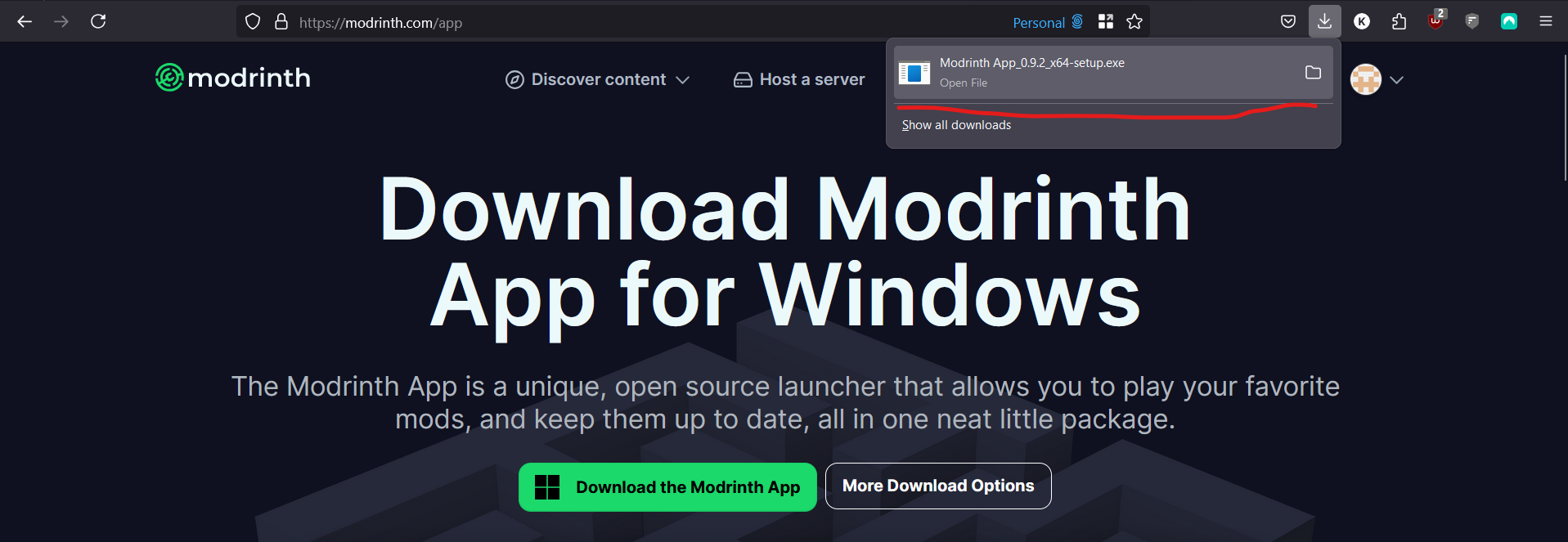
If you can not see the downloaded file, open File Explorer.
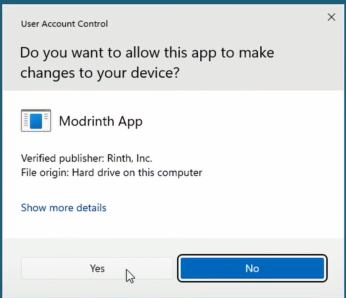
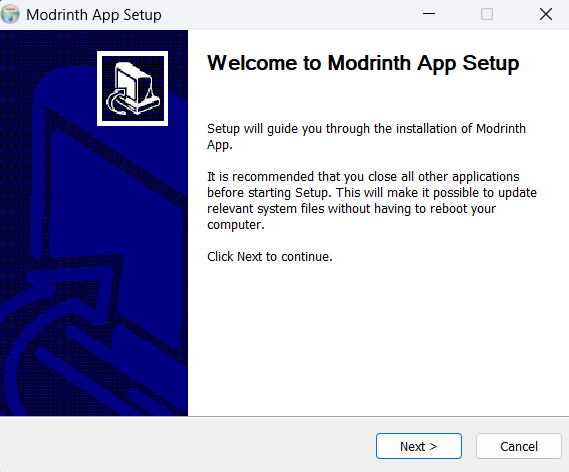
- The installer will then open, click next until you reach this
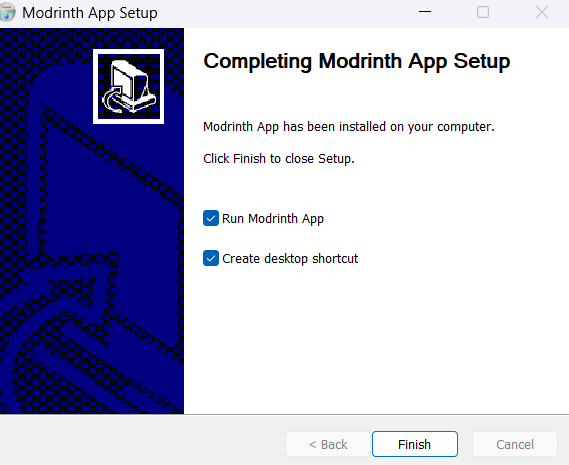
- Then click finched and the app should open.
The tutorial from this point is outdated it should work but stuff can look different. 5 Now the app will open and you need to log in. Click Get Started then Sign in.
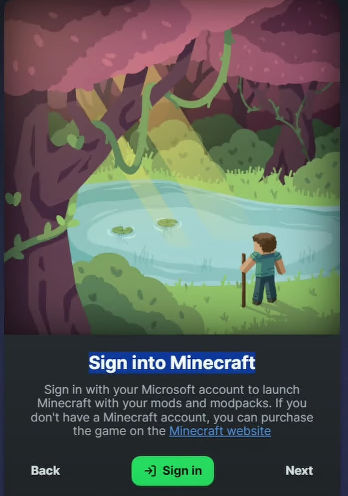
A browser window will open and you can log in to your account there.
It will first ask for a code that can be found in the app by clicking on it on the taskbar icon of the app.
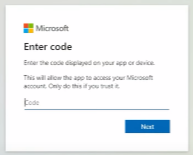
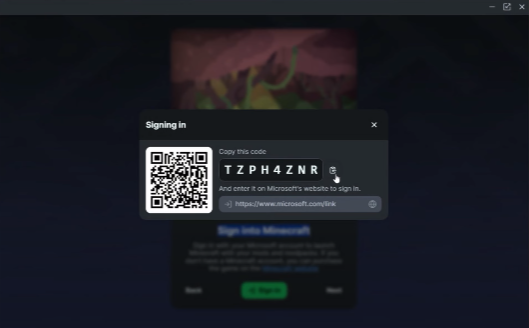
Then you will be asked for the email and password of the account. Your Minecraft account is a Microsoft account.
6 Now you will be asked to sign in to your Modrinth account you don't have to just click next.

7 Now you will get a lot of prompts just click next.
8 Time so set the memory limit to Minecraft.
Click on the option down in the left corner of the app.

Then locate the memory limit slider, and set it to something between 2000mb and 4000mb depending on how much RAM you have. If you don't know how much ram you have, can you use 3000mb it is a safe amount.

Then you have to install JAVA. Find the button to install Java and click install recommended under the Java 8 version.

9 At this point are you ready to install any modpack you want. Check out the How to install SkyBlock Enhanced spoiler under for how to install the mod pack.
How to install SkyBlock Enhanced mod pack
- Open the Modrinth app and locate the search button on the left side.

2 Search SkyBlock Enhanced and click install. This can take some time so be pason.
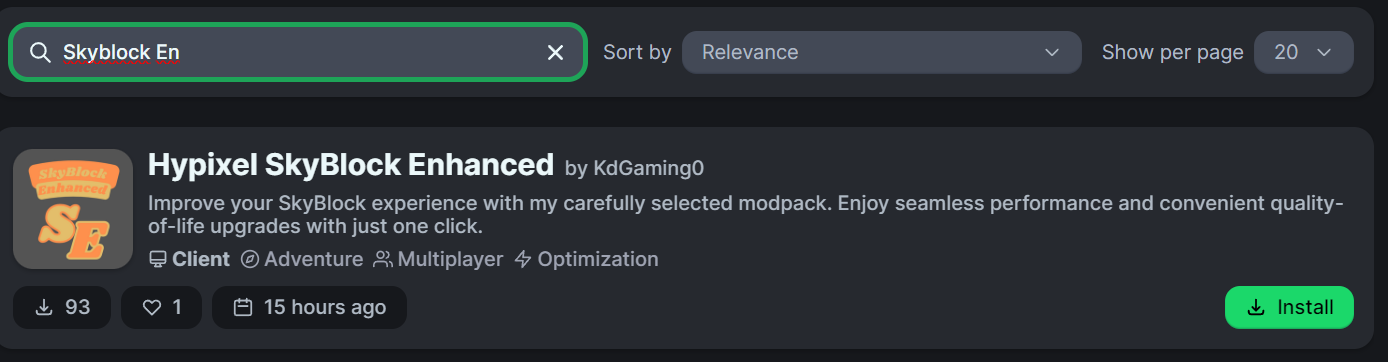
3 Click the library button on the left side.
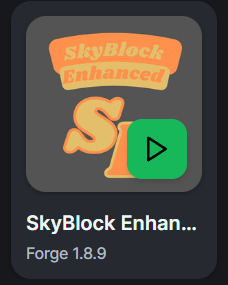
4 You will find the modpack there and you can click the green button when hovering the mouse over it to start the game. Under the first start-up of the game you will get a pop-up asking for permission click YES. Remember you will have to install Optifine manually. Information on how to do that can be found above.
Don't want to use the Modrinth app
How to install the modpack using the vanilla Minecraft launcher.
If you don't want to use the Modrinth app can you use the vanilla launcher but it will be more work and automatic updates will not happen.
- Step 1 Download Java. It can be found here. Click the green button to download.

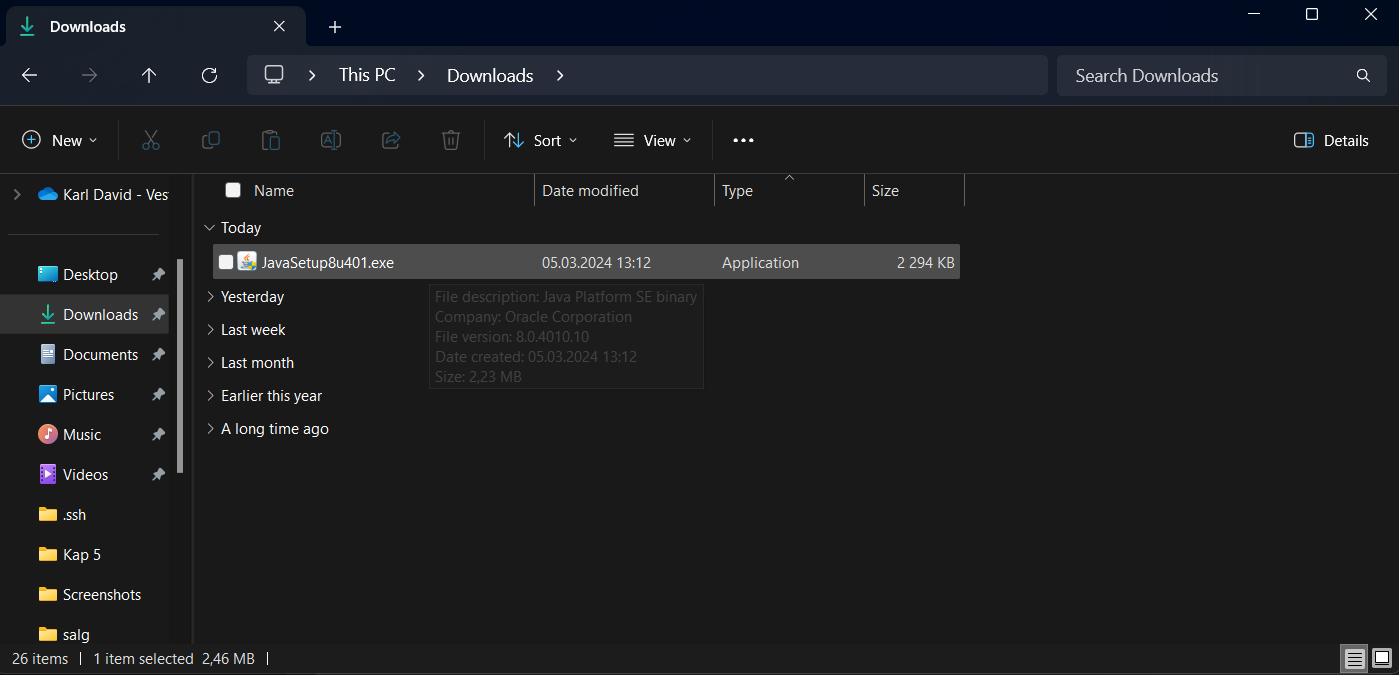
When you have downloaded it click the file you downloaded.
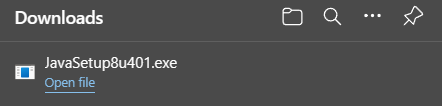
If it did not come up as a pop-up in the browser you can find it in the File Explorer and then Downloads.
When you have clicked it you will get a pop-up asking for permission Click YES.
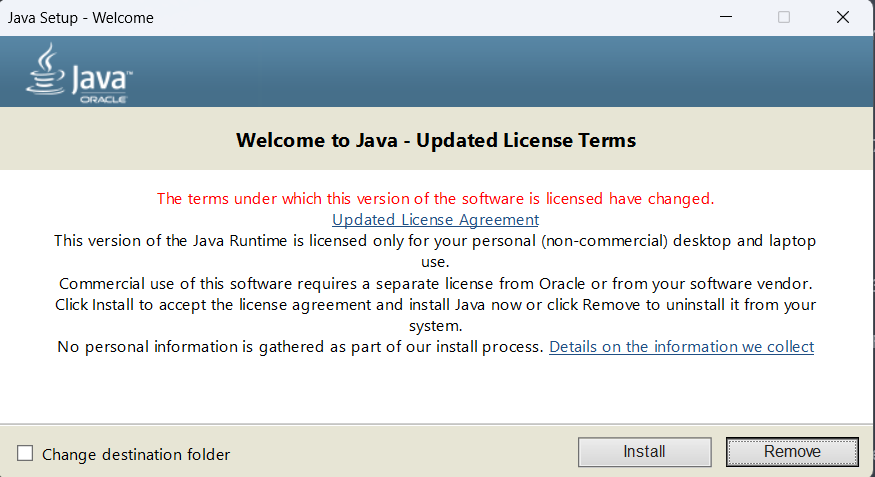
After that, you will get a window asking you if you want to install it. Click Install.
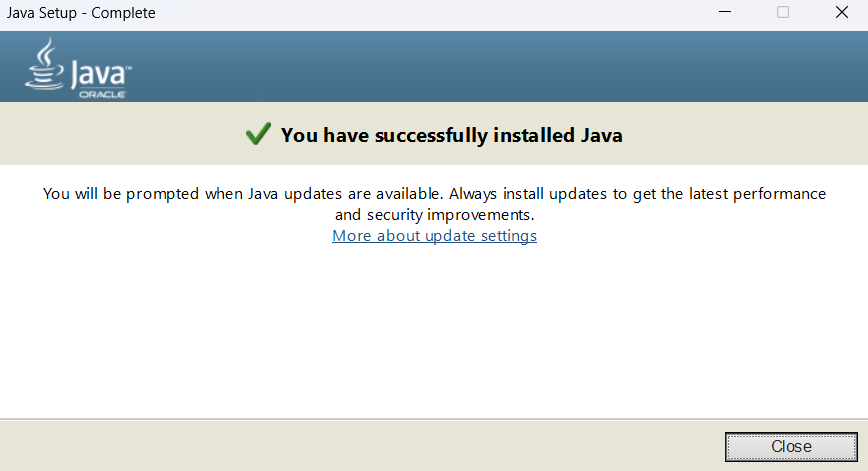
Now you will get a window confirming that it is installed. Click Close.
- Step 2
Install Forge for 1.8.9
Open the Minecraft launcher and open the game in 1.8.9 if you have not already done this.
How to find version 1.8.9 if you haven't already played it. Open the Launcher and go to the installation tab.

Click new installation.

Go to the version part search 1.8.9 and select that one.
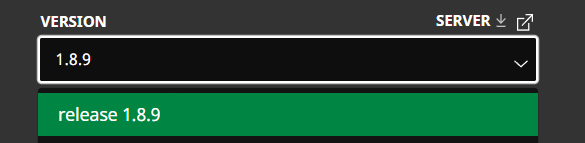
Give it a name hit crate and then hit play. Let the game open for a few seconds in the main menu and close it.
Install Forge
Go the the Forge website and download the installer. Find it her.
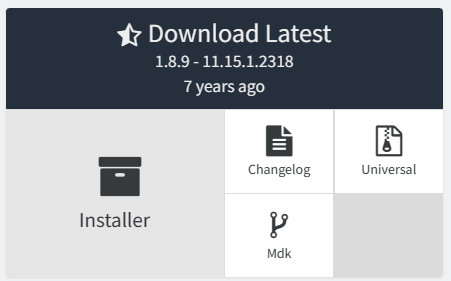
When you have downloaded it you can click it.
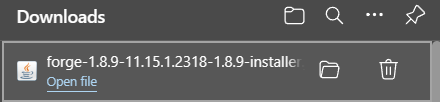
If you can not find it as a pop-up in the browser open File Explorer and go to downloads.
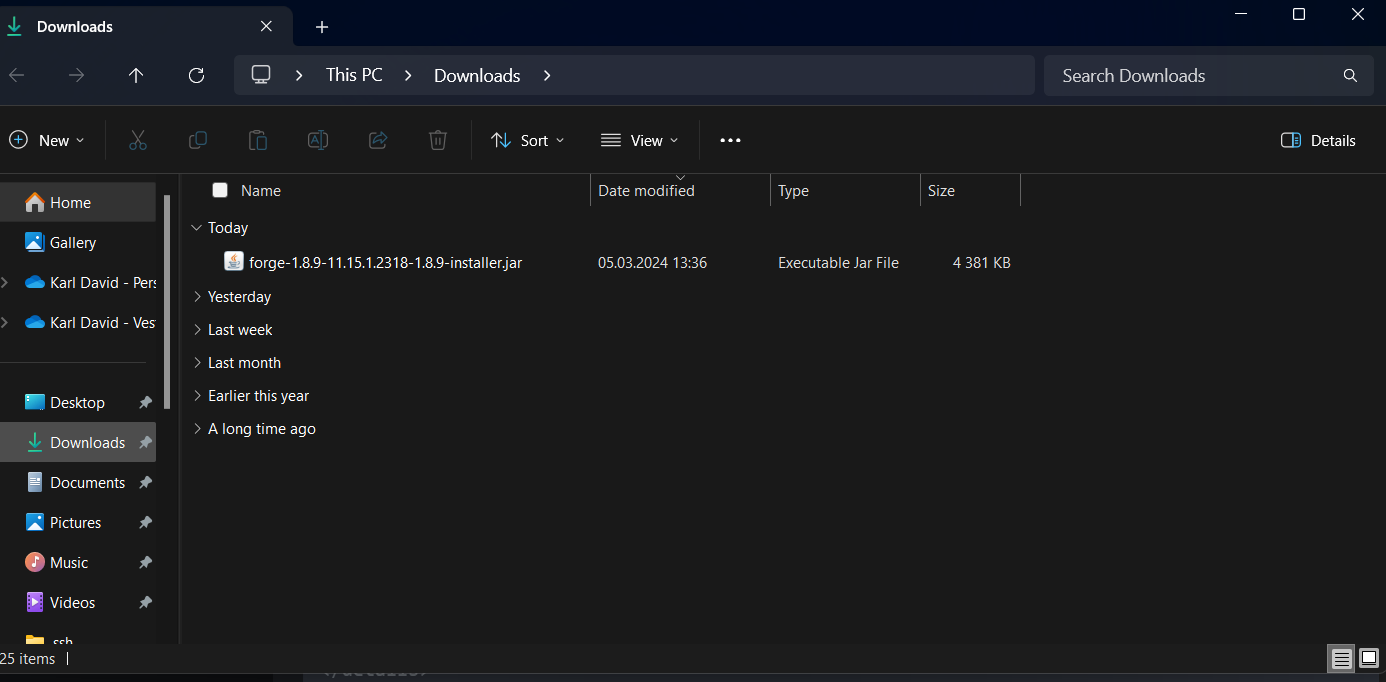
When you click it this window should open.
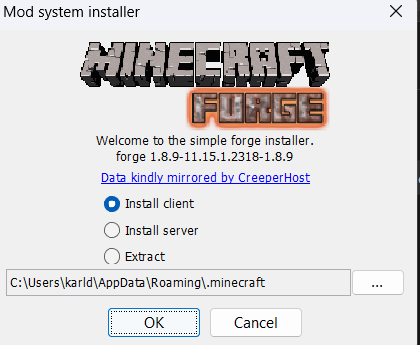
Click OK.
Good, you have installed Forge.
- Step 3
Make an installation folder for the modpack.
Hit the Windows button on your keyboard and write %appdata% then hit enter.
A File Explorer window should open. Right-click the empty space and find "new" and then "folder".
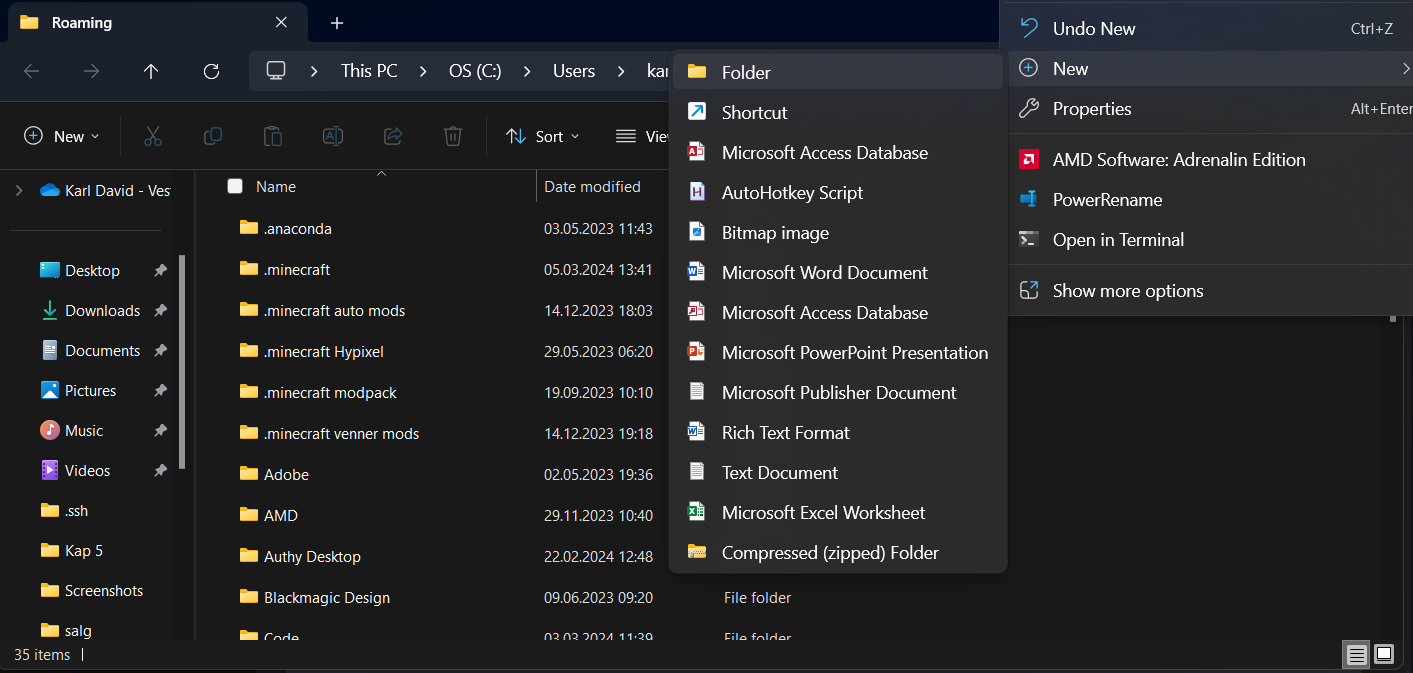
Give it a good name and then open it (remember the name). Have it in the background you will need it.
- Step 4
Download the pack
Download the latest version from Modrinth.
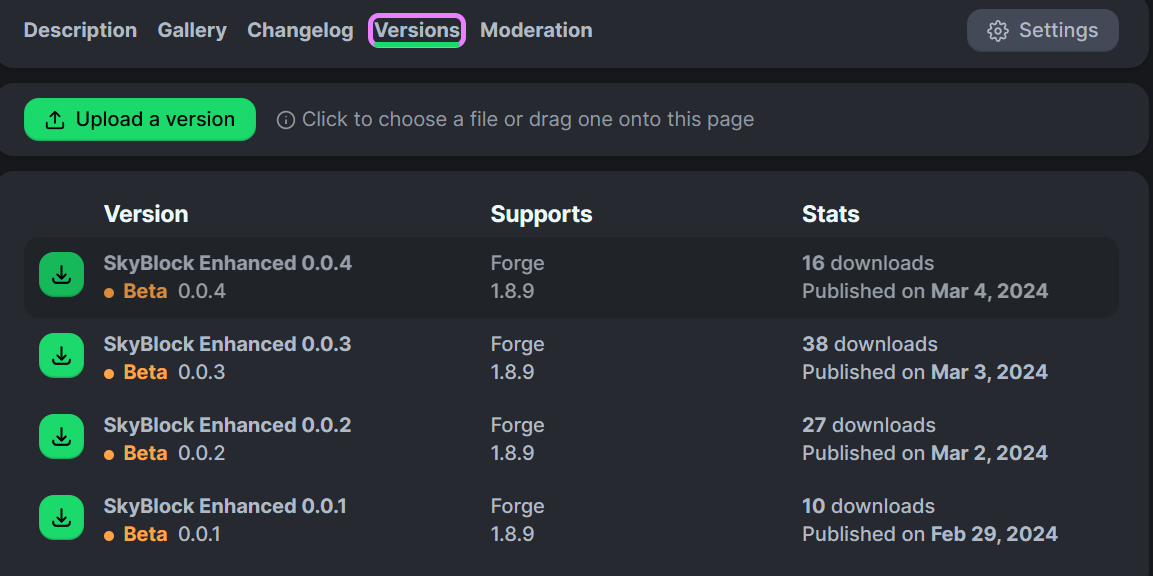
Then go to this site.
Here you will convert the mrpack to a folder with mods.
Click Choose a file and then choose the file you downloaded.
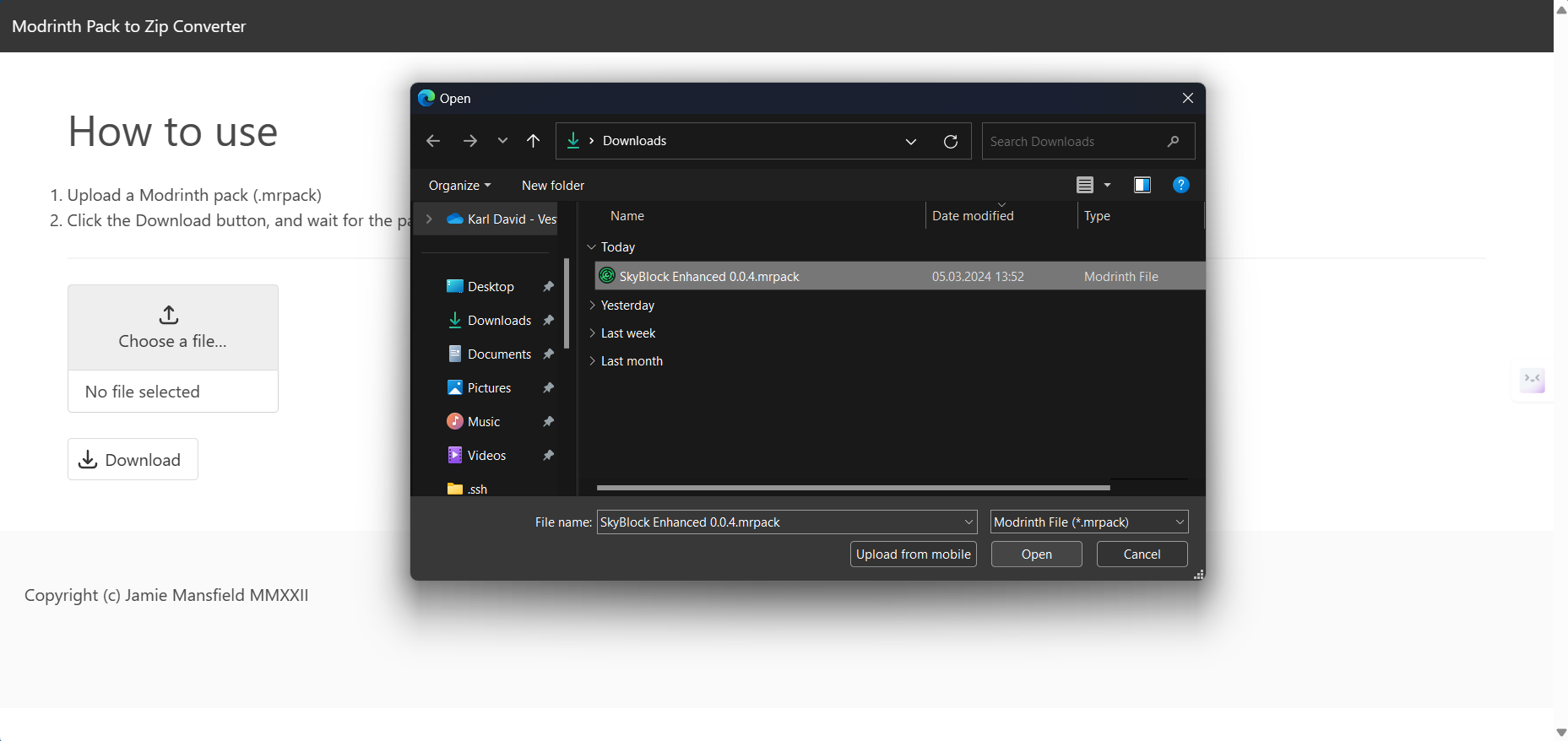
Now you can click Download it will start downloading a zip folder. Open the zip folder when finished.

When you have opened it you can copy everything from that folder into the new one you made earlier. The easiest way to do this is to do Ctrl-A in the zip folder and then Ctrl-C. Then go to the new folder and do Ctrl-V. If every thing moved over is all good.
- Step 5
Make the game ready to play.
At this point, you can open up the Launcher again. Go to the installation tab and click New Installation.
Give it a good name and in the version field write forge, click the option that comes up.
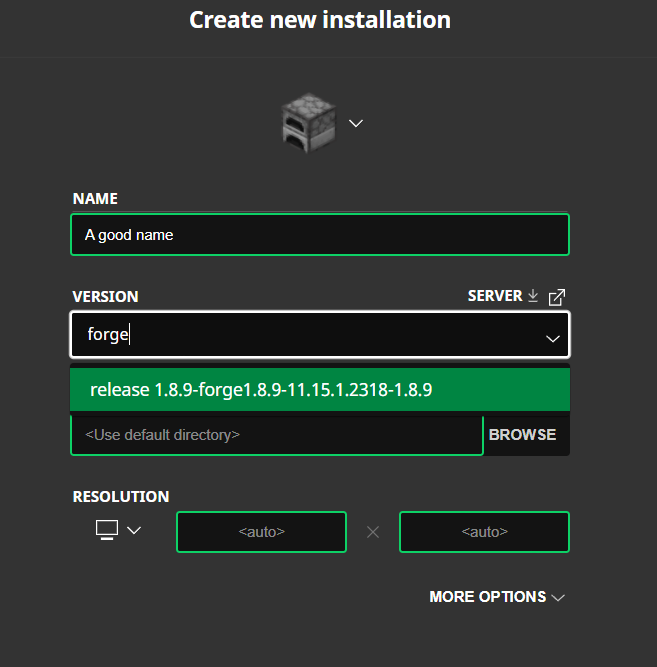
In the game directory click Browse.

Then find the folder you made and choose it.
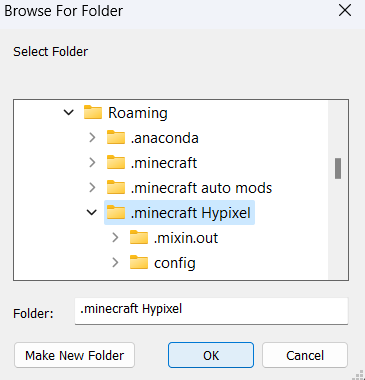
Click OK. The More option toggle.
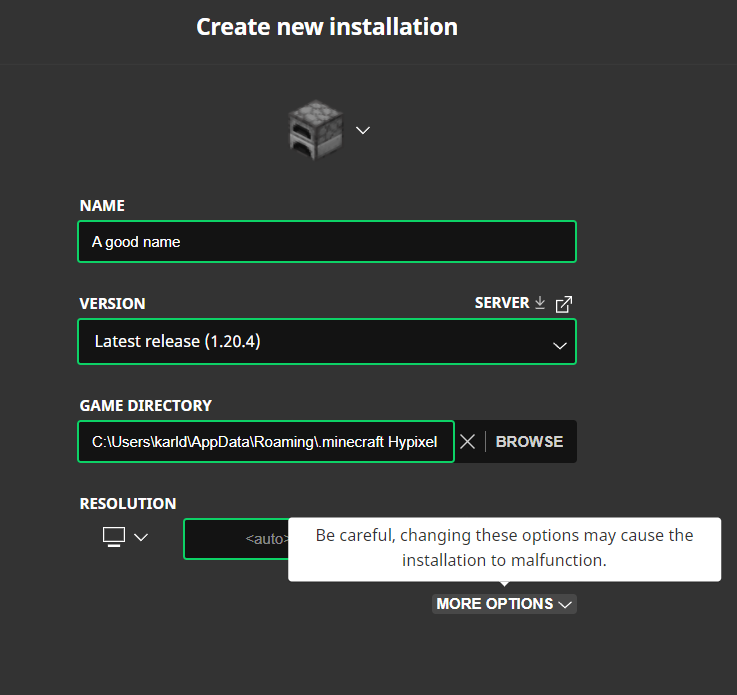
Change the JVM arguments line, only change the number 2 to a (3 or 4) depending on how much RAM you have 4 is safe for 99% of people.

Click Create then play.
- Step 6
Install Optifine Follow the Tuorial on how to install optifine but when i say open the modrinth app and click the folder icon use the folder you created previously and locate the mods folder.
- Step 7
Have FUN!!!
Need help Write your problem under this post on YouTube. YouTube post.
To update just download the mrpack again and replace the content inside of the folder you created. You will get promoted that it is duplicate files just hit replace.
Don't want to use Modrinth or the Vanilla launcher.
The modpack is transported in a .mrpack format and most launchers support it you can use MultiMC, Prism Launcher, ATLauncher, BakaXL, or Superpack to play my pack. I have not tested it so I don't know how to use it but it should be an import button where you can choose a .mrpcak file.
❗Important KeyBinds
Config menu access with Right shift
Importen HotKeys
All of them are configurable through the "Right shift" config menu just find the mod and then the HotKey you wish to change.
NEU
- Shose a NPC to show a way point to "U"
- Slot Locking Key "L"
- Open price graph on item when hovering over the item "P"
- Quickly change to an armor set from the wardrobe. Slot 1 = Key "1" Slot 2 = Key "2" and so on.
Skyhanni
- Move a GUI element by SkyHanni on screen "G"
- Warp Home on Garden "Z"
- Sethome on Garden "H"
- Warp to Barn on garden "B"
- Bypass Key when you can't refuse garden visitor because it has a good item "LSHIFT"
- Accept a visitor "K"
- Teleport to the nearest plot with pasts on it "V"
- Warp to Trevor's Den or accept the quest from him when on Mushroom Desert "V"
- Reputation Helper on Crimson Isle "H"
- Warp to nearest warp place in hub when doing Diana's Mythological event "V"
- Share a Inquisitor Waypoint to your party "Y"
- Lover the sensitivity of the mouse "Z"
- Breakdown Hotkey, show a breakdown of all fortune sources on a tool. (LShift)
- Bypass Key when you can't refuse garden visitor because it has a good item "LControl"
- Campfire Hotkey to warp to the campfire if you don't have travel scroll unlocked, show path to the camfire. "V"
- Hotkey to select the next spot "z"
- Share a Mineshaft location "Y"
- Reset Fishing timer manually "R"
- Wiki Key, Show get a link in chat for the wiki for the item you mouse is hovering over "O"
Partly Sane Skies
- Party Manager "P"
- Refill items to run dungeons from seak (including Spirit Leaps and Superboom Tnt) "O"
PolySprint
- Toggle Sneak Mouse "Button 5"
SkyGuide
- Open map "M"
Dungeons Guide
- refresh or create pathfind line "R"
- Toggle pathfind lines "I"
- Bood Rush mode "J"
- Find new Secret "F" (Useful when a secret is bugged or already taken.)
- Bomb Defuse sends solutions in chat and displays them "Z"
Chatting
- Chat Peek "X" (It toggles by default can be changed)
Fancy Warp Menu
- Show the warp menu "CAPITAL"
Skytils
- Noting by default but you can create everything you want with the help of the key Shortcuts.
🛠️Troubleshooting
Visit the GitHub wiki for guides and basic troubleshooting help. GitHub Wiki
Find an issue, start an issue on the GitHub. Need help, start a discussion on my Github and I will help you!
Start an issue if you find a bug or something doesn't work, and start a discussion if you just need help with something.
What performance can I expect from the pack?
On my PC with a Ryzen 5800x and RX 6700XT Mid/High-end, I get
- Hub spawn = 100 to 200 when I lock away from the spawn 350 +
- Garden = 400 to 600 FPS
- Home island = 100 to 150 with a lot of chests.
- Generally around Skyblock = 150 to 250 FPS
On my Laptop with a Ryzen 5800U Low-end, I get
- Hub spawn = 50 to 60 FPS, small lobby.
- Garden = 100 to 130 FPS
- Home island = 70 to 80 FPS, a lot of chests.
- Generally around SkyBLock = 60 to 100, rarely below 60, most of the time around 80
On my new Laptop with a Ryzen 7440 Low/Mid-end, I get
- Hub spawn = 60 to 75 FPS, small lobby.
- Garden = 100 to 300 FPS
- Home island = 70 to 180 FPS, a lot of cheats.
- Generally around SkyBLock = 90 to 200
My game crashes on start
- Try to start the game again. If it doesn't work, please make an issue on the GitHub page.
- If this crash happened after updating the pack, try this: Navigating to the
essentialdirectory in your instance folder (this can be found by clicking the 3 dots in the top right corner and clicking open folder) and removing theloaderfolder. If this doesn't work, please open an issue on GitHub.

🔗 Partner Offer: Bisect Hosting
I partner with Bisect Hosting to bring you reliable game servers. Whether you play Minecraft or another title, they deliver high‑performance hardware and fast support.
Use code SBE at checkout for 25% off your first purchase.
Support me and my work by using this link:
https://www.bisecthosting.com/SBE
🪶 Features List
Explore the endless possibilities of my mod pack and the future of every included mod by browsing the extensive list of mods and their respective features.
🌟Not Enough Updates
NotEnoughUpdates(NEU), a must-have mod for Hypixel Skyblock.
Really Usful
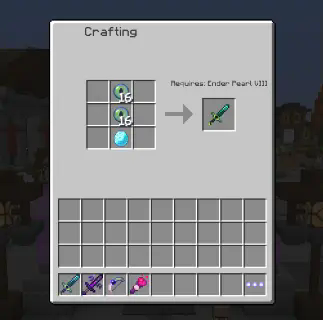
- An item list containing information and recipes about every item in Skyblock pluss information of where the item is dropped and the drop change.
Showcase
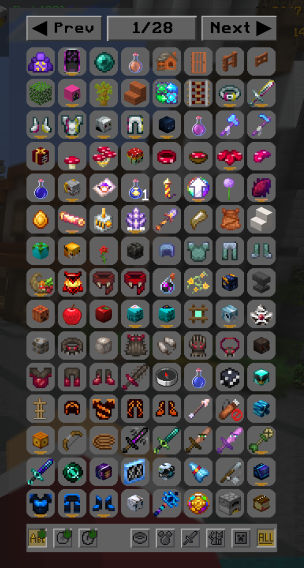
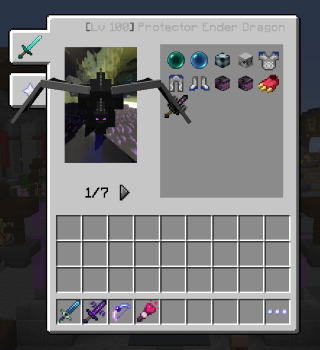
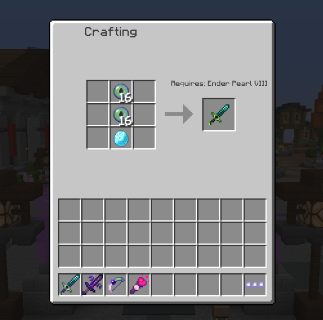
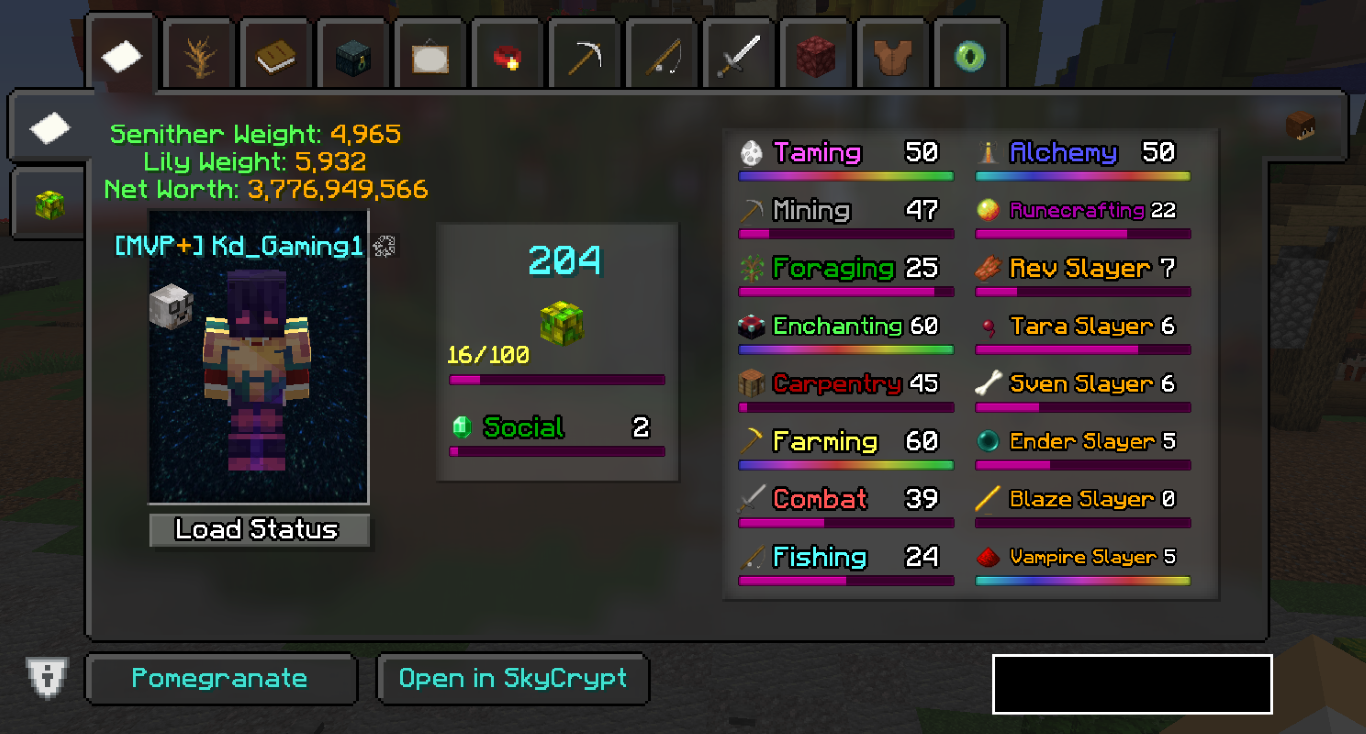
- An in-game skyblock profile viewer accessed with /pv [player].
Showcase
GUI Elements
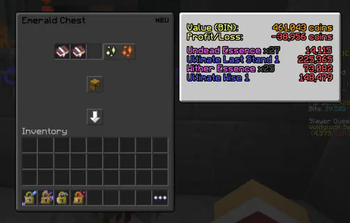
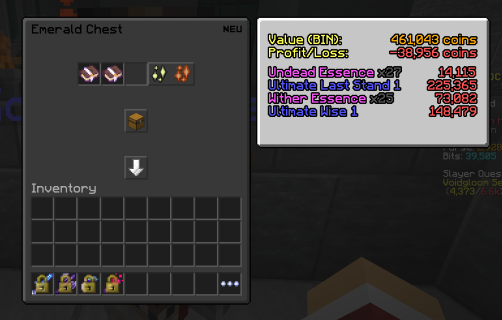
- Dungeon loot profit checker.
Showcase
- Onscreen overlays for: Farming, Dwarven Mines, Pets, and the Accessory bag.
Showcase
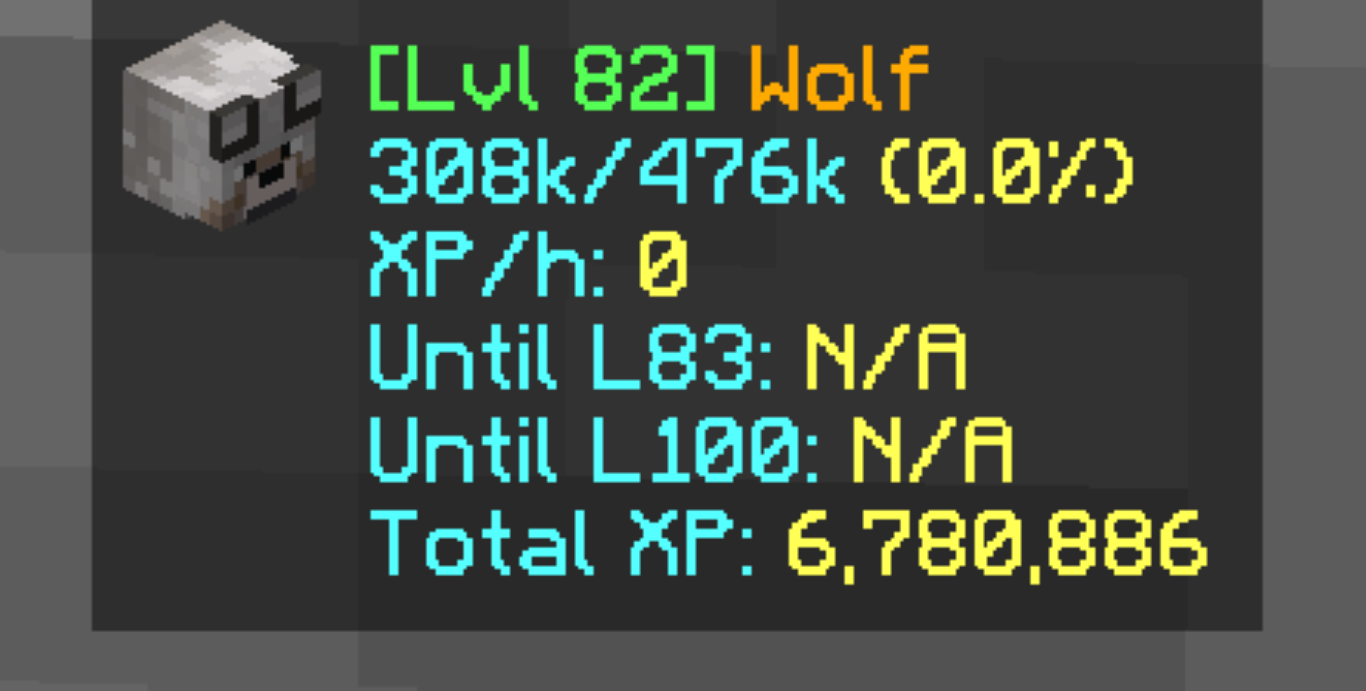
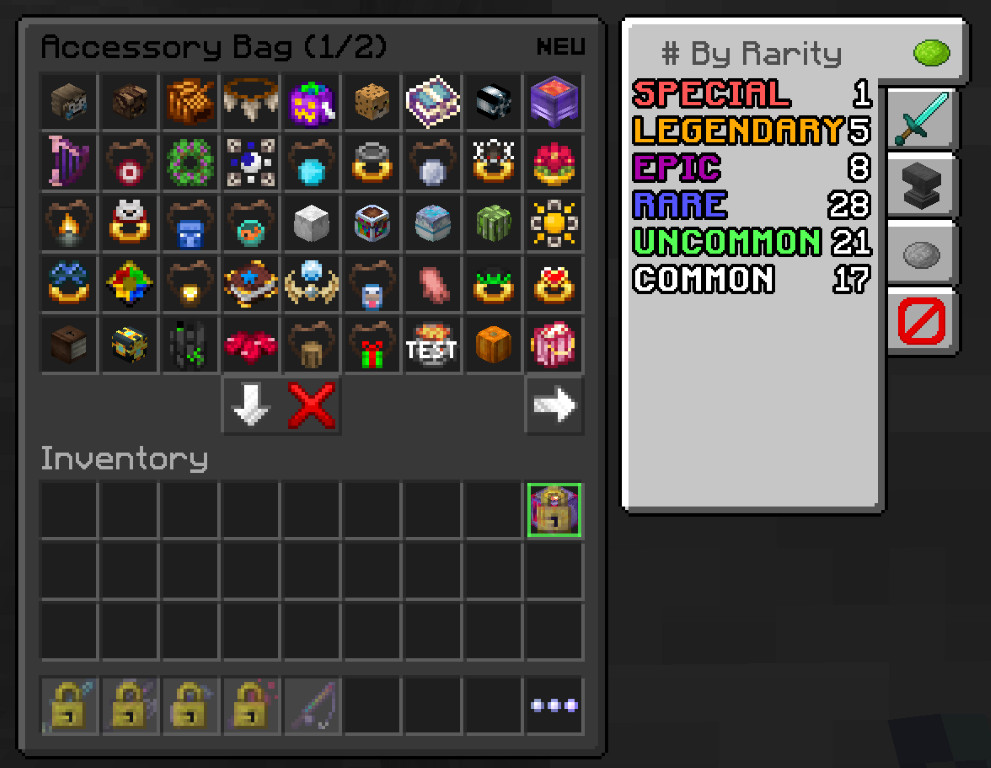
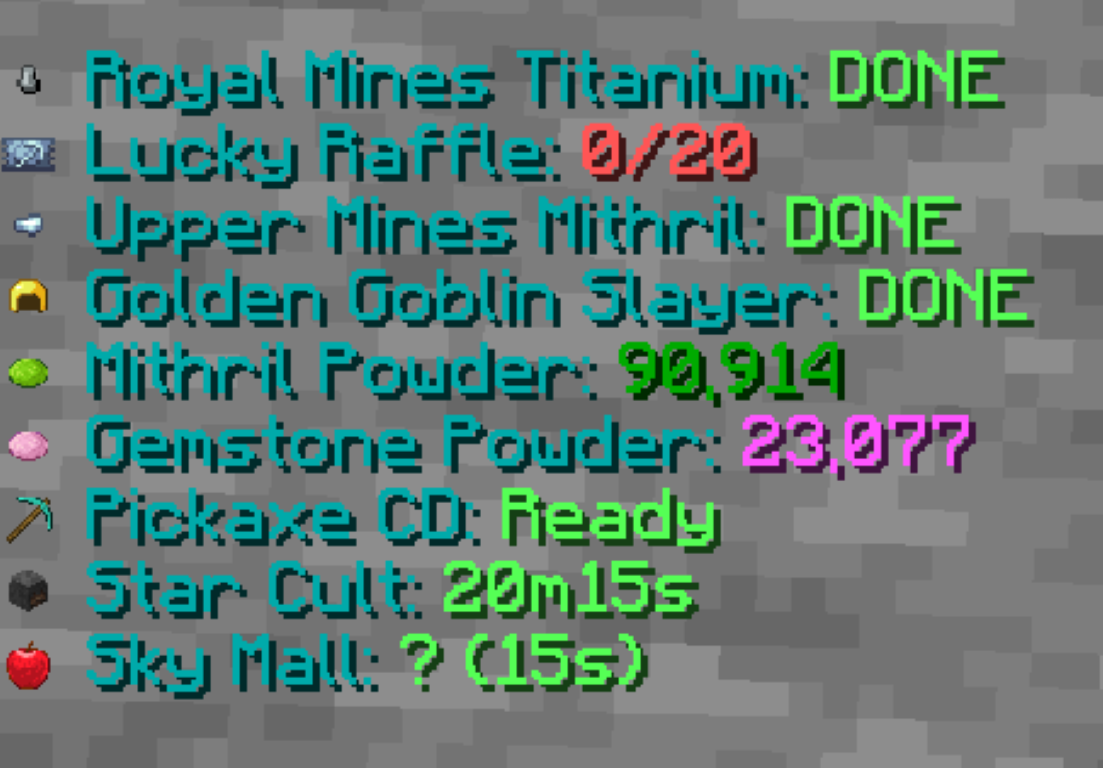
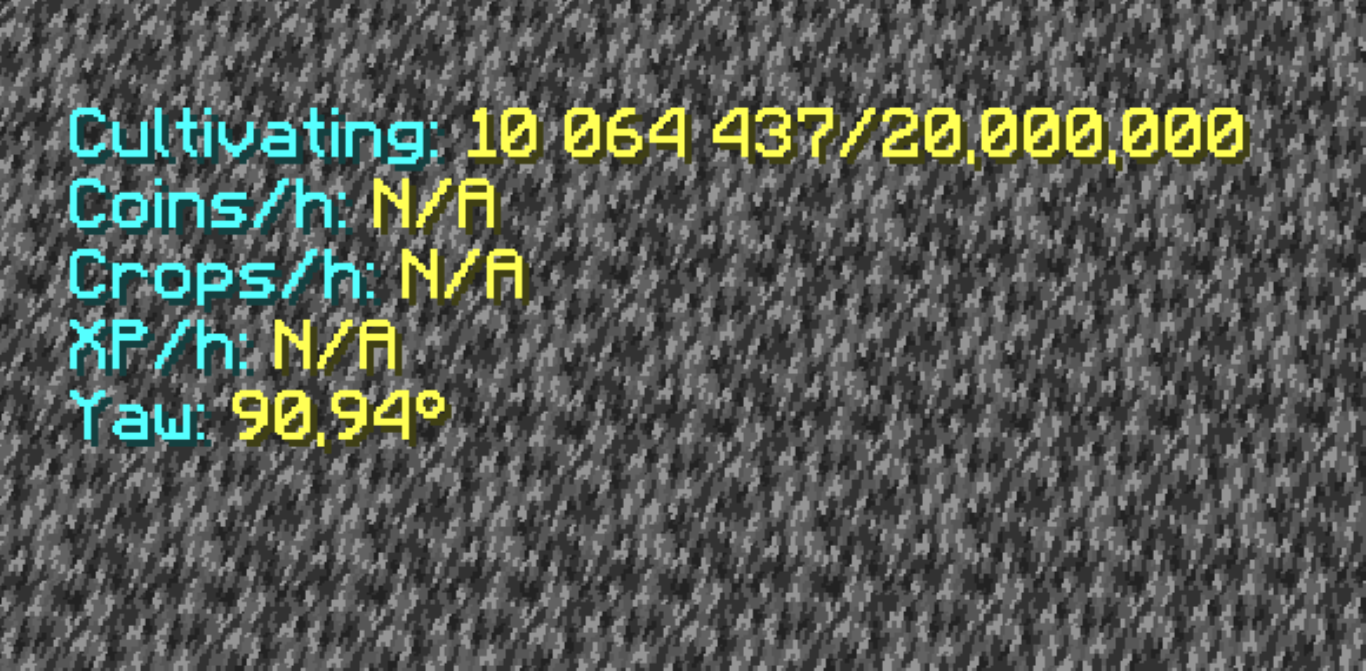
- A custom Action House and Bazaar Search GUI.
- A custom storage GUI, off by default.
- A custom enchanting table GUI.
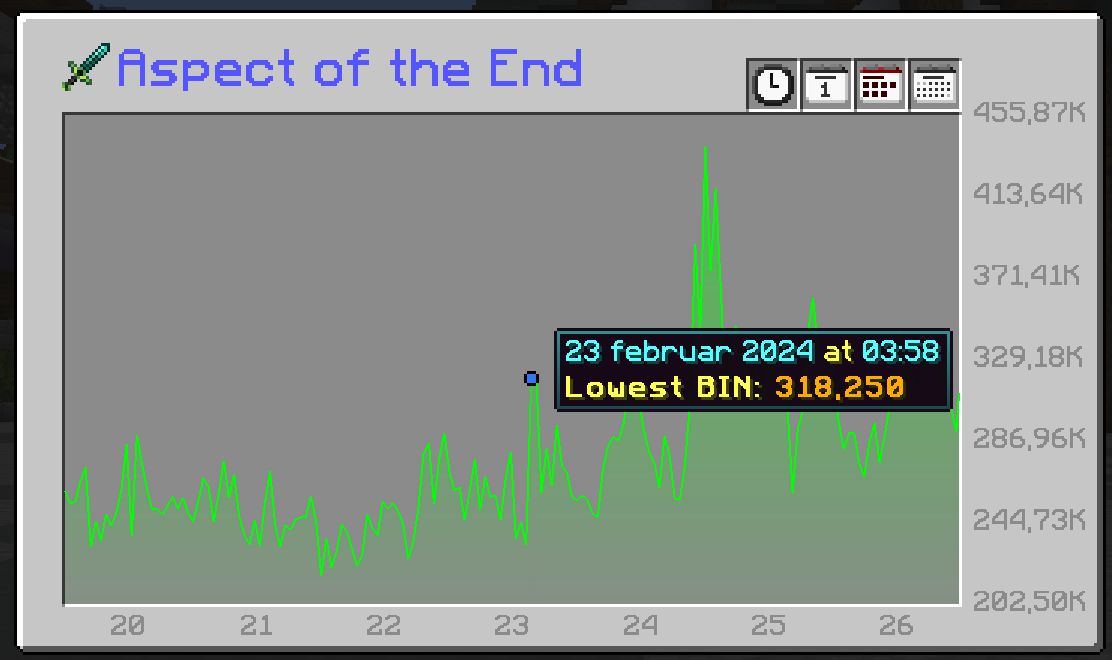
- A custom price Graph to see the Price history of items, press key P when holding the mouse pointer over.
Showcase
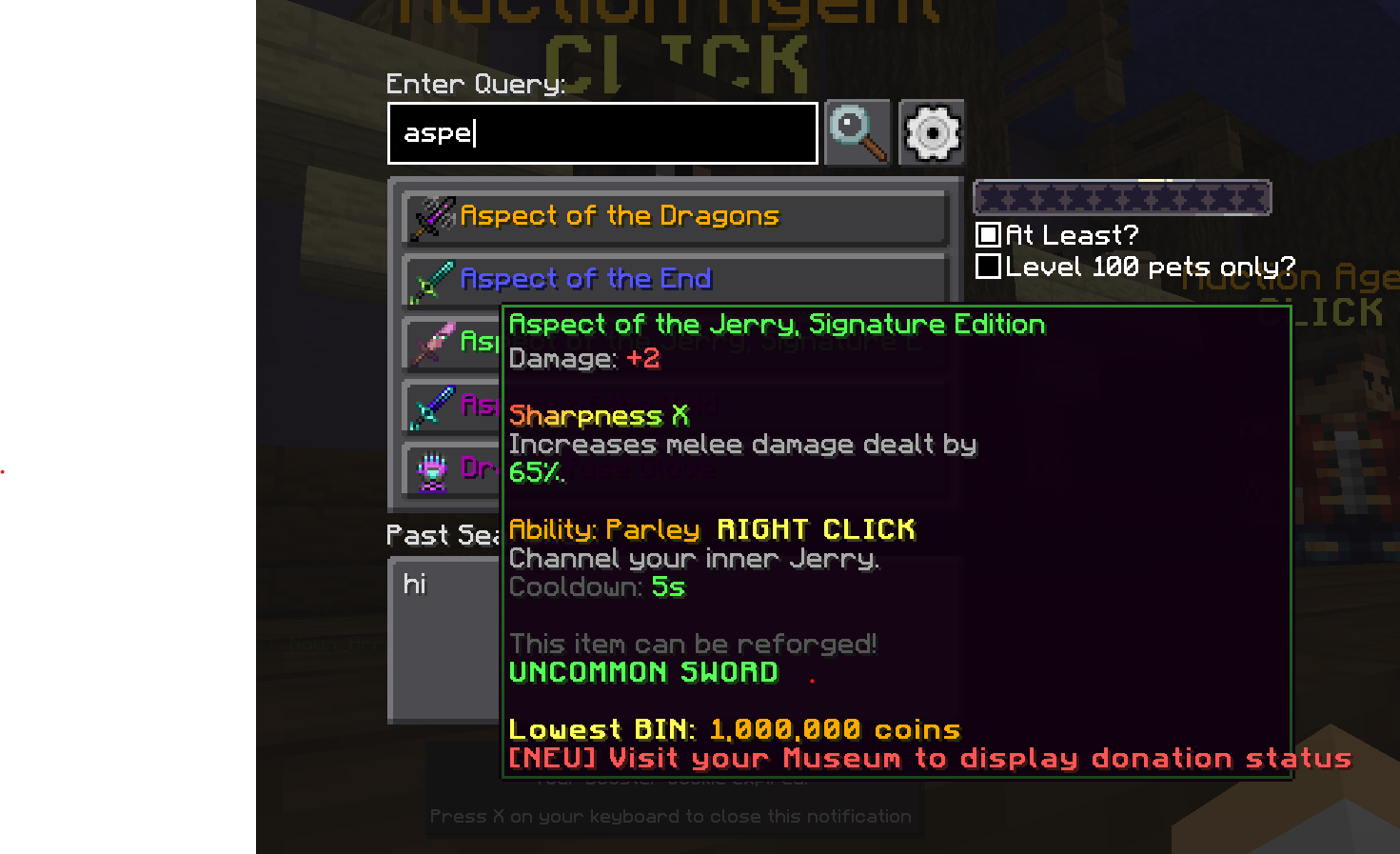
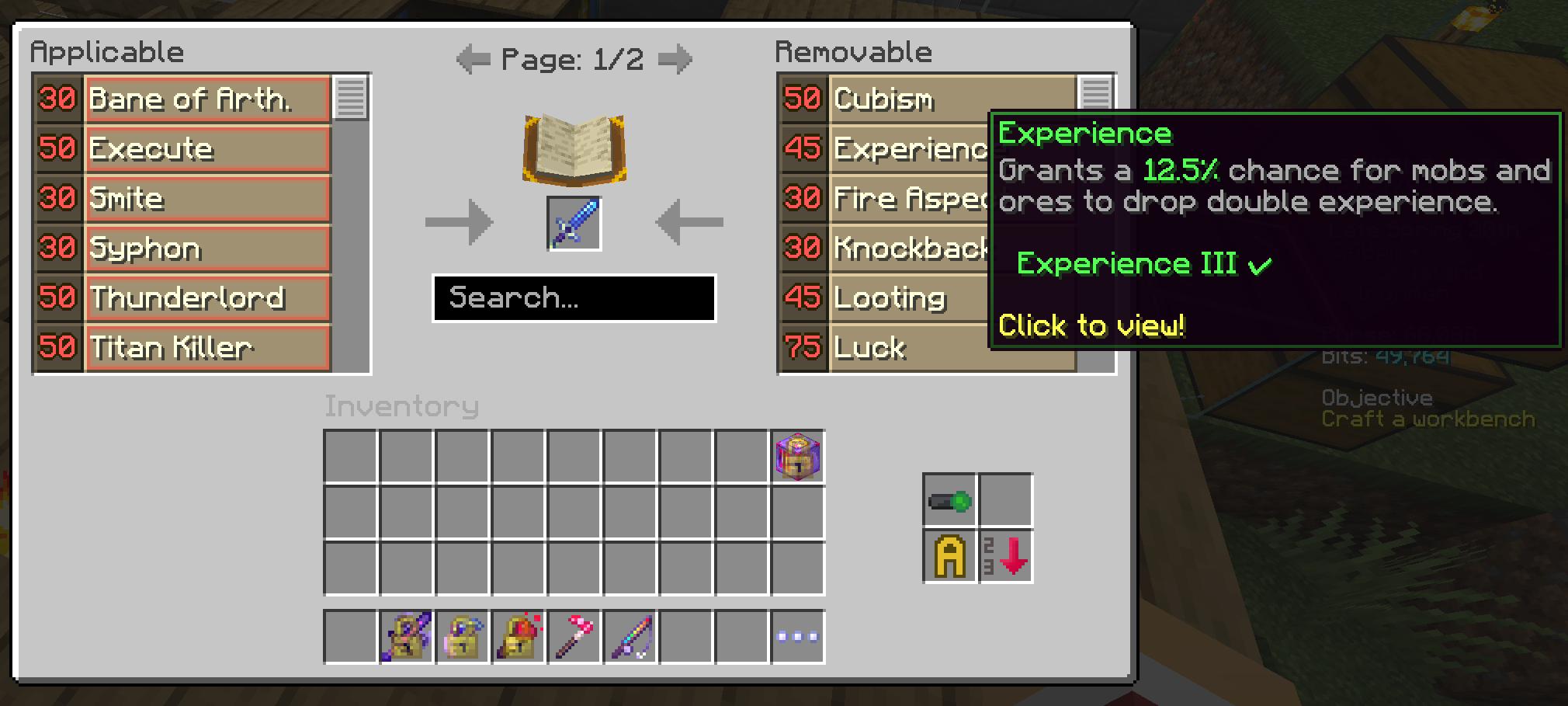
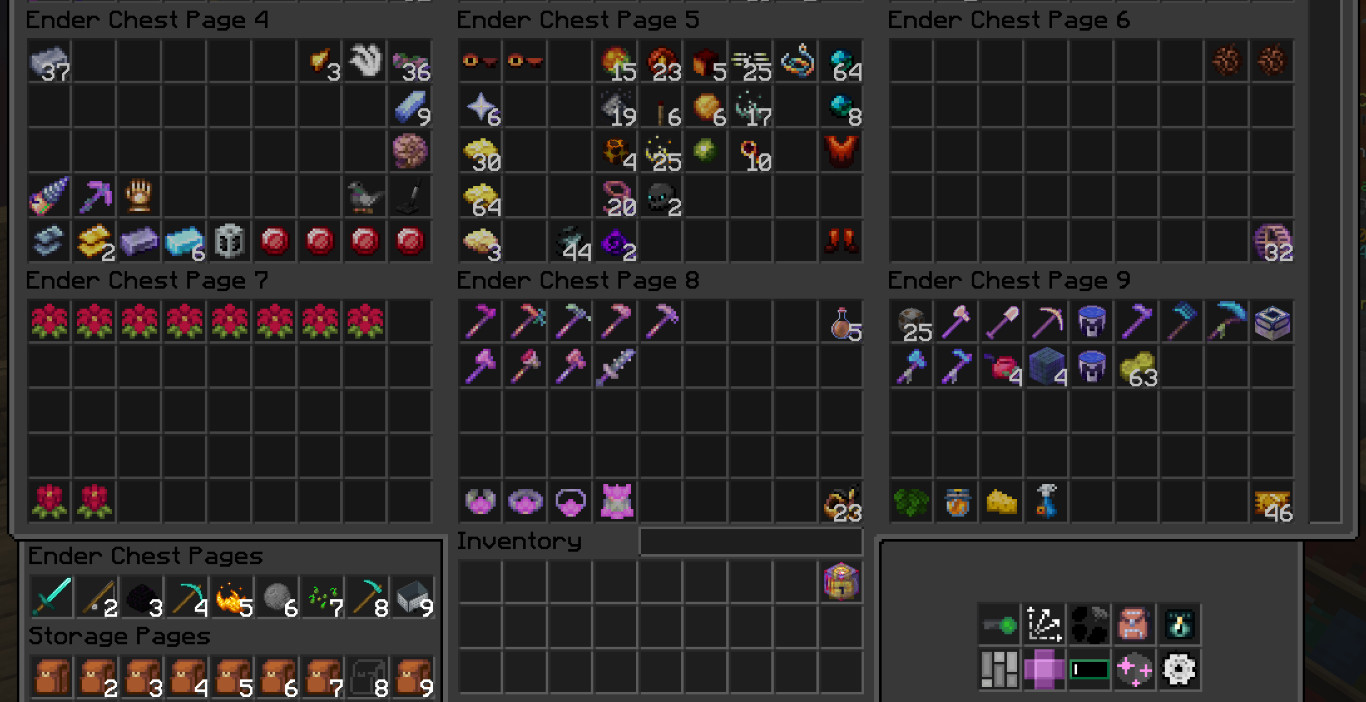
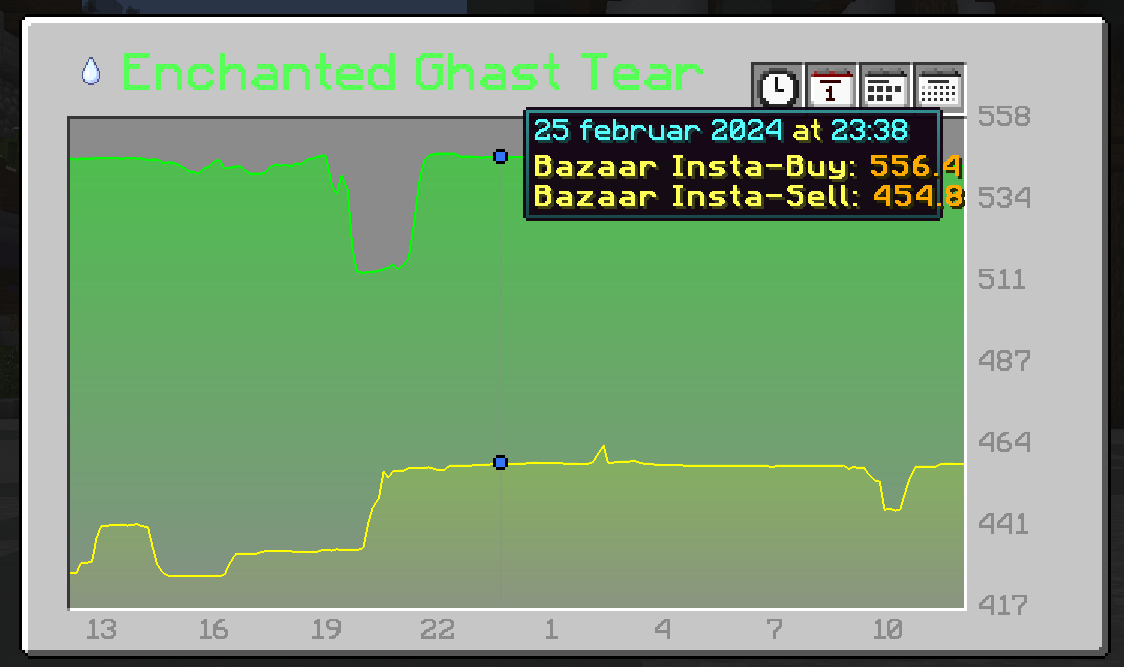
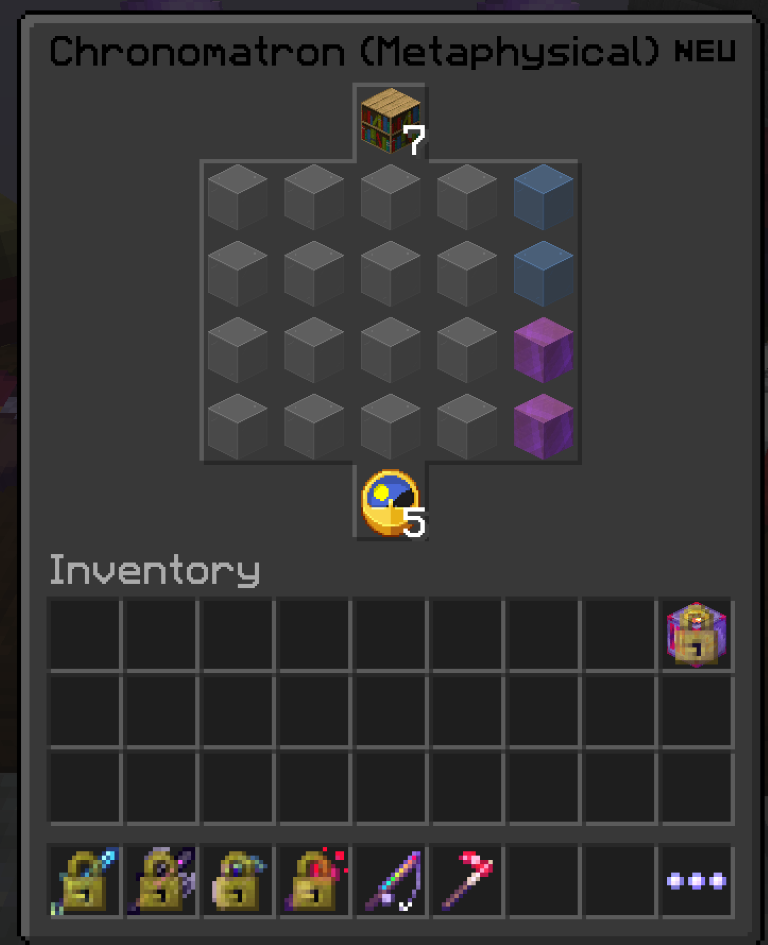
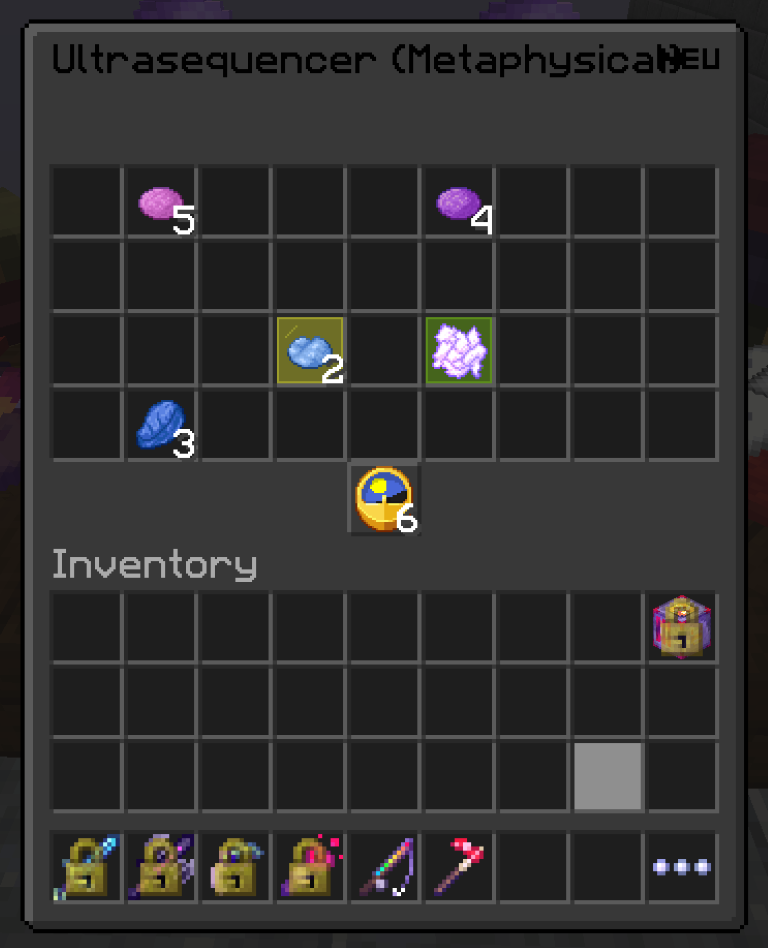
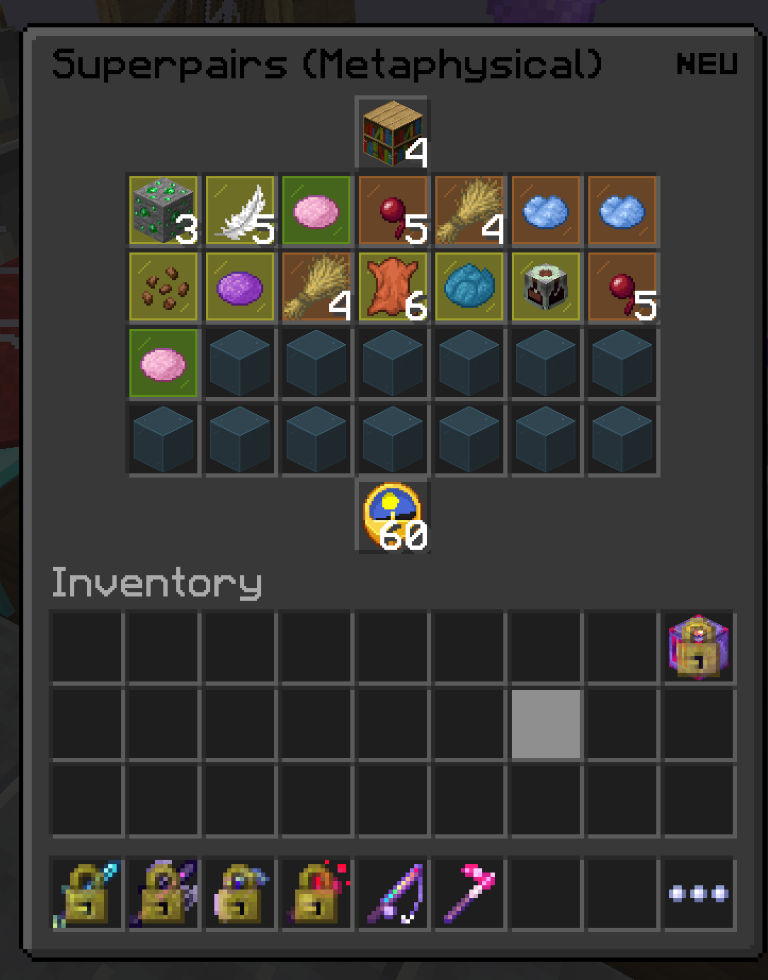
- Solvers for Experimentaion Table.
Showcase
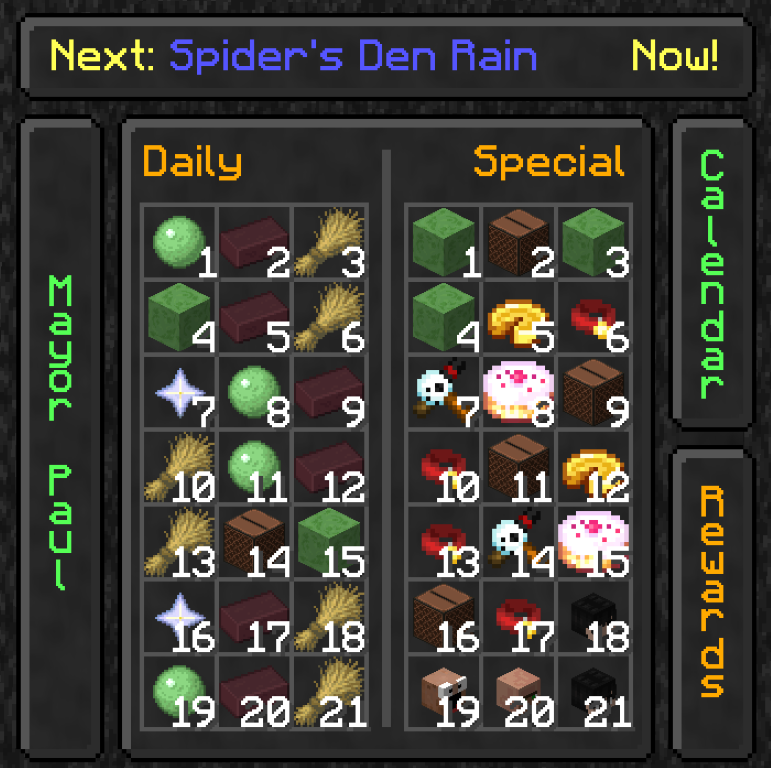
- Custom Calendar and event notifications, Customizable (Command: /neucalendar)
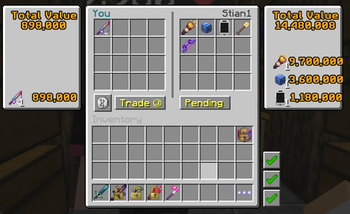
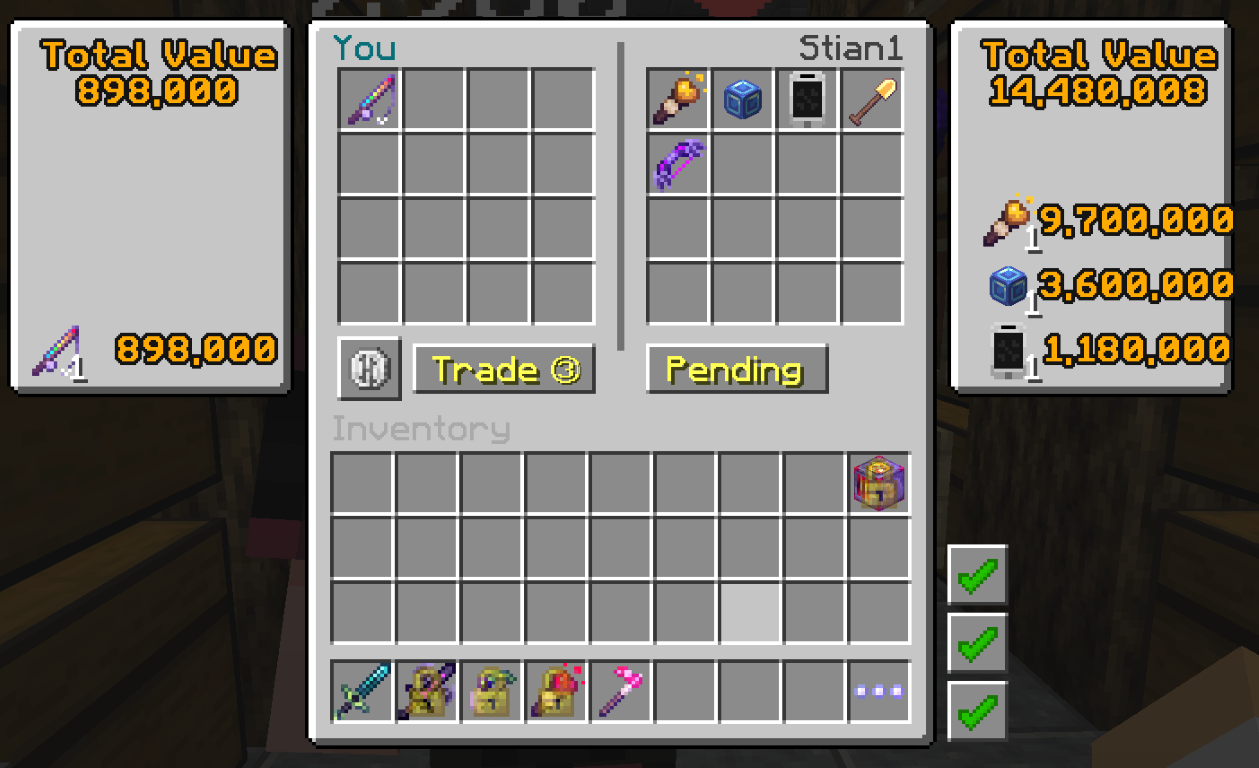
- Custom Trade Menu
Showcase
Overlays and waypoints
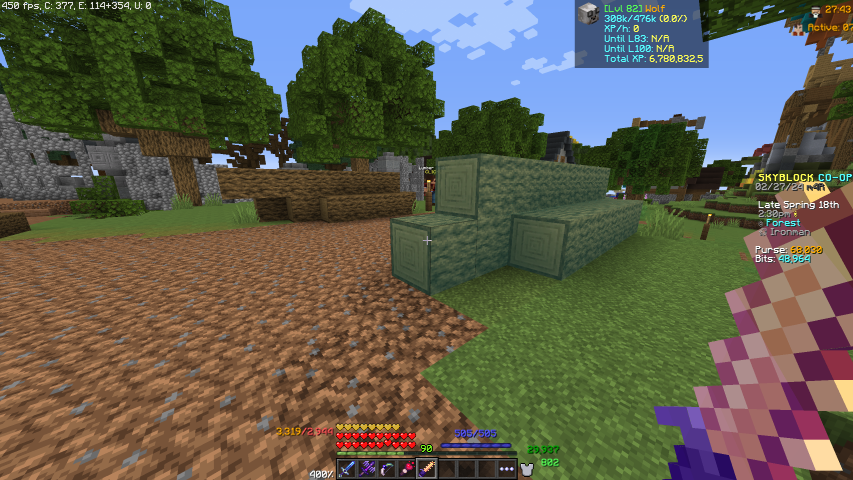
- Item overlays for Treecapitator, Builder's Wand, Block Zapper, and Bonemerang.
Showcase
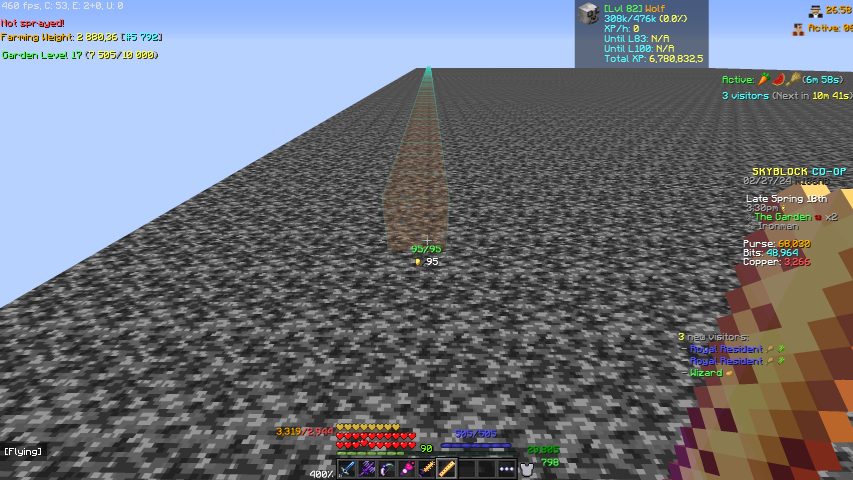
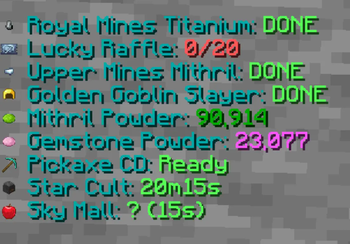
- Todo Overlay - Shows an overlay of daily tasks you need to remember to do.
Showcase
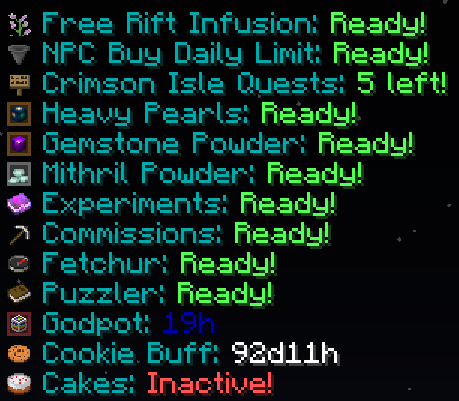
- Fairy soul waypoints accessed with /neusouls or through the config screen with F7.
Showcase
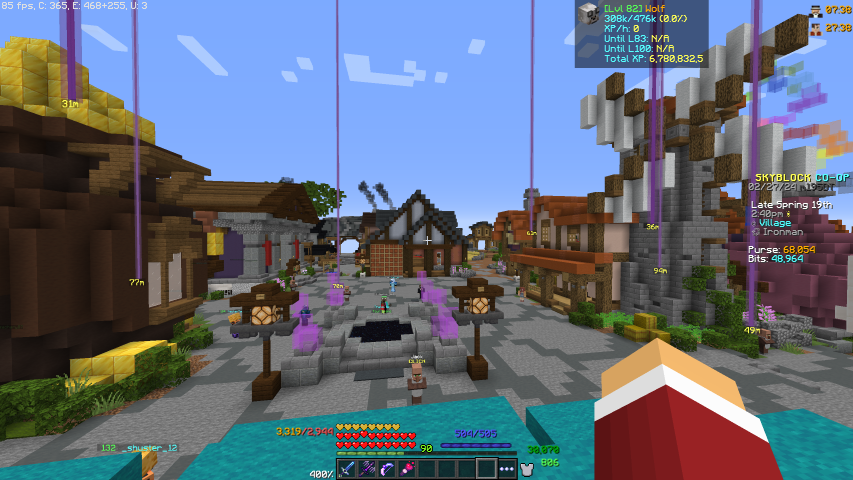
Misc
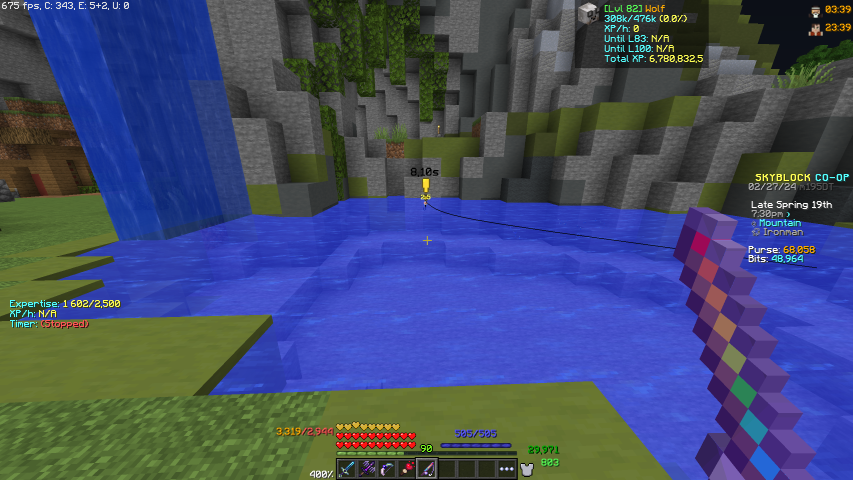
- The ability to change the line color of fishing rods.
- Fishing Particle customization & alerts.
Showcase
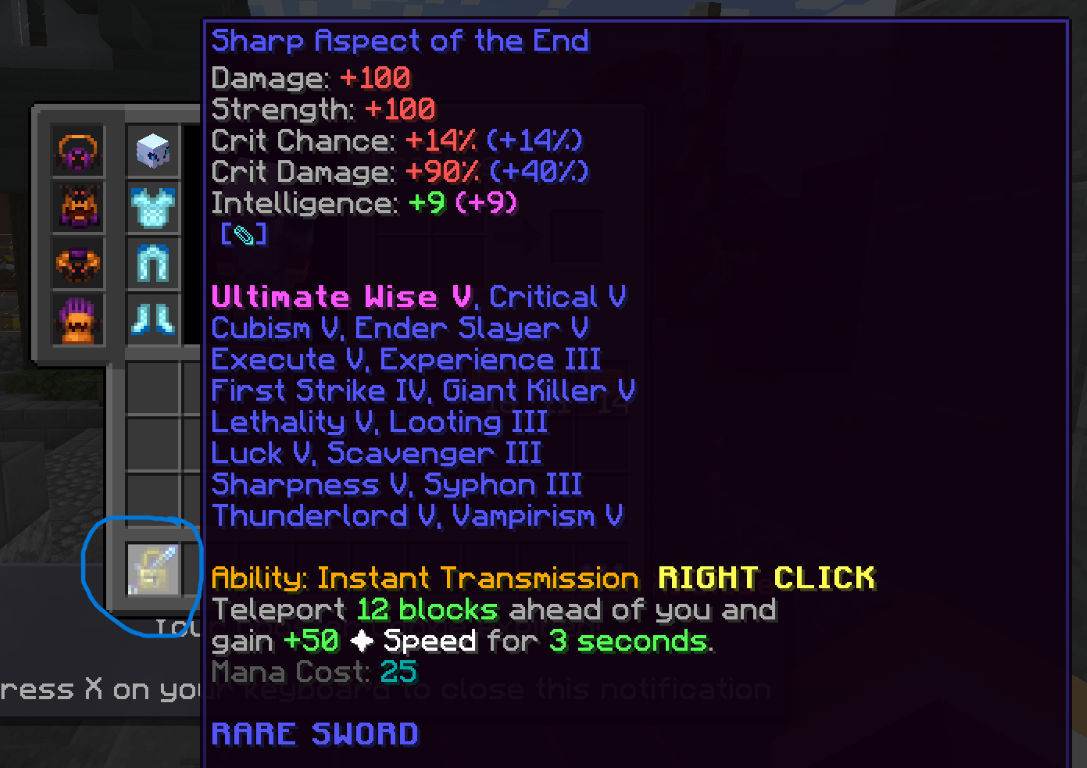
- Slot Locking never loses an item ageing by accidentally pressing Q, hold the mouse pointer over the item and press the key L.
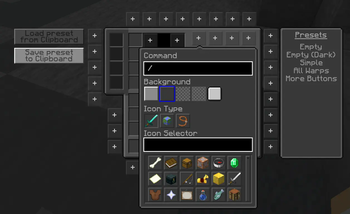
- Customizable inventory command buttons accessed with /neubuttons.
Showcase
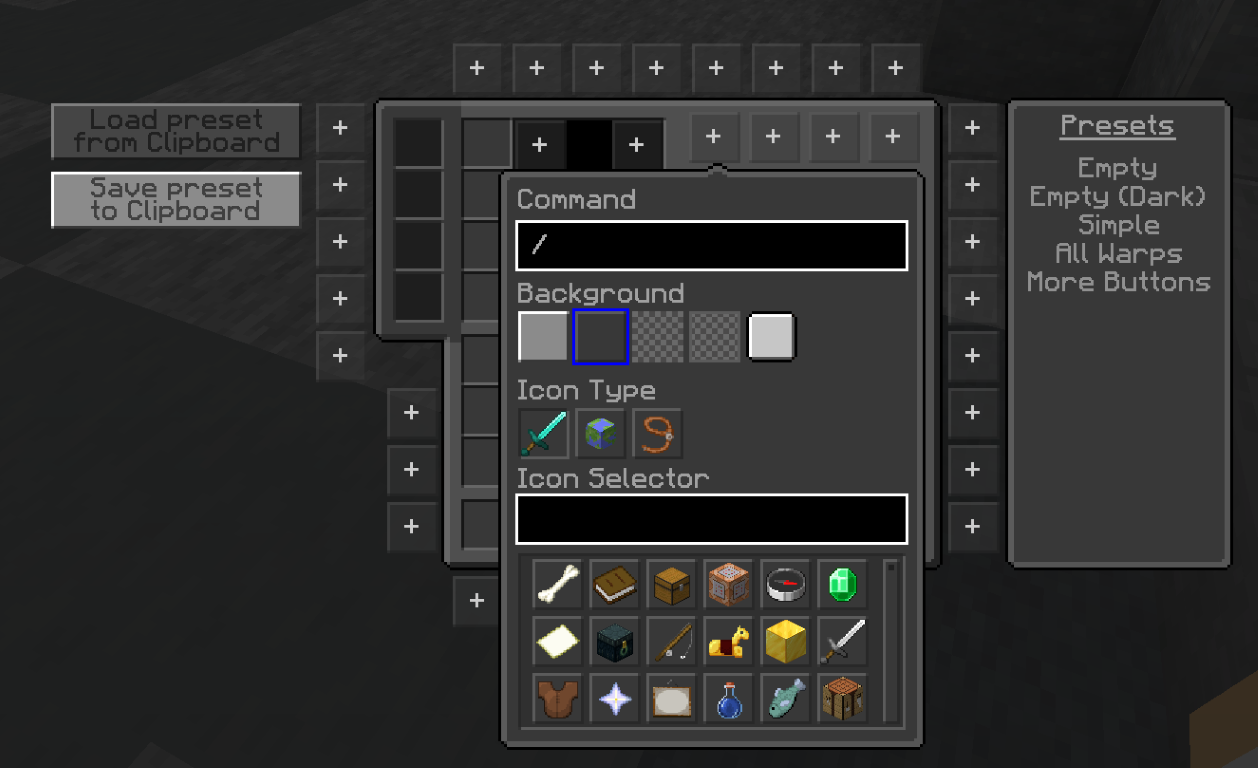
-
Let you use Resourcepack that changes Hypixel skyblock-specific items and blocks. More info.
And much, much, more go to NEU Modrinth page or Github for more Info.
🧑🌾SkyHanni
SkyHanni, A Quality of Life SkyBlock Mod and so much more.
To change the position of any GUI element on the screen, press the letter 'G'.
Garden Features
- Composter Compact Display - Displays the compost data from the tab list in a compact form as GUI element.
Showcase
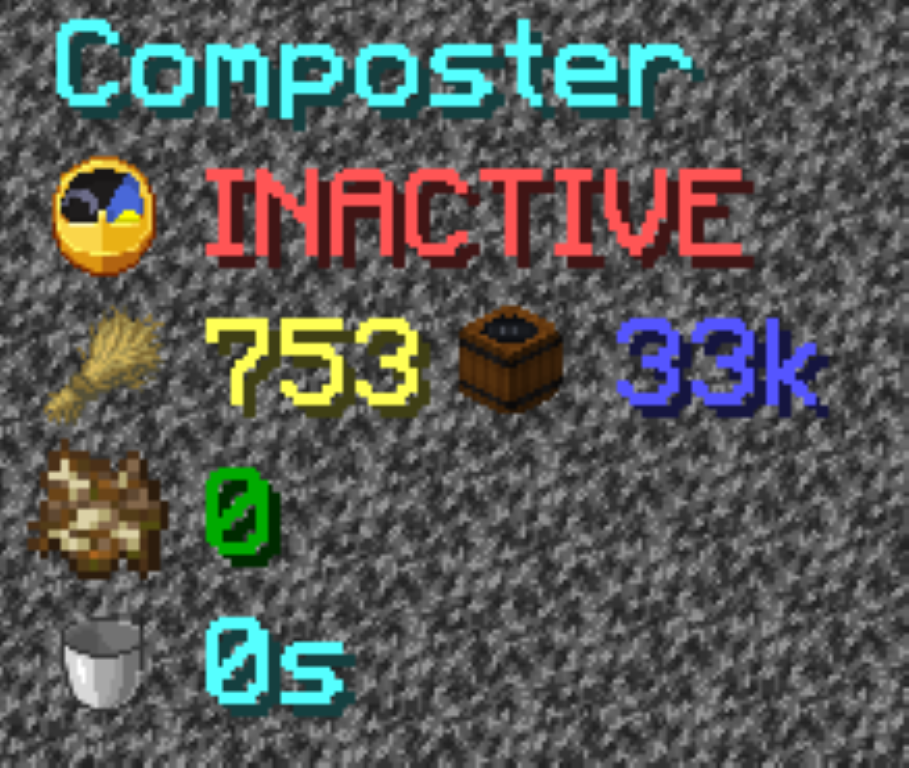
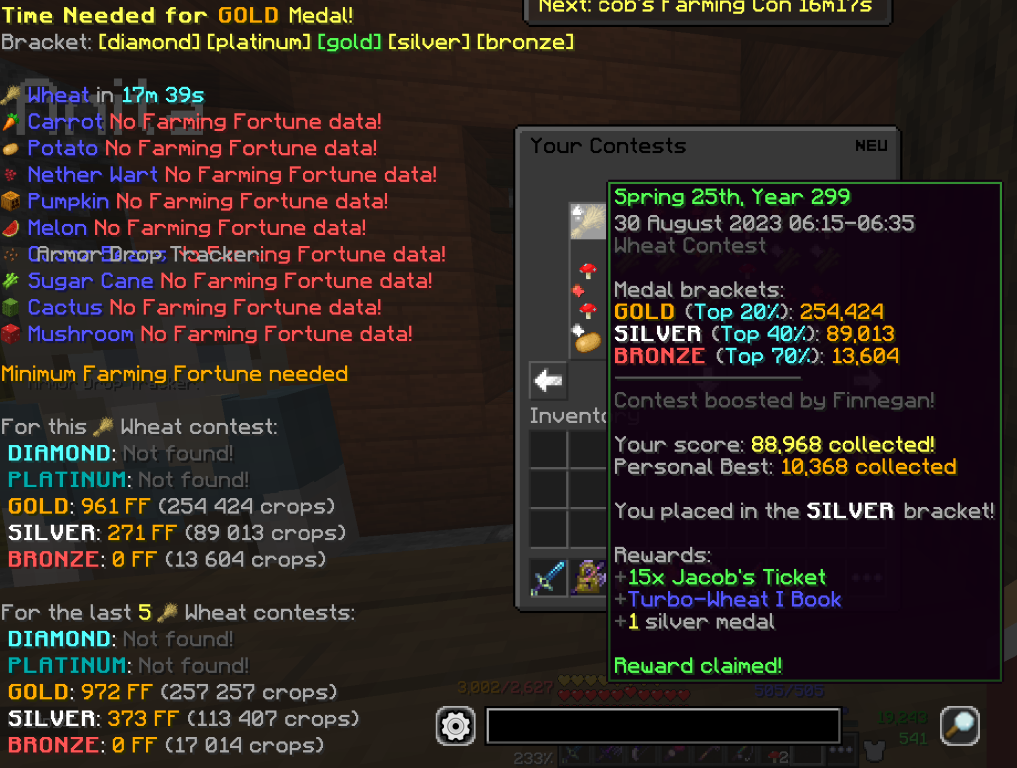
- Jacob's Contest Warning
- FF for Contest - Show the minimum needed Farming Fortune for reaching a medal in Jacob's Farming Contest inventory.
- Contest Time Needed, GUI inside Jacob's Farming Contest inventory.
Showcase
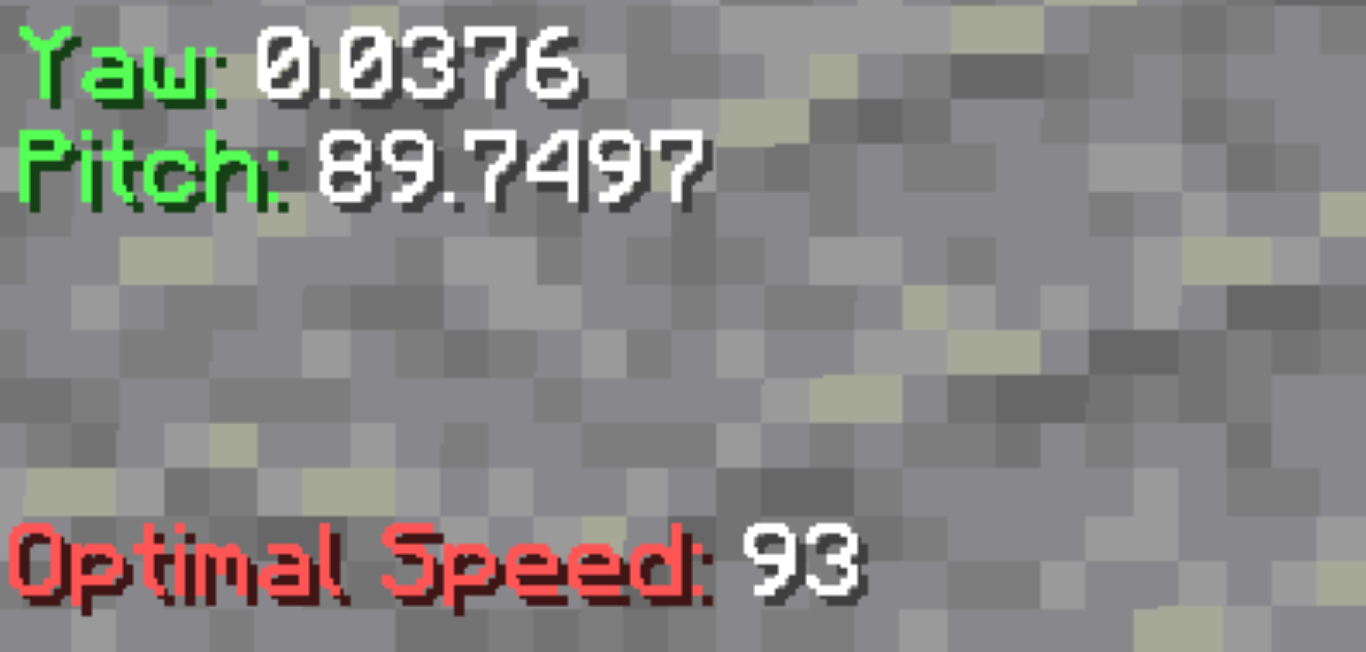
- Yaw and pitch display.
- Optimal Speed for your current tool in the hand.
- Garden Start Location, shows a waypoint where to start.
Showcase
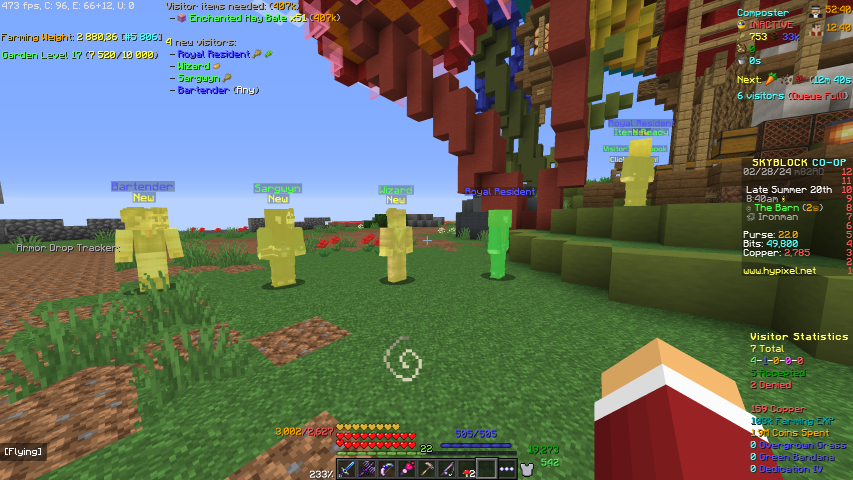
- Warning when 6th visitor is ready.
- Show a warning when finding a visitor with a rare reward and prevents refusing that visitor. (Refusal Bypass Key (LShift)).
- Visitor Timer and Visitor Notification.
- Visitor Highlight when the required items are in the inventory or the visitor is new and needs to checked what items it needs.
Showcase
- Farming contest timer
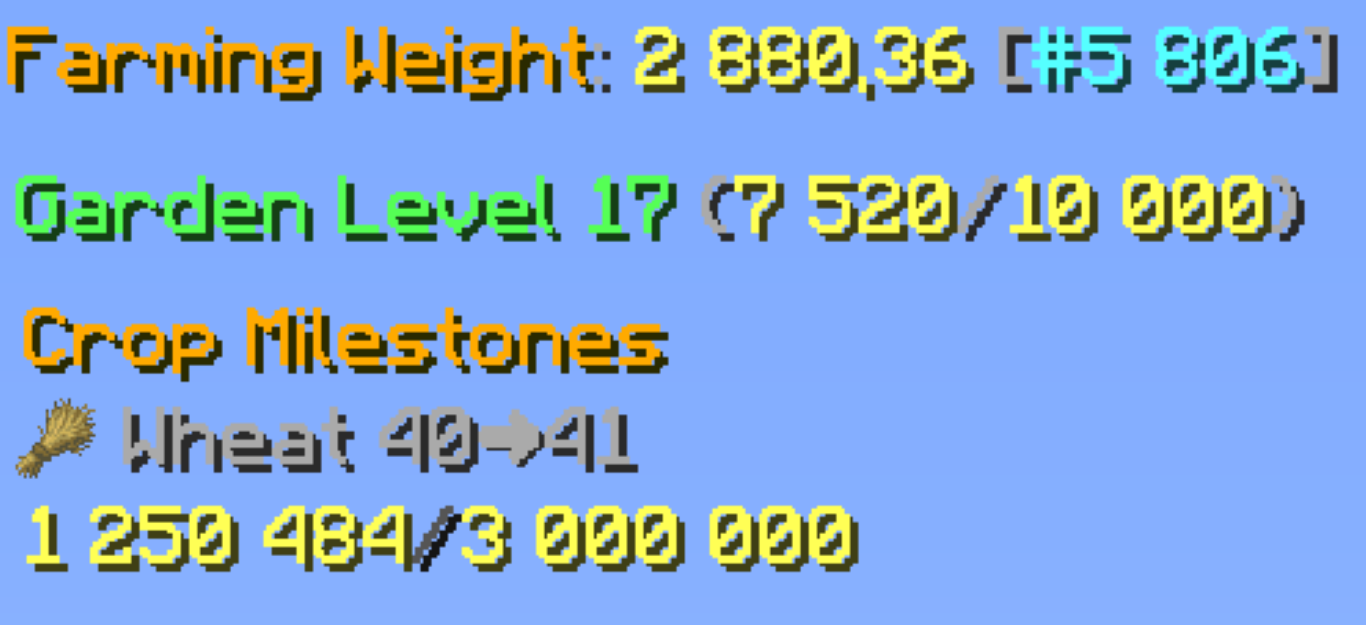
- Garden Level Display
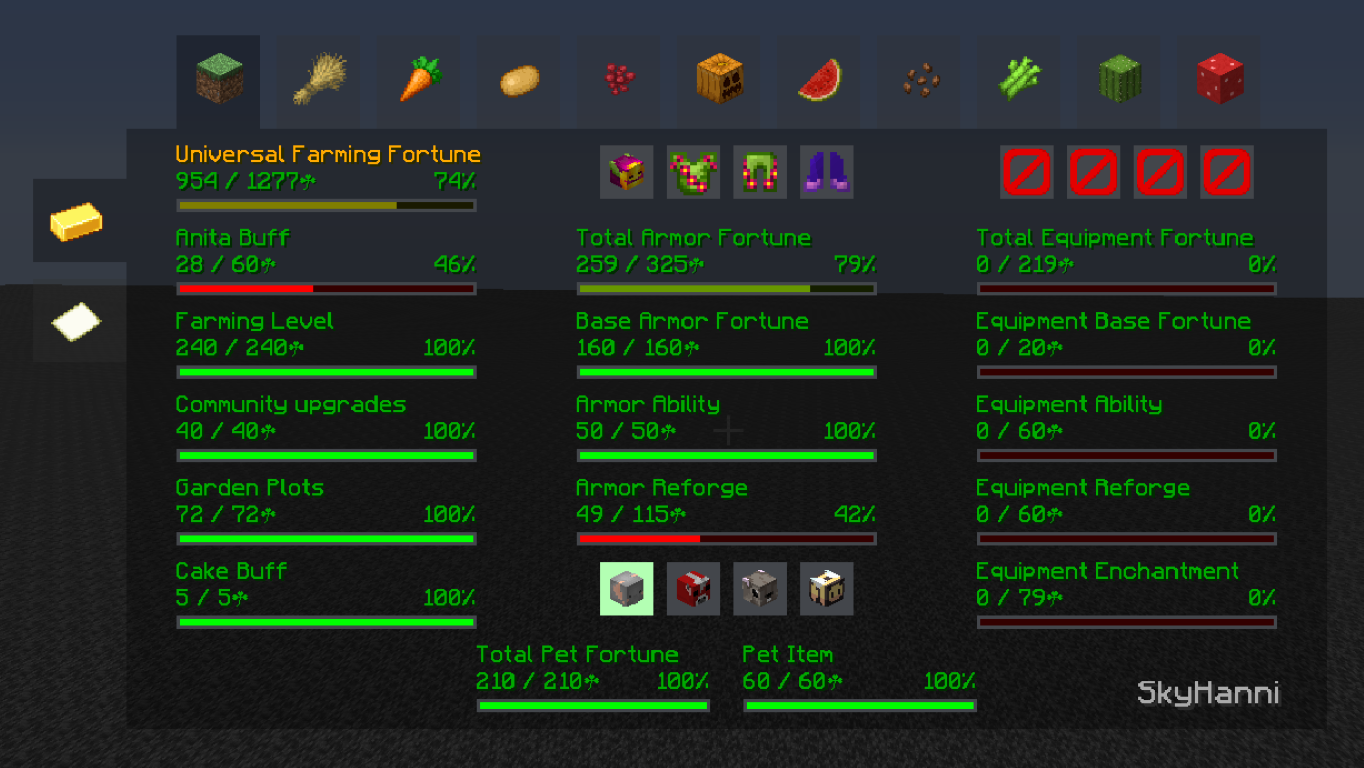
- Farming Fortune Breakdown, run /ff
- Custom Keybinds while having a farming tool or Daedalus Axe in the hand in the garden.
- Best Crop Display for the next milestone.
Showcase
Rift
- Rift Timer, show the remaining rift time.
- Highlight Guide, highlight things to do in the Rift Guide.
Showcase

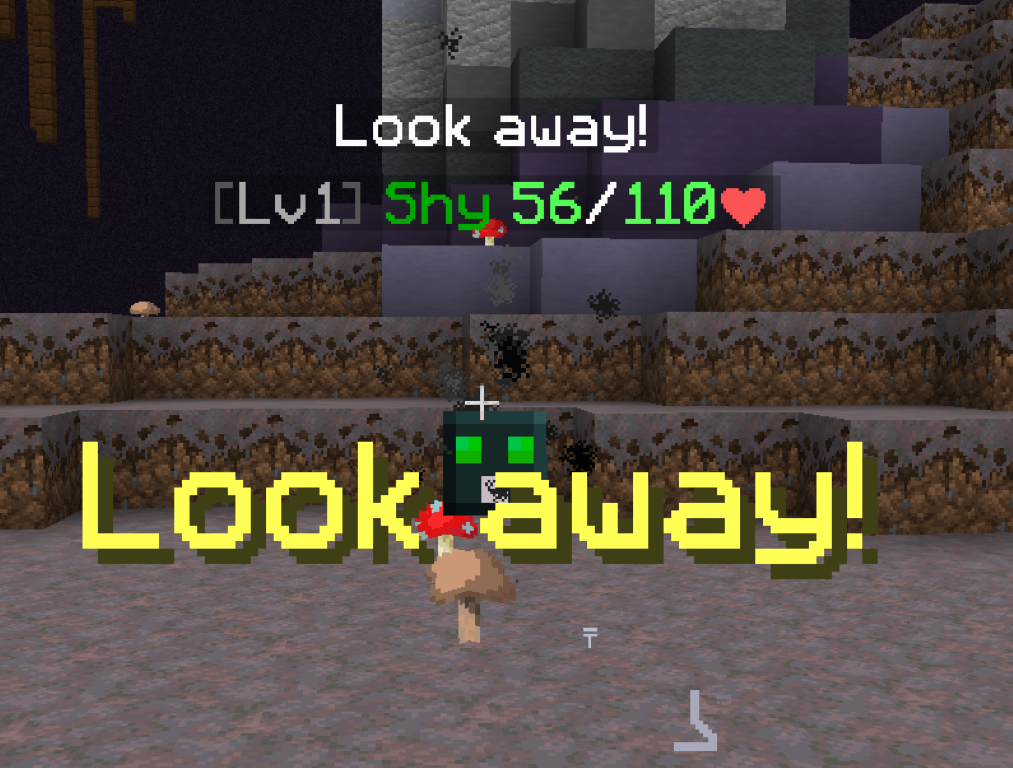
- Shy Warning, shows a warning when a shy will steal your time.
- Volt Crux Warning, Shows a warning while a volt is discharging lightning and Shows the area in which a Volt might strike lightning.
Showcase
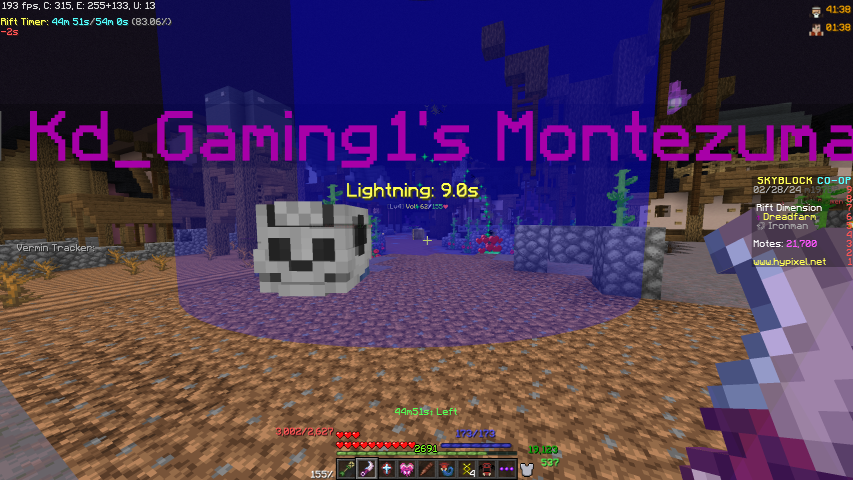
- Larvas Highlighter, highlight larvas on trees in Wyld Woods while holding a Larva Hook in the hand.
- Odonatas Highlighter, highlights the small Odonatas flying around the trees while holding a Empty Odonata Bottle in the hand.
- Agaricus Cap countdown until Agaricus Cap (Mushroom) changes color from brown to red and is breakable.
Showcase
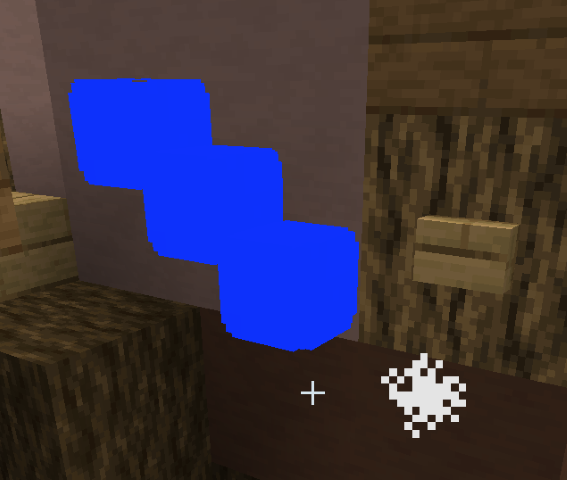
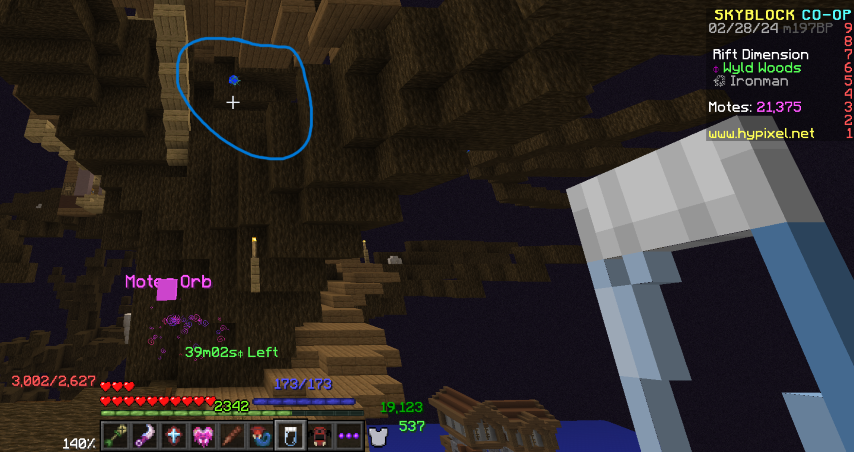
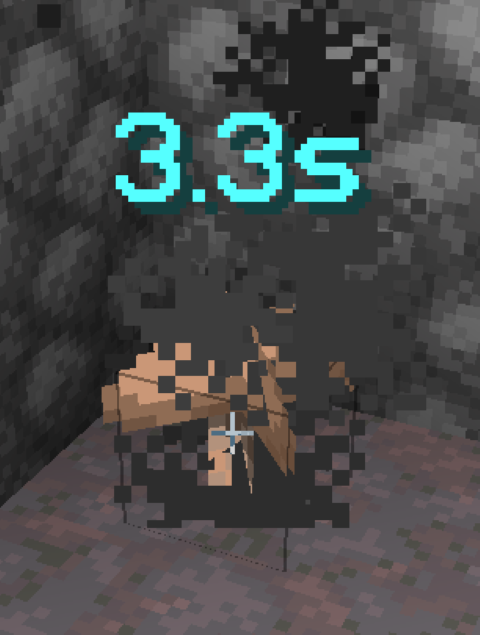
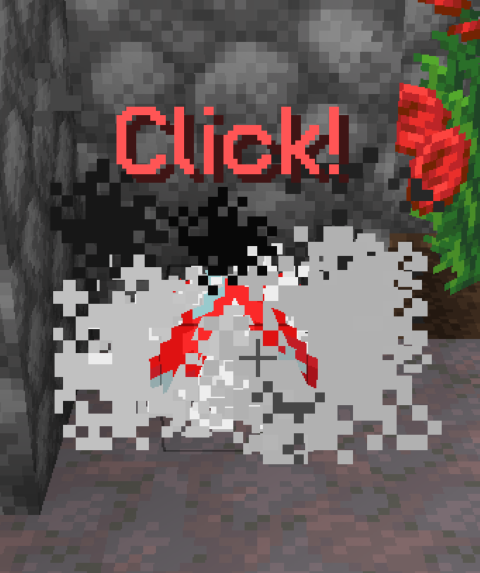
- Kloon Hacking helper.
- Mirrorverse helper.
- Wilted Berberis Helper
- Enigma Soul Waypoints
Showcase
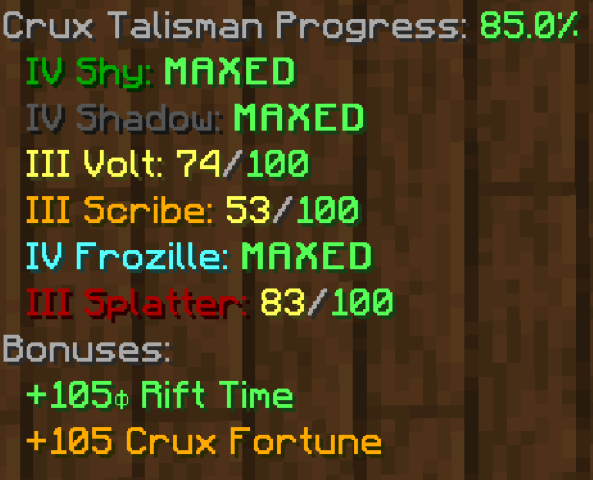
Cooming soon.
- Crux Talisman Progress Display
- Living Metal Suit Progress
- Highlight flying Motes Orbs
- Horsezooka Hider, Hide horses while holding the Horsezooka in the hand.
Showcase
Inventory
- Not Clickable Items, Marks items grey in your inventory when they are not supposed to be moved in certain GUIs, and make green lines around items that meet that requirement.
- Anvil Combine Helper
- Highlight a lot of stuff of your liking.
Showcase
Maye come soon.
Diana
- Show burrows near you, use Soopy's Guess Logic to find the next burrow.
- Show the way from one burrow to another smoothly.
- Warps to the nearest warp point on the hub, if closer to the next burrow. (Key V)
- Griffin Pet Warning, Warn when holding an Ancestral Spade while no Griffin pet is selected.
- Inquisitor Sharing, Share wypoints for inquisitors you find with your party. Show a timer until the inquisitor will despawn.
Showcase
Coming soon.
Bingo
- Guide for Goals
- Steps Helper with partial progress display
- Craft Helper for Minions
Showcase
Coming soon.
Mobs
-
Arachne keeper highlighter.
-
Area boss highlighter.
-
Area boss spawn timer.
-
Corleone highlighter.
-
Zealots, Bruisers, and Special Zealot highlighter.
-
Highlight corrupted mobs.
-
Arachne Minis Hider - Hides the nametag above arachne minis.
-
Arachne Boss Highlighter - Highlight the Arachne boss in red and mini bosses and orange.
-
Added a countdown for Arachne spawn.
GUI
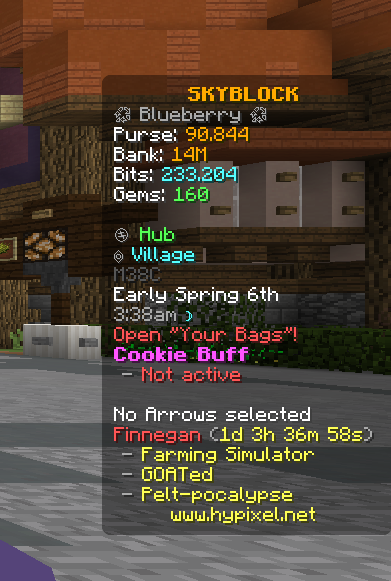
Scoreboard
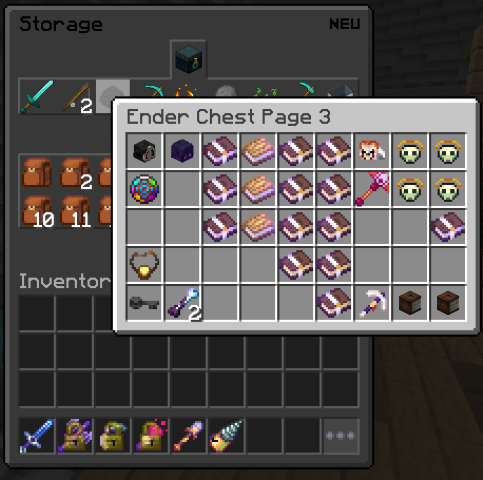
- A custom scoreboard for Skyblock with a lot of customizability you should play around with it.
And a lot, lot more, find every feature at their GitHub.
📜Skytils
Skytils a Qulaty of Life mod and Utilitie mod for hypixel SkyBlock
Cool stuff
- Client Side Custom Armor Colors
- Custom Key Shortcuts
- Spam Hider for a lot of stuff in chat. (Open the config menu with F7 and find Skytils to customise.)
- Prevent Placing weapons such as Spirit Sceptre and Flower of Truth.
- Messages in chat for a lot of stuff such as Mining ability, Compact Enchantment, Sea Creature and Fishing Treasure, Wither and Undead Essence unlock and more. (Open the config menu with F7 and find Skytils to customise.)
Showcase
Dungeons
- Solvers for a lot of stuff. (by default a lot of it is off because I use the Dungeon Guide mod for the same things. Go her for a list of solvers.
- Dungeon reroll Confirmation for enrolling a chest.
- Spirit Leap Highlights for Names and Classes.
- Big Crypts Counter
- Highlight Spirit Bow
- Dungeon Timer
- Necron Phase Timer
Showcase
Mining
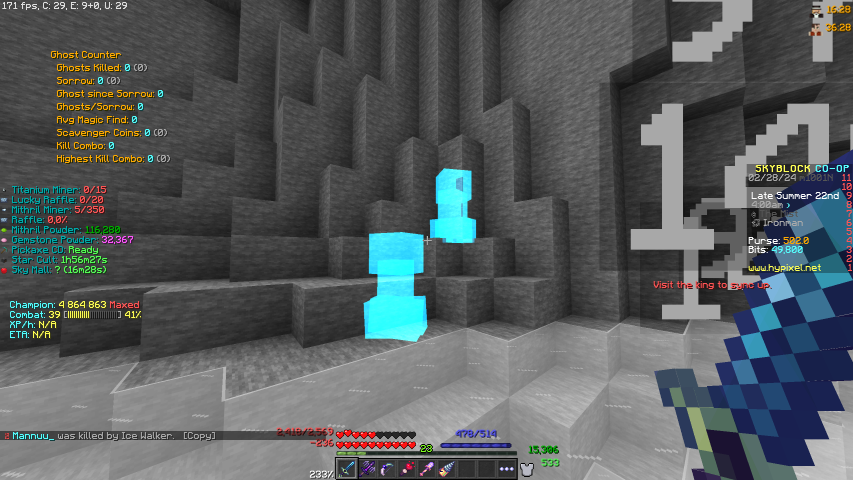
- Raffle Waypoint and Warning
- Show hidden sneaky creepers
- Dark Mode Mist
- More Visible Ghosts
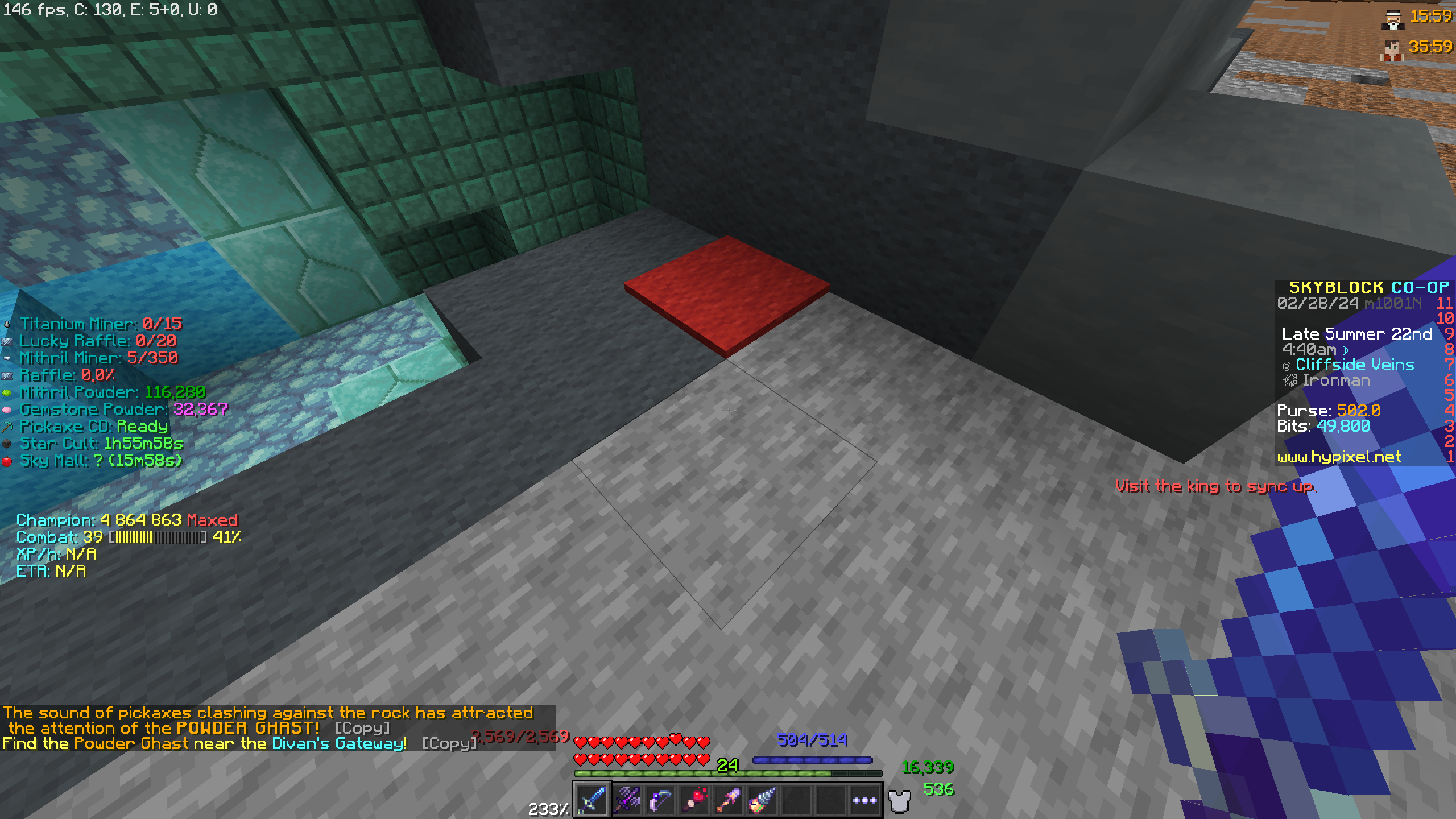
- Recolor Carpets
- Highlight Completed Commissions
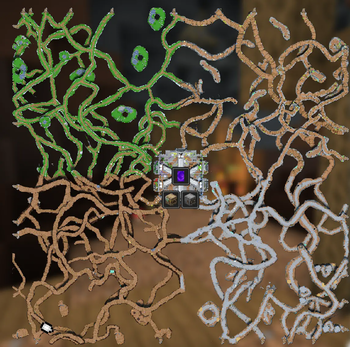
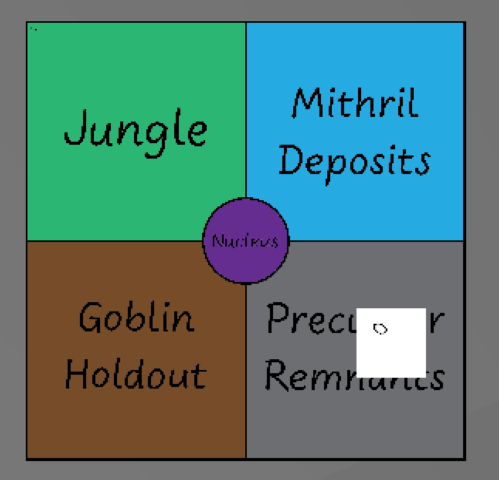
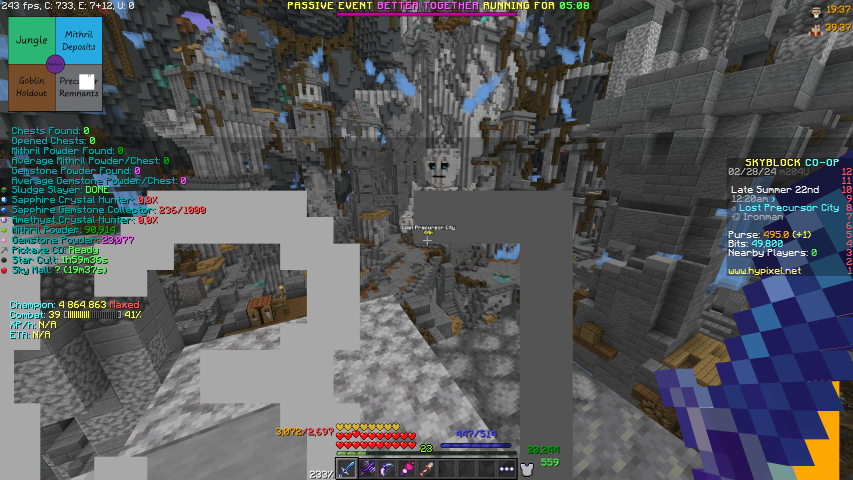
- Crystal Hollows Map
- Crystal Hollows Waypoints
Showcase
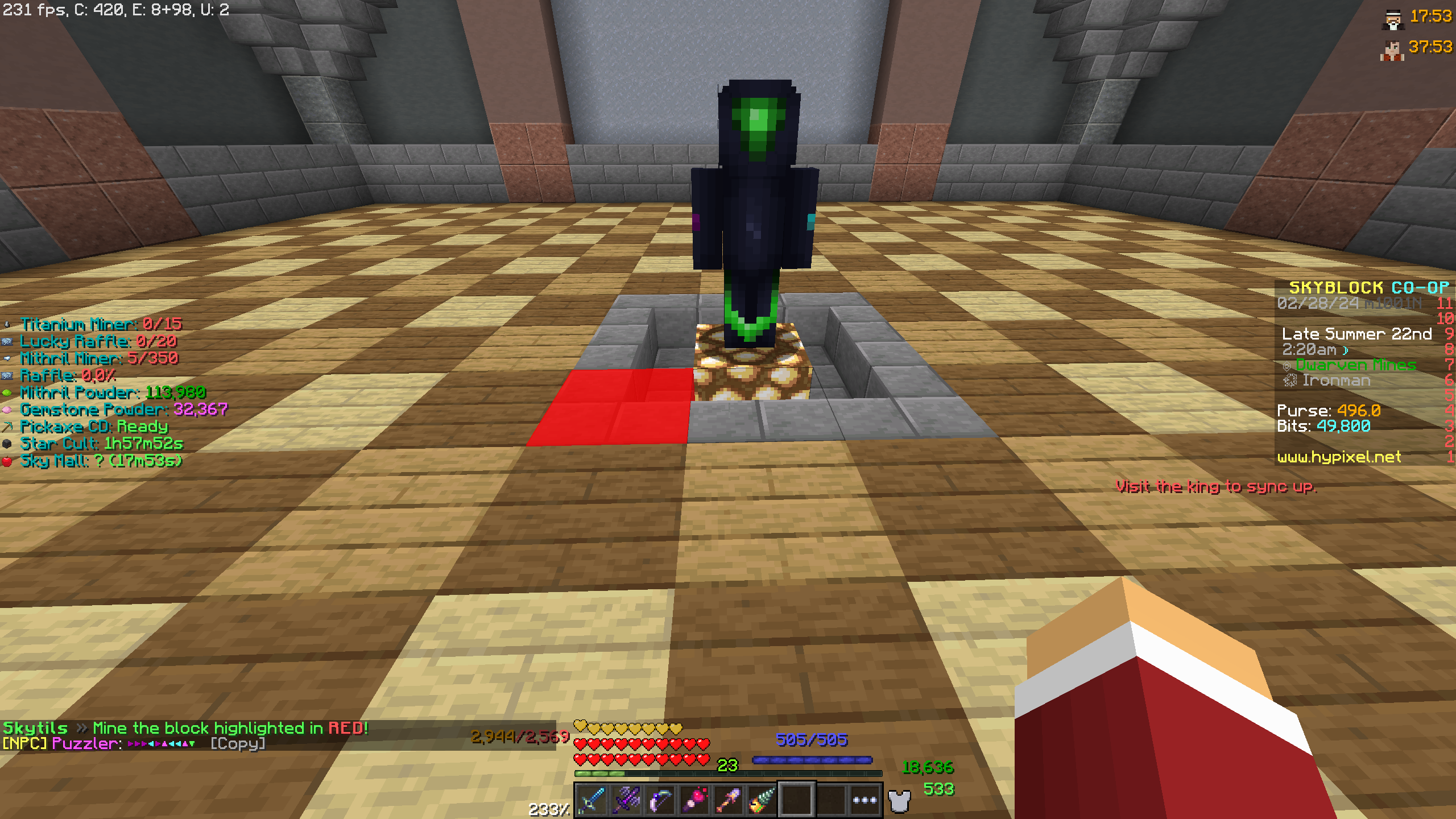
Solvers
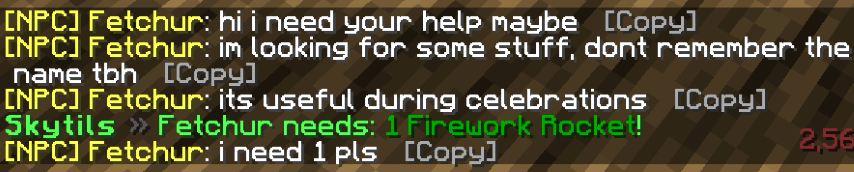
- Fetchur Solver
- Puzzler Solver
- Hungry Hiker solver
- Treasure Hunter Solver
Showcase
Features for different mayers
Diana
- Griffin Burrow Locator and Waypoints. (Off by default use Skyhanni Burrow Locator and Waypoints, better)
- Track Mythological Event drops
- Track Gaia Construct Hits
Showcase
Coming soon.
Jerry
- Hidden Jerry Timer
- Hidden Jerry & Jerry Box Tracker
- Jerry Perk Display
Showcase
Coming when Jerry becomes mayor.
And a lot more visit Skytils GitHub for the full list.
📃SkyblockAddons
SkyblockAddons or SBA as most people call it, is a Quality of Life mod for Hypixel Skyblock and one of the oldest Skyblock mods.
- Freeze backpack previews.
- Zealot counters a lot of different counters for your Zealot grind.
- Hiding players near NPCs
- A customizable hotbar allowing for heart and mana bars, as well as the removal of food, armor bars, and more.
Showcase

📝Dungeons Guide
Dungeons Guide is a super-intelligent dungeon mod that helps you find secrets and do it fast.
The big one: Secret Finder creates a line from the player towards the nearest secret.
<iframe width="560" height="315" src="https://www.youtube-nocookie.com/embed/fhfNU13wjq0" title="YouTube video player" frameborder="0" allow="accelerometer; autoplay; clipboard-write; encrypted-media; gyroscope; picture-in-picture; web-share" allowfullscreen></iframe>Solvers
- F7 Terminal Solvers (Shows the correct solution/order.)
- Creeper Solver (Shows what sea lanterns to hit.)
- Simon Says Solver (Shows correct buttons to hit.)
- Blaze Room Solver (Shows what order to kill the blazes in.)
- Advanced Water Board Solver (Shows you what buttons to hit.)
- Tic-Tac-Toe Solver (Shows the correct tic-tac-toe solution.)
- Riddle Solver (Tells you the correct person, requires you to click all three characters first.)
- Ice Fill Solver (Shows the correct path through the ice puzzle.)
- Silverfish Solver (Shows what way you should hit the silverfish.)
- Bomb Defuse Solver (Shows the path through the pressure plates. Requires you to visit the left side and press a key to save the solution first, Required to be this way to follow Hypixel rules.)
- Fairy Soul Finder (Shows the location of dungeon fairy souls.)
Showcase of some of them
Not comming soon
QOL Features
- Secrets Chest Close (Hit any key while in a secret chest to close it.)
- Spirit Boots Fixer (Fixes spirit boots changing your hand to air.)
- Blood Room Warning (Shows dungeon progress and if you should enter the boss arena or not.)
- Box Secret Bats (Creates a box around secret bats to make them easier to find, does not change their hitbox.)
- Box Real Livid (Creates a coloured box around the real Livid.)
- Box Skeleton Masters (Places a box around skeleton masters to make them easier to see.)
- Highlight Starred Mobs (Highlight starred mobs to make them easier to spot and kill.)
- Dungeon Map (See the layout of a dungeon, room progress, other players positions and the total secrets in each room.)
- Spirit Bear Summon Percentage (Shows how close the spirit bear is to spawning.)
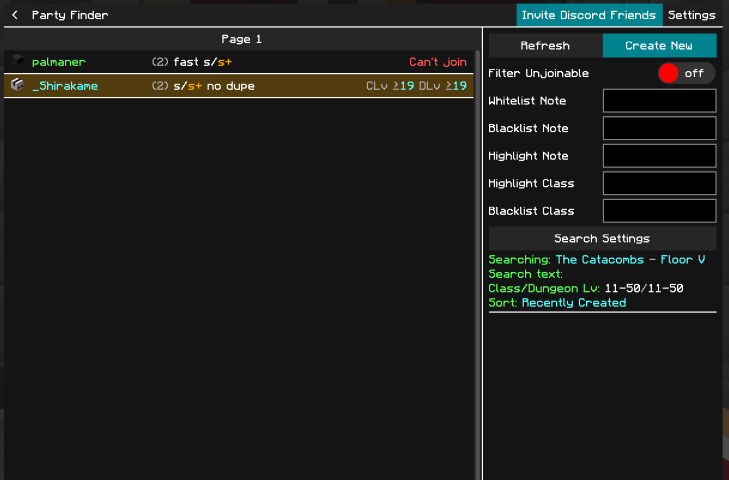
- Custom Party Finder GUI (A nicer party finder GUI.)
Showcase of some of them
And a lot more QoL stuff visit their GitHub for more info.
🗺️Maps
Fancy Warp Menu
- A Fancy map for the warp menu.
Visit their Modrinth page for more info.
Showcase
SkyGuide
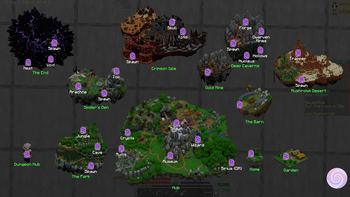
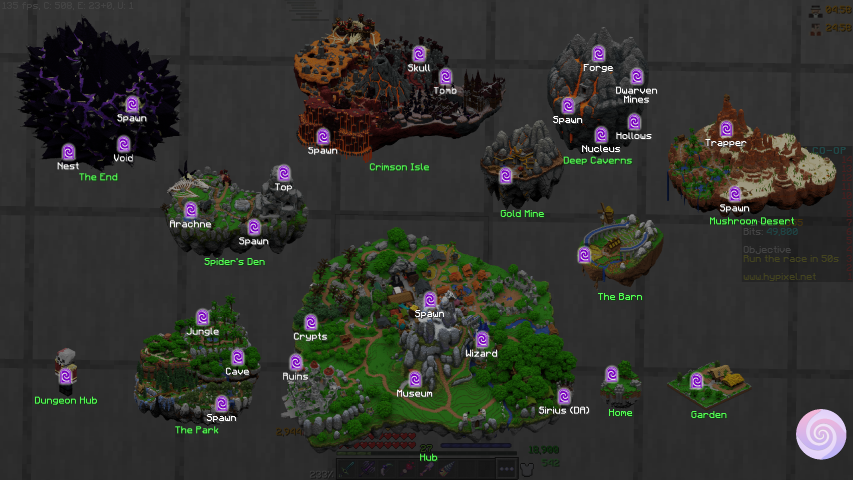
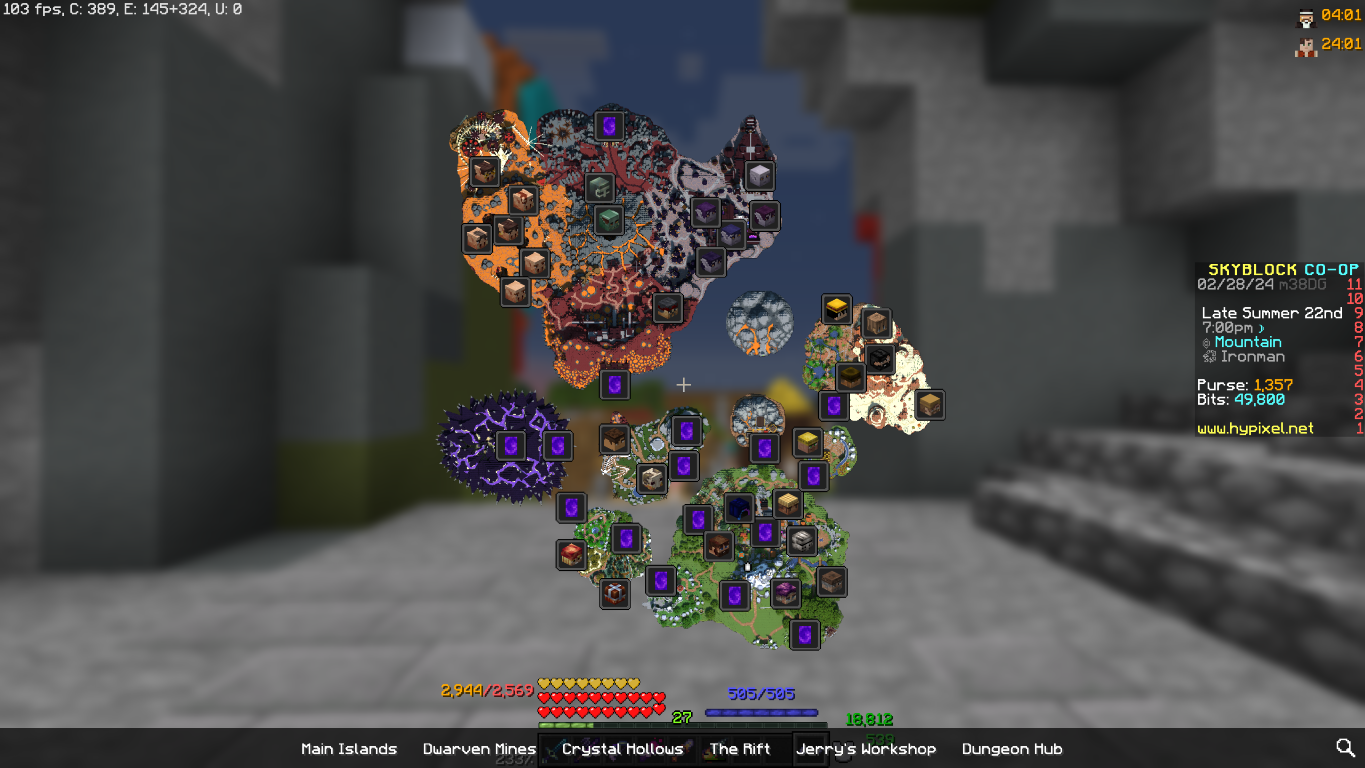
- A map over the whole Skyblock world with NPC location and warps. Very useful if you are a new player and need to learn where everything is. (Access with M)
- Also have a mini-map that you can toggle in the config accessible with F7.
Visit their Modrinth page for more info.
Showcase
🚀Make the game smoooot, less buggy and a lot more FPS
PolyPatcher
PolyPatcher, a lot of fixes
Bug Fixs
- Parallax Fix - Resolve the camera being too far back, seemingly making your eyes be in the back of your head.
- Culling Fix - Resolve false negatives in frustum culling, creating invisible chunks in some cases.
- Alex Arm Position - Resolve Alex-model arms being shifted down further than Steve-model arms.
- Resource Exploit Fix - Resolve an exploit in 1.8 allowing servers to look through directories.
Screenshots
- Favorite Screenshot - Show a text component that allows you to delete a screenshot.
- Delete Screenshot - Show a text component that allows you to delete.
- Upload Screenshot - Show a text component that allows you to upload a screenshot to Imgur.
- Copy Screenshot - Show a text component that allows you to copy a screenshot. *default
- Open Screenshots Folder - Show a text component that allows you to open the screenshots folder.
- A Screenshot Manager - Lat's you upload screenshot to Imgur, copying to clipboard, etc.
- Screenshot Preview - Preview the look of your screenshot when taken in the bottom right corner.
And a lot more.
- 1.11 Chat Length, you can type longer chat messages.
- Compact Chat, stack duplicate messages.
- And more stuff to make the chat and other things feel better.
- And stuff that gives you more FPS.
For a full list vist PolyPatcher Modrinth site.
TexFix
- Improve memory usage when playing with big texture packs.
For more info about how it works visit their Curseforge page.
FoamFix
- Improve memory usage when playing with many mods.
For more info about how it works visit their Modrinth page.
Entity Culling
- Using async path-tracing to skip rendering Block/Entities that are not visible.
For more info visit their Modrinth page.
Velox Caelo
-
This mod caches some CIT calculations in optifine. To make this mod work at all, you need OptiFine and Forge installed.
-
The best performance improvement is achieved if you have texture packs with a lot of custom textures.
Visit their Modrinth page for more info
Phosphor Legacy Forge
- Phosphor is a Minecraft mod that works to optimize one of the game's most inefficient areas-- the lighting engine.
- With Phosphor, the amount of time the game takes to generate new chunks can be greatly reduced, and you can expect to see some of the nastier frame stutters caused by loading chunks on the client simply vanish.
Visit their Modreith page for more info.
Polished GUI
- Faster language loading.
- Various layout/inconsistency fixes for GUI.
- More seamless and streamlined experience with improved GUI widgets.
Visit their Modreith page for more info.
Redirectionor
- Optimises the game to advance for my understanding but it should give more fps.
Visit their curseforge site for more info
OptiFine
- A LOT More FPS
Visit OptiFine website to download ("This is not a part of the pack and needs to be downloaded manually. Instructions are at the top.")
📃Some more mods
Essential
Essential is a required mod for many other mods to function properly.
Other things it dos
- In-Game Messenger: Add your friends and message them across worlds and servers, all in-game.
- Wardrobe: Dress up your character with many different cosmetics, some even for free. You can also switch your skin and save multiple outfits.
- Screenshot Browser: Essential features fully updated screenshot experience. Take, favorite, edit, and share screenshots from in-game, easier than ever before.
Visit their Modrinth page for more info.
Chatting
Chatting completely revamps the Minecraft chat with many quality-of-life improvements.
- Tabs
- Screenshot messages
- Customize the appearance of almost every element
- Search for messages
- Chat heads
Find out more at there Modrinth Page
OverflowParticles
- Per Particle Settings
- Size & Amount Multiplier
- Customizable Color
- Fade out
Find out more at there Modrinth Page
PolySprint
A simple yet incredibly functional toggle-sprint mod with a wide array of different features and customization
- Toggle sprint & sneak
- Extensive HUD customization
- Disable W-tap sprint
- Keybinds
Config F7
Visit their Modrinth page for more info.
Scrollable Tooltips
Lets you scroll your Tooltips, very useful in Skyblock when they can become bigger than your screen.
PackCore
Adds a custom Skyblock Enhanced Main Menu, Promt to set default configs on start up, plus more later.
🖌️Texture packs
Texture packs, make the game feel special.
Hypixel Plus
Hypixel Plus retextures all of Skyblock items.
A resource pack for the Hypixel Server that textures all of SkyBlock items with a vanilla style. Never lose an item because it locks the same.
-
Visit their Modrinth page for more info.
Faithful 32x
The go-to 32× resource pack for Minecraft
Get rid of the old 16x 1.8.9 textures and hello to the new 32x 1.20 textures.
-
Visit their Modrinth page for more info.
Default Dark Mode
Dark mod GUIs
Get rid of those blending light mod GUIs and hello to the new dark mode GUI.
-
Visit their Modrinth page for more info.
Removed from versions after 2.0
🌤️Partly Sane Skies
Partly Sane Skies A Quality of Life SkyBlock Mod
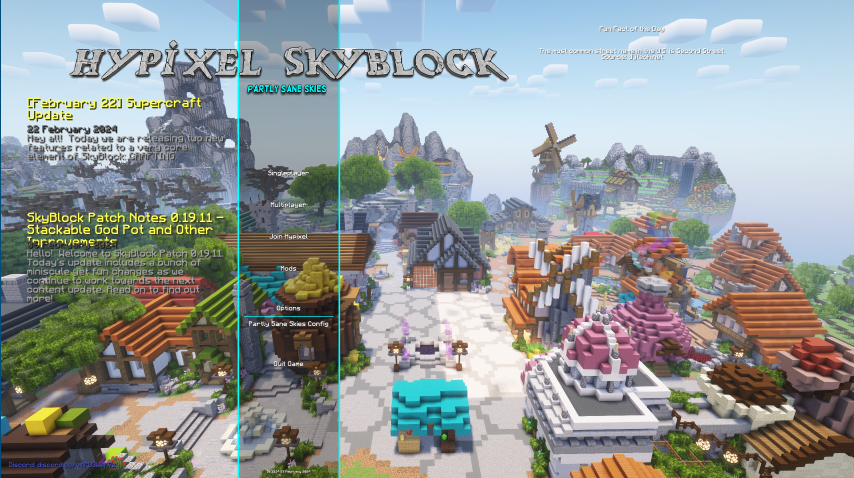
- Custom Main Menu
Showcase
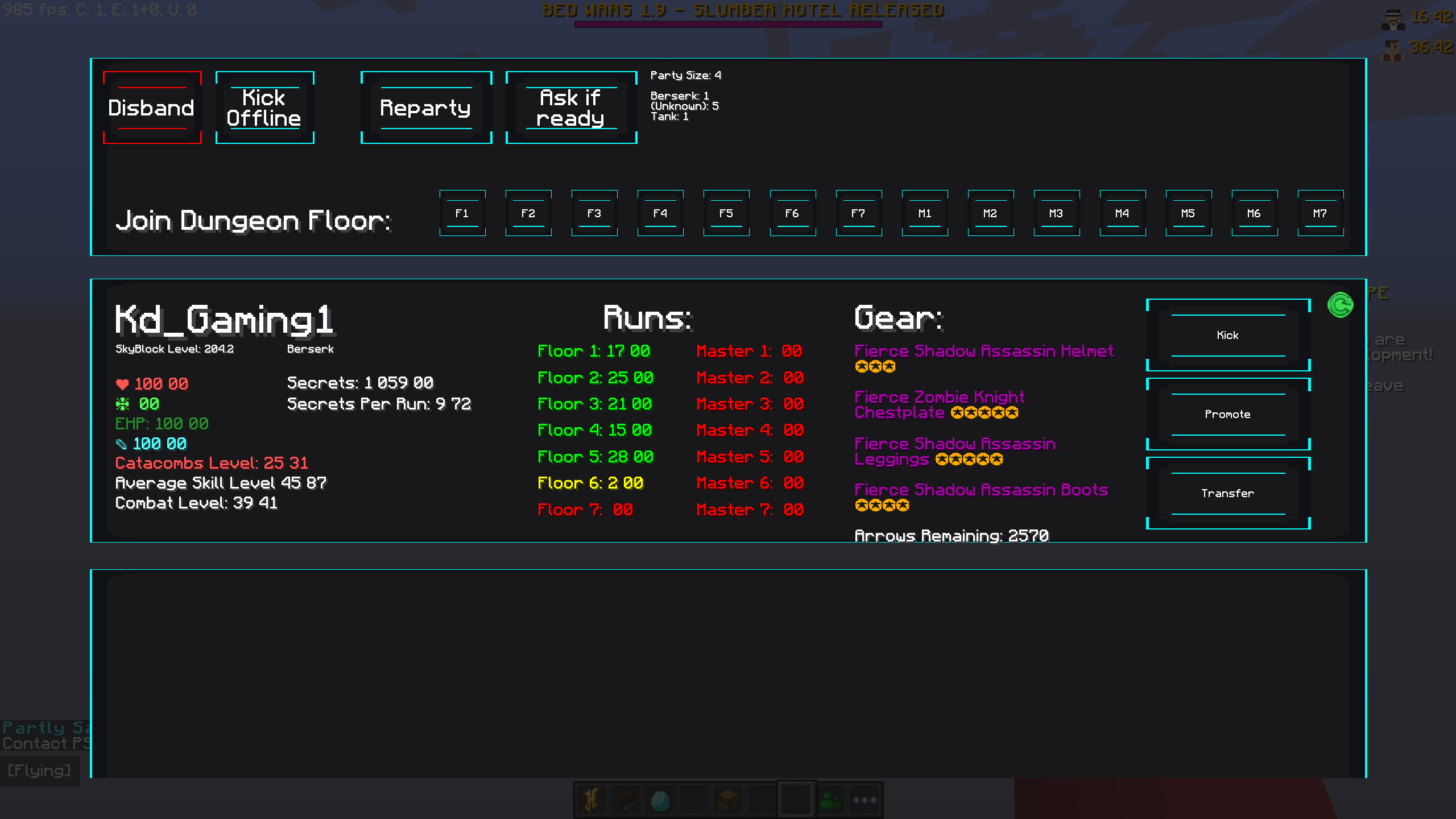
- A Party Manager for your Dungeon runs.
Showcase
- Custom Sounds for SkyBlock. Instead of the normal noteblocks, there is now the option to use computer-generated, discord sounds or even live instruments to play sounds such as SkyBlock music and sound effects.
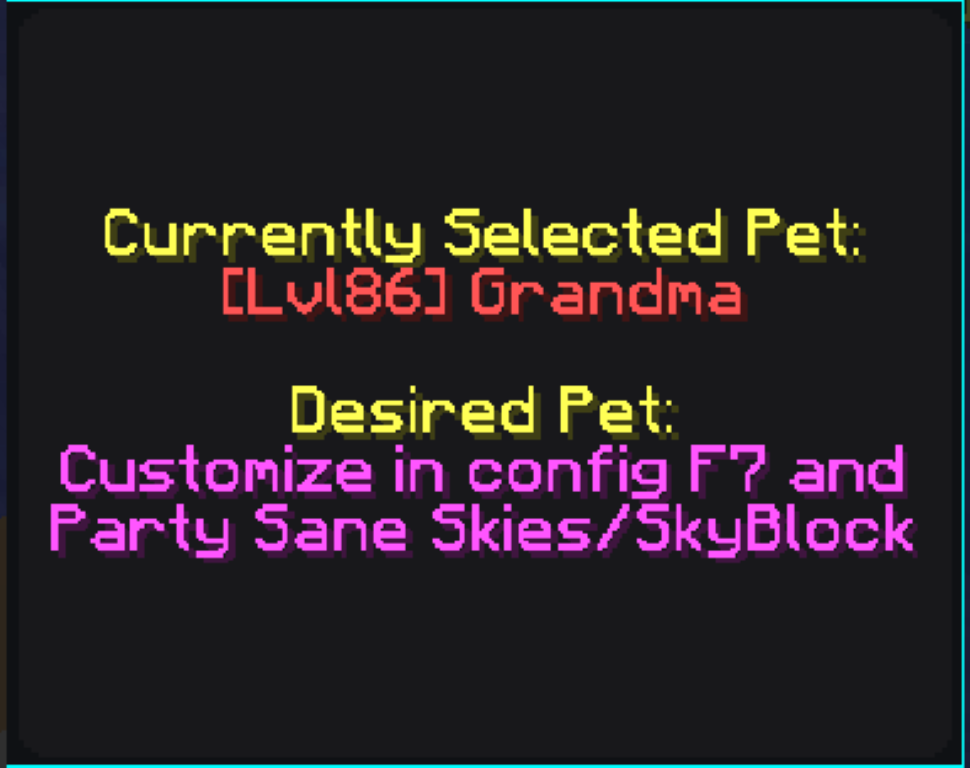
- Pet for Minion Information Display
Showcase
- Top Crops to Compost
- Best Skymart Profit
- Visitors Logbook Stats
- Garden Shop Trade Cost
This is disabled because we use Skyhanni instead, which is much better.
Showcase
- Mining Events Reminder. The mining events reminder has a selective list of all dwarven mines & crystal hollows events.
- Pickaxe Ability Reminder
- No Cookie Warning every 60 seconds if you have more than two million on you. Configure in the config menu with F7.
Showcase
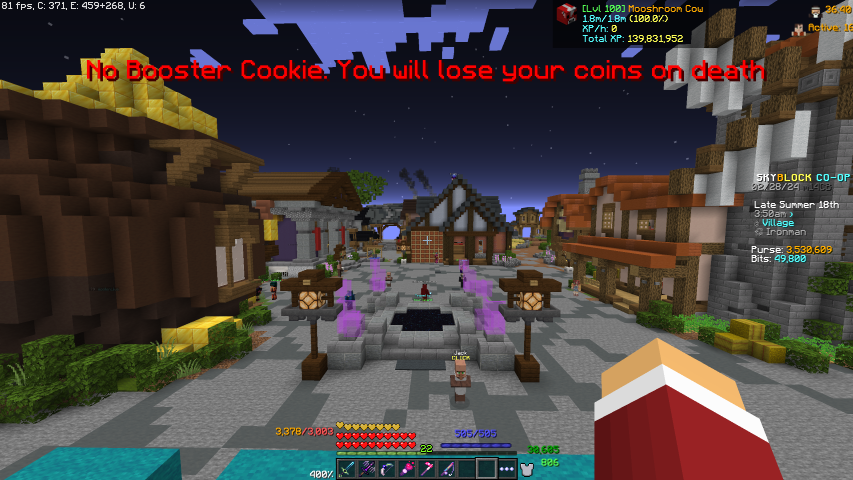
- Enhanced Auction Menu and BIN Sniper
- Best Bit Shop Profit
- Best Minion Profit Calculator /mc
Showcase
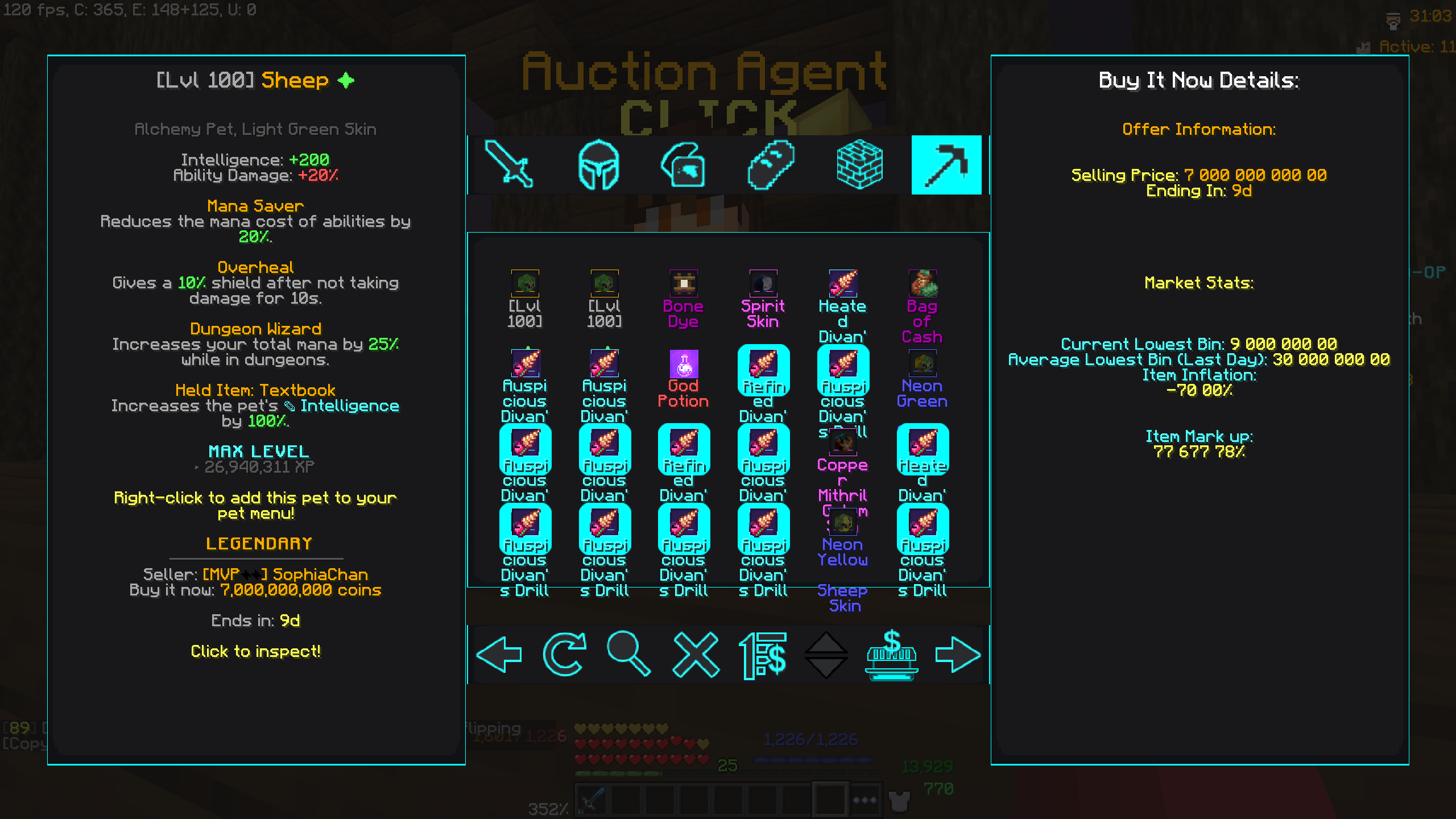
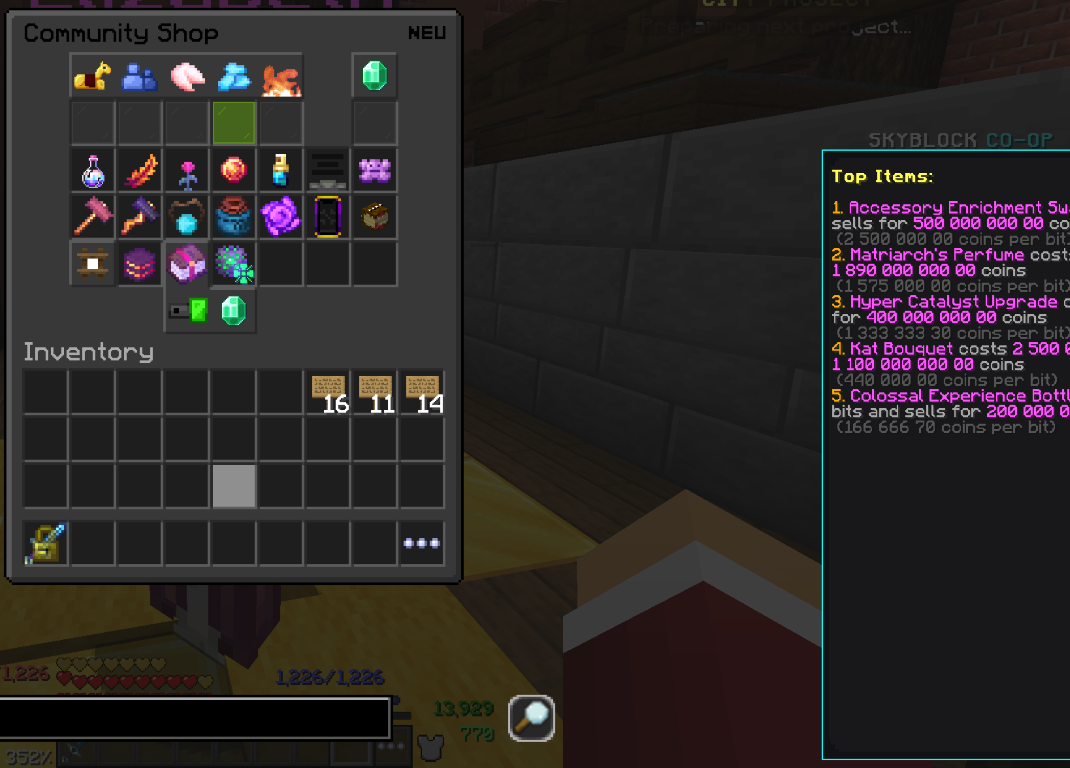
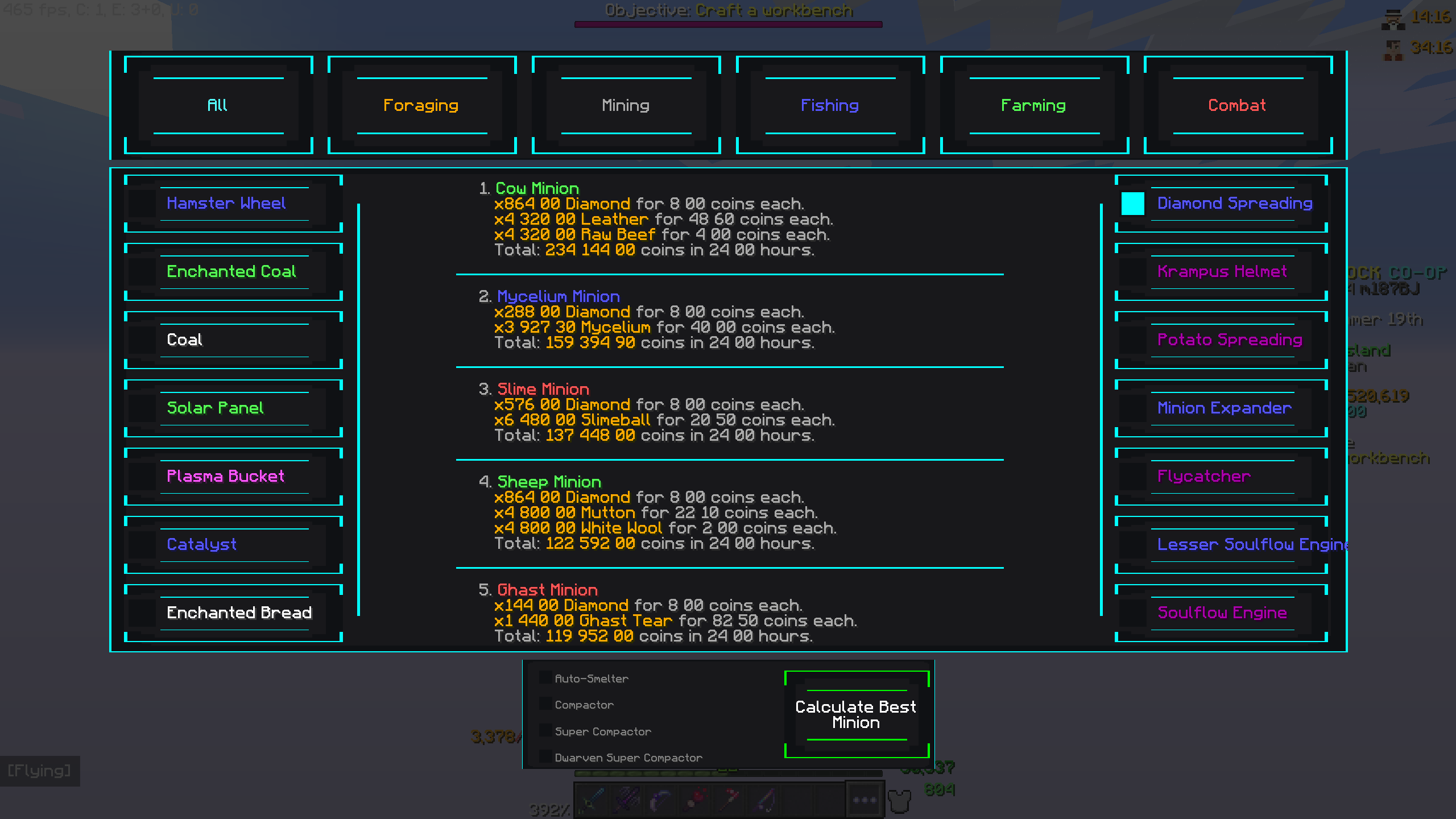
- And a lot more visit Partly Sane Skies Modrinth page for more info.
Easy Configs
- Let me ship default settings to you but you don't have to worry about your settings being overwritten on an update of the pack.
- Also lets you change between different saves of settings and export and import your settings to share with friends.
For more info about how it works visit my Modrinth page.
Credits
Thanks to all the amazing people who work hard to create mods for this incredible game, whit out them this pack would be impossible. Take some time to explore the different mod websites and their creators.
List of mods and where to find the creators of them.
- PackCore Link
- Essential Mod Link
- Entity Culling Link
- Fancy Warp Menu Link
- PolyPatcher Link
- Phosphor Legacy Forge Link
- Polished GUI Link
- PolySprint Link
- Chatting Link
- Overflowparticles Link
- Scrollable Tooltips Link
- SkyGuide Link
- SkyHanni Link
- SkyblockAddons Link
- Skytils Link
- Dungeon Guide Link
- NotEnoughUpdates (NEU) Link
- FomFix Link
- Veloxcaelo Link
- Redirectionor Link
Mods that have been removed from newer versions
Mods removed after the 2.0 update
-
Partly Sane Skies Link


![Cobblemon Official Modpack [Fabric]](https://cdn.modrinth.com/data/5FFgwNNP/e7f9ee2e9d361623847853fe2ddce42f519ee64f.png)



Conversation