Enhanced Boss Bars
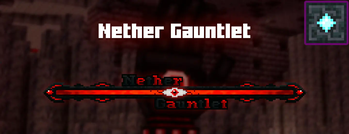
New improved boss bars!
Versions
Gallery

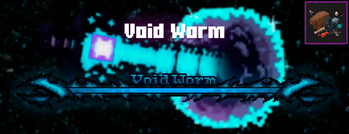
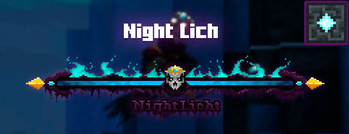
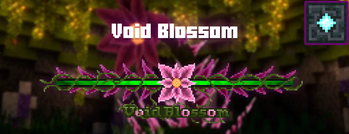
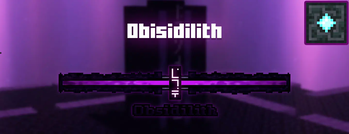


About

Hey! I made a mod with this resource pack to resolve boss mod compatibility bugs (like Cataclysm or Aether) and some other bugs like the boss bar showing in chat instead of the boss name (which isn't a bug actually, it's because of how the resource pack works). The mod is now available here.

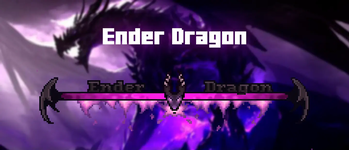
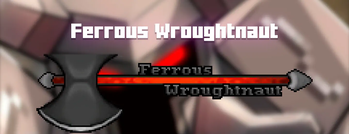
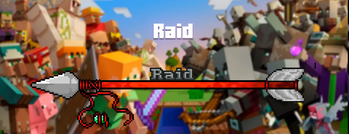
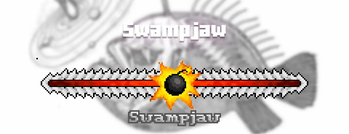
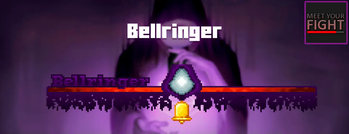
Enhanced Boss Bars is a project that aims to improve all the boss bars so that there is a better immersion in the amazing world of minecraft, since the default bars are very uncreative. If you have any suggestions for a mod boss, please comment on the CurseForge page and I'll put it on the mod list :)
I hope you enjoy it and thank you very much for watching.
Bedrock version here

Mod List
Some mods have created their owns boss bars, making them incompatible with this resource pack, therefore we have mods that work depending on the version. Choose yours:
1.20.1 and newer versions
Mowzie's Mobs
- ✅ Frostmaw
- ❎ Ferrous Wroughtnaut (Incompatible)
- ❎ Umvuthi (Incompatible)
Meet your Fight
- ✅ Swampjaw
- ✅ Bellringer
- ◻️ Dame Fortuna
- ◻️ Rosalyne, Blade of Dusk
Cracker's Witherstorm
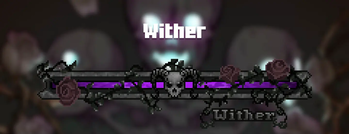
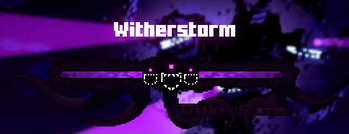
- ✅ Wither Storm
- ◻️ Withered Symbiont
Alex's Mobs
- ✅ Voidworm
Bosses of Mass Destruction
- ✅ Night Lich
- ✅ Void Blossom
- ✅ Obsidilith
- ✅ Nether Gauntlet
Twilight Forest
- ✅ Alpha Yeti
- ✅ Hydra
- ✅ Naga
- ✅ Snow Queen
- ✅ Ur Ghast
- ◻️ Twilight Lich
Incompatible mods
- L_Ender's Cataclysm
- The Aether
1.19.2
Mowzie's Mobs
- ✅ Frostmaw
- ✅ Ferrous Wroughtnaut
- ❎ Umvuthi (Incompatible)
Meet your Fight
- ✅ Swampjaw
- ✅ Bellringer
- ◻️ Dame Fortuna
- ◻️ Rosalyne, Blade of Dusk
Cracker's Witherstorm
- ✅ Wither Storm
- ◻️ Withered Symbiont
Alex's Mobs
- ✅ Voidworm
Bosses of Mass Destruction
- ✅ Night Lich
- ✅ Void Blossom
- ✅ Obsidilith
- ✅ Nether Gauntlet
Twilight Forest
- ✅ Alpha Yeti
- ✅ Hydra
- ✅ Naga
- ✅ Snow Queen
- ✅ Ur Ghast
- ◻️ Twilight Lich
Incompatible mods
- L_Ender's Cataclysm
- The Aether
1.16.5
Mowzie's Mobs
- ✅ Frostmaw
- ✅ Ferrous Wroughtnaut
- ◻️ Barako
Meet your Fight
- ✅ Swampjaw
- ✅ Bellringer
- ◻️ Dame Fortuna
- ◻️ Rosalyne, Blade of Dusk
Cracker's Witherstorm
- ✅ Wither Storm
- ◻️ Withered Symbiont
Alex's Mobs
- ✅ Voidworm
Bosses of Mass Destruction
- ✅ Night Lich
- ✅ Void Blossom
- ✅ Obsidilith
- ✅ Nether Gauntlet
Twilight Forest
- ✅ Alpha Yeti
- ✅ Hydra
- ✅ Naga
- ✅ Snow Queen
- ✅ Ur Ghast
- ◻️ Twilight Lich
L_Ender's Cataclysm
- ✅ Ignis
- ✅ Ender Dragon
- ✅ Netherite Monstrosity
Mod Compatibility Errors
Jade
You can set where you want to see Jade HUD by modifying Horizontal Ratio and Vertical Ratio
or you can turning it off by doing the following:
1.19.2 and older versions:
- Main Menu -> Mods -> Jade -> Config -> Jade Settings -> Display entities -> OFF
1.20.1 and new versions:
- Main Menu -> Mods -> Jade -> Config -> Mod Settings -> Display Bosses -> OFF
- Main Menu -> Mods -> Jade -> Config -> Mod Settings -> Boss Bars Overlap -> Push Down Tooltip
RPG-HUD
- (In game) Press Esc -> RPG-Hud -> Entity Inspector -> Show Entity Inspect: OFF (or just change the position)
- (In game) Press Esc -> RPG-Hud -> Compass -> Enable Compass: OFF (or just change the position)
Update [1.5]
Hey! Here the new update, we now have Twilight Forest's bosses






Conversation