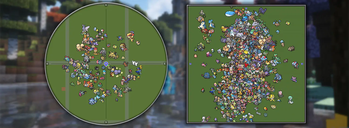

datboiwill's Cobblemon Icons for Maps
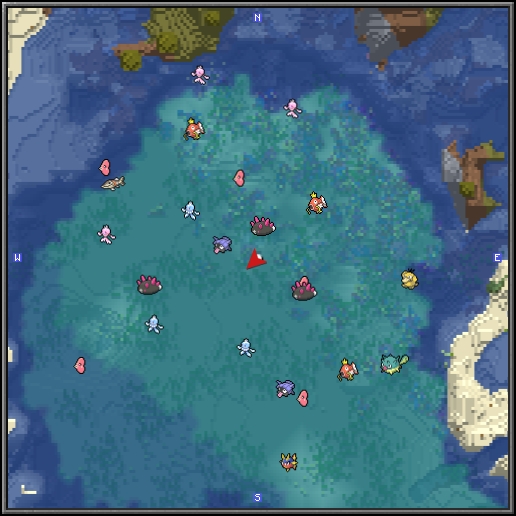
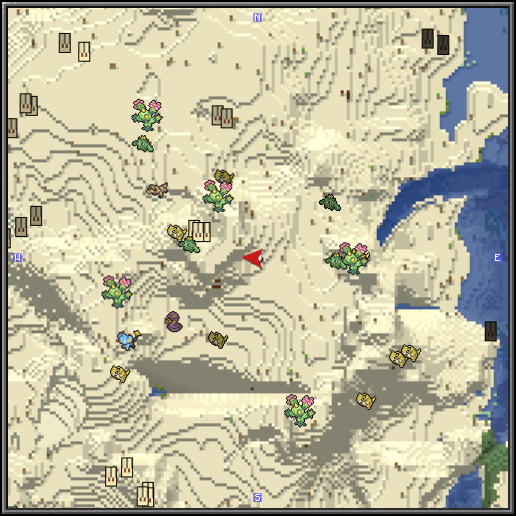
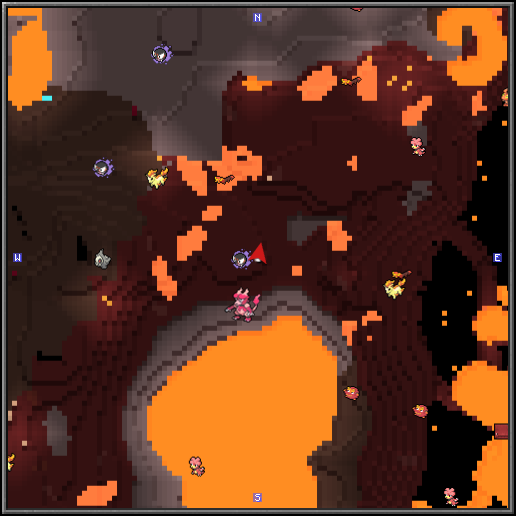
A resource pack that adds icons for use with Cobblemon and Xaero's World Map / Xaero's Minimap, and also Cobblemon and Journeymap!
Versions
Gallery

About
datboiwill's Cobblemon Icons for Maps!
A brief description of the pack
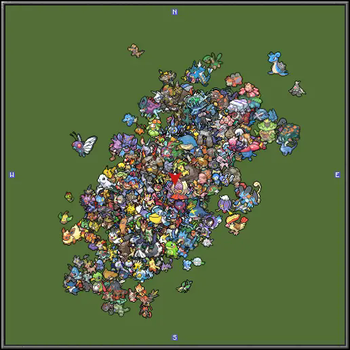
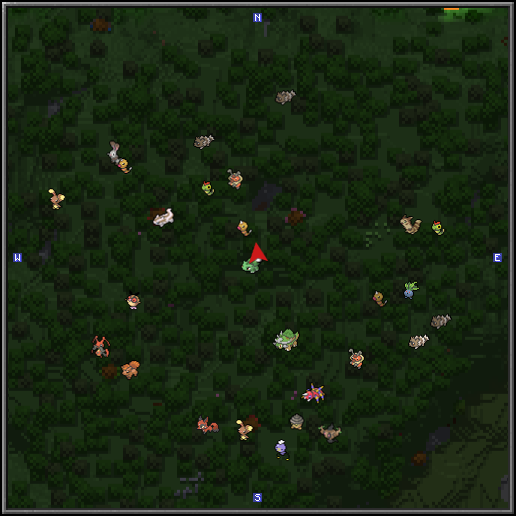
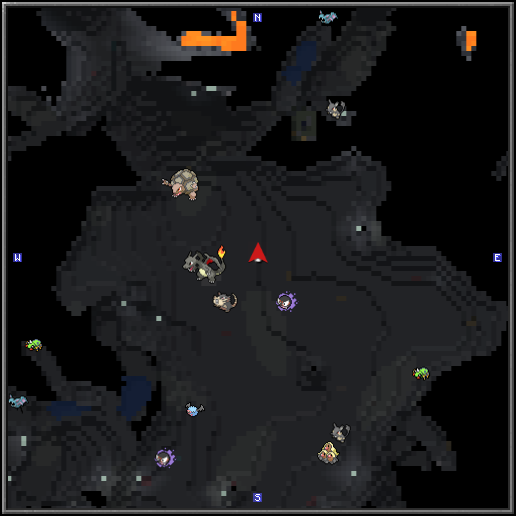
Have you ever been playing Cobblemon with Xaero's and/or JourneyMap and thought, huh, it's a shame those Cobblemon aren't showing up as icon on the map. Well, now they can! This pack serves to fill that empty void with Official-looking sprites to replace those ugly placeholder icons! Fear no longer! This resource pack will work straight out the box with Xaero's AND Journeymap, so what are you waiting for!?
What this pack does differently to others
To start, this pack has every single sprite as an icon for every single Pokémon in the National Pokédex! This means that, when the time comes for a certain Pokémon to be added to Cobblemon, chances are this pack will already have the prerequisite files necesarry for the icon to appear on the map! Not only is there forward compatibility, but this pack also adds some unique Cobblemon as an icon! This applies to regional forms and regional bias forms, valencian forms, and also a whole bunch of other exclusive Cobblemon forms! Some forms are yet to be added, but stay tuned for updates in the future that may add these!
✨ Shiny Icons!? ✨
The base pack of dCIM does not include an indicator to show whether a Pokémon is shiny or not, however, you can download an addon pack that adds these! You can download this pack using the link below! Make sure you put dCIM Shinier above the base dCIM pack to make it work.
Download the dCIM Shinier Addon!
Installation
- Download the "dCIM.zip" file.
- Open your "resourcepacks" folder in your installation of Minecraft, or alternatively, you can open this folder through Minecraft from the ingame menu by selecting Options -> Resource Packs -> Open Pack Folder .
- Move the .zip file of the file in Step 1 into the "resourcepacks" folder.
- Locate the "dCIM.zip" under the Available header (on the left), and click the arrow pointing right to add it to the Selected tab.
- Click Done! Voilà!
Settings
Xaero's:
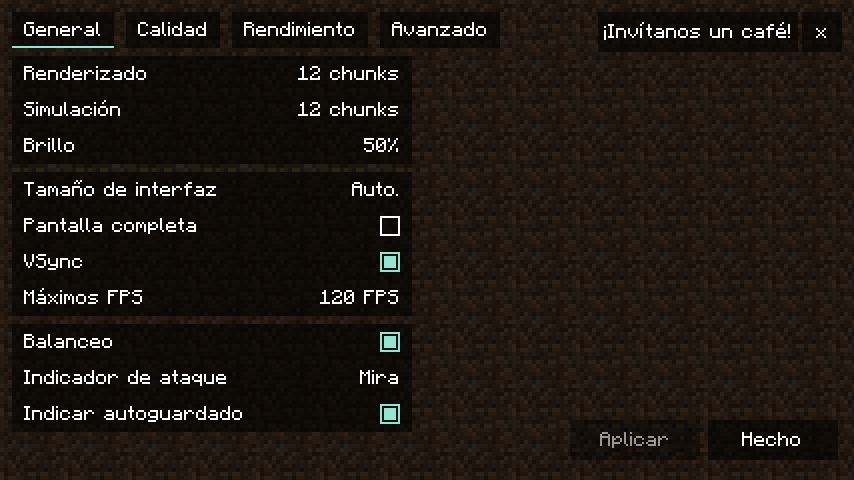
In order for this pack to work as intended, you should change the following settings in the Xaero's Minimap Options.
To access the settings:
Open the Minimap Settings using the "Minimap Settings" Keybind (this can be found in the Controls, under Xaero's Minimap)
The settings to be changed are as follows
Entity Radar Settings
↳ Display Icons: Always (Necessary)
↳ Entity Name When Icon Fails: ON (Important for bug reports)
↳ Display Names: Always (Optional)
JourneyMap:
In order for this pack to work as intended, you should change the following settings in the JourneyMap Options.
To access the settings:
Open the Fullscreen Map using the "Show / Hide Fullscreen Map" Keybind (this can be found in the Controls, under JourneyMap) Click the Options.. icon (Second across on the bottom)
The settings to be changed are as follows
MiniMap Preset 1
↳ ☐ Show Grid (Optional)
↳ ☐ Show Entity Names (Optional)
↳ ☐ Show Passive Mob Names (Optional)
↳ Mob Display : ↕ Icons ↕ (Optional)
Fullscreen Map
↳ ☐ Show Grid (Optional)
↳ ☐ Show Entity Names (Optional)
↳ ☐ Show Passive Mob Names (Optional)
↳ Mob Display : ↕ Icons ↕ (Optional)
☑ = Enabled ☐ = Disabled
Credits
Gen 1-8 sprites:
https://msikma.github.io/pokesprite/overview/dex-gen8.html
Gen 9 sprites:
found at https://github.com/msikma/pokesprite/issues/135#issuecomment-1336298303
Gen 9 (1009-1025) sprites:
https://github.com/bamq/pokemon-sprites https://docs.google.com/spreadsheets/d/1kI_PDXnbghxjN2LBvxA6Pz-QqMYlVGN3Z1EivXOYwNY/edit?gid=0#gid=0
Certain Cobblemon exclusive sprites( Shulker Forretress ):
Myself!
Issues
If you face any bugs using this pack (Pokémon icons fail to show up on the map), you can let us know in our Discord!








Conversation