
CraftPresence
Completely Customize the way others see you play in Discord!
Versions
[Neoforge 26.1-snapshot-2] CraftPresence-Staging v2.7.1
2.7.1+26.1-snapshot-2-neoforge · 4 weeks ago · 1.24 MB
[Fabric 26.1-snapshot-2] CraftPresence-Staging v2.7.1
2.7.1+26.1-snapshot-2-fabric · 4 weeks ago · 1.24 MB
[Fabric 26.1-snapshot-1] CraftPresence-Staging v2.7.0
2.7.0+26.1-snapshot-1-fabric · 1 month ago · 1.96 MB
[Neoforge 1.21.11] CraftPresence v2.7.0
2.7.0+1.21.11-neoforge · 1 month ago · 1.96 MB
[Forge 1.21.11] CraftPresence v2.7.0
2.7.0+1.21.11-forge · 1 month ago · 1.96 MB
Gallery
About
CraftPresence
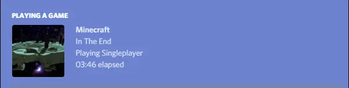
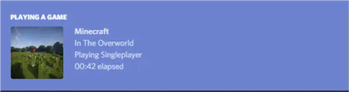
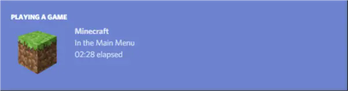
Completely customize the way others see you play Minecraft via Discord's Rich Presence API & the DiscordIPC API by jagrosh!







General Notes
- Beginning in v2.5.0, UniLib is now a required dependency
- UniLib is a new library mod I have created to abstract common API functions for more general use cases as well as future projects
- The mod can be downloaded here
- This mod will crash if UniLib is not found or if using an incompatible version
- This mod identifies as a Client Side-only mod
- This means it will not run on the Server's side.
- Fabric and Quilt mod loaders will simply ignore the mod, while other mod loaders may crash.
- Some versions of the mod for Minecraft 1.14.x and above require the Fabric API and the Fabric mod loader
- Some versions of the mod for Minecraft 1.13.x require the Rift API and the Rift mod loader
- Some versions of the mod for Minecraft 1.1.0 and below require Risugami's ModLoader
Features
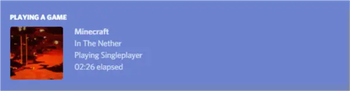
In addition to having the ability to change your discord status from "Playing Minecraft", This mod offers plenty of customization options to specify entirely how others see you play. From having your current biome show up, to which dimension your in, as well as which server you're in, and more. The customization possibilities are limitless, with the only real limit being how creative you customize your display.
Launcher and Pack Integration Support
CraftPresence will detect whether your Launch Directory contains:
- A ATLauncher Instance (instance.json)
- A valid Twitch/Overwolf/Curse/GDLauncher Manifest (manifest.json, minecraftinstance.json)
- A MCUpdater Instance (instance.json)
- A Modrinth Instance (profile.json)
- A MultiMC Instance (instance.cfg)
- A Technic installedPacks File (installedPacks)
If using any of these launchers, note the following:
- Prior to v1.6.0, it'll put the packs name in your display as well as show its icon (when not in a server)
- From v1.6.0 until v2.0.0, it'll instead parse the Pack's name into the
&PACK&placeholder, that you can configure for usage in the RPC - In v2.0, the pack's info is instead parsed into the
pack.nameandpack.iconplaceholders, that you can configure for usage in the RPC
As an example, this is how the mod will convert a pack's name to an iconKey:
Example: All the Mods 7 would parse as allthemods7
Note: MultiMC natively has an Icon Key Property that is used instead of converting from the Pack's Display Name
Commands
CraftPresence currently offers the following Commands:
Keep in mind the following:
- Commands must be prefixed by either
/craftpresenceor/cp - In v1.5.0 and above, these commands are only usable via the Commands Gui, found within the Config Gui
/cp compile "[expr]"- Test the output of a placeholder expression, via Starscript/cp search (type:typeName, [searchTerm], all)- Search for valid placeholders available to use with Rich Presence/cp reload- Reloads mod data/cp request- View Join Request Info/cp export- View export commands for mod data/cp view- Help command to display the commands available to view and control a variety of display data/cp view placeholders- Displays all available placeholders for use in the RPC/cp view currentData- Displays your Current RPC Data, in text form/cp view assets (custom | all)- Displays all asset icon keys available to you/cp view dimensions- Displays all Dimension Names available for use, requiresShow Current Dimensionto be enabled/cp view biomes- Displays all Biome Names available for use, requiresShow Current Biometo be enabled/cp view servers- Displays all Server Addresses available for use, requiresShow Game Stateto be enabled/cp view screens- Displays all Gui Names available for use, if Per-Gui is enabled/cp view items- Displays all Item Names available for use, if Per-Item is enabled/cp view entities- Displays all Entity Names available for use, if Per-Entity is enabled
/cp reboot- Reboots the RPC/cp shutdown- Shutdown the RPC (Can be turned on from/cp reboot)/cp (help | ?)- Help Command to display the above commands and these explanations
KeyBinds
CraftPresence currently contains the following KeyBinds:
Notes:
- In v1.5.5 up to v1.8.0, KeyBinds are now customized in the Accessibility Settings in the Config Gui, and not the normal controls menu
- In v1.8.0 and above, KeyBinds can now be customized in either the dedicated menu in the Config Gui or the normal control menu on applicable versions
Open Config Gui- KeyBind to open the CraftPresence Config Gui (Default: GRAVE/TILDE Key)
About Placeholders and Functions
In some configuration areas, CraftPresence provides some placeholders and functions to make things easier:
Keep in mind the following:
- In v2.0.0, placeholders have been rewritten to be compatible
with Starscript
- The older list of this section can be viewed here
- All Placeholders, functions, and code expressions must be surrounded with curly brackets (Example:
{foo.bar}) - In the event that you need to combine a placeholder with other data in a function argument, use the
getResultfunction - Additional functions and standard variables are available within StandardLib
Placeholder List
The following placeholders are available for use anywhere in CraftPresence:
- General Placeholders:
general.brand- The Minecraft branding labelgeneral.icon- The default display icongeneral.mods- The amount of mods currently in your mods foldergeneral.title- The Minecraft title labelgeneral.version- The Minecraft version labelgeneral.protocol- The Minecraft version protocol label
- Menu Event Placeholders (Loading and Main Menu):
menu.message- The main menu's display data, while applicablemenu.icon- The main menu's display icon, while applicable
- Pack Placeholders:
pack.name- The currently detected pack's namepack.icon- The currently detected pack's iconpack.type- The currently detected pack's type
- Player Placeholders:
player.name- Your usernameplayer.uuid.short- Your UUID (Trimmed Format)player.uuid.full- Your UUID (Full Format, if valid UUID)player.icon- Your player head icon, while applicableplayer.position.x- Your current in-game X positionplayer.position.y- Your current in-game Y positionplayer.position.z- Your current in-game Z positionplayer.health.current- Your current in-game healthplayer.health.max- Your current in-game maximum healthplayer.mode- Your current game mode
- Gui Placeholders:
screen.message- The current Gui Screen's display data, while applicablescreen.name- The current Gui Screen namescreen.icon- The current Gui Screen iconscreen.default.icon- The default Gui Screen icon
- Biome Placeholders:
biome.message- The current biome's display data, while in-gamebiome.name- The current biome namebiome.identifier- The current biome identifierbiome.icon- The current biome iconbiome.default.icon- The default biome icon
- Dimension Placeholders:
dimension.message- The current dimension's display data, while in-gamedimension.name- The current dimension namedimension.identifier- The current dimension identifierdimension.icon- The current dimension icondimension.default.icon- The default dimension icon
- Entity Placeholders:
entity.default.icon- The default entity iconentity.target.message- The currently targeted entity's display data, while applicableentity.target.name- The currently targeted entity's nameentity.target.icon- The currently targeted entity's iconentity.riding.message- The currently riding entity's display data, while applicableentity.riding.name- The currently riding entity's nameentity.riding.icon- The currently riding entity's icon
- World Placeholders:
world.difficulty- The current world's difficultyworld.weather.name- The current world's weather nameworld.name- The name of the current worldworld.type- The current world typeworld.time.format_24- The current world's in-game time (24-hour format)world.time.format_12- The current world's in-game time (12-hour format)world.time.day- The current world's in-game day count
- Server Placeholders:
server.message- The current server's display data, while in-gameserver.icon- The current server iconserver.default.icon- The default server iconserver.players.current- The server's current player countserver.players.max- The server's maximum player countserver.address.full- (MP) The raw current server addressserver.address.short- (MP) The formatted current server addressserver.name- (MP) The current server nameserver.motd.raw- (MP) The current raw server motdserver.minigame- (Realm) The current realm minigame nameserver.type- (Realm) The current realm world type
- Item Placeholders:
item.message.default- The default item display data, while applicableitem.message.holding- The held item(s) display data, while applicableitem.message.equipped- The equipped item(s) display data, while applicableitem.[slotId].name- CurrentslotIditem nameitem.[slotId].message- CurrentslotIditem message
- Integration - Replay Mod:
replaymod.time.current- When in the Video Renderer, retrieves therenderTimeTakenfieldreplaymod.time.remaining- When in the Video Renderer, retrieves therenderTimeLeftfield
- Extra Placeholders (Advanced Usage):
_general.instance- TheMinecraftInstance_general.player- TheMinecraftPlayer Instance_general.world- TheMinecraftWorld Instance_config.instance- The Mod Config Instance_[moduleName].instance- An instance of one of the modules CraftPresence has- Module Order:
biome, dimension, entity, item, screen, server, <...>
- Module Order:
data.biome.instance- An instance of the player's current biomedata.biome.class- The class object for the player's current biomedata.dimension.instance- An instance of the player's current dimensiondata.dimension.class- The class object for the player's current dimensiondata.entity.target.instance- An instance of the currently targeted entitydata.entity.target.class- The class object for the currently targeted entitydata.entity.riding.instance- An instance of the currently riding entitydata.entity.riding.class- The class object for the currently riding entitydata.item.[slotId].instance- An instance of the currentslotIddata.item.[slotId].class- The class object for the currentslotIddata.screen.instance- An instance of the current Gui Screendata.server.motd.line_[number]- Retrieves a specific line ofserver.motd.rawdata.[moduleName].time- The timestamp at which a module has changed its primary state- Use
data.general.timefor the current RPC Starting Timestamp
- Use
Function List
The following functions are available for use anywhere in CraftPresence:
asIcon(input, whitespaceIndex ?: '')- Converts a String into a Valid and Acceptable Icon FormatasIdentifier(target, formatToId ?: false, avoid ?: false)- Converts an Identifier into a properly formatted and interpretable NameasProperWord(input, avoid ?: false, skipSymbolReplacement ?: false, caseCheckTimes ?: -1)- Converts input into a Properly Readable StringcapitalizeWords(input, timesToCheck ?: -1)- Capitalizes the words within a specified stringclampDouble(num, min, max)- Clamps the Specified Number between a minimum and maximum limitclampFloat(num, min, max)- Clamps the Specified Number between a minimum and maximum limitclampInt(num, min, max)- Clamps the Specified Number between a minimum and maximum limitclampLong(num, min, max)- Clamps the Specified Number between a minimum and maximum limitconvertTime(input, originalPattern, newPattern)- Convert the specified string into the specified date format, if ableconvertTimeFormat(dateString, fromFormat, toFormat)- Convert a Date String from one format to another formatconvertTimeZone(dateString, fromFormat, fromTimeZone, toTimeZone)- Convert a Date String from one timezone to another timezonedateToEpochMilli(dateString, format, timeZone ?: null)- Convert Date String to Epoch Timestamp in millisecondsdateToEpochSecond(dateString, format, timeZone ?: null)- Convert Date String to Epoch Timestamp in secondsepochMilliToDate(epochMilli, format, timeZone ?: null)- Convert Epoch Timestamp to Date String in the given format and timezoneepochSecondToDate(epochSecond, format, timeZone ?: null)- Convert Epoch Timestamp to Date String in the given format and timezoneexecuteMethod(classToAccess=Object|String|Class, instance=Object, methodName=String, <parameterType, parameter>...)- Invokes the specified Method in the Target Class via Reflectionformat(input=String, args=Object...)- Returns a formatted string using the specified format string and argumentsformatAddress(input, returnPort ?: false)- Formats an IP Address based on InputgetArrayElement(content=Array, index)- Retrieves the array element from the specified content, or null if unablegetAsset(input)- Retrieves the Specified DiscordAsset data from an Icon Key, if presentgetAssetId(input)- Retrieves the Parsed Icon ID from the specified key, if presentgetAssetKey(input)- Retrieves the Parsed Icon Key from the specified key, if presentgetAssetType(input)- Retrieves the Parsed Image Type from the specified key, if presentgetAssetUrl(input)- Retrieves the Parsed Image Url from the specified key, if presentgetClass(reference=Object|String)- Attempt to retrieve a class object, via the string path or object referencegetComponent(data=DataComponentHolder, path=String)- (MC 1.20.5+) Attempt to retrieve the Component Data with the specified pathgetCurrentTime()- Retrieve the current time, as an InstantgetElapsedMillis()- Retrieve the elapsed time, in millisecondsgetElapsedNanos()- Retrieve the elapsed time, in nanosecondsgetElapsedSeconds()- Retrieve the elapsed time, in secondsgetField(classToAccess=Object|String|Class, instance=Object, fieldName=String...)- Retrieves the Specified Field(s) via ReflectiongetFields(classObj=Object|String|Class)- Retrieve the available field names for a class objectgetFirst(args)- Retrieve the first non-null string from the specified arguments, or return nullgetJsonElement(url|jsonString, path=Object...)- Retrieves the json element from the specified content, or null if unablegetMethods(classObj=Object|String|Class)- Retrieve the available method names for a class objectgetNamespace(input)- Retrieve the namespace portion of an Identifier-Style ObjectgetNbt(data=Entity|ItemStack, path=String...)- Attempt to retrieve the NBT Tag with the specified pathgetOrDefault(target, alternative ?: '')- Retrieve the primary value if non-empty; Otherwise, use the secondary valuegetPath(input)- Retrieve the path portion of an Identifier-Style ObjectgetResult(input)- Perform recursive conversion on the specified inputhasField(classObj=Object|String|Class, fieldName)- Retrieves whether the specified class contains the specified field nameisColor(input)- Determines whether an inputted String classifies as a valid Color CodeisCustomAsset(input)- Determines if the Specified Icon Key is present under the Custom Assets ListisUuid(input)- Checks via Regex whether the specified String classifies as a valid UuidisValidAsset(input)- Determines if the Specified Icon Key is present under the Current Client IDisValidId(input)- Determines if the specified Client ID is validisWithinValue(value, min, max, contains_min ?: false, contains_max ?: false, check_sanity ?: true)- Determines whether the specified value is within the specified rangelength(input)- Returns the length of the specified stringlerpDouble(num, min, max)- Linearly Interpolate between the specified valueslerpFloat(num, min, max)- Linearly Interpolate between the specified valuesmcTranslate(input=String, args=Object...)- Translates an Unlocalized String, based on the game translations retrieved for the current languageminify(input, length)- Reduces the Length of a String to the Specified LengthnullOrEmpty(input, allowWhitespace ?: false)- Determines whether a String classifies as NULL or EMPTYrandomAsset()- Attempts to retrieve a Random Icon Key from the available assetsrandomString(args)- Retrieves a random element from the specified arguments, as a stringremoveRepeatWords(input)- Removes Duplicated Words within an inputted StringroundDouble(num, places ?: 0)- Rounds a Double to the defined decimal place, if possiblesnapToStep(num, valueStep)- Rounds the Specified Value to the nearest value, using the Step Rate Valuesplit(input, regex, limit ?: 0)- Splits this string around matches of the given regular expressionstripAllFormatting(input)- Strips Color and Formatting Codes from the inputted StringstripColors(input)- Strips Color Codes from the inputted StringstripFormatting(input)- Strips Formatting Codes from the inputted StringtimeFromEpochMilli(epochMilli)- Retrieve a Time Instant from the specified epoch timetimeFromEpochSecond(epochSecond)- Retrieve a Time Instant from the specified epoch timetimeFromString(dateString, fromFormat, fromTimeZone ?: null)- Format a Date String from one timezone and format into a valid Instant instancetimeToEpochMilli(data)- Gets the number of milliseconds from the Java Epoch, derived from specified argstimeToEpochSecond(data)- Gets the number of seconds from the Java Epoch, derived from specified argstimeToString(date, toFormat, toTimeZone ?: null)- Format a Date String using the specified timezone and format.toCamelCase(input)- Converts a String into a Valid and Acceptable Camel-Case Formattranslate(input=String, args=Object...)- Translates an Unlocalized String, based on the mod translations retrieved for the current language
Disclaimers & Additional Info
Minecraft Issues + Additional Build Info
Despite best efforts, issues can occur due to the state of the Minecraft Codebase.
These issues can hinder certain portions of the backend in addition to cause certain parts of the mod to not work.
With this in mind, please note the following:
- Minecraft 1.16 and above
- As more parts of the game become data-driven, some modded data is no longer able to be automatically retrieved without first being in the world.
- So far, Biome and Dimension Modules are effected by this change and only display default data, with extra data needing to be discovered first.
- Minecraft 1.15 and below
MC-112292: When interacting with theRenderUtils#drawItemStackmethod, used in the v2 Item Renderer, blocks using certain renderers may fail to display properly.- Additionally, on 1.15.x exclusively, z-level issues may occur on Screens using this method
- Minecraft a1.1.2_01 and below
- On these versions, the Biome and Dimension Modules are stubbed with default data, due to the logic for these methods being missing (Having been initially implemented in Alpha 1.2.6)
- Miscellaneous Issues
- Due to obfuscation issues in earlier versions of Minecraft, incorrect data may appear when using certain parts of
the mod.
- In this case, the Biome and Dimension Modules may fail to auto-detect some necessary information
- As a fallback, the mod is also designed to add selectable Module Data when said biome/dimension is first discovered.
- The "Add New" option found in some of the module lists can also be used to work around this issue.
- Due to obfuscation issues in earlier versions of Minecraft, incorrect data may appear when using certain parts of
the mod.
Additionally, some settings or API calls may perform differently under certain MC versions.
Icon Requesting
Not seeing an Icon you like or have a suggestion for an Icon to add/modify on the default Client ID?
If so, you can make a request on my Issue Tracker, with the following requirements:
- If adding an Icon from a dimension, specify the Mod's link that the dimension derives from
- This is because specific Icon IDs must be used, which can be found by the mod or from checking your Logs/Chat after entering the dimension as CraftPresence will tell you the ID expected
- An Icon of size between
512x512and1024x1024to be used (Either minimum or recommended size for best quality)- Icons between these sizes can be used, but may not give a great final quality
- If requesting an icon to be modified or removed from the Default Client ID, please specify a reason why
- Mostly just so it can be logged why it was changed for future reference
Additionally, you can also create your own Set of Icons by following this guide
Support
Need some assistance with one of my mods or wish to provide feedback?
I can be contacted via the following methods:

Additionally, codebase documentation for this mod is available here with further guides available on the wiki
Licensing
This Mod is under the MIT License as well as the Apache 2.0 License
This project currently makes usage of the following dependencies internally:
Discord Terms of Service
As with other RPC Mods, this Mod uses your in-game data to send display information to a 3rd party service (In this Case, Discord).
The terms of service relating to Creating a Discord ID for icons can be found here
The terms of service for using Discord as a service can additionally be located here
Related projects

Fabric API
by modmuss50
Lightweight and modular API providing common hooks and intercompatibility measures utilized by mods using the Fabric toolchain.

Cloth Config API
by shedaniel
Configuration Library for Minecraft Mods


Mod Menu
by Prospector
Adds a mod menu to view the list of mods you have installed.
CraftPresence
Download CraftPresence
or
Select a game version to see available downloads
No versions match your filters
About the creator


Conversation