CalcMod
A calculator in your chat with shortcuts designed for Minecraft
Versions
Gallery

About


| /calc 3+(28/8)^2 |
|---|
 |
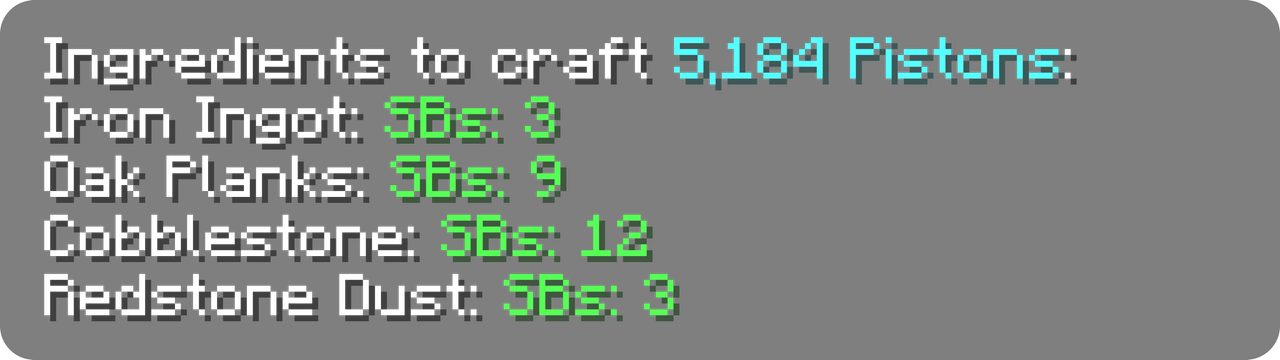
| /calc craft piston 3 sb |
|---|
 |
| /calc nether ~ ~ ~ |
|---|
 |
Click any green text to copy it to your clipboard!
🔄 Compatibility
CalcMod supports Fabric, Forge, Quilt, and Paper mod loaders, down to Minecraft version 1.12.
CalcMod can be installed on both the client and server, and also works on clients without requiring servers to have the mod (and vice versa.)
✅ Features:
See a few examples in gallery
🔢 Simple Calculator
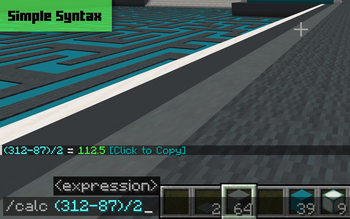
An intuitive calculator with some handy variables. To see a list of variables run /calc variables.
Supported Operators
| Symbol(s) | Syntax | Operation |
|---|---|---|
| + | a+b | Addition |
| – | a–b | Subtraction |
| * , × , ∙ | a*b | Multiplication |
| / , : , ÷ | a/b | Division |
| ^ | a^b | Exponentiation (power) |
| ! | n! | Factorial |
| # | a#b | Modulo |
| % | x% | Percentage |
| ^^ | a^^b | Tetration |
| √ | √x | Square root |
| ∛ | ∛x | Cube root |
| ∜ | ∜x | Fourth root |
CalcMod has some more advanced functions and variables that can be used within expressions in this spreadsheet.
Usage:
/calc <expression>
📦 Storage Utils
When given a rate of items per hour (expressions allowed), returns the minimum number of item sorters needed to sort in time.
Additional input for multiple times hopper speed sorters, and a separate command for Allay based non stackable sorters.
Usage:
/calc storage <itemsPerHour>
Usage:/calc storage <timesHopperSpeed> <numberOfItems>
Usage:/calc allaystorage <itemsPerHour>
🛠️ Crafting Utils
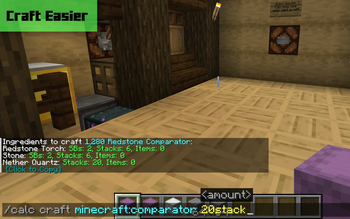
When given an amount of a recipe to craft (expressions allowed), returns all the items required to craft that quantity of the recipe.
(CalcMod 1.3.2+) The optional depth argument specifies how many levels of recursive crafting to perform on the recipe. Default depth is 1.
(Minecraft 1.21.3+) Due to Minecraft's crafting system updates, CalcMod's craft command can now only use recipes unlocked in the user's recipe book in single player mode.
Usage:
/calc craft <item> <amount>
Usage:/calc craft <item> <depth> <amount>
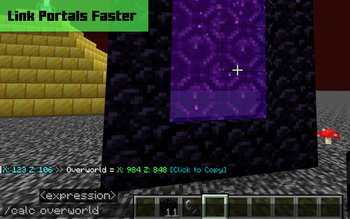
🌐 Portal Linking Coords
When given a block position, returns the dimension in the command's corresponding coordinates. If no coordinates are given, command assumes current player position.
Usage:
/calc nether <x> <y> <z>
Usage:/calc overworld <x> <y> <z>
🌾 Farm Rates Calculator
When given an amount of items and a farm run time in seconds (expressions allowed), returns the items per hour of the farm.
Usage:
/calc rates <numberOfItems> <seconds>
🎲 Generate Random Number
When given a maximum and/or minimum value, returns a random number between those values (inclusive). If just a maximum value is entered, picks a random number from 0 to the max value (inclusive).
Usage:
/calc random <max>
Usage:/calc random minmax <min> <max>
💪 Comparator Power Level Finder
When given a container and a desired comparator power level (expressions allowed), returns the number of items needed to achieve that power level.
Usage:
/calc signaltoitems <container> <powerLevel>
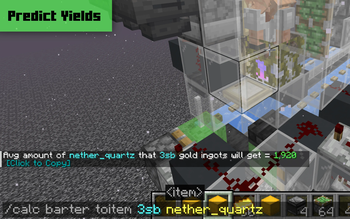
🐷 Piglin Bartering Utils
Calculates the average number of gold ingots needed to barter for a specific quantity of a desired item (togold), or the average number of a desired item received when bartering a specific number of gold ingots (toitem).
Usage:
/calc barter togold <numberOfItems> <item>
Usage:/calc barter toitem <amountOfGold> <item>
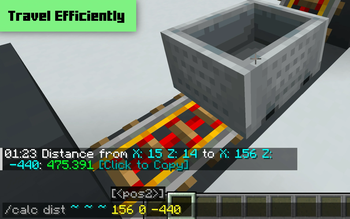
🧭 Travel Distance Evaluator (New!)
When given two block positions, returns the distance between them. If only one position is given, uses player's location. The 3D mode provides distance including height (y coord).
Usage:
/calc dist <x1> <y1> <z1>
Usage:/calc dist <x1> <y1> <z1> <x2> <y2> <z2>
Usage:/calc dist 3d <x1> <y1> <z1>
Usage:/calc dist 3d <x1> <y1> <z1> <x2> <y2> <z2>
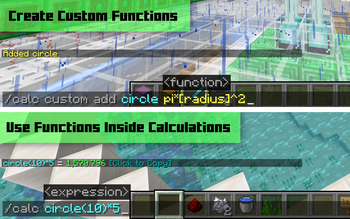
🧮 Custom Functions
Custom functions are reusable commands that perform a specific computation. Custom functions can be run in any number field formatted with the function name and its parameters in parentheses functionName(<param1>, ...,<paramN>).
Creating a Function:
Custom functions can have any number of parameters, specified in [square] brackets when adding a function.
| ⚠️ Using any numbers, special characters, or variables in a parameter may result in a broken function. |
|---|
e.g. /calc custom add blockstoingots [numBlocks]*9
| /calc blockstoingots(72) |
|---|
 |
Usage:
/calc custom add <functionName> <function>
Usage:/calc custom run <functionName> <input>
Usage:/calc <functionName>(<parameters>)
Usage:/calc custom list
Usage:/calc custom remove <functionName>
➡️ Converters:
Shulker Boxes ↔ Items
When given an amount of full shulker boxes (expressions allowed), returns the number of items they contain, or vice versa.
Usage:
/calc itemtosb <numberOfItems>
Usage:/calc sbtoitem <numberOfSbs>
Items ↔ Stacks:
When given an amount of stacks (expressions allowed), returns the number of items in those stacks, or vice versa.
Usage:
/calc itemtostack <numberOfItems>
Usage:/calc stacktoitem <numberOfStacks>
Seconds → Hopper Clock Items
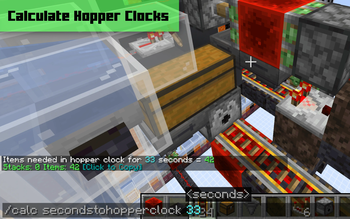
When given a time in seconds (expressions allowed) returns the number of items to put in a hopper clock to achieve that time.
Uses formula and hopper clock from hoppertimer.net.

Usage:
/calc secondstohopperclock <seconds>
Seconds → Repeater Delay
When given a time in seconds (expressions allowed), returns the number of repeaters and their delays to achieve that time.
Usage:
/calc secondstorepeater <seconds>
❎ Variables
Variables can be used inside commands in any number field. They act as shortcuts instead of having to remember that "a double chest full of 16 stackable items is 864." If no stack size is given, variables default to the contextualized stack size in each command.
Constant Variables
| Name | Value |
|---|---|
| dub | 3456 (default) |
| dub64 | 3456 |
| dub16 | 864 |
| dub1 | 54 |
| sb | 1728 (default) |
| sb64 | 1728 |
| sb16 | 432 |
| sb1 | 27 |
| stack | 64 (default) |
| stack64 | 64 |
| stack16 | 16 |
| stack1 | 1 |
| min | 60 |
| h | 3600 |
There are some extra less Minecraft specific variables listed in this spreadsheet
Dynamic Variables
Dynamic variables change depending on an in-game status. These can be particularly useful inside custom functions.| Name | Value |
|---|---|
| x | player x coord |
| y | player y coord |
| z | player z coord |
| health | player health |





Conversation