
Action & Stuff ON JAVA
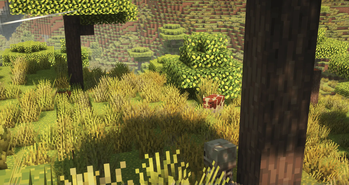
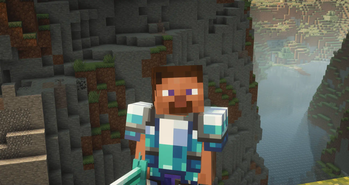
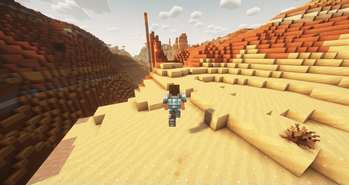
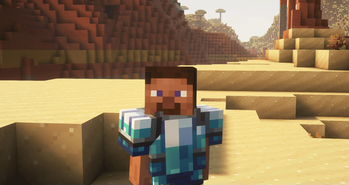
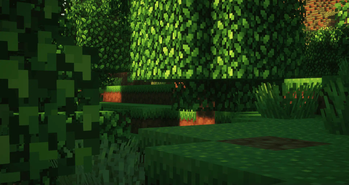
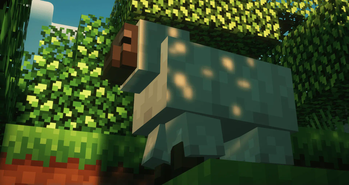
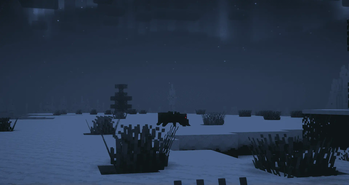
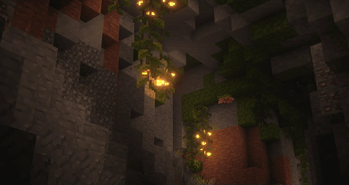
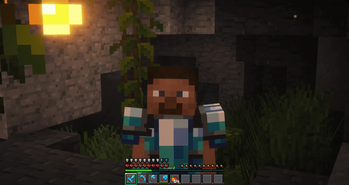
A client modpack that supports the latest versions of Minecraft. It is an unofficial adaptation of the A&S resource pack for Java Edition. It recreates the same atmosphere and radically changes the game's visuals.
Versions
Gallery



About



💬 Description - english
The modpack contains mods, resource packs, and shaders that replicate the effect of Actions & Stuff (an add-on from Bedrock Minecraft that has nothing to do with us)
We do not violate copyrights and do not steal anything; it is just a fan modpack that is only similar. The project is actively growing, and we support it, as well as actively update and improve it. We hope you enjoy this modpack!
You can find out how to install the modpack in different launchers below.
Here are some of our features
- Beautiful first-person animations (thanks to HMI)
- A large number of resource packs that convey exactly that effect
- Updates to the latest versions - 1.21.4
- Completely client-side and not a single server-side mod
- Beautiful atmospheric fog and built-in shaders (already with the necessary settings)
📩 How to install?
🟢 Modrinth App
One of the easiest ways to install modpack
- Open the Launcher
- Search for this modpack (Action & Stuff ON JAVA)
- Click download
- Run and play
- ✅
🌍 MultiMC / Prism Launcher and etc.
In these launchers there are 2 ways to install modpack
1:
- Click in the launcher "Add build"
- Select "Modrinth" and search this modpack (Action & Stuff ON JAVA)
- Click download (or OK)
- Run and play
- ✅
2:
- Download the modpack file here
- Click "Add build" in the launcher
- Select "Import from file"
- Import modpack file to launcher
- Run and play
- ✅
2.1:
- Download the modpack file here
- Grab the file with your mouse and move it to the launcher (modpack starts installing)
- Run and play
- ✅
🦠 TLauncher
- Download the modpack file here
- Convert the modpack from .mrpack to .zip on any website (search mrpack to zip converter)
- Create build in "TL Mods" (Create modpack/instance/build > Select your MC version (version of file 1.21.4/8/10) > Select Fabric last version > Remove check mark from "Use skin system TL" and "Use Optifine")
- Open the files (.minecraft) > Open "versions" folder > Open "your name of modpack" folder
- All files from .zip file should be moved here
- Run and play
- ✅
🟤 Official launcher or any other launcher
The hardest way
- Download the modpack file here
- Fabric Loader must be installed (you can find the tutorials on how to download it yourself)
- Convert the modpack from .mrpack to .zip on any website (search mrpack to zip converter)
- All files from .zip file should be moved to the folder with minecraft (.minecraft mostly)
- If you have done everything correctly modpack should start and work correctly
- Run and play
- ✅
💬 Описание - русский
В модпаке собраны моды и ресурс паки и шейдеры который передают тот самый эффект Actions & Stuff (аддон из bedrock майнкрафт никак не связан с нами)
Мы не нарушаем авторских прав и ничего не воруем, просто лишь фанатский модпак который только похож. Проект активно растет и мы его поддерживаем, а также активно обновляем и улучшаем. Надеюсь вам понравится данный модпак!
Как установить модпак в разных лаунчерах можете ознакомиться ниже
Вот некоторые из наших фишек
- Красивые анимации от первого лица (благодаря HMI)
- Большое количество ресурс паков которые передают именно тот эффект
- Обновления на самые новые версии - 1.21.4
- Полностью client-side и ни единого server-side мода
- Красивый атмосферный туман и встроенные шейдеры (уже с нужными настройками)
📩 Как установить?
🟢 Modrinth App
Один из самых простых способов установки модпака
- Откройте лаунчер
- Найдите этот модпак (Action & Stuff ON JAVA)
- Нажмите
- Запустить и играть
- ✅
🌍 MultiMC / Prism Launcher
В этих лаунчерах есть 2 способа установить модпак
1:
- Нажмите в лаунчере "Добавить экземпляр (Add build)"
- Выберите "Modrinth" и найдите эту сборку (Action & Stuff ON JAVA)
- Нажмите скачать (или ОК)
- Запустить и играть
- ✅
2:
- Скачайте файл модпака здесь
- Нажмите в лаунчере "Добавить экземпляр (Add build)"
- Выберите "Импортировать из файла"
- Импортируйте файл модпака в лаунчер
- Запустить и играть
- ✅
2.1:
- Скачайте файл модпака здесь
- Захватите файл мышью и перенесите его в лаунчер (модпак начнет установливаться)
- Запускай и играй
- ✅
🦠 TLauncher
- Скачайте файл модпака здесь
- Конвертируйте модпак из .mrpack в .zip на любом сайте (ищите mrpack to zip converter)
- Создайте сборку в "TL Mods" (Создать модпак/экземпляр/сборку > Выберите вашу MC версию (версия файла сборки 1.21.4/8/10) > Выберите Fabric последняя версия > Уберите галочку из "Ипользовать систему скинов TL" и "Использовать Optifine")
- Откройте файлы (.minecraft) > Откройте папку "versions" > Откройте папку "your name of modpack"
- Все файлы из .zip файла необходимо переместить в эту папку
- Запускай и играй
- ✅
🟤 Официальный лаунчер или любой другой
Самый сложный способ
- Скачайте файл модпака здесь
- Fabric Loader должен быть установлен предварительно (вы можете найти руководство, как скачать его самостоятельно)
- Конвертируйте модпак из .mrpack в .zip на любом сайте (ищите mrpack to zip converter)
- Все файлы из .zip файла необходимо переместить в папку с майнкрафтом (.minecraft обычно)
- Если вы все сделали правильно, модпак должен запуститься и работать корректно
- Запускай и играй
- ✅


![Cobblemon Official Modpack [Fabric]](https://cdn.modrinth.com/data/5FFgwNNP/e7f9ee2e9d361623847853fe2ddce42f519ee64f.png)




Conversation