
Vulkan32
The most performant Vulkanmod modpack around, built for the Vulkan renderer with extensive testing to ensure no clutter nor sacrifice!
Versions
Gallery

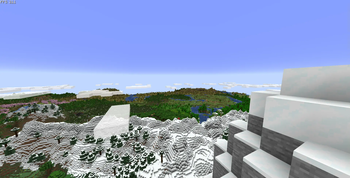
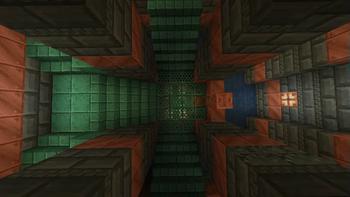
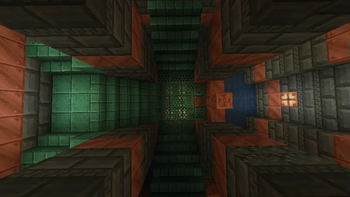
About

Vulkan32 is a VulkanMod based modpack using the best optimization mods available to improve not just your frame rate, but your whole game's performance. Out of the box, it comes configured to be as close to Vanilla as possible, and if you don't like that, it'll respect your choices. Updating this modpack won't override your choices, this modpack is your canvas. It is the perfect base for anyone seeking to use their favorite mods with VulkanMod, and in the case that your favorite mod is incompatible with VulkanMod, rest assured that Vulkan32 kept the highest compatibility possible.
With Vulkan32 as your canvas, you can play with: BetterF3, Entity Texture Features, Gamma Utils (Fullbright), Litematica, Macaw's Furniture, Simple Voice Chat, Tom's Simple Storage Mod, and more!
⚠️ Vulkan32 1.0 to 2.0 world conversion ⚠️
You might be here because you are an avid changelogs reader or because you upgraded straight from 1.21.5 to 1.21.10 and was wondering where all your progress went. No matter. You haven't lost anything.
Cesium is removed in 2.0 versions of Vulkan32 to improve compatibility, but your worlds are still in the Cesium format! To convert your worlds, reinstall the Vulkan32 version you were on and follow the process below:


Repeat this process for all worlds you want to transfer to Vulkan32 2.0 versions!
Features
Improved Performance
Using VulkanMod by xCollateral, Vulkan32 can get improved performance on devices that don't support OpenGL well or at all, like MacOS, which only supports up to OpenGL 4.1!
Lightweight
Vulkan32 includes only what's needed, performance enhancements, you get to choose your bells and whistles. Your anonymity is the one thing Vulkan32 makes an exception for. Every download of Vulkan32 comes with No Chat Reports, this mod lets you pick whether your messages are signed for the chat reporting system, a system, if abused, could result in a ban from multiplayer.
Recommended Configuration
For the best experience, I'd recommend allocating between 4gb and 6gb of ram and using Eclipse Temurin 25 with -XX:+UseZGC -XX:+UseCompactObjectHeaders JVM arguments. See here for more detailed information on which JVM arguments to use and what they do!
Some additional tweaks you could make to your instance of Vulkan32 are to the Advanced Chunk Culling and the number of Chunk Builder Threads.
-
Advanced Chunk Culling: Greater improvements at greater render distances, more aggressive values increase FPS at the risk of holes appearing within view. The default in Vulkan32 is
Normal. -
Chunk Builder Threads: Lower values increase Frame Time stability at the cost of chunk loading speed.
Hardware Compatibility
VulkanMod requires a device (GPU) and drivers that support at minimum Vulkan API 1.2. Any device made within the last 5 years should support this, but to be sure, here's how to check:
- Partial Method: Search for your GPU on Vulkan gpuinfo.
- Full Method (Requires the Vulkan SDK): Find what version of Vulkan your GPU and drivers support by typing
vulkaninfo --summaryinto your terminal. If theconformanceVersionline found withinDevices:is at least1.2.0.0, your computer can run VulkanMod!
Disclaimer: While all these checks may return positive, it is still possible for your computer to encounter issues when attempting to run VulkanMod. Additionally, if software rasterizers (e.g., LLVMpipe, SwiftShader) are the only method of using Vulkan on your device, don't bother; you will not see increased performance using VulkanMod.
Thanks
This modpack wouldn't be possible without xCollateral and the contributors to VulkanMod, so visit VulkanMod's mod page and buy the developer a coffee!
Attributions
- ScalableLux under an LGPL-3.0 license by the RelativityMC organization.
Used in versions: 1.20.4-1.0, 1.21-1.0, 1.21-1.1 - VulkanMod under an LGPL-3.0 license by xCollateral.
Used in versions: 1.20.4-1.0, 1.21.1-1.0 - lithium-fabric under an LGPL-3.0 license by the CaffeineMC organization.
Used in versions: 1.21-1.0, 1.21-1.1 - MoreCulling under a GPL-3.0 license by FxMorin.
Used in versions: 1.21-1.0, 1.21-1.1 - vulkanmod-translations under an LGPL-3.0 license by scully06.
Used in versions: 1.21.1-1.0, 1.21.3-1.0, 1.21.3-1.1, 1.21.4-1.0 - ModernFix under an LGPL-3.0 license by embeddedt.
Used in versions: 1.21.3-1.0, 1.21.3-1.1, 1.21.4-1.0, 1.21.5-1.2 - FastQuit under an MIT license by KingContaria.
Used in versions: 1.21.4-1.1 (Fork)


![Cobblemon Official Modpack [Fabric]](https://cdn.modrinth.com/data/5FFgwNNP/e7f9ee2e9d361623847853fe2ddce42f519ee64f.png)



Conversation