
Underlay
Place carpets (and more) under anything!
Versions
Gallery
About
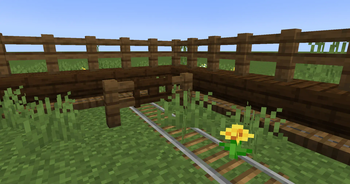
Underlay is a Minecraft mod that lets you place carpets (and more) under any block with space beneath it (e.g. chests, beds, signs, torches, etc.)!
Just right click a block face with a block to place it, (for example, under an upside-down stair), and you're done! Right click again with another item to replace it quickly, or left click it to remove it. Works in Survival too!
You can make any other block work as an overlay too, keep reading!
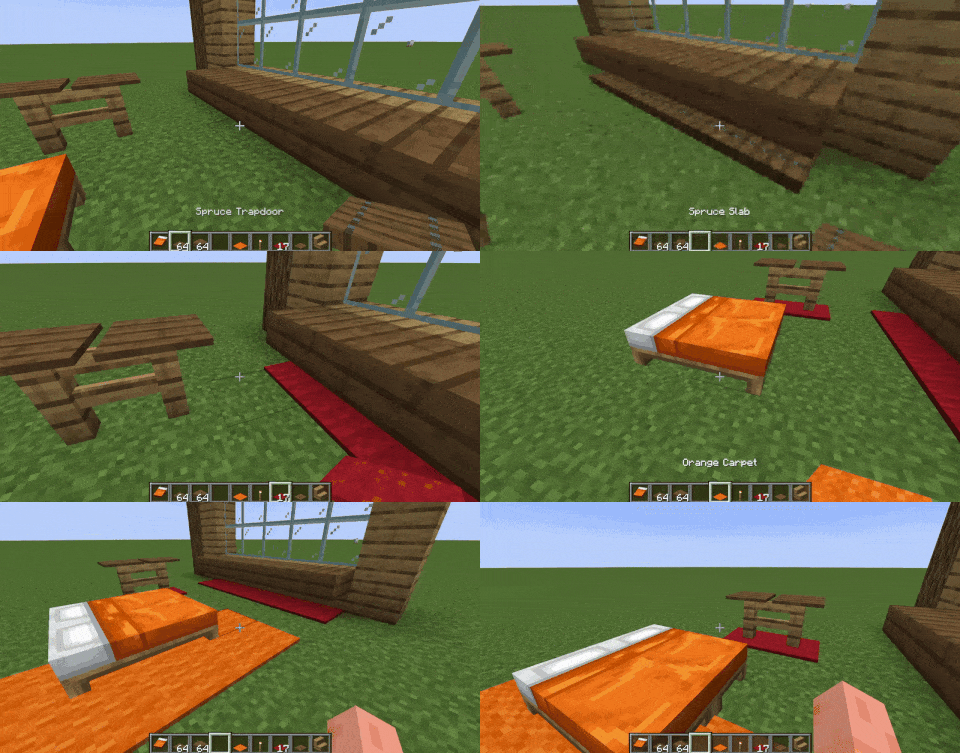
By default, you can place the following blocks as overlays: carpets, trapdoors, buttons, rails, slabs and pressure plates. To expand this to other blocks, such as grass, see "For Developers - Through Datapacks" (for players).
Join the Discord server for sneak peeks on upcoming updates!

How does this work?
Underlay adds these things called "overlays" but they're really more like underlays xd, essentially they are fake versions of the item you place - which lets you place two things in the same block space!
For Developers
This mod adds an API that lets you mark your blocks as "yes you can behave like this too", either in code or via datapacks.
In Code
- Just add my mod as a dependency, either from JitPack or Modrinth's maven, import
com.dooji.underlay.UnderlayApi, and register the blocks you want to be able to placed under stairs/doors etc. withregisterOverlayBlock. - You can also just add the
underlay:overlaytag to the blocks you want to have this behavior instead of the method above.
Through Datapacks (for players too!)
- Read this to know how datapacks work first: https://minecraft.wiki/w/Tutorial:Creating_a_data_pack
- On 1.20.1 create
data/underlay/tags/blocks/overlay.jsonin your datapack, on 1.21 and above createdata/underlay/tags/block/overlay.json, then list the blocks you want, such as:
{
  "replace": false,
  "values": [
    "minecraft:short_grass",
    "minecraft:oak_planks",
    "mymod:shiny_block"
  ]
}
- If you want to exclude a block from being able to be placed as an overlay, on 1.20.1 create
data/underlay/tags/blocks/exclude.jsonin your datapack, on 1.21 and above createdata/underlay/tags/block/exclude.json, then list the blocks you want to be omitted, such as:
{
  "replace": false,
  "values": [
    "minecraft:oak_button",
    "minecraft:rail"
  ]
}






Conversation