
Traveler's Compass
A compass that will help you find any mob, block or item nearby
128.3K
Downloads
·
89
Followers
·
Updated 3 months ago
Adventure
Equipment
Fabric
Forge
Neoforge
Utility
1.18.2
1.19.2
1.19.3
1.19.4
1.20.1
+9 more
Versions
Gallery


About
About:
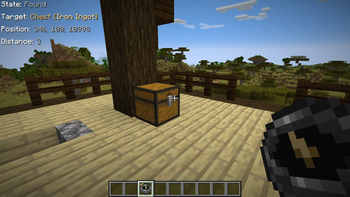
The compass can search for mobs (based on their drops or spawn eggs), villagers (based on their goods), blocks or containers (like chests or furnaces) by their contents, and more.
How it works:
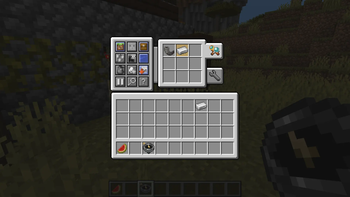
- Open the Compass menu with RMB.
- Put the block or item you want to find into its inventory.
- Choose the desired search mode(s).
- Wait while it searches for the item you placed.
Features:
- Shift + RMB on a block or mob to add it to the compass inventory.
- Shift + RMB on an item in the compass inventory to mark it as priority.
- Priority items are searched first.
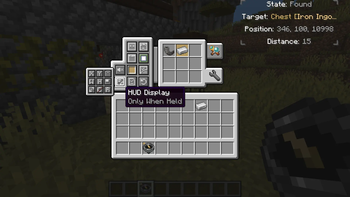
- Configure HUD, ping sound, search range, and more in the compass menu.
- Use JEI/REI/EMI to drag and drop items into the compass inventory.
Configuration:
- Most values are synchronized from server to client.
- Any search mode can be enabled or disabled.
- The search range (number of scanned chunks per tick) can be set per compass or globally.
- Filtering by item tags, IDs, or mods is available.
- Define search costs in XP levels in travelerscompass-cost.toml.
- Costs can be set per item ID or per tag.
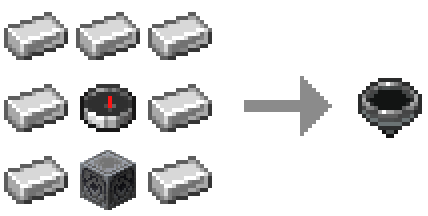
Recipe:
Target position markers (below / same / above): regular & priority
Compatibility with other mods:
JEI / REI / EMI
- Drag & drop items into the compass inventory.
- Filtering and XP costs apply.
- Can be disabled in config.
Lootr
- Search Lootr containers by contents.
- Options: only opened / only unopened / any.
- Can be disabled or restricted.
Jade / The One Probe
- Tooltips show filter restrictions.
- Display XP search costs (if set).
- Can be disabled in config.
Compatibility
Client:
Required
Server:
Required
Links
LGPL-3.0-or-later






Conversation