
ResolutionControl+
Allows you to set render resolutions and take large screenshots.
Versions
About

ResolutionControl+
ResolutionControl+ is a fork of Resolution Control with additional functionality.
Features
Resolution Scaling
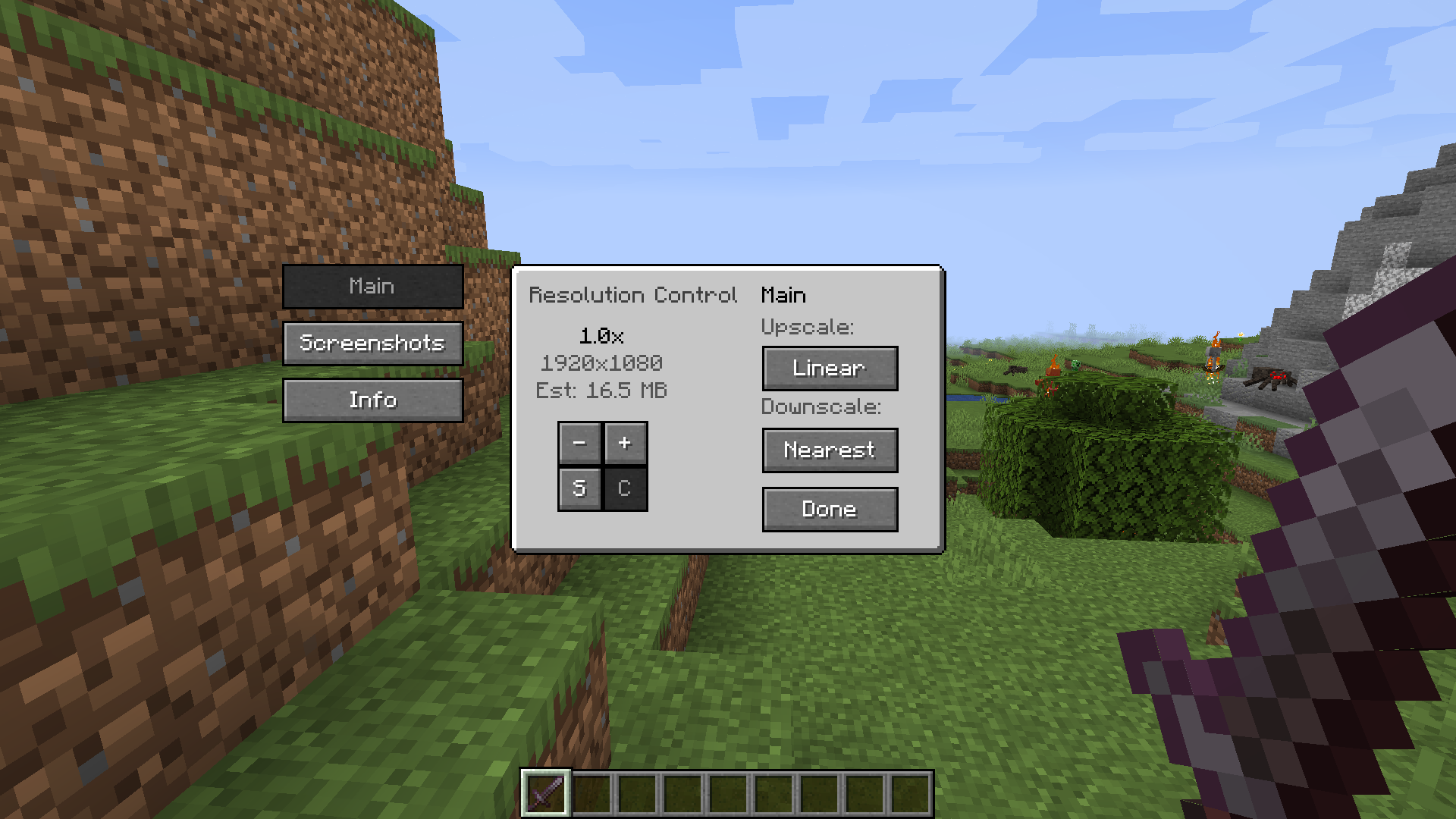
ResolutionControl+ allows you to change Minecraft's render resolution separately from the HUD elements.
If you have a good GPU, you can increase the multiplier for anti-aliasing.
Otherwise, you can lower the multiplier to improve performance or give Minecraft a retro style.
You can also set a custom multiplier value by pressing the S button.
Additionally, you can set the upscale/downscale algorithm used to scale the render to the viewport. Linear is useful as an anti-aliasing filter, and nearest neighbor generally looks better for lower than native resolutions.
Screenshots
ResolutionControl+ can be used to take larger than native resolution screenshots.
To do this, use the Screenshot Framebuffer keybind which is unbound by default.
Compared to Fabrishot, this implementation does not lock up the game until the screenshot is saved. This makes taking large screenshots much faster. And while a screenshot is being processed, you can take another one without any problems.
Here is the time it takes to take a 16k screenshot, on an i7 4770 and GTX 1060:
Fabrishot: 12 seconds (pause)
ResolutionControl+: <1 second (initial pause) + 13 seconds (background processing)
Settings
Resolution Scaling
- Render scale
- 0.0 - 8.0x (can be exceeded by manually setting the value)
- An estimate VRAM usage is displayed
- Upscale/downscale algorithm
- Linear, nearest
Screenshots
- Use set size
- Enabled: render screenshots at the specified resolution
- Note: can produce artifacts if the screenshot aspect ratio is significantly different from the aspect ratio of the viewport
- Disabled: render at the scaled render resolution
- Enabled: render screenshots at the specified resolution
- Always allocated
- Enabled: screenshot framebuffer is always allocated in memory
- May reduce screenshot pause times, at the cost of more VRAM usage during normal gameplay
- Disabled: screenshot framebuffer is allocated on-demand and freed immediately after
- Enabled: screenshot framebuffer is always allocated in memory
- Screenshot size
- Screenshot size if
use set sizeis enabled - An estimate VRAM usage is displayed
- Screenshot size if
Compatibility
Currently, ResolutionControl+ does not work with Fabulous Graphics.
Sodium - Compatible
Canvas Renderer - Mostly compatible, lower resolutions break HUD item rendering
Optifine - Compatible, stacks with its own render scale implementation





Conversation