
Recipe Generator
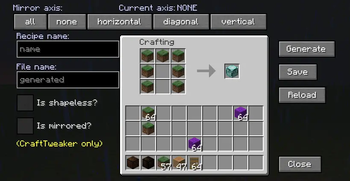
The Recipe Generator mod provides a visual recipe editor in Minecraft.
Versions
Gallery
About


What is this mod and how to use it?
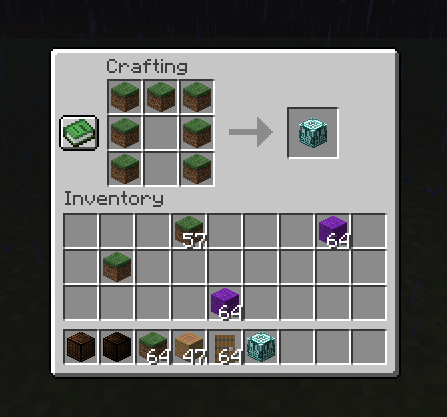
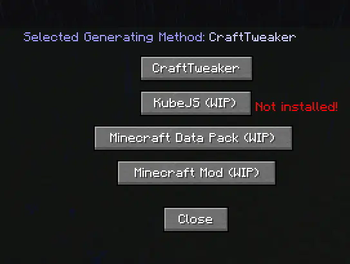
The Recipe Generator mod provides a visual recipe editor in minecraft using various recipe generation methods such as: CraftTweaker, KubeJS, Datapack(WIP) or Custom Mod(WIP).
Using this mod is very simple, it is enough to install the mod on the server and client, if desired, you can install one of the auxiliary mods (CraftTweaker or KubeJS) for ease of development, but this is optional.
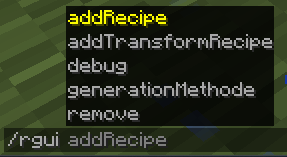
After installation, you can start creating the first recipe. To do this, open the chat and type the command: /rgui addRecipe crafting_table
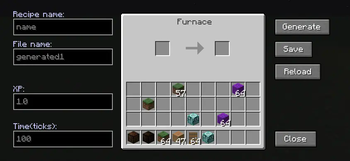
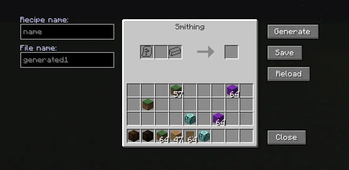
Of course, other blocks are available: furnace and blast Furnace (all blocks will be added in the future). In addition to adding, you can also delete unnecessary recipes using "/rgui remove" (Do not try to delete recipes added by Recipe Generator using "/rgui remove"! Delete the generated recipes from the ".minecraft/scripts" folder!).
Then we will open the GUI itself. Before opening, take the items from which you want to craft into your inventory. When the GUI is open, you can see an interface similar to crafting table, in which you need to lay out the recipe. Creating using items from other mods is possible, but errors may occur. When you have posted your recipe, you can click the Generate button to generate Zen Script code. The generated code will appear in your chat and you can check it for errors if you understand this language. Then you can click the Save button and the recipe will be automatically saved to the Scripts folder called generated1.zs. It is not possible to choose the name of the recipe and file manually yet, and this happens automatically.
Now that the recipe has been created, you need to update the list of Craft Tweaker recipes. This can be done by logging back into minecraft or by running the command below: /reload






Conversation