
ProbeJS
Supercharging your modpack experience.
Versions
About
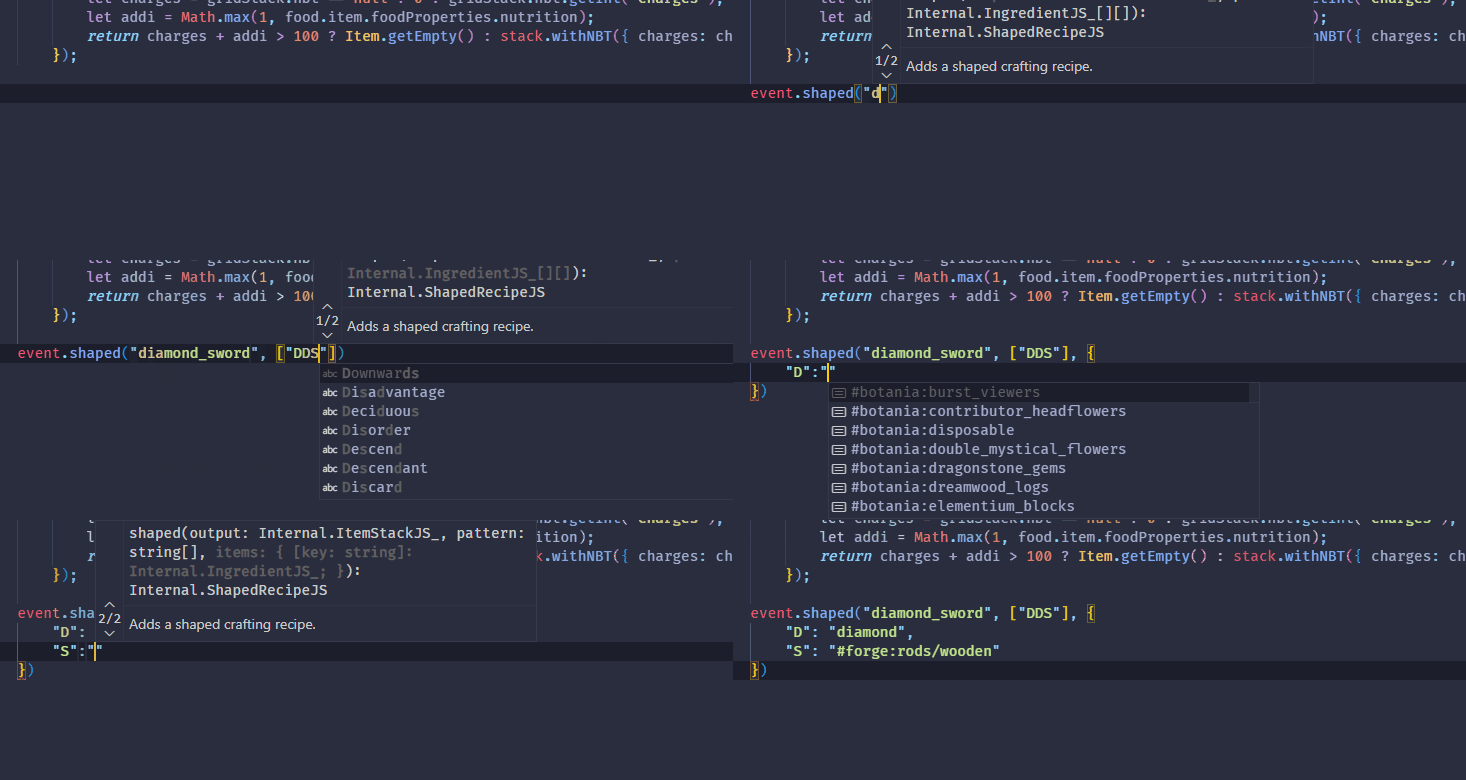
A typing generator mod to generate KubeJS typings. Enabling Intellisense for your KubeJS environments!
With the VSCode extension installed, it can provide more detailed info about items/fluids if the cursor hovers over it.
Item/fluid rendering has been stripped off in 1.20.1. If you want to peek at the item icons when hovering, install and run the IconExporter mod. Not installing the mod will not make the extension unusable.
Usage
Install the mod, run "/probejs dump" in your game in the singleplayer, then open your .minecraft in VSCode as a folder.
The .minecraft folder is the parent folder of the KubeJS folder.
Type docs and autocompletion should appear when you open the js files under the KubeJS folder.
Also, try to type like @item or @block to see snippets generated.
In case nothing shows up in VSCode, check that:
- Many JSON files started with "probe" in the .vscode folder are under your .minecraft folder.
- There is a "probe" folder under the KubeJS folder, and many files ending with ".d.ts" are in the folder.
- None of the ".d.ts" files have syntax errors VSCode indicates.
If all three steps are correct, you might need to configure your VSCode to make it accept how ProbeJS dumps the typing, or just the VSCode can't handle the JS project created by ProbeJS.
If any steps fail, especially step 3, please submit an issue to GitHub.






Conversation