NoExpensive
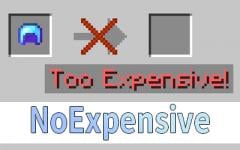
The anvil has no expensive restrictions and compatible to any enchantment.
Versions
NoExpensive 1.21.11-1.10.2
1.21.11-1.10.2 · 1 month ago · 62.84 KB
NoExpensive 1.21.10-1.10.2
1.21.10-1.10.2 · 3 months ago · 63.56 KB
NoExpensive 1.21.9-1.10.2
1.21.9-1.10.2 · 4 months ago · 63.56 KB
NoExpensive 1.21.8-1.10.2
1.21.8-1.10.2 · 6 months ago · 63.56 KB
NoExpensive 1.19.4-1.10.2
1.19.4-1.10.2 · 7 months ago · 61.66 KB
About
NoExpensive
NoExpensive is a Minecraft mod that removes the anvil's expensive restrictions and allows compatibility between any enchantments. It is designed to be lightweight, highly compatible, and easy to configure for both modern and legacy Minecraft versions.
Features
- Removes the "Too Expensive!" anvil restriction
- Allows any enchantment combinations (including normally incompatible ones)
- Configurable maximum repair cost
- Custom enchantment compatibility rules
- Supports both modern and legacy Minecraft versions
Commands
| Command | Description |
|---|---|
/noexpensive maxLevel |
Get the current maximum repair cost level. |
/noexpensive maxLevel <level> |
Set the maximum repair cost level (default: 39). Set to 0 for auto calculation. |
/noexpensive combineHigher |
Get whether combining higher-level enchantments is enabled. |
/noexpensive combineHigher <true/false> |
Enable or disable combining higher-level enchantments (default: false). |
/noexpensive compatibility PUT <enchantment> <enchantment> |
Allow two enchantments to be compatible. |
/noexpensive compatibility REMOVE <enchantment> <enchantment> |
Remove compatibility between two enchantments. |
/noexpensive compatibility list |
List all custom compatibilities. |
/noexpensive reload |
Reload the configuration file. |
/noexpensive reset |
Reset the configuration to default. |
Configuration
- Location:
.minecraft/NoExpensive.json - You can reload the config in-game with
/noexpensive reload. - Ensure the config file is properly formatted JSON.
Example Config
{
  "maxLevel": 39,
  "combineHigher": false,
  "compatibility": {
    "minecraft:mending": [
      "minecraft:infinity"
    ],
    "minecraft:multishot": [
      "minecraft:piercing"
    ],
    "minecraft:sharpness": [
      "minecraft:smite",
      "minecraft:bane_of_arthropods"
    ],
    "minecraft:smite": [
      "minecraft:bane_of_arthropods",
      "minecraft:sharpness"
    ],
    "minecraft:bane_of_arthropods": [
      "minecraft:sharpness",
      "minecraft:smite"
    ],
    "minecraft:density": [
      "minecraft:breach",
      "minecraft:sharpness",
      "minecraft:smite",
      "minecraft:bane_of_arthropods"
    ],
    "minecraft:breach": [
      "minecraft:density",
      "minecraft:sharpness",
      "minecraft:smite",
      "minecraft:bane_of_arthropods"
    ],
    "minecraft:protection": [
      "minecraft:projectile_protection",
      "minecraft:blast_protection",
      "minecraft:fire_protection"
    ],
    "minecraft:projectile_protection": [
      "minecraft:blast_protection",
      "minecraft:fire_protection",
      "minecraft:protection"
    ],
    "minecraft:blast_protection": [
      "minecraft:fire_protection",
      "minecraft:protection",
      "minecraft:projectile_protection"
    ],
    "minecraft:fire_protection": [
      "minecraft:protection",
      "minecraft:projectile_protection",
      "minecraft:blast_protection"
    ]
  }
}
Default Compatibilities
- Mending and Infinity are compatible by default.
- Multishot and Piercing are compatible by default.
- Sharpness, Smite, and Bane of Arthropods are mutually compatible by default.
- Protection, Projectile Protection, Blast Protection, and Fire Protection are mutually compatible by default.
Compatibility
- Supports a wide range of Minecraft versions (see folders for specific support).
- Designed for Fabric mod loader, but may work with others if compatible.
- For legacy versions (1.7.x and below), enchantment IDs are numbers, not strings.
Legacy Version Notes
- In 1.7.x and below, the compatibility config uses numeric enchantment IDs instead of string names due to how enchantments are registered in those versions.
Support & Contributing
- For bug reports, feature requests, or questions, please open an issue.
- Contributions are welcome! Feel free to submit pull requests.
Enjoy a restriction-free anvil experience!
Related projects


Mod Menu
by Prospector
Adds a mod menu to view the list of mods you have installed.

YetAnotherConfigLib (YACL)
by isxander
A builder-based configuration library for Minecraft!

Xaero's Minimap
by thexaero
Displays a map of the nearby world terrain, players, mobs, entities in the corner of your screen. Lets you create waypoints which help you find the locations you've marked.
Download NoExpensive
or
Select a game version to see available downloads
No versions match your filters
About the creator


Conversation