
Motion Capture
Allows you to record and replay player movements
Versions
1.4-alpha-10 - Fabric 1.21.5
1.4-alpha-10-fabric-1.21.5 · 1 month ago · 561.17 KB
1.4-alpha-10 - NeoForge 1.21.5
1.4-alpha-10-neoforge-1.21.5 · 1 month ago · 548.51 KB
1.4-alpha-10 - Fabric 1.21.11
1.4-alpha-10-fabric-1.21.11 · 1 month ago · 562.08 KB
1.4-alpha-10 - NeoForge 1.21.11
1.4-alpha-10-neoforge-1.21.11 · 1 month ago · 549.60 KB
1.4-alpha-10 - Fabric 1.21.10
1.4-alpha-10-fabric-1.21.10 · 1 month ago · 562.06 KB
Gallery
About
About
Motion Capture is a mod that allows you to record and replay player movements. It is created mainly for people who want to create complex scenes in Minecraft without using real players.
It records:
- movements
- sprinting, jumping, swimming, sneaking
- swinging hands
- using items
- items in hands and armor
- states like being on fire, being invisible, or glowing
- placing, breaking and interacting with blocks
- nearby entities and riding them
After you save recording, you can create a scene to which you can add multiple recordings or other scenes with parameters like player name, position offset, or start delay.
How to use
- First, you need to start recording using
/mocap recording start. It will record all your movements or movements of a player given as an argument. - Then, you can stop recording using
/mocap recording stopand save it with/mocap recording save [name]. - Use
/mocap playing start [name] (player_name) (mineskin_url)to play recording. - You can also create scenes to which you can add multiple recordings or other scenes, with parameters like player name, position offset, or start delay.
- To create scene use
/mocap scenes add (scene_name). Then, add your recording using/mocap scenes addTo [scene_name] [recording_name] (delay) (x_offset) (y_offset) (z_offset) (player_name) (skin_source_type) (skin_source)(you can skip arguments in round brackets if you want). - To play scene use
/mocap playing start .[scene_name]- you need to put a dot before the scene name. - By putting a dot before name, when using
/mocap scenes addTo [...], you can also add scenes to other scenes.
Commands
/mocap recording [...] - Recording player movements
/mocap recordings [...] - Managing recording files
/mocap scenes [...] - Creating and modifying scenes
/mocap playing [...] - Playing scenes and recordings
/mocap settings [...] - Shows and modifies settings
/mocap info - Displays information about mod
/mocap help - Displays help message
Example
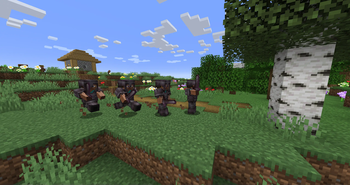
Simple example of one recording used 4 times in a scene with time and position offset

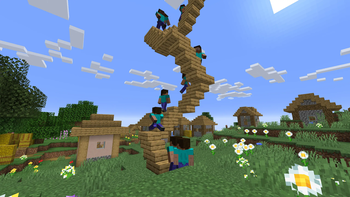
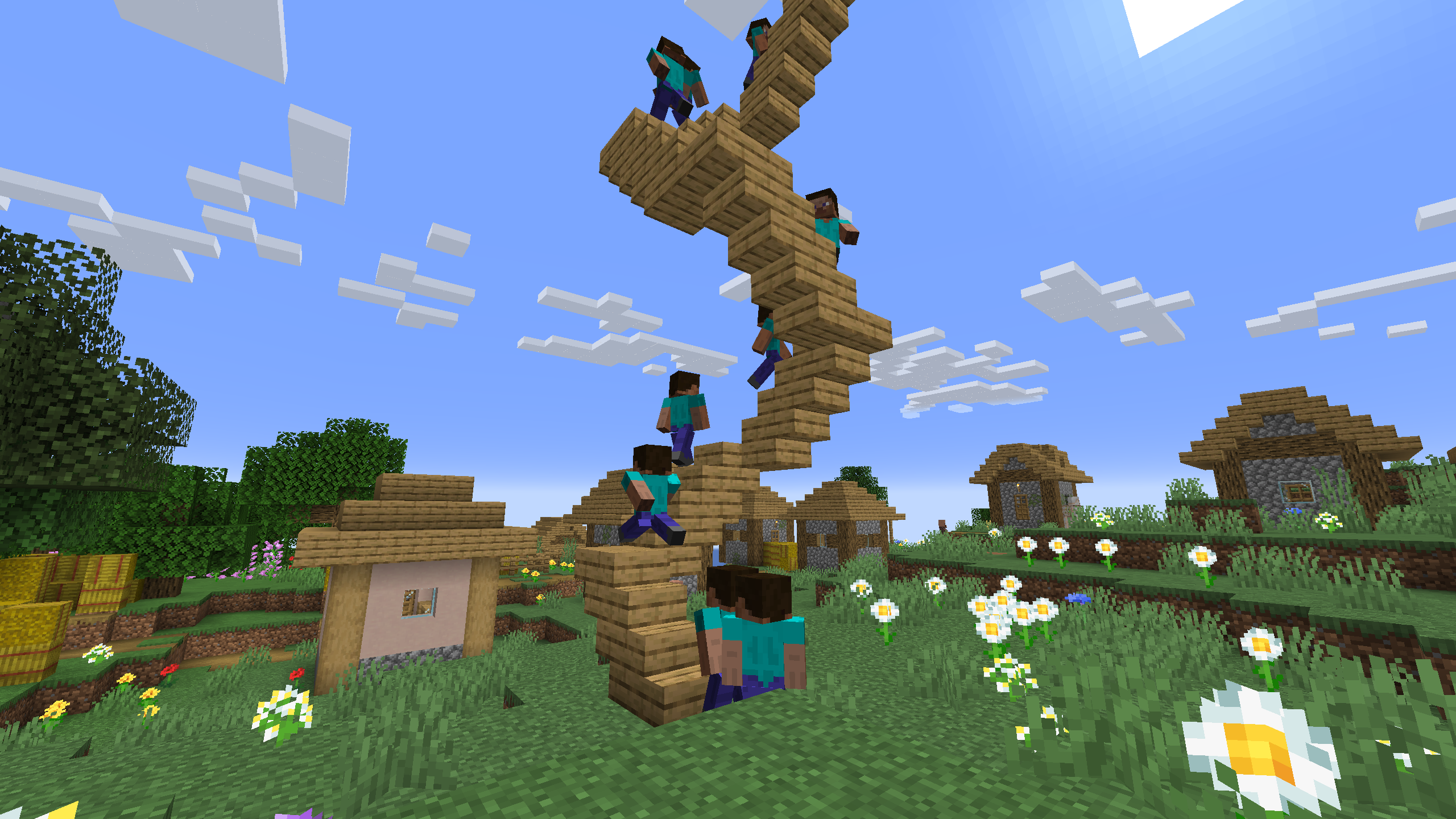
One recording of climbing stairs used multiple times in a scene with start delay
Related projects


Mod Menu
by Prospector
Adds a mod menu to view the list of mods you have installed.

YetAnotherConfigLib (YACL)
by isxander
A builder-based configuration library for Minecraft!

Xaero's Minimap
by thexaero
Displays a map of the nearby world terrain, players, mobs, entities in the corner of your screen. Lets you create waypoints which help you find the locations you've marked.
Motion Capture
Download Motion Capture
or
Select a game version to see available downloads
No versions match your filters
About the creator


Conversation