

Mob Plaques
Neat, tiny attribute displays for all mobs with great customization!
Versions
About




📖 About:
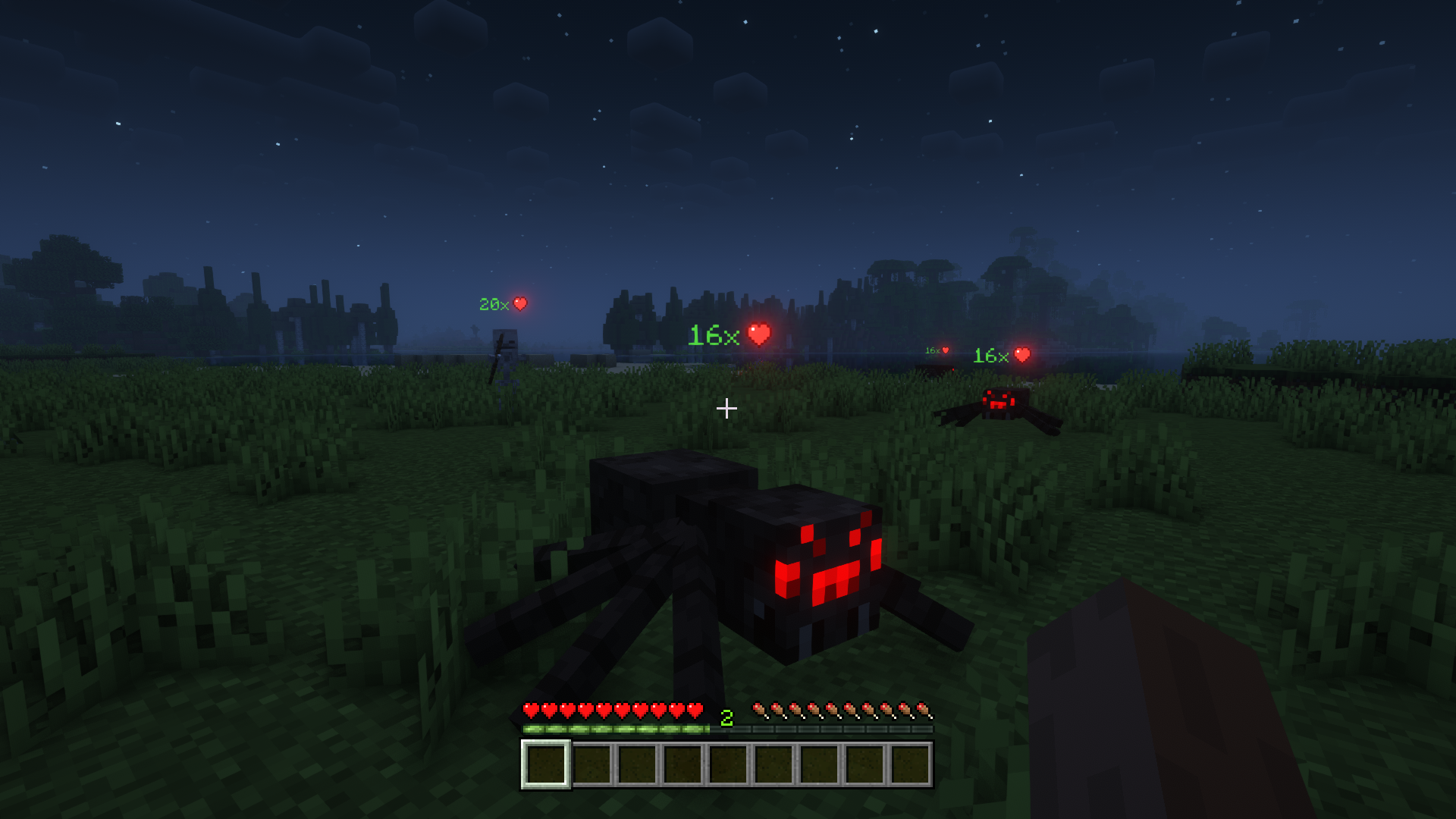
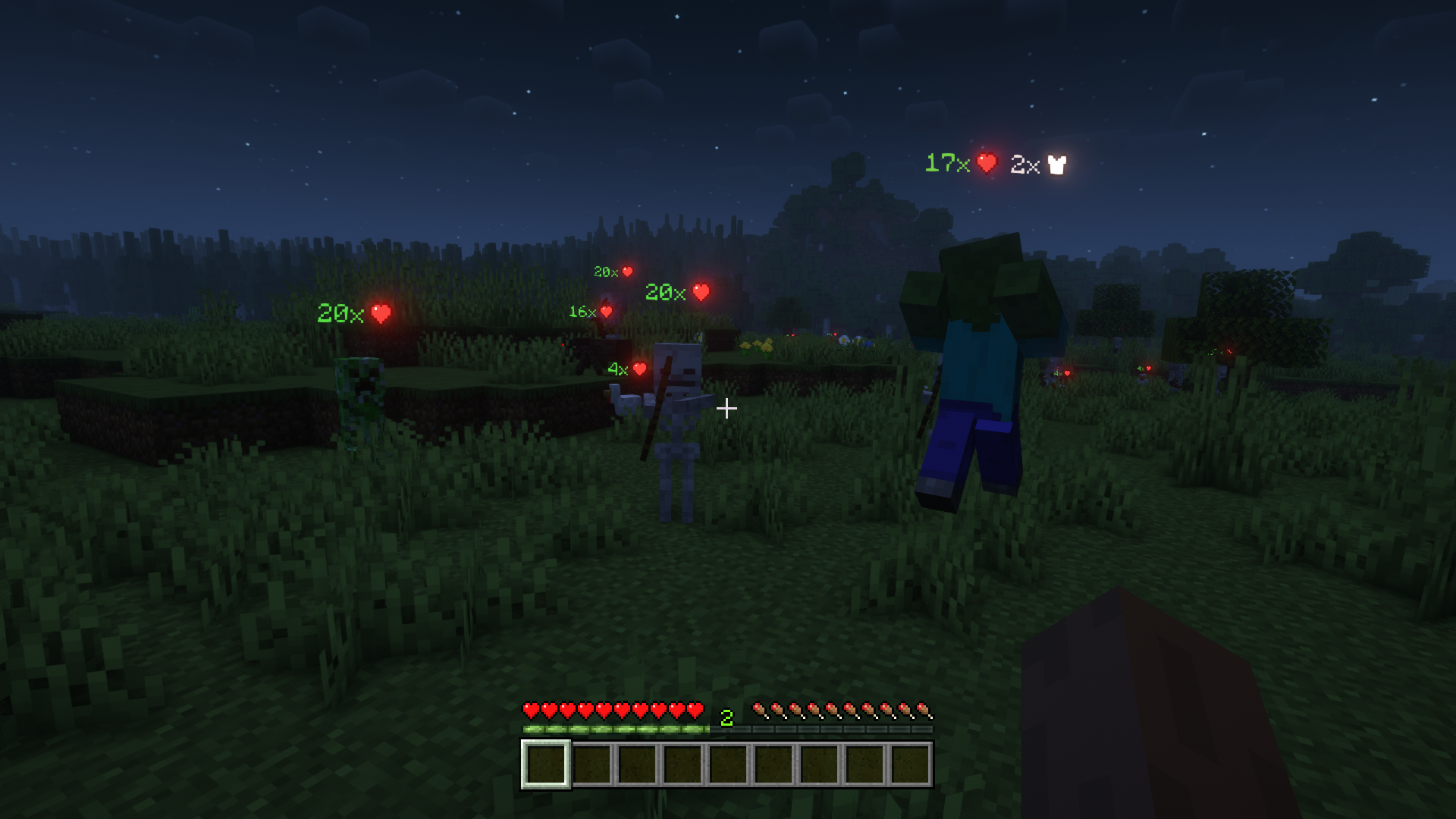
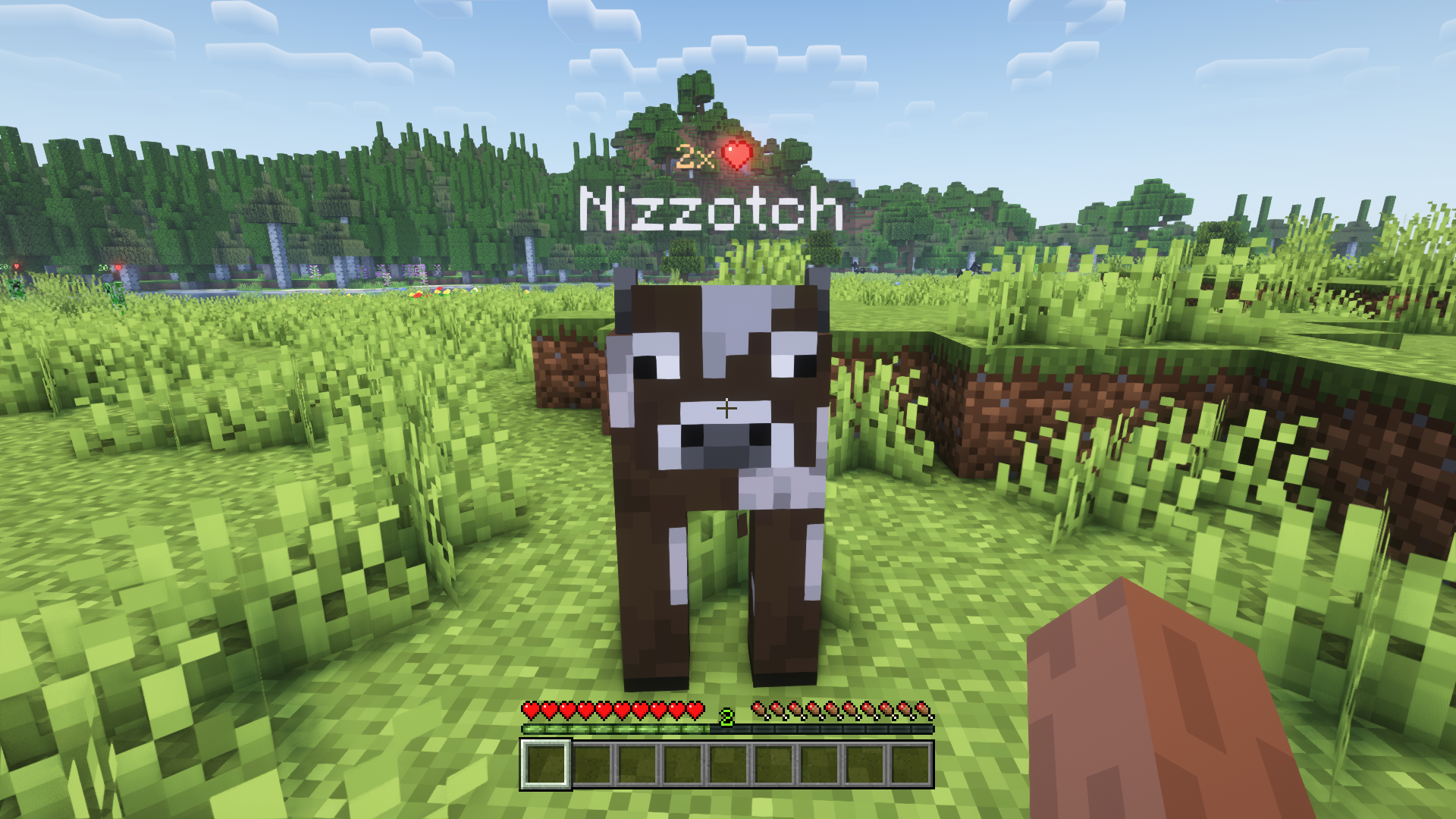
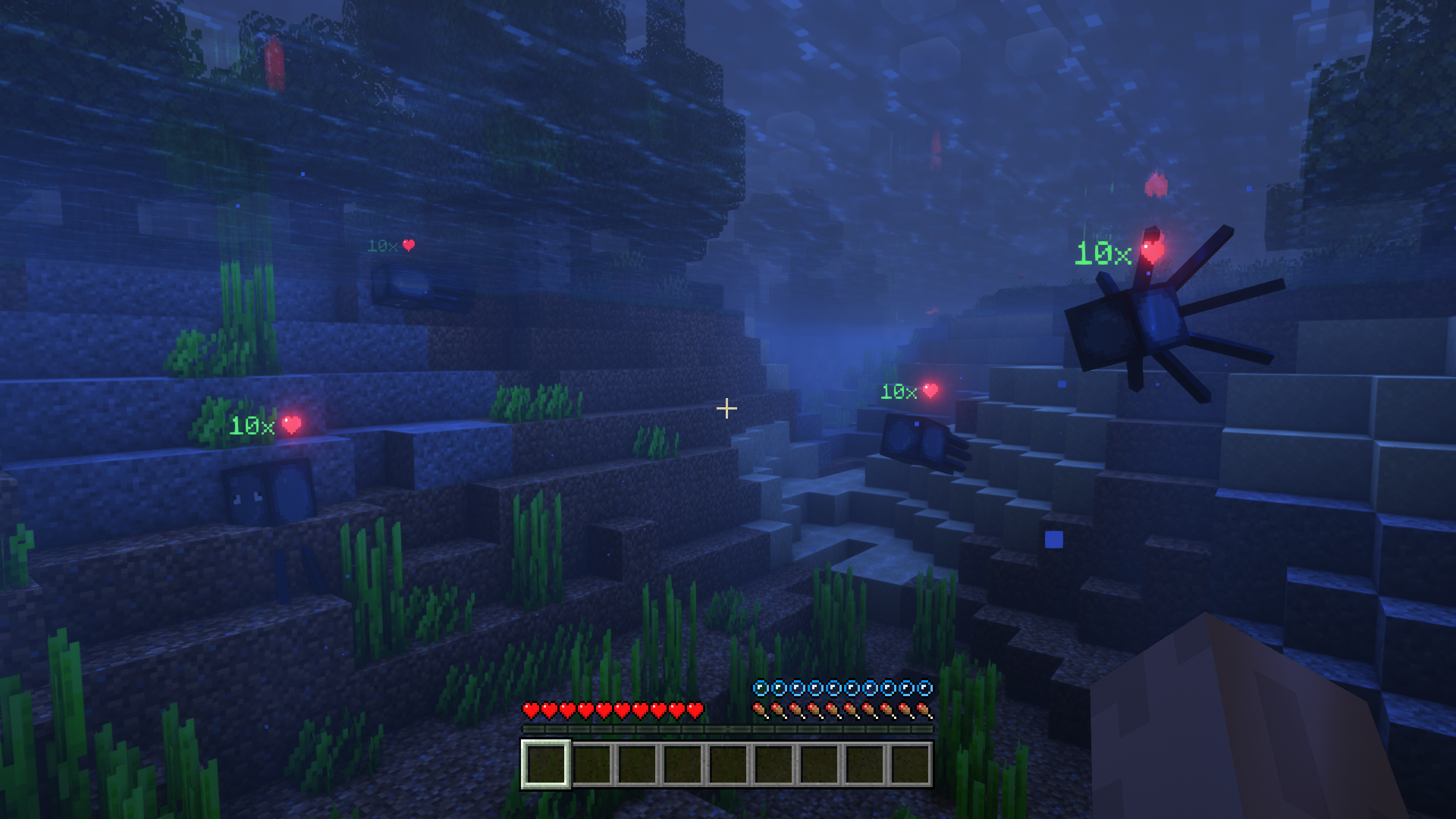
Mob Plaques adds very tiny displays above a mob's name tag to show it's current health. Armor points, armor toughness points and air supply are also shown when relevant. The mod has a bunch of config options to customize the plaques as you wish.
📷 Media:
 |
 |
|
| See the health of all mobs around you | Also shows other stats such as armor points | |
 |
 |
|
| Text color adapts; positions nicely above or below name tag | Bigger plaques for mobs further away | |
💡 FAQ:
Q: Can plaques show more mob attributes like food/potion effects/etc.?
A: No, unfortunately not. Most information about such things is never sent to clients, and is therefore not accessible.
Q: How do I configure this mod?
A: Mods can have three different kinds of configs depending on the kind of settings they provide: Client, Common, and Server.
Client and Common configs are found in /.minecraft/config/, named as <modId>-client.toml and <modId>-common.toml, respectively.
Server configs though are applied per world, therefore you'll find those in /.minecraft/saves/<world>/serverconfig/<modId>-server.toml for local singeplayer worlds, and in /<world>/serverconfig/<modId>-server.toml for you Minecraft server. Changes made to a server config only apply to that one world. Setting default values in server configs for all newly created worlds is possible by copying the modified server config to /.minecraft/defaultconfigs/.
In a local singleplayer world you can quickly find config files by running the /config showfile <modid> command and by choosing CLIENT, COMMON or SERVER. Then click the file name (ending with .toml) that appears in chat to open the file in a text editor. After saving the file, the config will automatically reload in-game after a couple of seconds, so no game restart required.
On some mod loaders editing configs is also supported in-game via the Mods menu option. On some Minecraft versions you can also install my Config Menus for Forge mod for editing configs directly in-game.
🏆 Credits:
Developing Mob Plaques was helped and inspired by:
- satyrnidae and their Wolf Armor and Storage mod, which inspired me to make this mod
- Vazkii and their Neat mod for inspiring some of the config options







 |
 |
|
 |
 |
|
 |
 |
|
 |
 |
|
 |
 |
|





Conversation