

Create: Missions
Economy for servers, by daily weekly missions and physical currency!
Versions
Create: Missions 0.4.8
0.4.8 · 5 months ago · 553.61 KB
Create: Missions 0.4.7
0.4.7 · 7 months ago · 553.21 KB
Create: Missions 0.4.6
0.4.6 · 9 months ago · 553.22 KB
Create: Missions 0.4.5
0.4.5 · 9 months ago · 553.35 KB
Create: Missions 0.4.4
0.4.4 · 9 months ago · 552.82 KB
Gallery
About



Create: Missions is a Create addon focused for Create mod servers. It will also work in singleplayers worlds, but it's designed to bring an economy throughout a server's lifetime. We hope to give server owners a better way of giving players a currency, while also encouraging players to build their own shop contraptions/exchange banks/banks.
What's this addon?
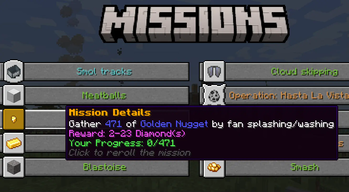
It works by giving 10 random missions per player per week. These missions can be vanilla missions like "Break X Veridium" or Create mod related like "Drive a train for 4 km with at least 2 passengers". You can also reroll the missions, and claim prices by completing them.
Open the mission GUI pressing H key (by default) or using /missions command
Mission types:
As time goes on, more missions will be added. Some missions can have lots of variation like breaking a block, while others are simpler like walking.
There are in total 16 Mission Types that use Create-related mechanics.
cut, compact, sail, craft, ride, harvester, train-driver-passenger, crush, eat, train-passenger, place, dive, press, mix, train-driver, break, saw, kill, drill, drink, mill, minecart, fly, relocate, fish, walk, swim, feed, belt-walk
Special thanks to:
- TheLegendofSaram, Mexican translation
- __Tesseract, French translation
- MrRedRhino, German translation
- глебикс, Russian translation
- Starlotte, mission complete sound
- Seboso, Jar of Tips texture
Needed for server owners
Spoilers
Select the currencies and their exchange in config\missions\currency.json
As an example with Create: Numismatics it would look like this:
[
  {"numismatics:spur": "8"},
  {"numismatics:bevel": "2"},
  {"numismatics:sprocket": "4"},
  {"numismatics:cog": "8"},
  {"numismatics:crown": "8"},
  {"numismatics:sun": "1"}
]
missions.json -> How to configure the missions?
This file can be found in `config\missions\missions.json`. An example mission configuration:{
"config-version": 2,
"eat": {
"weight": 1,
"missions": [
{
"items": {
"apple": "120-300"
},
"titles": [
"Forced meal"
],
"rewards": [
{
"item": "minecraft:diamond",
"amount": "30-80"
}
]
},
{
"items": {
"honey_bottle": "1-3"
},
"titles": [
"Drink up"
],
"rewards": [
{
"item": "minecraft:diamond",
"amount": "20-50"
}
]
}
]
}
}
Don't use tags, they are not supported in the missions.json
Ranges like 1-3 means a number at random from 1 to 3, both included. Mission example: Eat 2 Honey Bottle(s) Reward example: 27 Diamond(s)
The "weight" is the chance of this mission to be selected. From 0 to 1.
You can add as many item id's to the "items" bracket, and add as many titles to "titles" bracket, for a mission to be granted one item and one title, both randomly from those inside the bracket.
Mechanical Exchanger
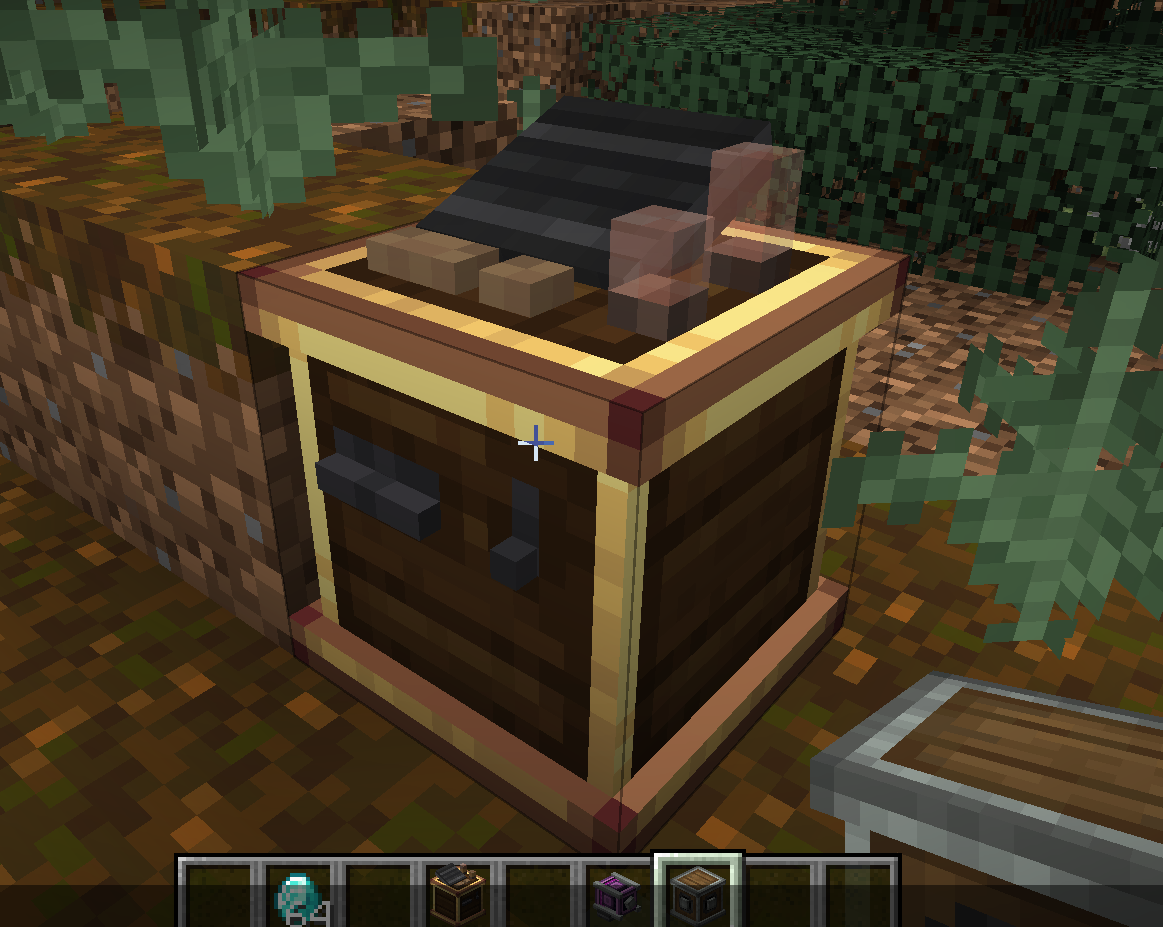
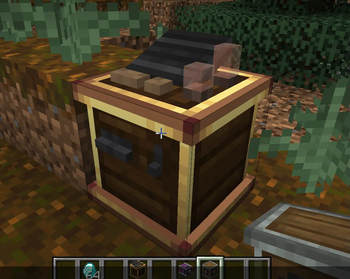
The Mechanical Exchanger doesn't have a crafting recipe, and can only be obtained with a 5% chance (default) after completing a hard mission.
It lets you to exchange currencies from smaller to bigger currency. Depends on which rotation direction the shaft has. It also requires 100 rpm, and consumes much more SU.
For developers
It's really possible to add new missions for Create: Missions. You have examples here
Related projects

Xaero's Minimap
by thexaero
Displays a map of the nearby world terrain, players, mobs, entities in the corner of your screen. Lets you create waypoints which help you find the locations you've marked.

Xaero's World Map
by thexaero
Adds a full screen world map which shows you what you have explored in the world. Works great together with Xaero's Minimap.

Not Enough Animations
by tr7zw
Bringing first-person animations to the third-person

Create: Missions
Download Create: Missions
or
Select a game version to see available downloads
No versions match your filters
About the creator

About the creator

muriplz
Owner · Create: Missions
Create mod enjoyer
Member since April 2023
View profile on Modrinth
Conversation