

Lock & Order
Simply lock and sort your inventory! Total control over slots, drop prevention, and smart cleanup.
Versions
Gallery


About
🔒 Lock & Order: Total Inventory Protection
Lock & Order is the ultimate solution for players who want complete control over their inventory. This mod allows you to "freeze" specific slots, protecting your valuable items from accidental dropping, unwanted automation, or sorting chaos.
The core philosophy of Lock & Order is staying Vanilla Friendly. We avoid cluttered interfaces and excessive features, making it a perfect fit for purist utility setups.
🎮 Controls & Hotkeys
- Individual Control:
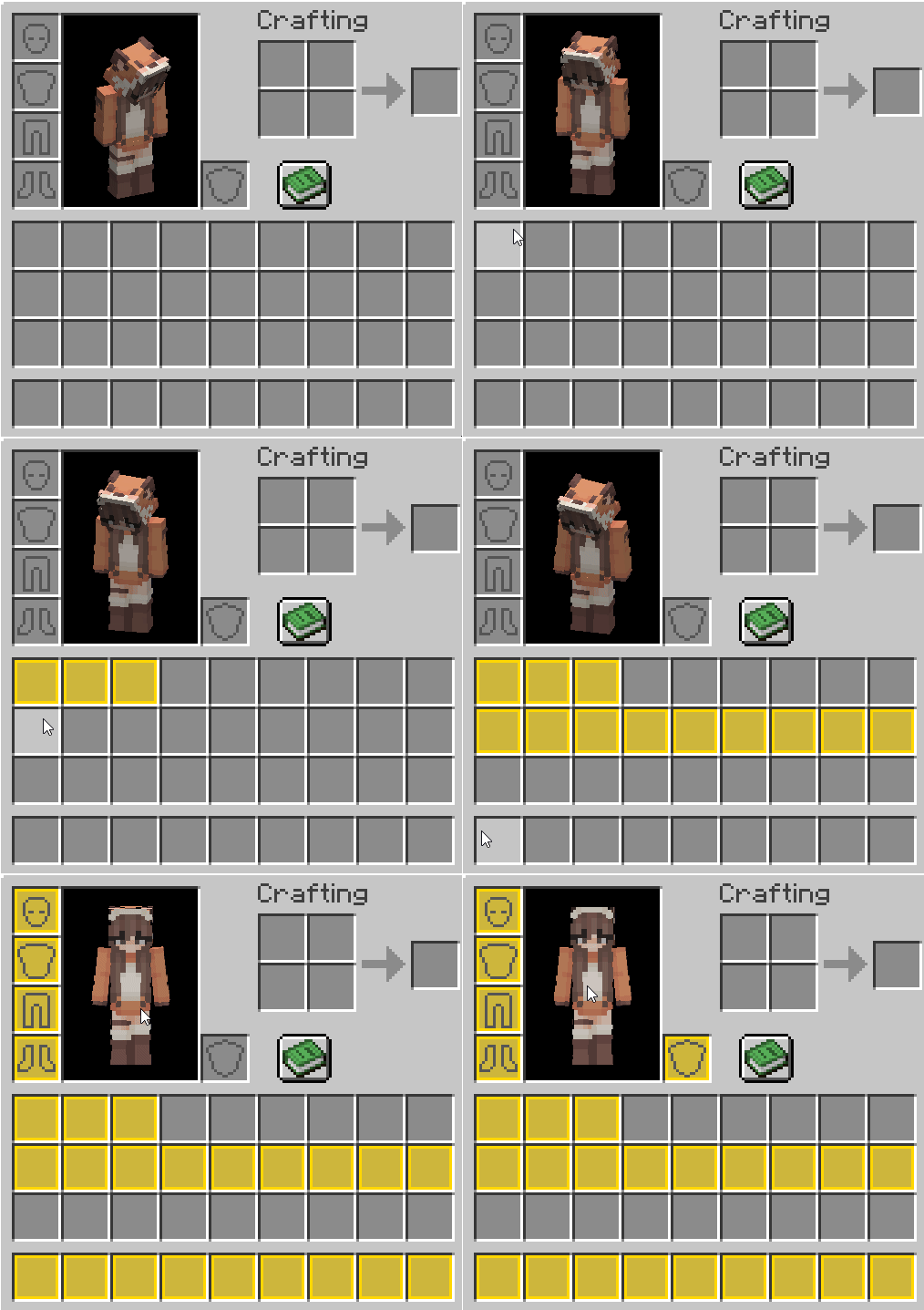
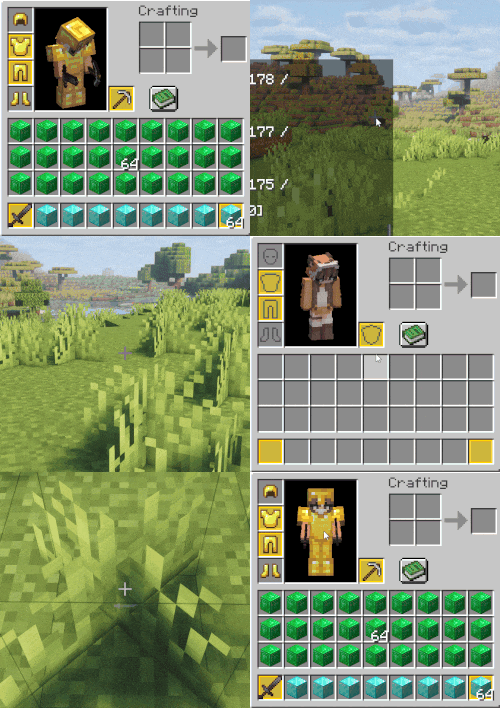
ALT + Left Click— toggle the lock status of a single slot. - "Brush" Mode:
ALT + Hold Left Click— simply drag your mouse over multiple slots for rapid locking.
- Bulk Toggle:
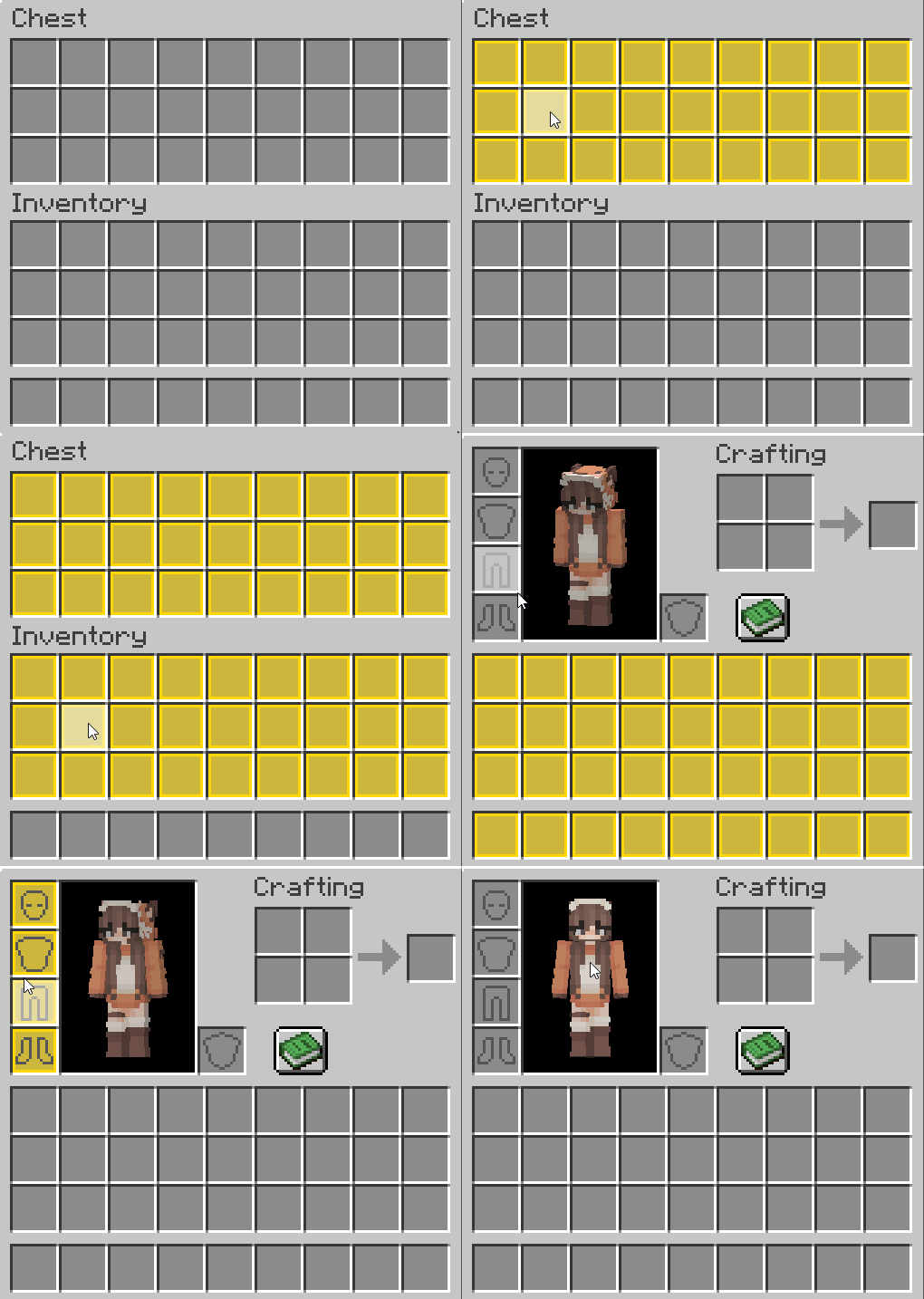
ALT + SHIFT + Left Click— instantly toggle entire sections: hotbar, main inventory, armor slots, or container contents.
- Smart Sorting:
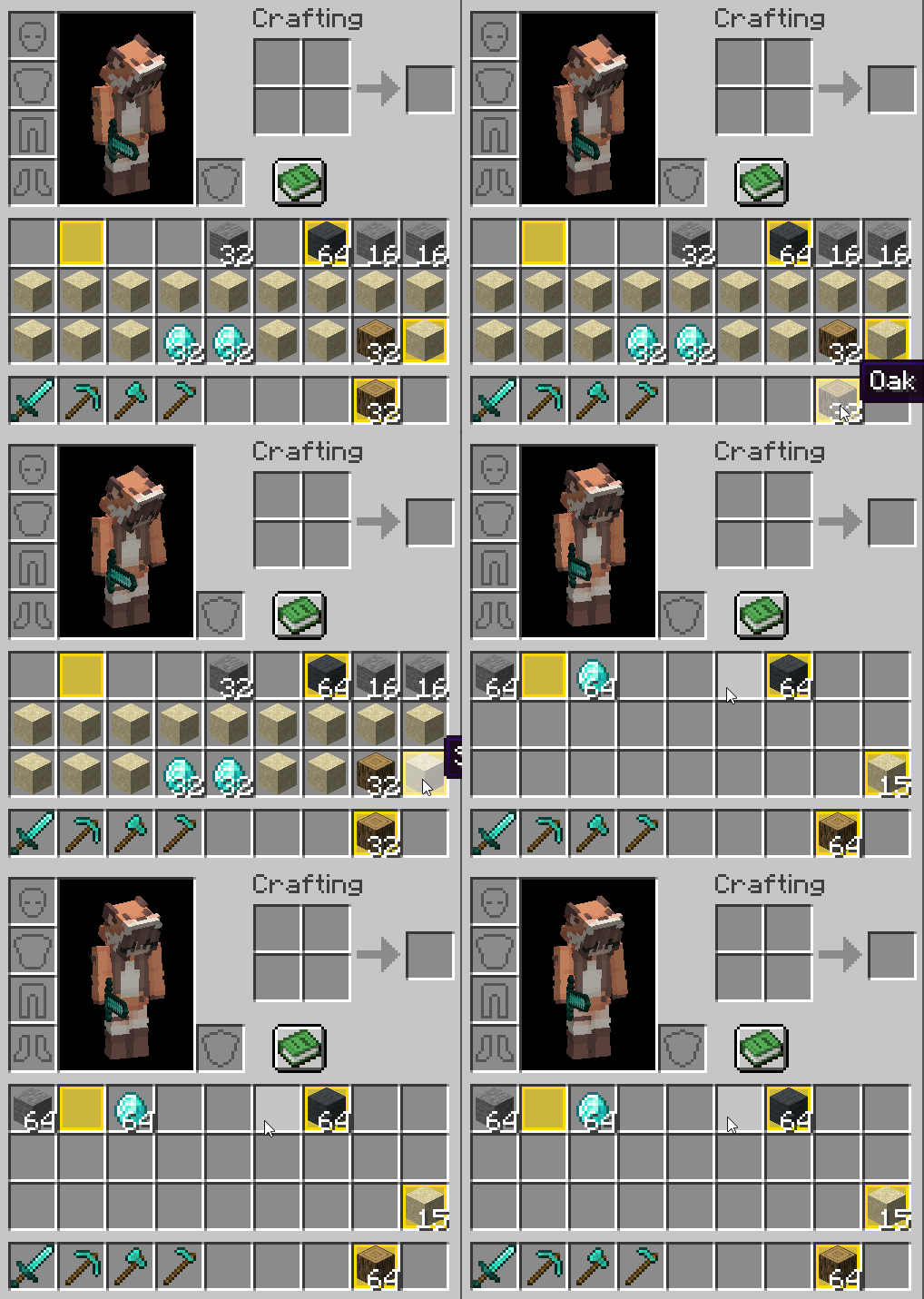
ALT + Middle Click— tidy up your inventory.- How it works: Items will first stack into matching locked slots. Remaining items are then neatly organized into open unlocked slots. Your custom layout in locked slots always takes priority.
- Creative Cleanup:
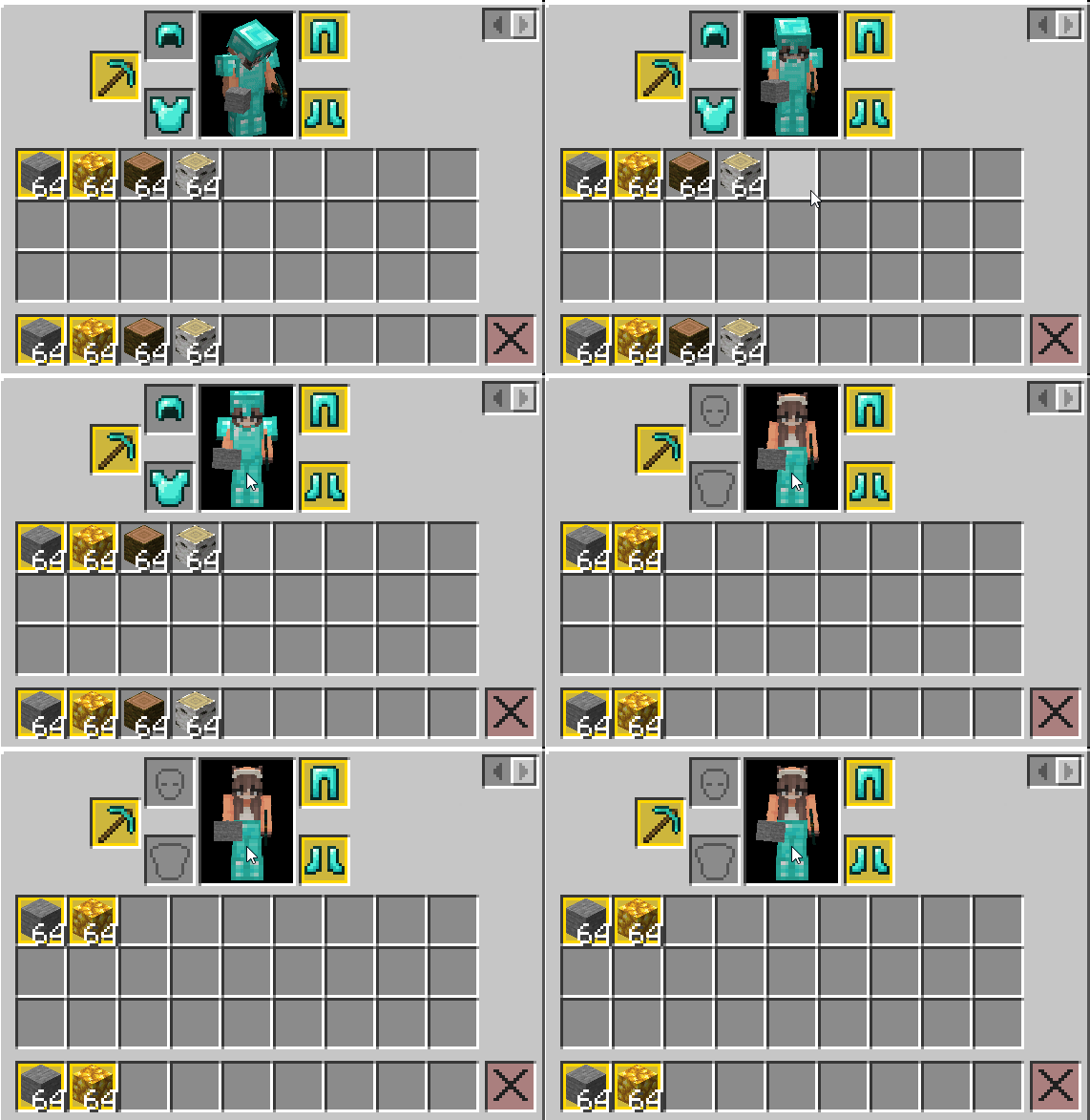
ALT + DELETE(Creative Mode) — quickly clear your inventory (similar to Shift+Click on the trash icon), but it won't touch your locked "tools."
🛡️ Deep Asset Protection
The mod blocks any unintentional interaction with protected slots:
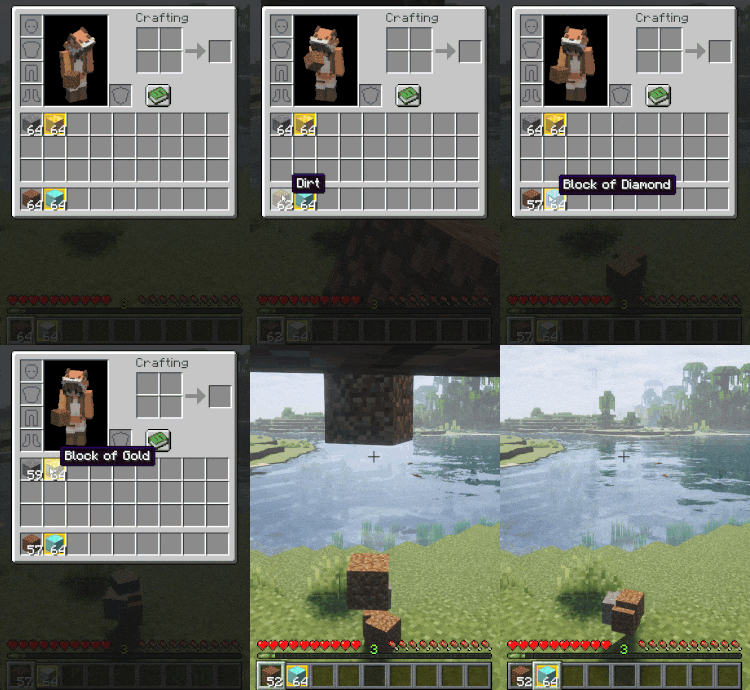
- 🚫 Drop Prevention: The "Drop Item" action
Qis completely ignored for locked slots. You can't accidentally toss your gear into fire or the void.
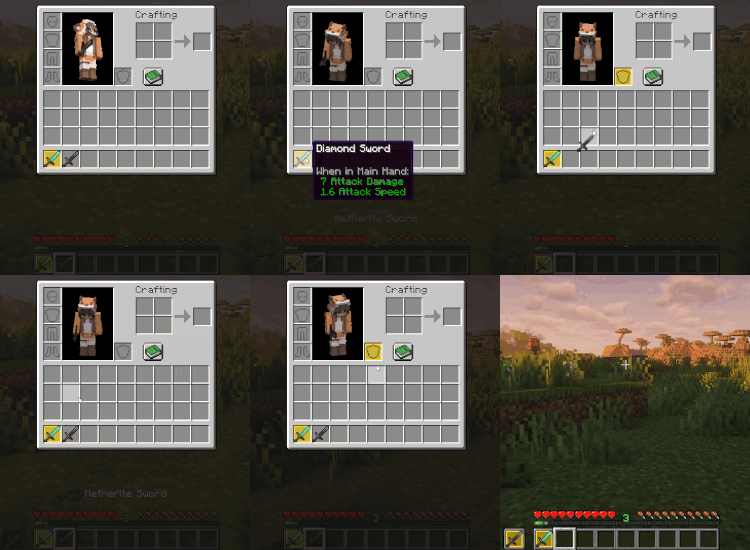
- 🚫 Hand Swap Prevention: The "Swap Item with Offhand" key
Fis disabled if either of the involved slots is locked.
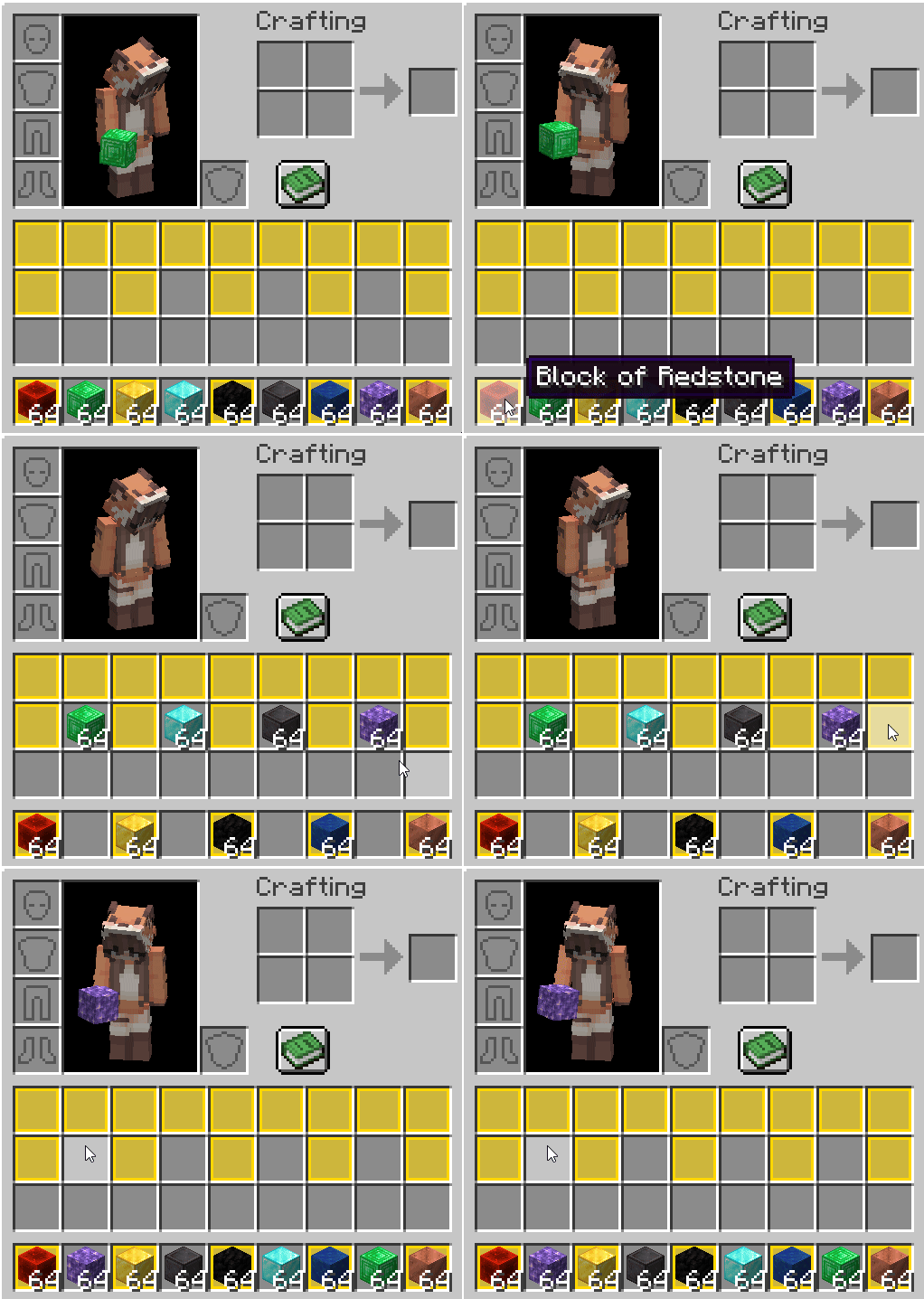
- 🚫 Quick Move Prevention:
Shift + Left Clickcompletely ignores locked slots, preventing accidental transfers to chests or other containers.
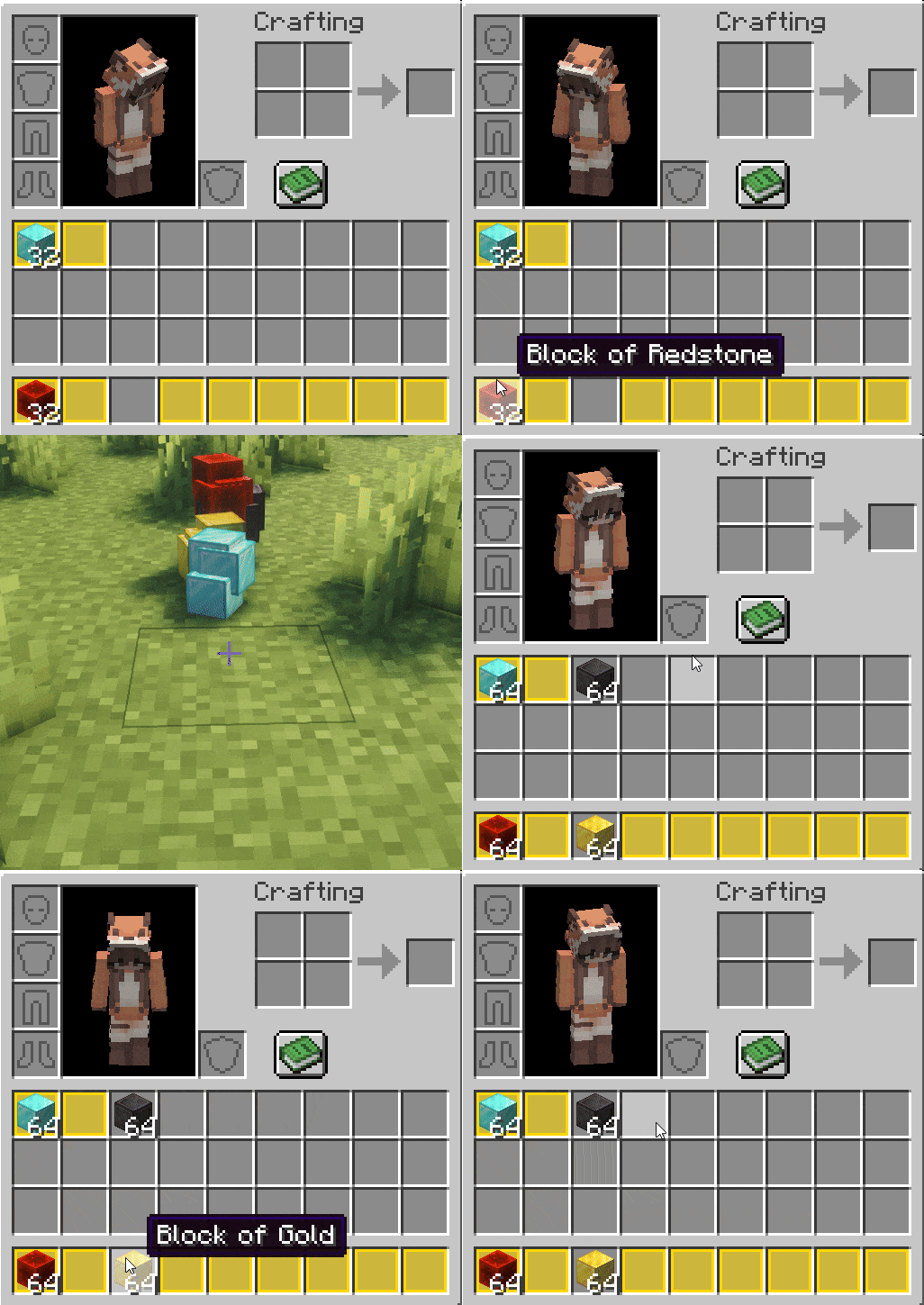
- 📥 Smart Pickup: When picking up items from the ground, they will bypass empty locked slots unless you already have a matching item in that slot.
⚙️ World & Mechanics Integration
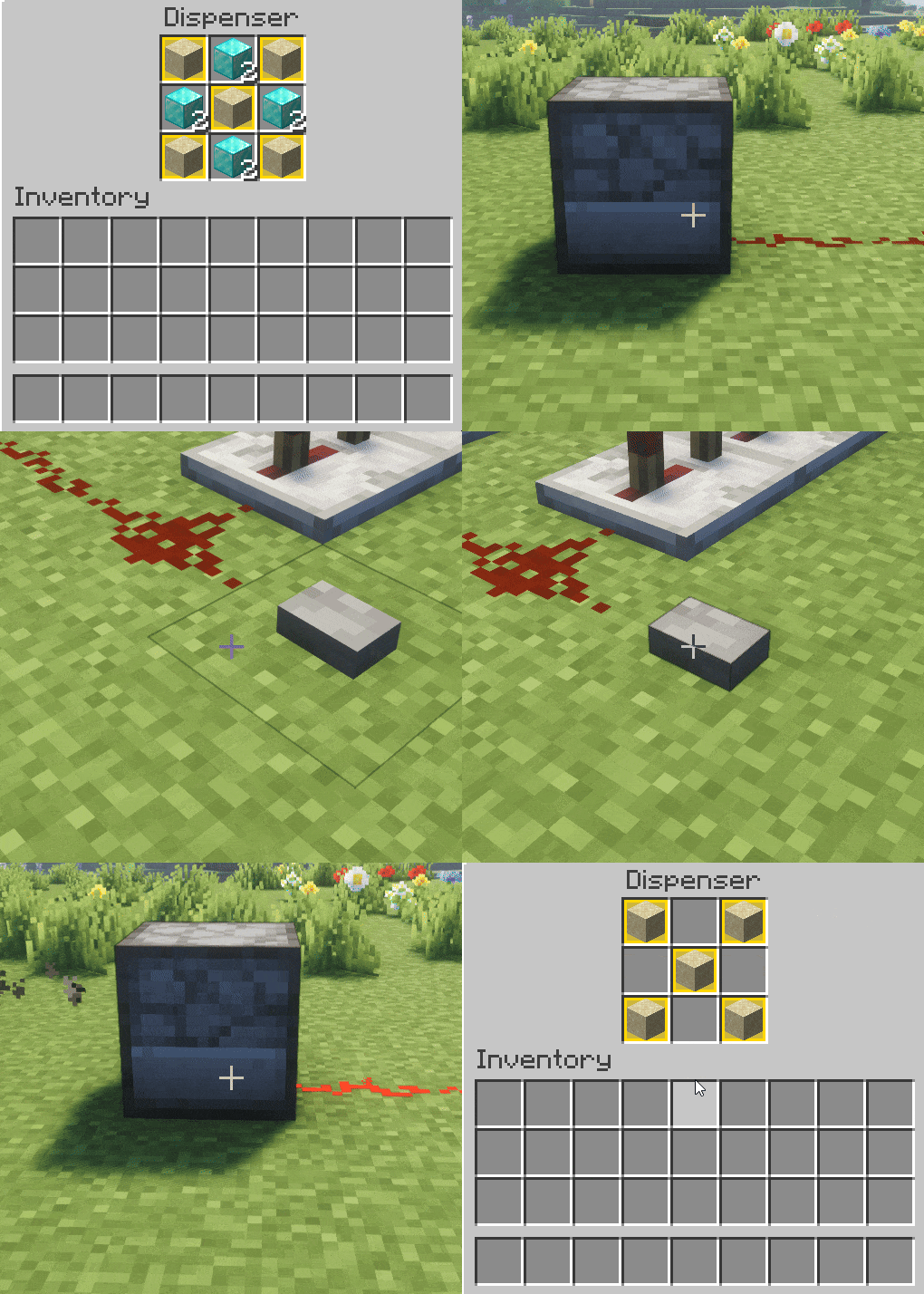
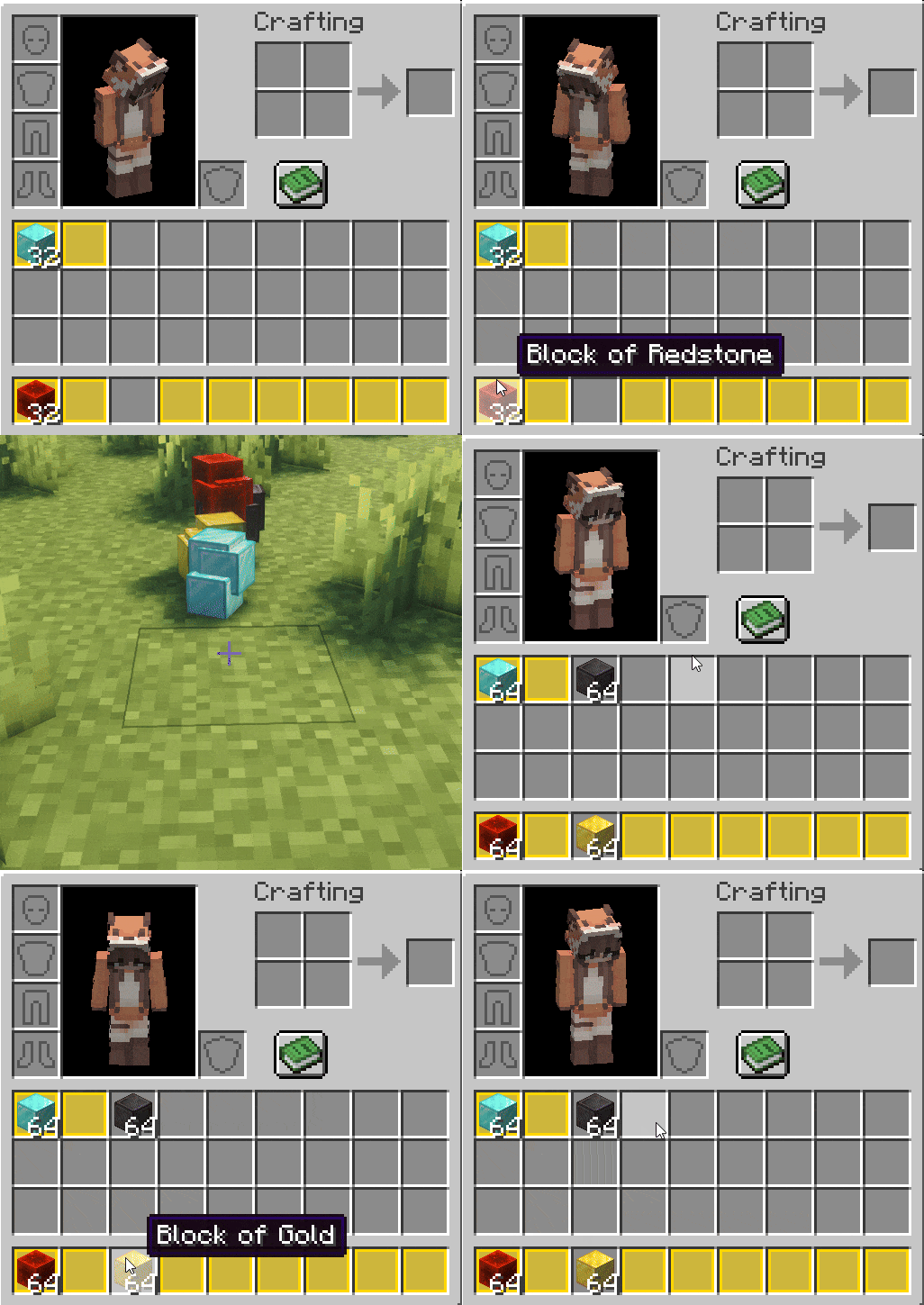
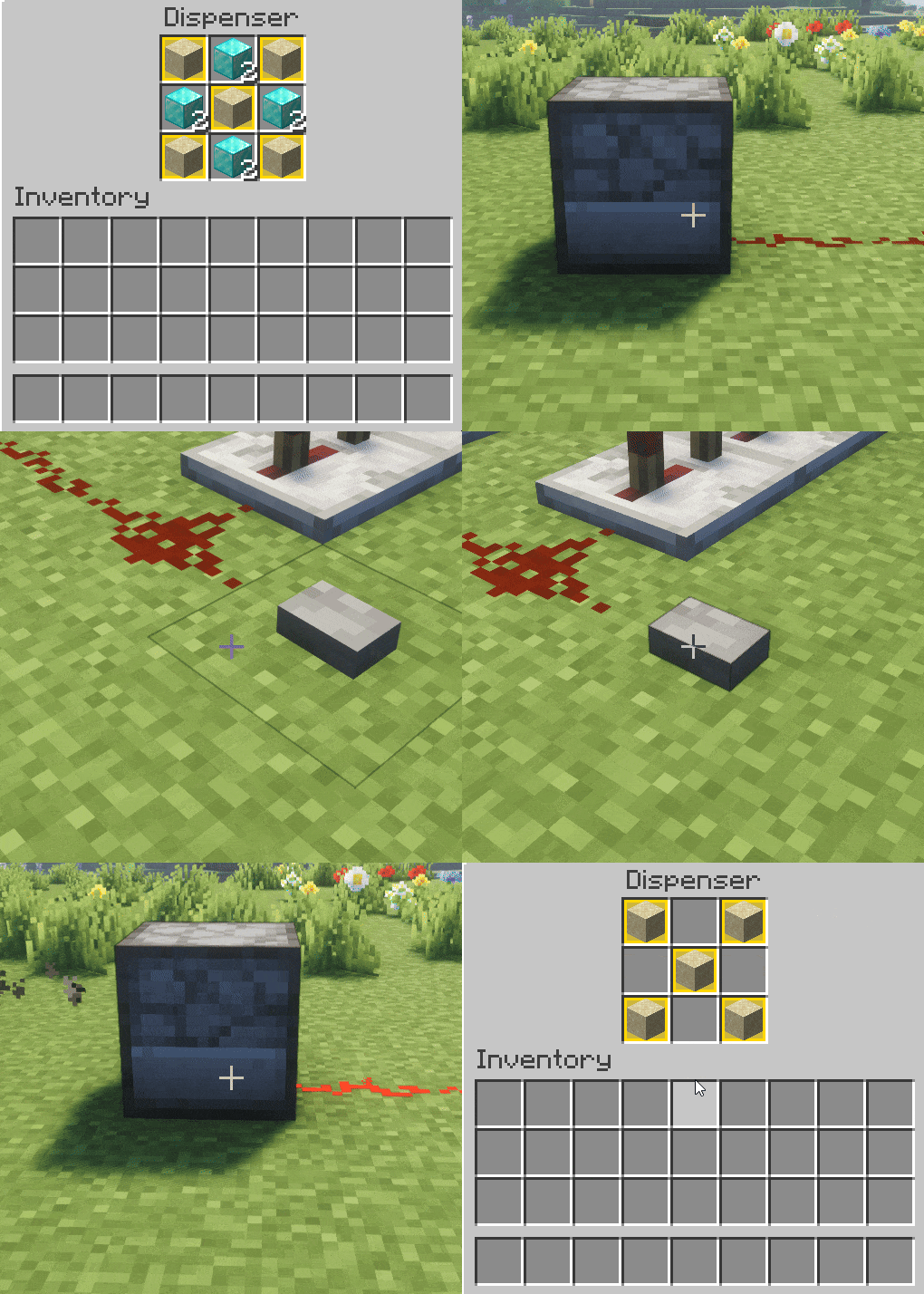
- Dispensers & Droppers: Mechanisms respect your locks. Items in protected slots will never be fired or dropped by a machine.
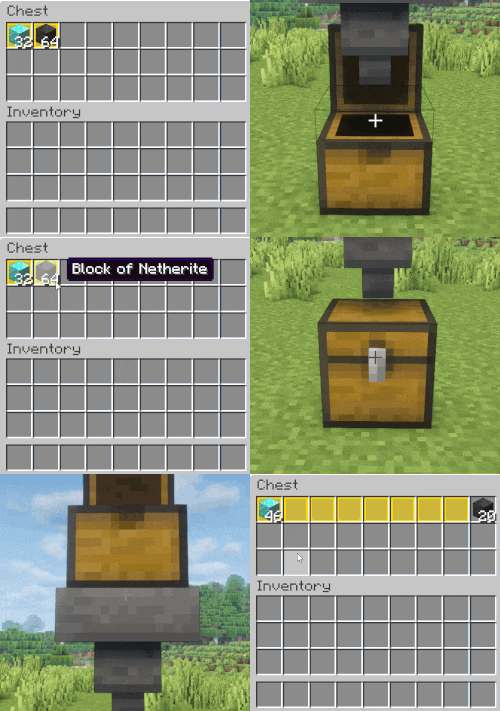
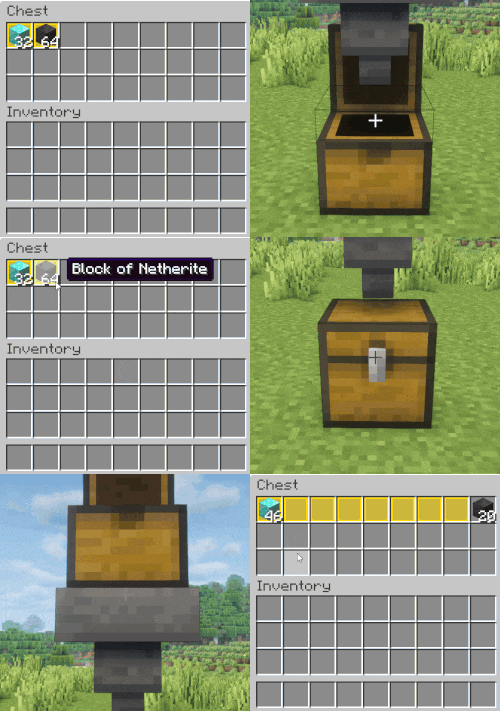
- Hoppers: Fully support the locking system. Hoppers cannot extract items from locked slots or push new items into empty locked slots (though they can fill existing stacks in locked slots).
🎨 Visual Customization
Lock & Order allows you to fully adapt the interface to your taste.
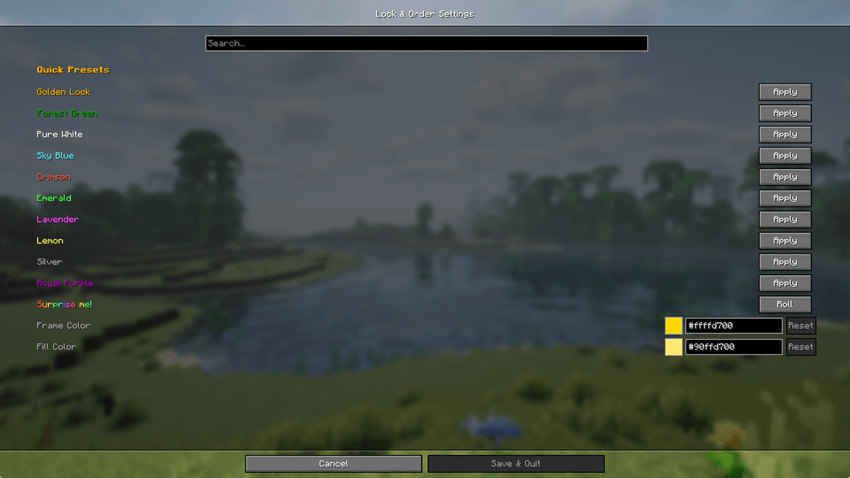
- Flexible Configuration: All color and transparency settings are stored in the
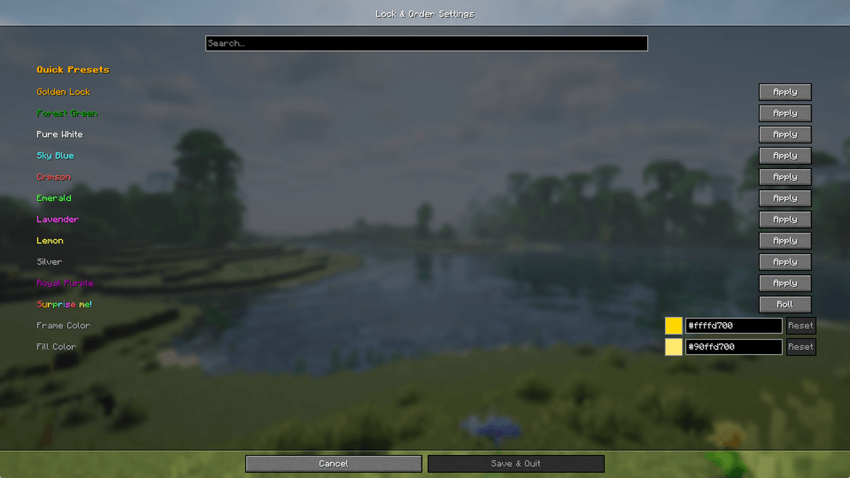
lock_and_order.propertiesconfig file. - Mod Menu Integration: If you have Cloth Config and Mod Menu installed (optional), you can change themes directly in-game via a user-friendly GUI.
- Themes & Presets: Choose from built-in presets (Gold, Netherite, Amethyst, etc.) or create your own unique color schemes.
🤝 Compatibility
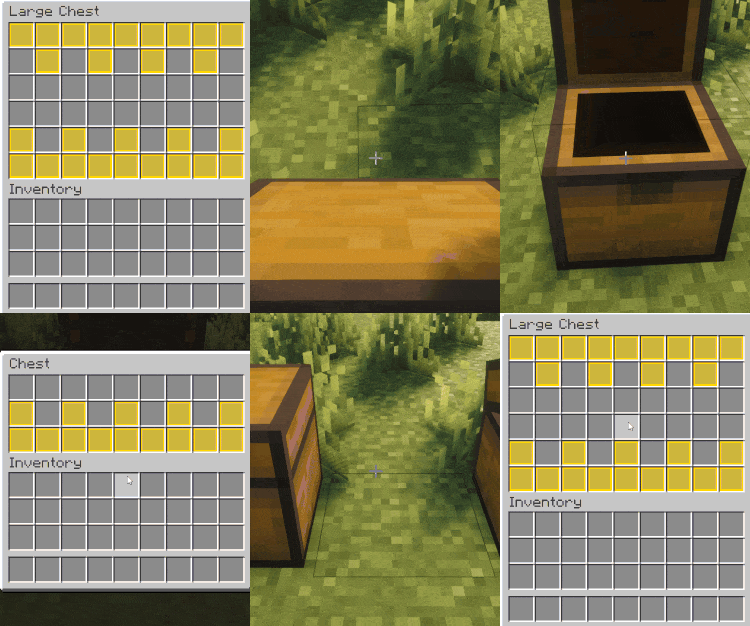
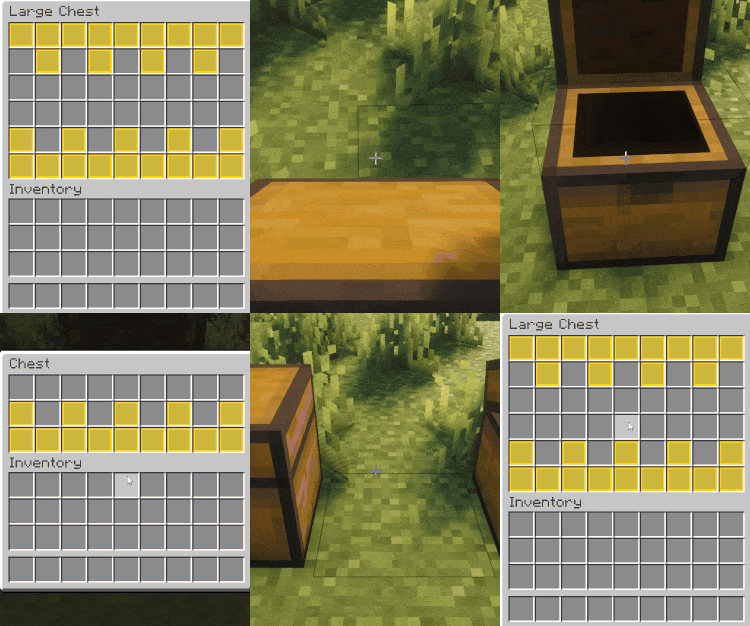
- 📦 Carry On: Locked slot states are preserved when picking up and moving chests or machines.
-
🖱️ Mouse Tweaks: Quick-move mechanics from Mouse Tweaks correctly respect locked slots.
-
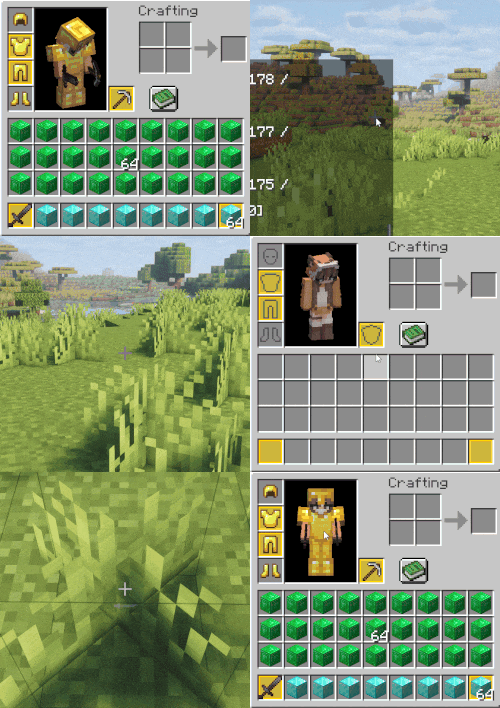
⚰️ Grave Mods: Lock information is saved upon death. Your items will return to their designated slots, even if slots were locked.
⚠️ Important Information
This mod is currently in Beta. We strongly recommend making backups of your worlds! At this stage, support for third-party storage from other mods is limited.
Future Plans:
- Expand support for more vanilla mechanics.
- Deep integration with: Traveler's Backpack, Sophisticated series (Backpacks/Storage), and Iron Chests.
📦 Modpacks & License
You are free to include this mod in any modpack! However, please note that the mod is under the All Rights Reserved license. This means you can distribute the mod as part of a collection, but you may not redistribute the standalone JAR file, modify the code, or claim it as your own.
💬 Community & Support
Join our Discord server! It's the best place to chat with the community, suggest new features, or report any bugs you find.
Created by Makinuko
🔒 Lock & Order: Total Inventory Protection
Lock & Order — это ультимативное решение для тех, кто хочет держать свой инвентарь под полным контролем. Мод позволяет «замораживать» выбранные слоты, защищая ценные ресурсы от случайного выброса, нежелательной автоматизации или хаоса при сортировке.
Главное отличие Lock & Order — это верность принципу Vanilla Friendly. Мы не перегружаем интерфейс лишними кнопками, сохраняя лаконичность и простоту оригинальной игры.
🎮 Управление и горячие клавиши
- Индивидуальный контроль:
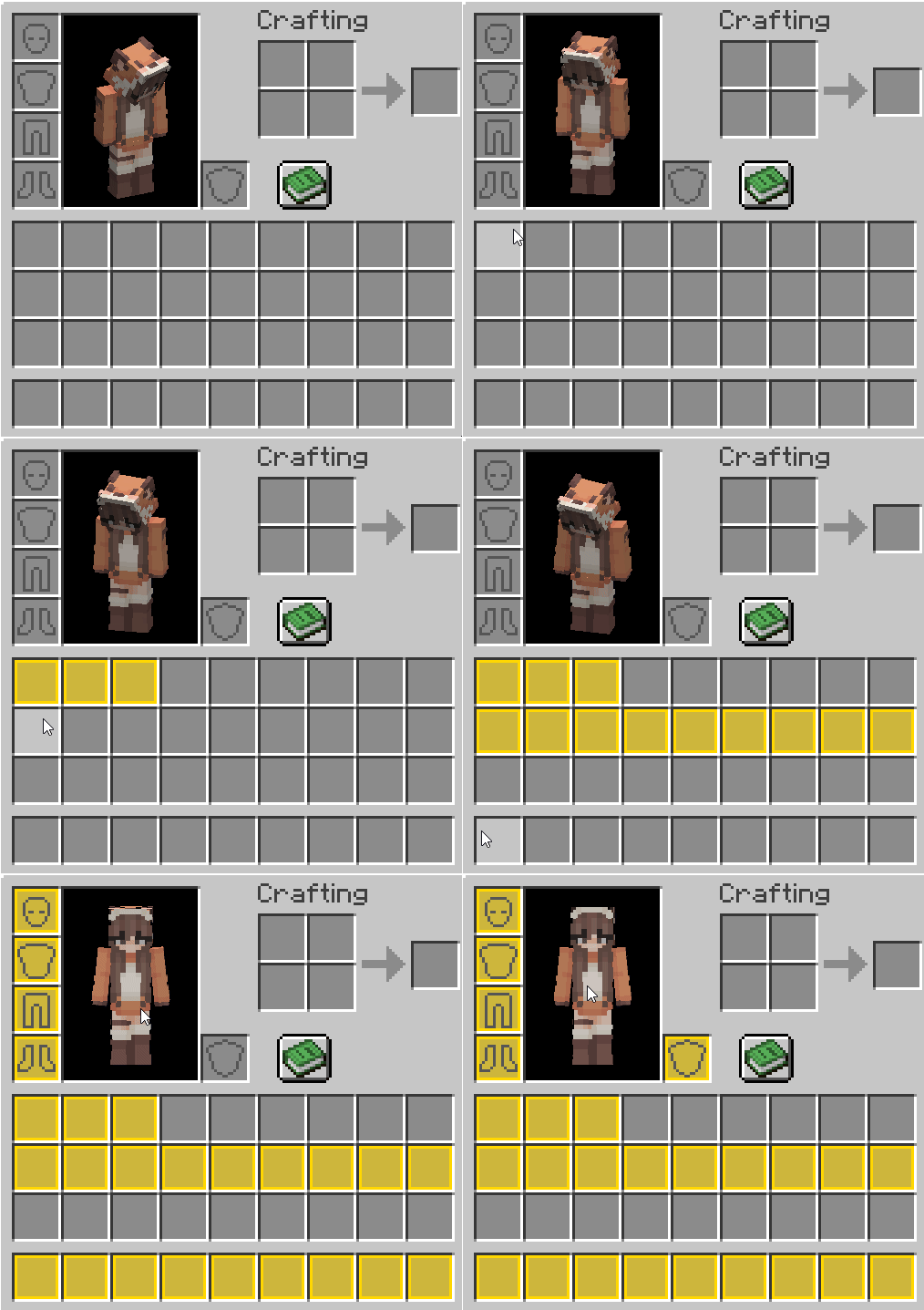
ALT + ЛКМ— переключить состояние одиночного слота. - Режим «Кисти»:
ALT + Зажатый ЛКМ— просто проведите мышью над нужными ячейками для массовой блокировки.
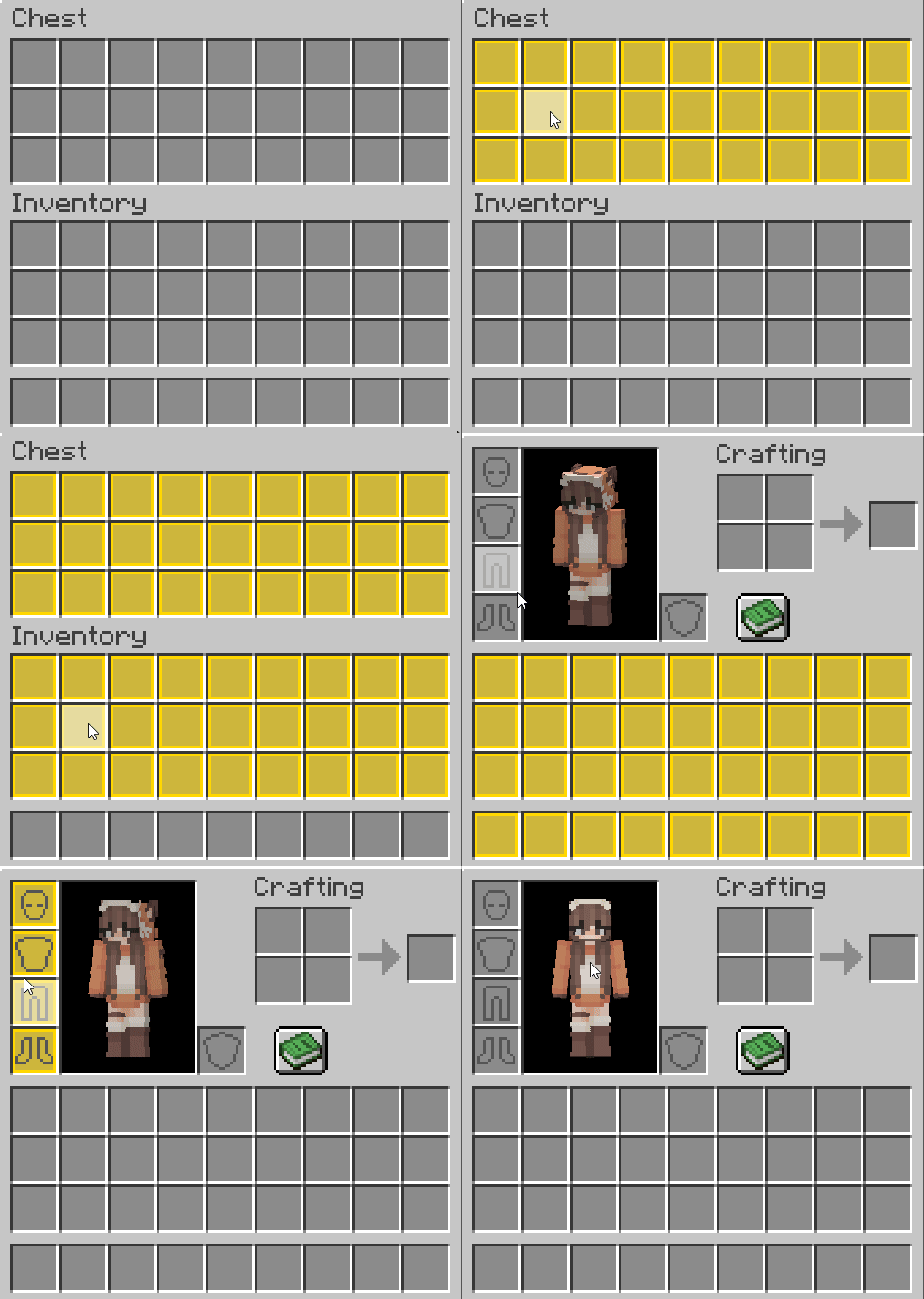
- Групповое переключение:
ALT + SHIFT + ЛКМ— мгновенная блокировка целых секций: хотбар, основной инвентарь, броня или содержимое контейнеров.
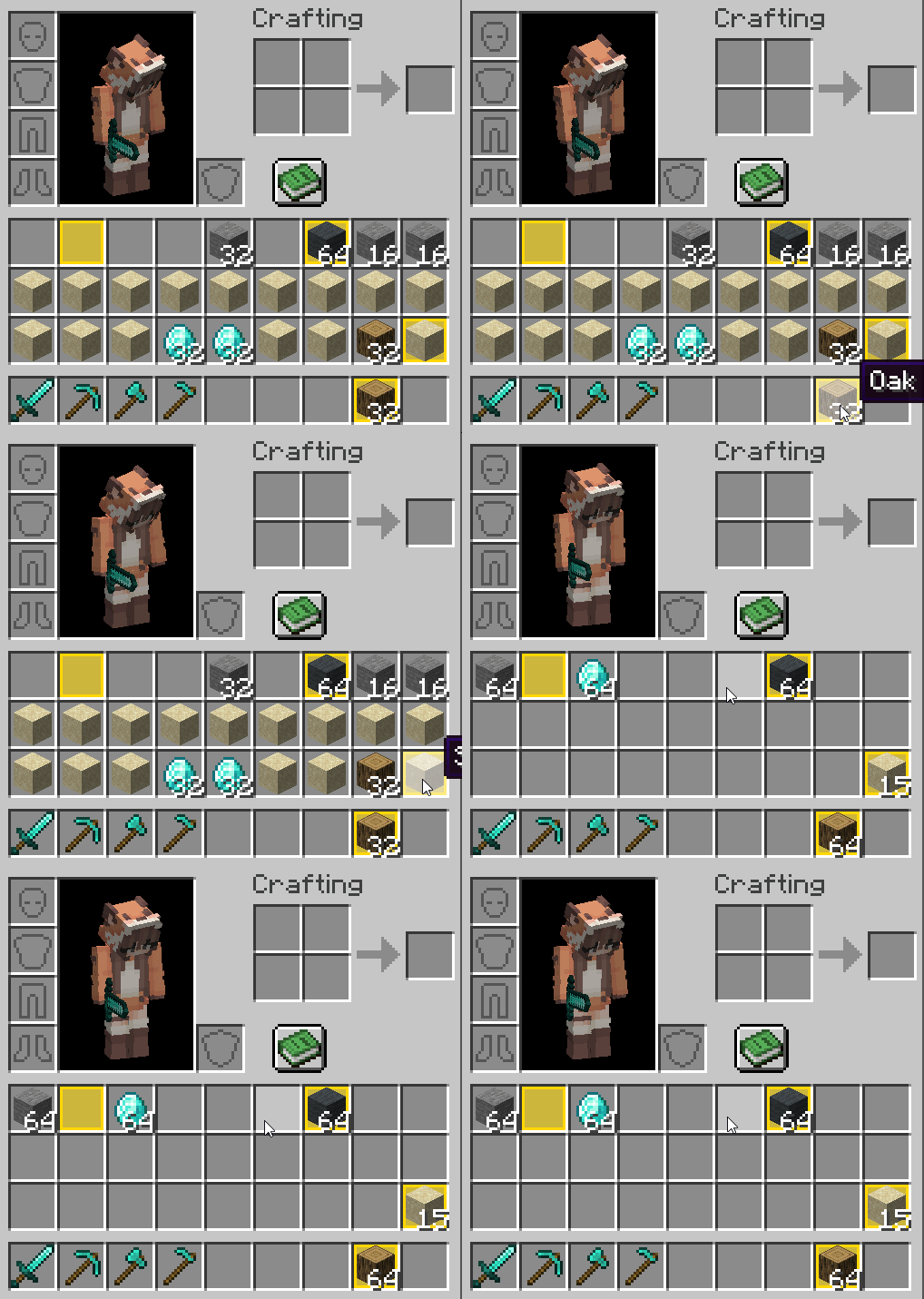
- Умная сортировка:
ALT + СКМ (Средняя кнопка мыши)— приводит инвентарь в порядок.- Как это работает: Сначала предметы стакаются к таким же в заблокированные слоты, а остатки аккуратно распределяются по свободным ячейкам. Ваша раскладка в закрытых слотах всегда в приоритете.
- Творческий порядок:
ALT + DELETE(в Креативе) — быстрая очистка инвентаря, которая не затронет ваши заблокированные «инструменты».
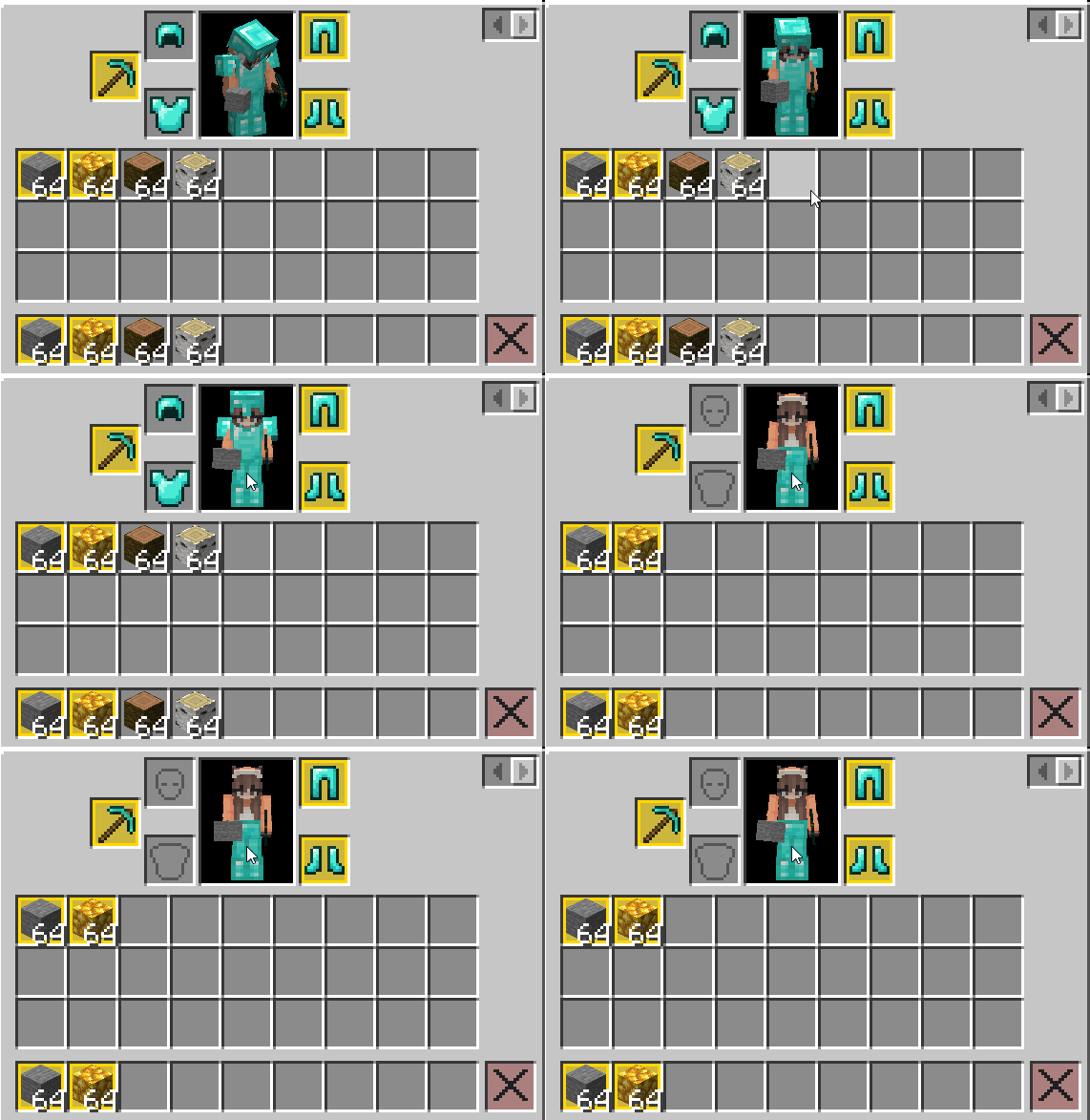
🛡️ Глубокая защита вашего имущества
Мод блокирует любые попытки непреднамеренного взаимодействия с защищенными ячейками:
- 🚫 Запрет на выброс: Предмет из закрытого слота невозможно выкинуть клавишей
Q, даже находясь внутри интерфейса.
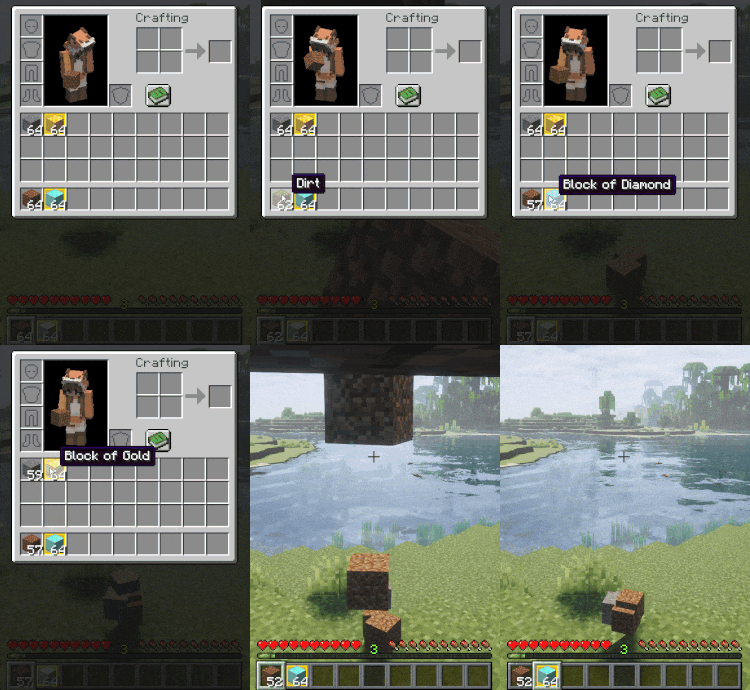
- 🚫 Запрет на смену рук: Клавиша
Fигнорируется, если хотя бы один из взаимодействующих слотов заблокирован.
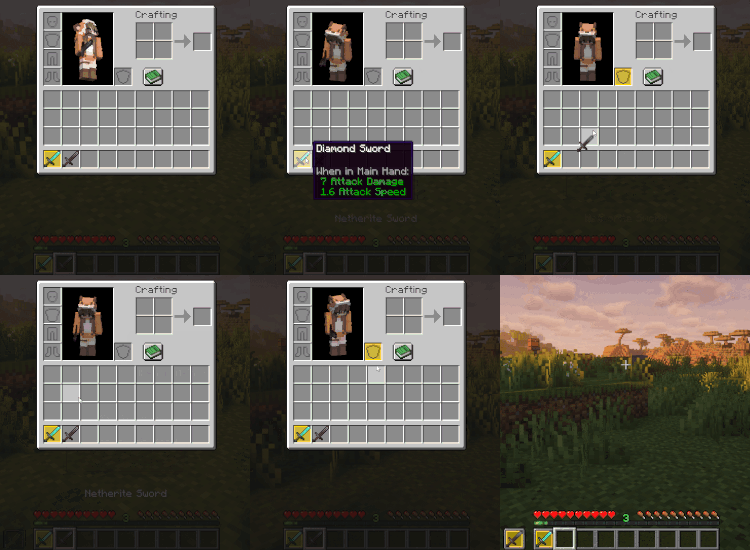
- 🚫 Запрет на быстрый перенос: Механика
Shift + ЛКМполностью игнорирует закрытые ячейки, исключая случайную передачу ценностей в сундук.
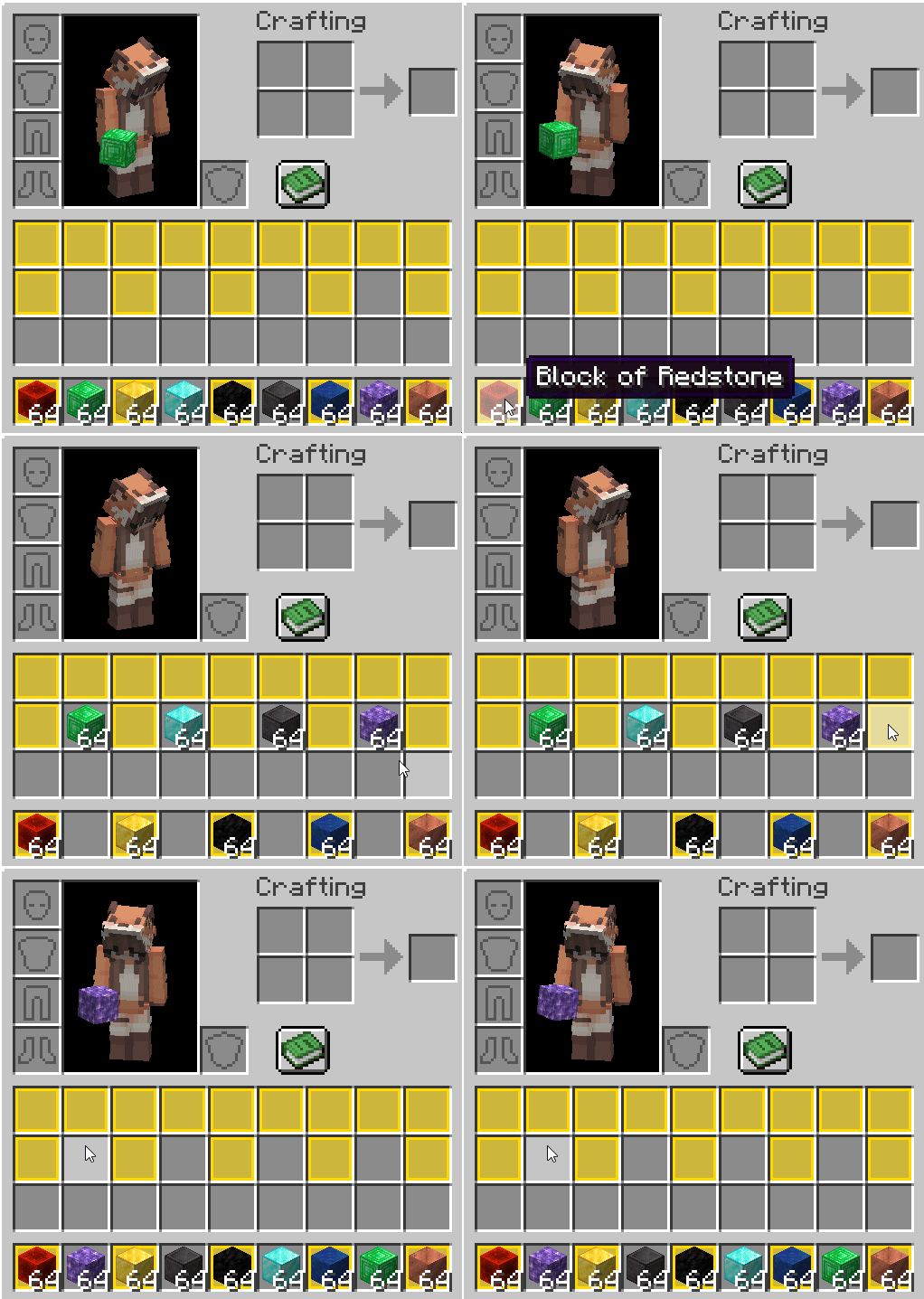
- 📥 Умный подбор: При поднятии предметов с земли они будут игнорировать пустые заблокированные слоты, если в них еще нет аналогичного ресурса.
⚙️ Интеграция с миром и механизмами
- Раздатчики и Выбрасыватели: Учитывают замки. Предмет в закрытом слоте никогда не будет выстрелен или выброшен механизмом.
- Воронки: Полностью поддерживают систему блокировки. Они не извлекают ресурсы из защищенных ячеек и не занимают пустые заблокированные слоты новыми предметами.
🎨 Визуальная кастомизация
Вы можете изменить цвета рамок и заливки слотов под ваш вкус или ресурспак.
- Гибкая настройка: Все параметры хранятся в файле
lock_and_order.properties. - Интеграция с Mod Menu: При наличии Cloth Config и Mod Menu доступна настройка тем прямо в игре.
- Темы и шаблоны: Используйте готовые пресеты (Золото, Незерит, Аметист и др.) или создавайте свои.
🤝 Совместимость с модами
- 📦 Carry On: При переносе сундуков все блокировки слотов сохраняются.
- 🖱️ Mouse Tweaks: Быстрое перемещение корректно учитывает заблокированные ячейки.
- ⚰️ Grave Mods: Информация о замках сохраняется при смерти. Предметы вернутся на свои места.
⚠️ Важная информация
Мод находится в стадии Beta. Мы рекомендуем делать резервные копии миров!
Планы на будущее:
- Расширение поддержки ванильных механик.
- Глубокая интеграция с: Traveler's Backpack, Sophisticated Storage и Iron Chests.
📦 Модпаки и Лицензирование
Вы можете свободно включать этот мод в любые модпаки! При этом просим учитывать, что мод распространяется под лицензией All Rights Reserved. Это означает, что вы можете использовать его в составе сборок, но не имеете права перевыкладывать файл отдельно, изменять код или выдавать его за свою разработку.
💬 Общение и Поддержка
Присоединяйтесь к нашему Discord-серверу! Там вы сможете пообщаться с другими пользователями, предложить свои идеи или сообщить о найденных багах.
Автор: Makinuko





Conversation