What are you searching for?

Loading Backgrounds
Loading Backgrounds

Loading Backgrounds

With this mod you will be able to customize the background of the loading screens of the Minecraft games, placing any type of customizable image.

download 519.1K Downloads · favorite 151 Followers · Updated 6 months ago
Fabric Forge Game-mechanics Library Management Neoforge 1.20 1.20.1 1.20.2 1.20.3 1.20.4 +7 more

Versions

inventory_2
[NeoForge] Loading Backgrounds - MC 1.21.X - 2.0.0

2.0.0 · 6 months ago · 170.35 KB

Release download
Neoforge 1.21.2 1.21.3 1.21.4
inventory_2
[Fabric] Loading Backgrounds - MC 1.21.X - 2.0.0

2.0.0 · 6 months ago · 170.07 KB

Release download
Fabric 1.21.2 1.21.3 1.21.4
inventory_2
[Forge] Loading Backgrounds - MC 1.21.X - 2.0.0

2.0.0 · 6 months ago · 170.33 KB

Release download
Forge 1.21.2 1.21.3 1.21.4
inventory_2
[NeoForge] Loading Backgrounds - MC 1.20.X / 1.21.1 - 2.0.0

2.0.0 · 6 months ago · 169.33 KB

Release download
Neoforge 1.20.2 1.20.3 1.20.4
inventory_2
[Fabric] Loading Backgrounds - MC 1.20.X / 1.21.1 - 2.0.0

2.0.0 · 6 months ago · 168.49 KB

Release download
Fabric 1.20 1.20.1 1.20.2

About

Banner

With this mod you will be able to customize the background of the loading screens of the Minecraft games, placing any type of customizable image.

It is recommended for all those creators of modpacks who want to give a better sensation to their contents, loading images of the modpack and placing them as background.

Do you need a server to play with your friends?

For exceptional server hosting services, look no further than BisectHosting. Of course, you can install all the mods or modpacks you want, and their support team is always available to help you.

With the code "Lupin" you will get a 25% discount! Click here!

SUMMARY

To add background images, you'll want to create a resource pack with the folder /assets/minecraft/textures/gui/backgrounds/ and put .png image files in there. Ideally you'd name them image1.png, image2.png, image3.png, etc. You can include background images in any resource pack and easily pack them in with any other resources.
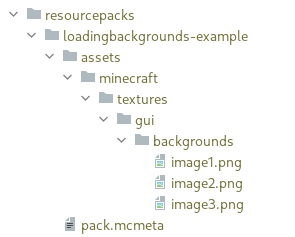
example

It is essential to place the pack.mcmeta. Create a notepad with that name and put the following text:

{ 
  "pack": {
    "pack_format": 15,
    "description": "Loading Backgrounds images"
  }
}

Also, you can look at this resourcepack as an example.

FAQ

Does it work on servers?

Sure! Remember that the best way to play with mods and friends is with BisectHosting, and by clicking on this link you can get a 25% discount.

Can this mod be used in modpacks?

Of course! As long as it is published only on Modrinth or CurseForge. Uploading it to any other platform would be violating our rights and is not allowed at all.

However, we are really grateful if you consider adding it to your Modrinth or CurseForge modpack. If you need any small changes or have any questions, contact us!

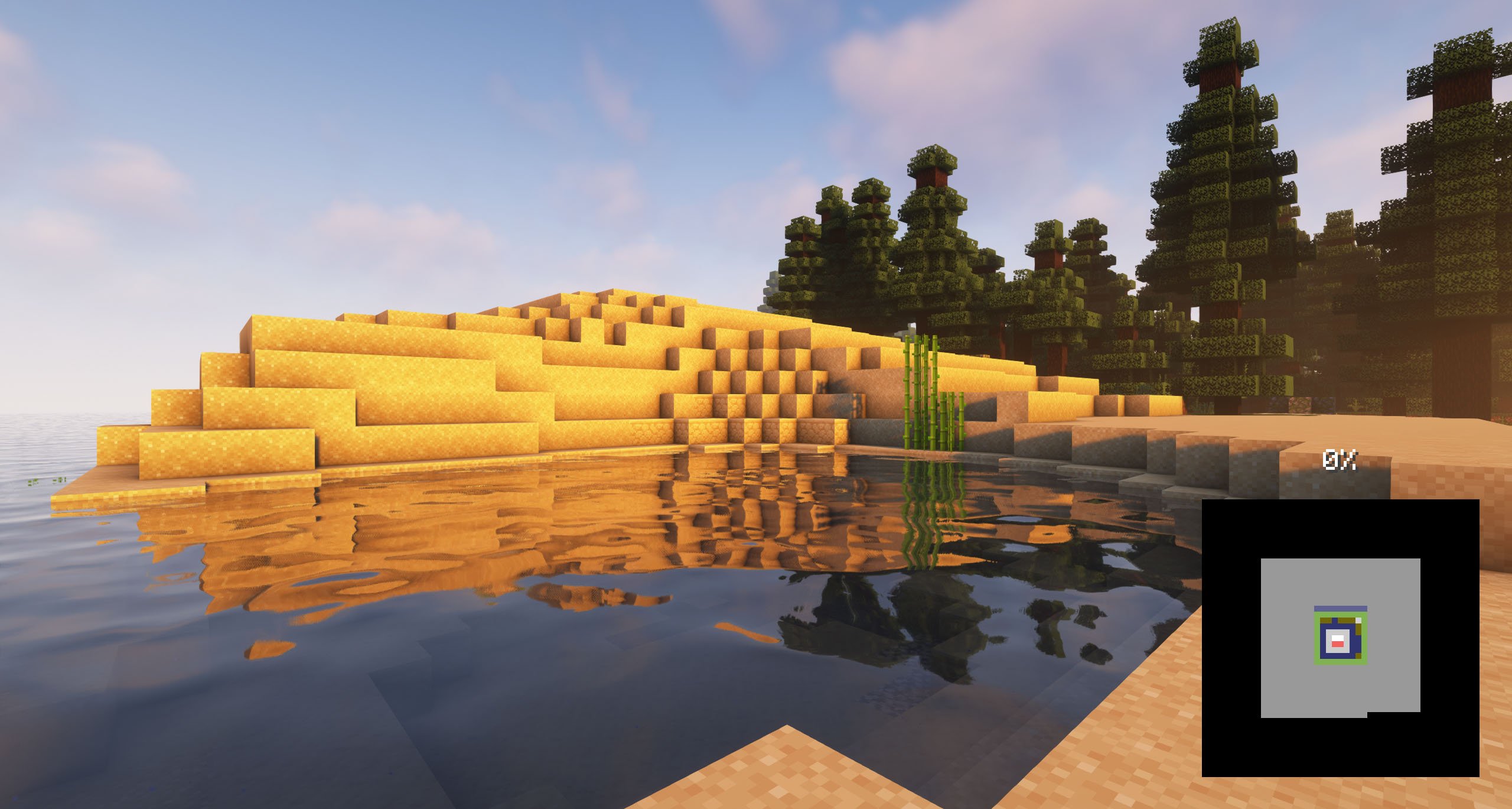
SCREENSHOTS

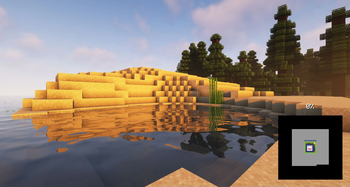
LOADING BACKGROUNDS SCREENSHOT

DISCORD

.

open_in_new View on Modrinth
Compatibility
Client: Required Server: Unsupported
gavel LicenseRef-All-Rights-Reserved

Conversation

What are your thoughts?

Related projects

Library
Fabric API
Fabric API

by modmuss50

Lightweight and modular API providing common hooks and intercompatibility measures utilized by mods using the Fabric toolchain.

download 128.4M
favorite 27,401
Library
Cloth Config API
Cloth Config API

by shedaniel

Configuration Library for Minecraft Mods

download 94.4M
favorite 13,670
Library Management Utility
YetAnotherConfigLib (YACL)

by isxander

A builder-based configuration library for Minecraft!

download 66.1M
favorite 7,607
Library
Architectury API
Architectury API

by shedaniel

An intermediary api aimed to ease developing multiplatform mods.

download 61.0M
favorite 6,652
lock Cookie consent

SkinMC uses cookies to provide functionality and features.