
Legendary Tooltips
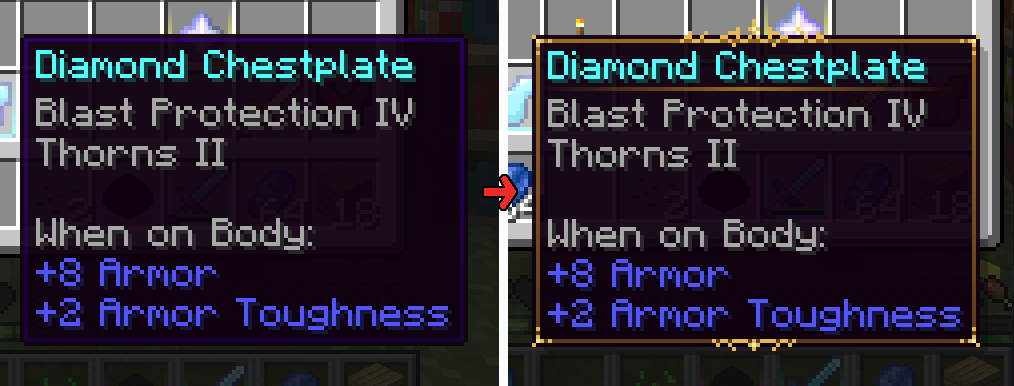
Give your rare items a fancier tooltip! Also adds additional tooltip configuration options.
Versions
Gallery
About
Ever feel like item tooltips are a little lackluster? Legendary Tooltips is here to change that.

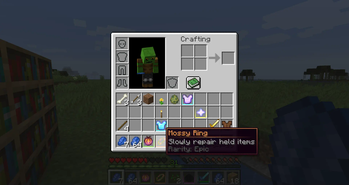
This mod will allow you to change the tooltips of a selection of items of your choice to embellished works of art. It also adds a host of other tooltip options including centered item names, tooltip shadows, matching tooltip borders to item colors, separators under item names, 3d item previews, compact tooltips, and more!
This mod requires Iceberg, you can download it here.
Versions 1.3 and up require Prism, you can download it here.
Client / Server
This mod is fully client-side.
Configuration
Extensive configuration instructions can be found here. Please read this first!
Players
The configuration file includes instructions for setting up tooltips however you feel fit, please read the configuration instructions first! Supports up to sixteen custom borders, each of which can be set to apply to items by name, mod, tag, vanilla rarity, item name color, display name, tooltip text, or NBT tag. By default, the mod includes the custom border seen above, and more can easily be added with a resource pack. For an example resource pack that adds ten custom frames, check out Eclectic Trove!
Mod authors
The following only applies to version 1.2 and later!
If you are interested in adding custom borders to items in a mod you are coding, it is possible by adding Legendary Tooltips as a dependency. (Use cursemaven.com for this.)
Use the LegendaryTooltipsConfig.addFrameDefinition() method to specify a list of selectors for a given ResourceLocation / frame index (see configuration file documentation if you don't understand what this means). This method is not widely supported, so if it isn't working, please try the preferred data-driven method below instead.
Resource pack authors
Borders can be customized via resource packs. The resource pack is capable of replacing the default border included in the mod with up to 16 custom borders that can be used by the mod. Please see Eclectic Trove for an example--I recommend using this as a starting point when designing your own borders. There is also a template image available to make drawing easier, which can be found here (this is a Photoshop project, so you will need Photoshop or an image editor that can read Photoshop files like Gimp).
The following only applies to version 1.2 and later!
As of version 1.2, it is also possible for resource packs and mods to define custom borders using a .json file resource included in the pack/mod itself. This file is loaded differently than normal resources, as they do not replace each other--all border definitions found in all active custom border resource files will be loaded and applied. These files allow you to use any properly-formatted image resource and can specify all colors to match. An example file that describes the file format can be found here. Please read this file first, as it contains a lot of information. You can also find an example in the noconfig variant of Eclectic Trove, which contains definitions for many vanilla items, here.
Compatibility
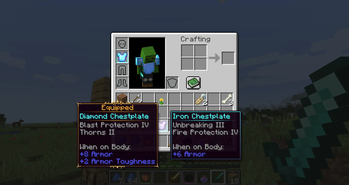
Highly compatible, this mod doesn't change the underlying tooltip behavior, only adds on. Also integrates with Equipment Compare to provide even fancier comparison tooltips! (See images for an example)
If you find some sort of compatibility issue, please let me know!
You are free to use this mod in modpacks.

Problems, feature request, something else? Join us on Discord!






Conversation