

Lechat's shaders
A beautiful shader meant to run on both potatoes and NASA PC's
Versions
Gallery


About
Lechat's Shader Pack
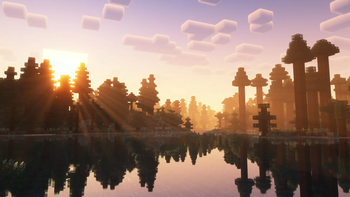
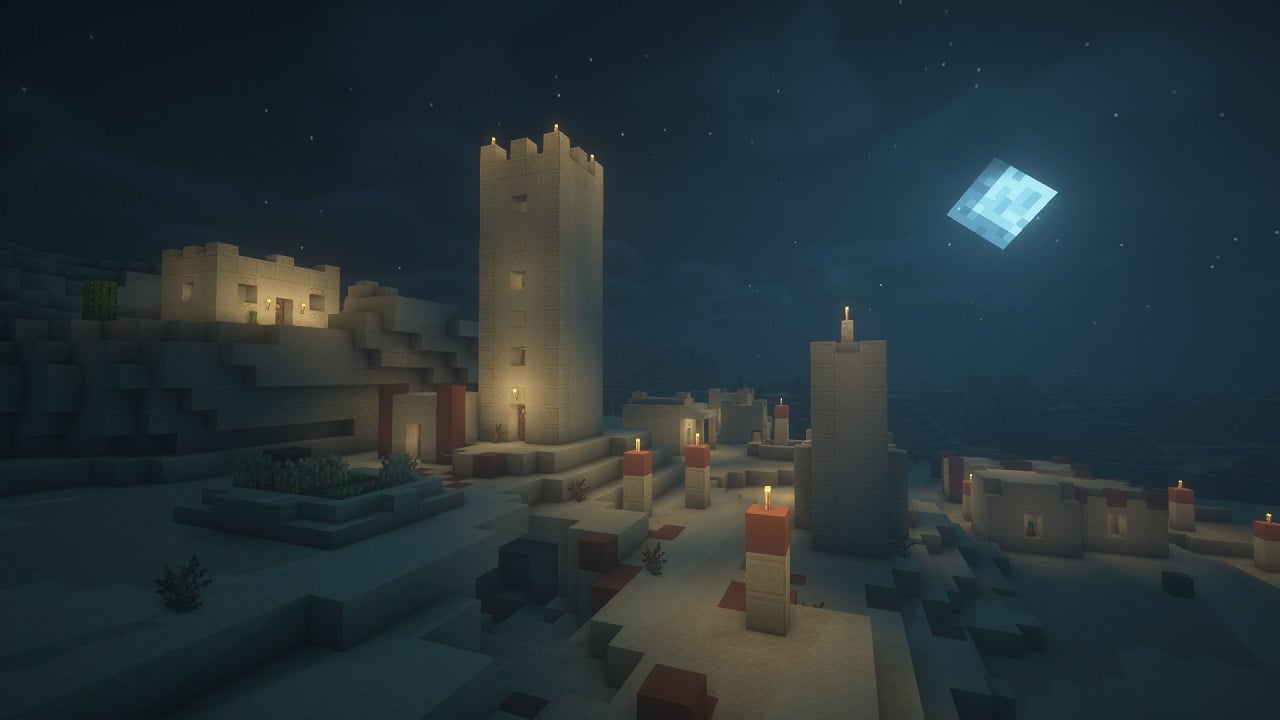
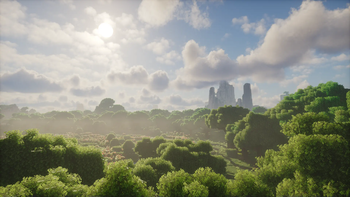
A performance-focused Minecraft shader pack with multiple quality profiles, dynamic lighting, and customizable water effects. Designed for flexibility across a wide range of hardware configurations.
Please note that the project is in beta version, graphics may not be what you expect, and some bugs can remain !
Feel free to contact me on Discord (@lechat87) if you encounter any bugs !
Overview
This shader pack delivers a balanced visual experience with five distinct performance profiles. From minimal-impact POTATO mode for low-end systems to feature-rich ULTRA mode for high-end setups, each profile is carefully tuned to provide optimal visuals without sacrificing playability.
Key highlights include profile-based fog and water systems, dynamic day/night lighting cycles, and extensive customization through the shaders.properties configuration file.
Features
Technical Features
- Multiple Performance Profiles: Five preset configurations (POTATO, LOW, MEDIUM, HIGH, ULTRA) tailored to different hardware capabilities
- Profile-Based Fog Settings: Each profile has optimized fog parameters, with POTATO mode offering a clean no-fog aesthetic
- Profile-Based Water Features: Adjustable wave height and reflection intensity scaled per profile
- Customizable Settings: Fine-tune your experience via the shaders.properties configuration file
- Optimized Codebase: Fixed syntax errors and optimized lighting calculations for stable performance
- Balanced Brightness: Consistent lighting levels across all performance profiles
Visual Features
- Dynamic Lighting: Realistic day/night cycles with smooth transitions
- Water Effects: Animated waves with adjustable height and reflective surfaces
- Atmospheric Effects: Configurable atmospheric scattering per profile
- Underwater Rendering: Fixed underwater view with improved visibility
- Tone Mapping: Realistic color grading for natural-looking scenes
- Clean Aesthetic: Bloom disabled intentionally for a crisp, uncluttered look
Performance Profiles
| Profile | Description | Best For |
|---|---|---|
| POTATO | Minimal effects, no fog, basic water, maximum performance | Low-end PCs, laptops, integrated graphics |
| LOW | Light effects, light fog, basic waves | Entry-level GPUs, older hardware |
| MEDIUM | Standard effects, moderate fog, standard waves | Mid-range systems, balanced performance |
| HIGH | Enhanced effects, normal fog, high waves with refraction | High-end GPUs, detailed visuals |
| ULTRA | Maximum effects, reduced fog for clarity, extreme waves, all features | Top-tier hardware, screenshot-quality visuals |
Profile Details
POTATO
- Disabled fog for maximum visibility and performance
- Basic water rendering without wave animation
- Minimal post-processing overhead
- Ideal for achieving high frame rates on limited hardware
LOW
- Light atmospheric fog for depth
- Simple wave animations
- Reduced effect complexity
- Good balance for budget GPUs
MEDIUM
- Standard atmospheric scattering
- Moderate wave height and reflection
- Full feature set at reduced intensity
- Recommended for most modern systems
HIGH
- Enhanced atmospheric effects
- High wave height with water refraction
- Improved reflection quality
- Suitable for dedicated gaming GPUs
ULTRA
- Maximum visual fidelity
- Reduced fog density for crystal-clear long-distance views
- Extreme wave height (2.0x) with full reflection intensity (1.0)
- All advanced features enabled
- Requires high-end graphics hardware
Water Effects
The shader pack features a sophisticated water rendering system with profile-scaled parameters:
Wave Height Scaling
- POTATO: 0.5x (minimal animation)
- LOW: 0.6x (basic movement)
- MEDIUM: 1.0x (standard waves)
- HIGH: 1.5x (pronounced waves)
- ULTRA: 2.0x (extreme wave height)
Reflection Intensity
- Adjustable from 0.3 (subtle) to 1.0 (maximum reflectivity)
- Profile-tuned for optimal visual balance
- Dynamic based on viewing angle and lighting conditions
Additional Water Features
- Underwater View Fixes: Improved visibility and color correction when submerged
- Smooth Transitions: Seamless blending between above and below water
- Surface Reflections: Environment mapping for realistic water surfaces
- Refraction Effects: Light bending at water surfaces (HIGH and ULTRA profiles)
Installation
- Download the shader pack ZIP file
- Place the ZIP file in your Minecraft shaderpacks folder:
- Windows:
%appdata%/.minecraft/shaderpacks/ - macOS:
~/Library/Application Support/minecraft/shaderpacks/ - Linux:
~/.minecraft/shaderpacks/
- Windows:
- Launch Minecraft with OptiFine or Iris/Oculus installed
- Navigate to Options > Video Settings > Shaders
- Select the shader pack from the list
- Click Done to apply
Requirements
- Minecraft 1.16.5 or newer (recommended)
- OptiFine HD U G5 or newer, OR
- Iris Shaders / Oculus (for Fabric/Forge mod loaders)
- OpenGL 4.0 compatible graphics card (minimum)
Configuration
In-Game Settings
Access shader settings through: Options > Video Settings > Shaders > Shader Options
Select your desired performance profile from the dropdown menu. Changes apply immediately without requiring a game restart.
Advanced Configuration
For advanced users, edit the shaders.properties file located in the shader pack directory:
shaderpacks/
  Lechats-Shaders/
    shaders/
      shaders.properties  <-- Edit this file
Key Configuration Options
| Setting | Description | Range |
|---|---|---|
WAVE_HEIGHT |
Controls water wave amplitude | 0.5 - 2.0 |
REFLECTION_INTENSITY |
Water surface reflectivity | 0.3 - 1.0 |
FOG_DENSITY |
Atmospheric fog thickness | 0.0 - 1.0 |
TONEMAP_TYPE |
Color grading algorithm | Various |
Tips for Best Performance
- Start with the POTATO or LOW profile and increase settings gradually
- Monitor your frame rate using the F3 debug screen
- Reduce render distance before lowering shader quality
- Close background applications for improved performance
- Update your graphics drivers to the latest version
Troubleshooting
Low Frame Rates
- Switch to a lower performance profile
- Reduce Minecraft render distance
- Disable V-Sync in video settings
Visual Artifacts
- Ensure your graphics drivers are up to date
- Try switching between OptiFine and Iris/Oculus
- Reset shader settings to defaults
Water Not Rendering Correctly
- Verify you are using a compatible Minecraft version
- Check that your GPU supports the required OpenGL version
- Try resetting the shader pack configuration
License
This shader pack is provided as-is for personal use in Minecraft. Redistribution or modification should respect the original licensing terms of any included code libraries.






Conversation