
Hit Indication
Adds hit indicators that show where damage is taken from.
Versions
Gallery
About
⚠️ THIS MOD HAS BEEN UNAUTHORIZEDLY REPOSTED ON 9minecraft(.)net. DO NOT DOWNLOAD THIS NOR ANY OTHER MOD FROM THAT, OR ANY OTHER UNTRUST-WORTHY SITES, BECAUSE THERE COULD BE MALWARE INSERTED INTO UNSOLICITED REPOSTS. ANYWHERE THAT IS MODRINTH, THE OFFICIAL GITHUB, AND/OR ANY OTHER SITE THAT WILL BE ADDED TO THIS WARNING, ARE UNSAFE. ⚠️
Modifications to this mod posted to other sites are fine as long as credit is given, but be wary of any sketchy sites cause .jar files ran by Minecraft can execute malicious code and can be as dangerous as .exe files.
Hit Indication
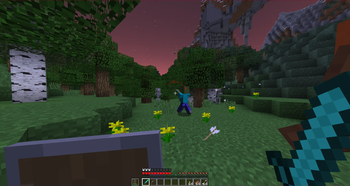
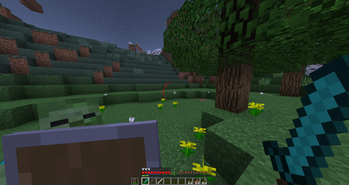
This mod adds indicators to show where you got damaged from, much like in games such as Call of Duty, and Halo. The config options allow you to change stuff such as the opacity of the indicators, their fade out rate, and even whether a blue block indicator should appear if you block an attack with a shield.
This can be used in any modpack without asking for premission as long as you give substantial credit.
Starting from version 2.0 of Hit Indication, versions other than 1.18.2, 1.16.5 and 1.12.2 will not be receiving any new updates for the sake of my mental health. Older versions are still available to download for currently unsupported Minecraft versions.
FAQ
- Q. How do I configure the mod?
A. You can configure mod by either modifying the config file located in ./config/hitindication-client.toml or using any external mod that generates config menus from config file - Q. Will there be Fabric version?
A. There's no Fabric or any other modding framework version planned at this moment - Q. Hit Indication does not work on server, what do I do?
A. If you're using version 1.16.5 on a Mohist server, this is a known issue on the Mohist side: https://github.com/MohistMC/Mohist/issues/2674
Changelog
Update 2.0
- Code refactor and optimazation
- Added keybinds to toggle Hit Indication, Block Indication and Edge of Screen mode
- Fixed indicators in Edge of Screen mode going over the HUD
Update 1.4
- Added config options for setting a color of the hit and block indicators
- Added config options to toggle screen edge mode, which will render the indicators on the edge of the screen instead of close to crosshair
- Now any damaging projectile display a hit marker, not just arrows
Patch 1.3.1
- Added config option to change distance of the indicators from crosshair
Update 1.3
- Added config option to enable special circular indicator when hit direction can't be determined
Patch 1.2.4
- Added config option to enable distance scaling
- Added config option for distance scaling cutoff
Patch 1.2.3
- Added scaling dependent on distance from the damage source
- Added traditional chinese localization (credits to HaHaWTH)
Patch 1.2.2
- Added Swedish and toki pona localization (credits to Emik)
- Added Norwegean localization (credits to Enitoni)
- Added German localization (credits to Lily)
- Added Pirate Speak localization (credits to Axovoxel)
- Added Dutch localization
- Added Russian localization
Patch 1.2.1
- Added the config for disabling hit indication if necessary
- Added zh_cn localization (credits to HaHaWTH)
Update 1.2
- Added hit markers for crits/kills
- If you do a crit, hit an entity with an arrow or disable a shield via axe it will quickly show a white X at the crosshair.
- If you kill an entity it will quickly show a red X at the crosshair.
- Self thrown negative potions no longer shows an indicator.
Patch 1.1.3
- Hits from potions now display an indicator
- Arrows now show an indicator in 1.18.2
Patch 1.1.2
- Multiplayer support
- Potions currently not working for some reason, will be fixed next patch
Patch 1.1.1
- Fixed bug where attacks that would temporarily disable shield, such as with a Vindicator's attack, wouldn't show a block indicator.
- If you have the Heavy damage makes indicator larger config on, attacks that disable shield will cause the block indicator to be double the normal size.
Update 1.1
- Added scale customization in configs.
- Added an optional config which makes indicators for heavy hits larger.
Release 1.0
- Red Indicators on damage, pointing to initial location of damage source.
- Optional config which displays indicators for non-damaging negative potions.
- Optional config which displays blue indicator for blocked damage.
- Config for customizing indicator fade time.
- Config for customizing maximum indicator count on the screen.
- Config for customizing indicator opacity.





Conversation