
Extreme sound muffler
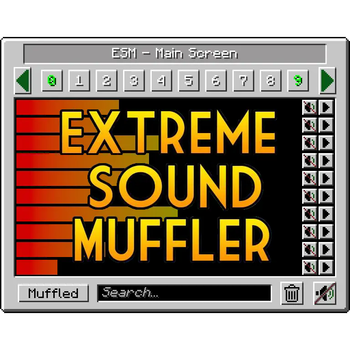
Extreme sound muffler is a client side mod that allows you to muffle sounds selectively.
Versions
Extreme sound muffler 3.54 - Fabric 1.21.11
3.54-1.21.11 · 3 weeks ago · 465.16 KB
Extreme sound muffler 3.54 - NeoForge 1.21.11
3.54-1.21.11 · 3 weeks ago · 265.31 KB
Extreme sound muffler 3.54 - Fabric 1.21.1
3.54-1.21.1 · 3 weeks ago · 463.73 KB
Extreme sound muffler 3.54 - NeoForge 1.21.1
3.54-1.21.1 · 3 weeks ago · 263.42 KB
Extreme sound muffler 3.51 - Fabric 1.20.1
3.51-1.20.1 · 3 weeks ago · 462.57 KB
Gallery

About
Extreme sound muffler
Extreme sound muffler is a client side mod that allows you to muffle sounds selectively.
Now with Dark mode!! check the configs to enable it!
This Mod works on FORGE and FABRIC.
HOW IT WORKS:
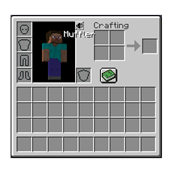
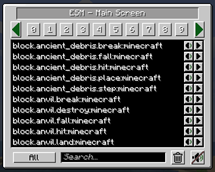
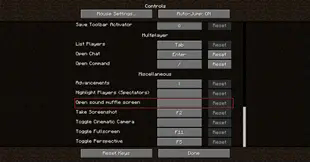
1. Click on the button in your inventory or assign a key to open the gui.

2. Click on the button next to the sound you want to muffle.

3.  Optional: set the volume of the sound dragging the slider around.

4. Optional: press the play button to be sure that's the sound you want to muffle.

5. Enjoy peace.
What about Anchors?
Anchors are ranged mufflers, for when you want to muffle a sound on a small area.
1. Open your ESM Screen

2. Select one of the 10 numbered buttons

3. Press the marker like button on the right panel to set the Anchor position

4. Optional: press the edit Anchor button (next to marker) and set the name and range of the Anchor

5. Muffle the sounds and enjoy ranged peace
You can change the Anchor position whenever you want by pressing the marker button.
Inventory button
if you don't like the ESM muffler in the inventory, you can disable it in the config.
if you don't like the position of the button, you can hold right mouse button over the muffler button and drag it wherever you want.
Most things are configurable! like:
- You can put the muffle and play buttons on the left right of the screen for easier visuals.
- You can disable the anchors.
- You can blacklist sounds to prevent them to appear in the ESM screen.
- You can choose the default muffle volume.
- You can disable the Inventory button
Forge Config file
Fabric Config file
Github:


Related projects


Mod Menu
by Prospector
Adds a mod menu to view the list of mods you have installed.

YetAnotherConfigLib (YACL)
by isxander
A builder-based configuration library for Minecraft!

Xaero's Minimap
by thexaero
Displays a map of the nearby world terrain, players, mobs, entities in the corner of your screen. Lets you create waypoints which help you find the locations you've marked.
Extreme sound muffler
Download Extreme sound muffler
or
Select a game version to see available downloads
No versions match your filters
About the creator

LeoBeliik
Owner · Extreme sound muffler
I do mods.. sometimes..
Member since January 2021
View profile on Modrinth
Conversation