

Effect Insights
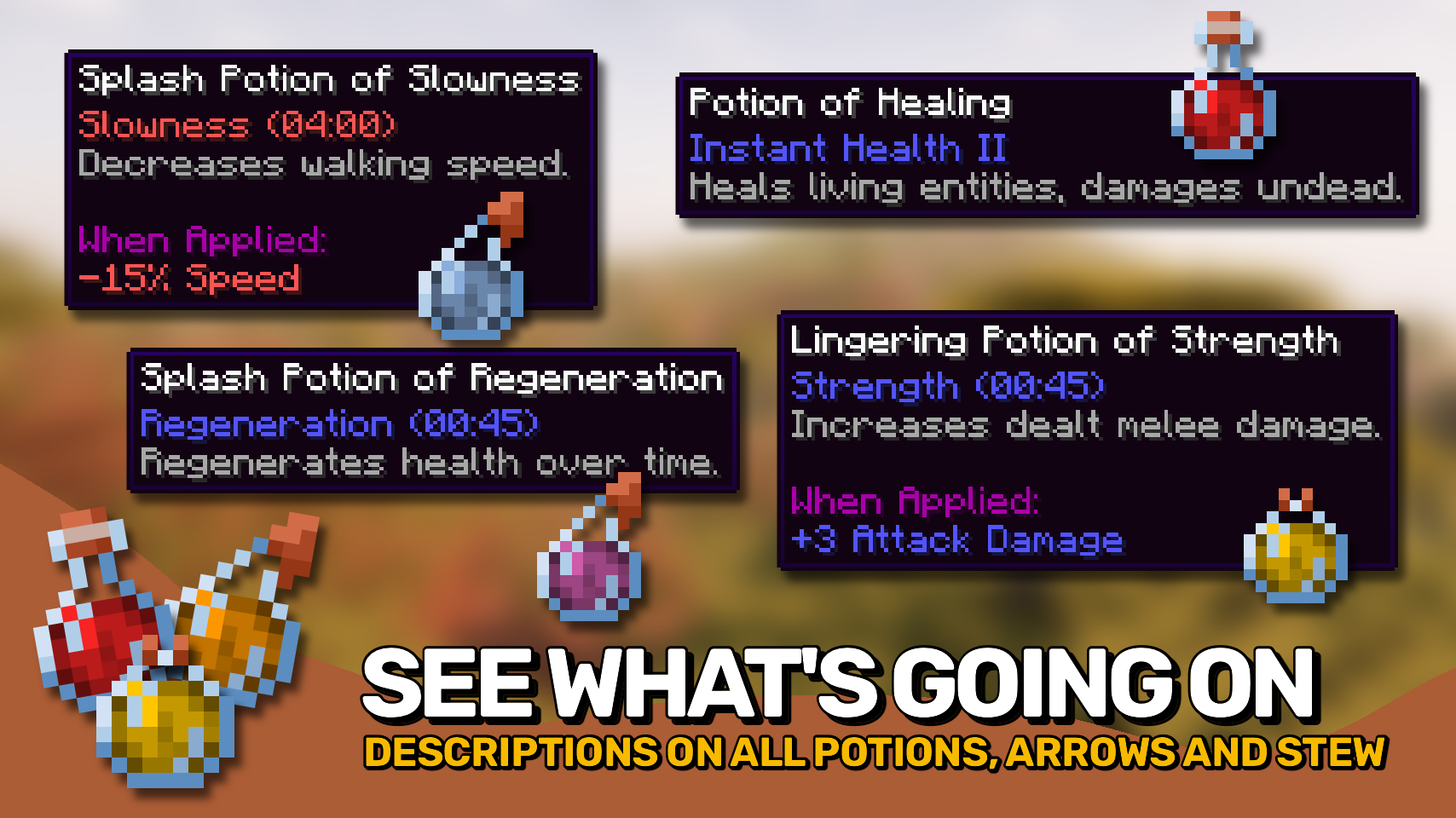
Adds potion and food effect descriptions directly to tooltips. Know effects without the wiki.
Versions
About









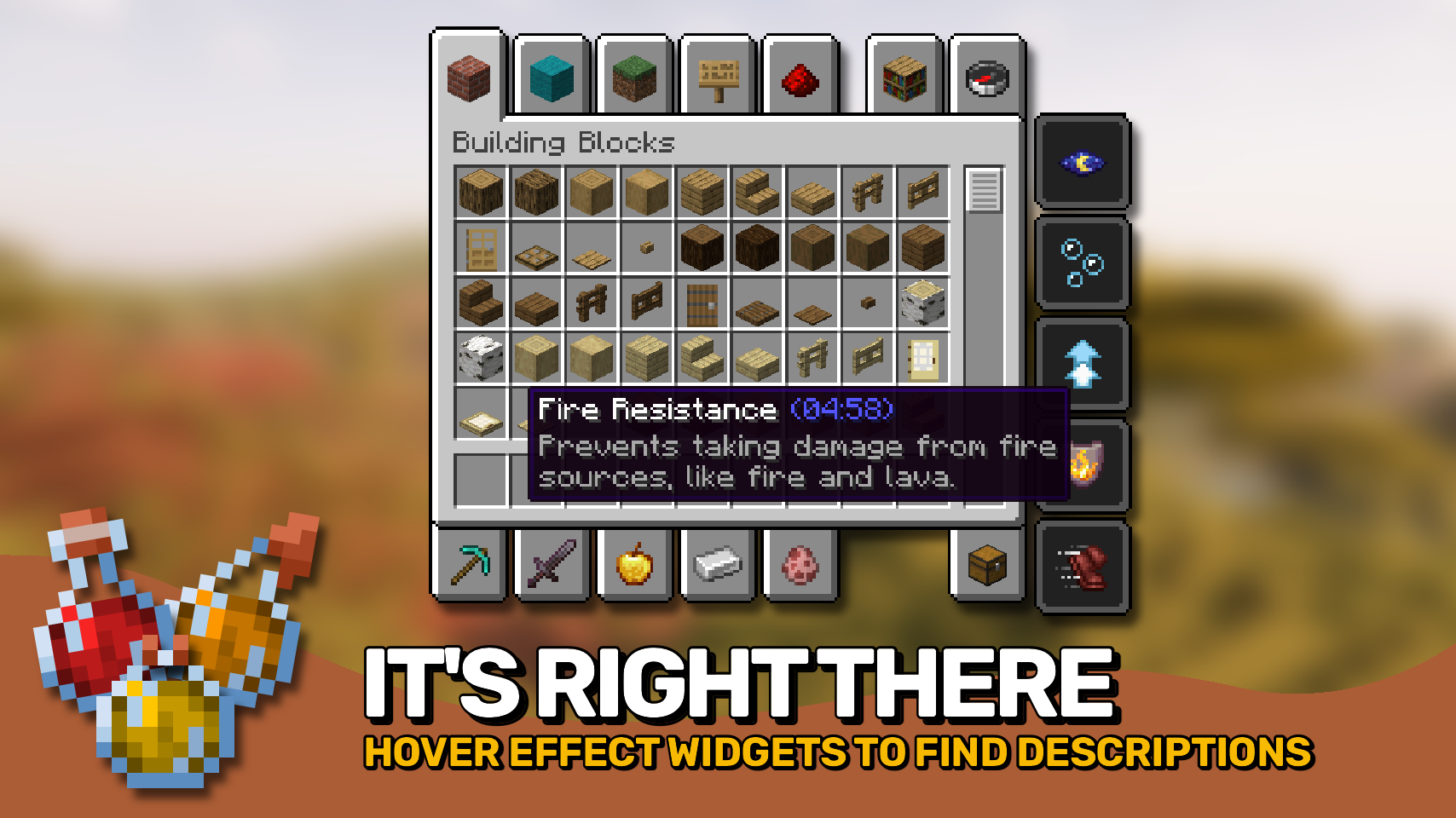
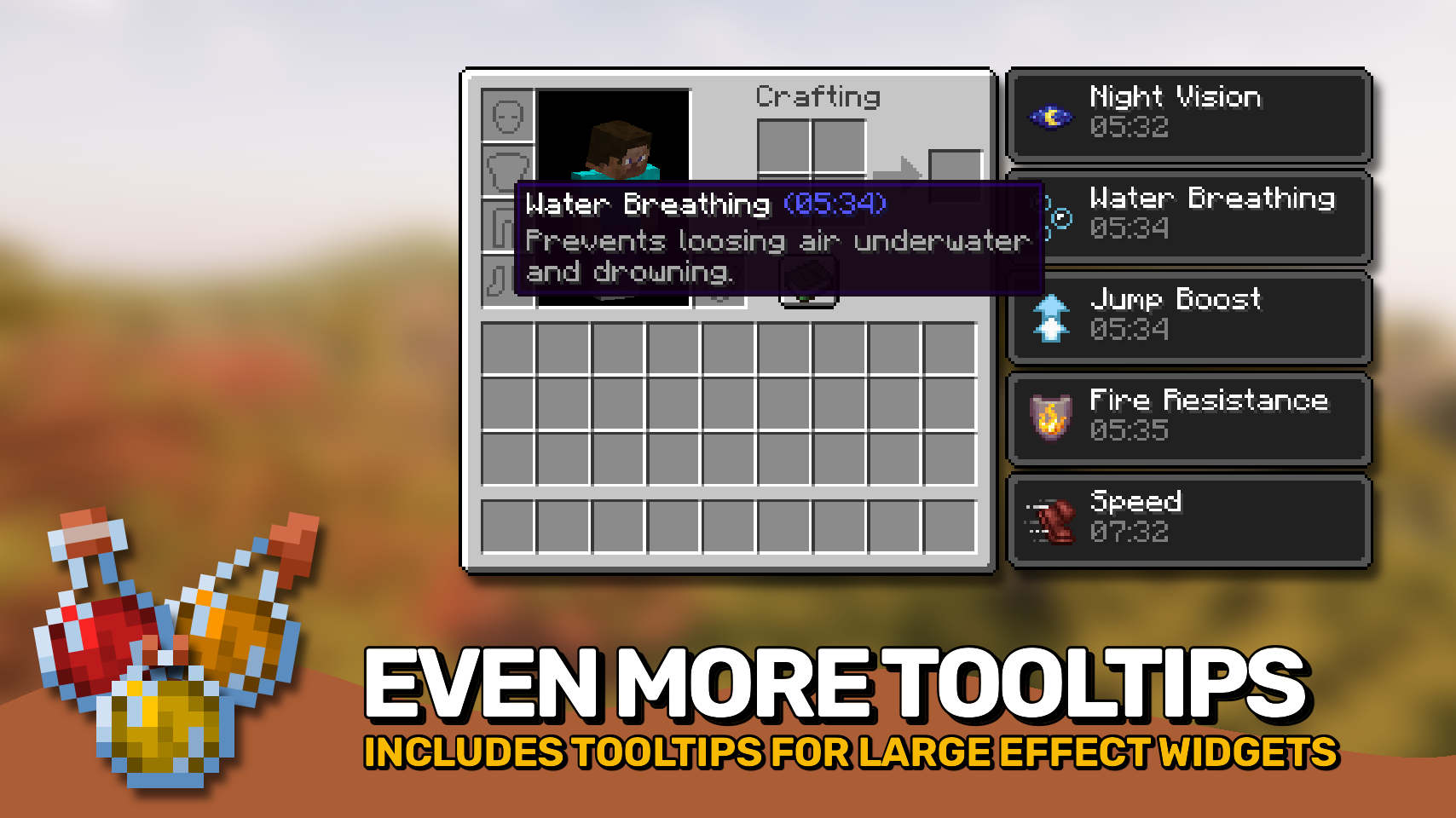
Effect Insights adds simple explanations to status effects from potions and food items, so you always know exactly what each one does. Effects on items show their descriptions directly in the tooltip, and the active effects on your player? Just hover over them in your inventory to see what they do. Everything looks neat and consistent, with clean formatting for quick understanding.
Looking for enchantment descriptions too? Check out the wonderful Enchantment Insights mod!

- ✨ Effect Explanations: Every potion and food effect includes a simple, readable explanation.
- 👁️ Hover Details: Hover over effect icons in your inventory to instantly see their details.
- 📝 Additional Info: Optionally show the effect’s source mod and effect ID for more context.
- 🎨 Styled Tooltips: Clean layout and styling make descriptions fit naturally into tooltips.
- ⚙️ Flexible Settings: Choose when and where descriptions appear, and customize formatting to your liking.


⏩ INSTALLATION REQUIRED ON CLIENT
⏩ REQUIRES PUZZLES LIB TO BE INSTALLED (FABRIC & NEOFORGE)
⏩ REQUIRES FABRIC API TO BE INSTALLED (FABRIC)
⏩ REQUIRES FORGE CONFIG API PORT TO BE INSTALLED (FABRIC)

If available for a mod, configuration is possible directly from in-game using the mod menu (requires Mod Menu by Prospector to be installed on Fabric). Please note that on older Minecraft versions installing Forge Config Screens is also a requirement.
For manual configuration using an external text editor all files are found at .minecraft/config, named as MOD_ID-client.toml, MOD_ID-common.toml, or MOD_ID-server.toml, depending on the type of config. Not all types might exist for a mod, if any at all.

🌟 Thanks to azmalent and their old Potion Descriptions mod for being the main inspiration for this project.
🌟 Thanks a lot to Darkhax and their Enchantment Descriptions mod for inspiring some parts of this project, especially when it comes to config options.







Conversation