
DrDestens Minecraft Shaders
A High Performance Shaderpack with great shadowless Visuals and PBR support
180.4K
Downloads
·
78
Followers
·
Updated 1 month ago
Bloom
Cartoon
Fantasy
Foliage
Iris
Low
Optifine
Pbr
Potato
Reflections
1.8.9
1.9
1.9.1
1.9.2
1.9.3
+56 more
Versions
Gallery
About
DrDestens MinecraftShaders
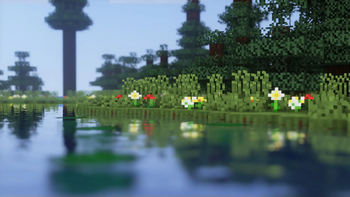
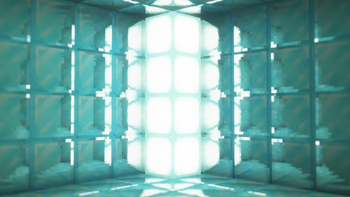
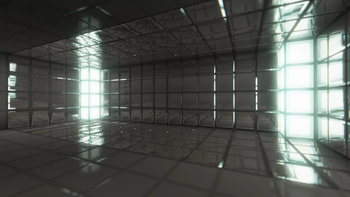
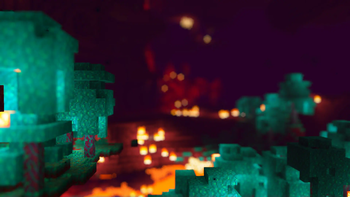
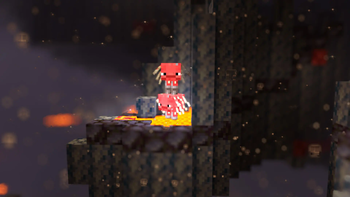
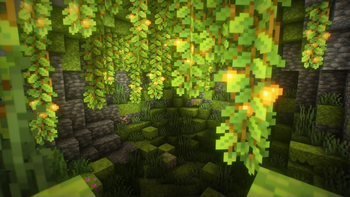
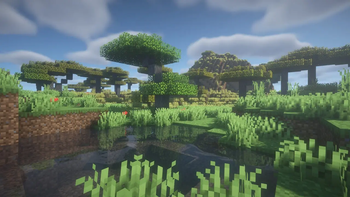
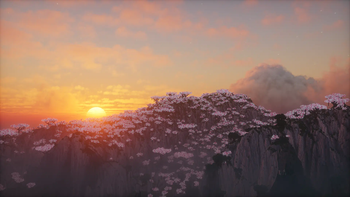
DrDestens MinecraftShaders is a shaderpack for Minecraft: Java Edition. It features water effects with reflections, ambient occlusion, bloom, realistic depth of field, motion blur, TAA and many other things. The shaderpack supports the LabPBR and OldPBR/SeusPBR standard, and you can use it with PBR texturepacks for added detail.
<iframe width="560" height="315" src="https://www.youtube-nocookie.com/embed/DTBNaAfrB_M" title="YouTube video player" frameborder="0" allow="accelerometer; autoplay; clipboard-write; encrypted-media; gyroscope; picture-in-picture; web-share" allowfullscreen></iframe>Feature Overview
- Screen Space Reflections
- Depth of Field
- Screen Space Ambient Occlusion (SSAO)
- Temporal Anti-Aliasing (TAA)
- Physically Based Rendering
- Various Water Effects
- Godrays
- Bloom
- Motion Blur
- Realistic DoF Chromatic Aberration
- Custom sky gradient
- Improved Fog with Sunsets
- Improved Dynamic Lighting
- Directional Lightmaps
- Outline
- Custom Block Selection Outline
Full Feature List
Lighting
- PBR
Enables Physically Based Rendering
Make sure you enable Normal and Specular mapsm in the OptiFine shader options - PBR Format - LabPBR 1.3, SeusPBR / OldPBR
- Physically Based Rendering
- Height as AO
Uses the Height information for Ambient occlusion - Normal Mapping Fix
With newer OptiFine versions this might not be necessary
Enable this if normal maps do not show on entities or handheld objects - Use Hardcoded Metals
If disabled, the shader will use the color for the reflectance data
LabPBR only - Subsurface Scattering
- Parallax Occlusion Mapping
Adds additional detail to blocks using the height map
Low performance impact
Can create artifacts at screen borders - POM Depth
Specifies how deep the POM goes
Higher values will create artifacts - POM Distortion
Exaggerates the height map
Helps create more depth with small POM Depth values
Creates artifacts when used with high POM Depth values - Smooth POM
Smooths out the height map
Significantly reduces artifacts
- Height as AO
- Skylight AO
Specifies the amount of ambient occlusion on skylight - Blocklight AO
Specifies the amount of ambient occlusion on blocklight - Skylight Gamma
Higher = Darker
Lower = Brighter - Blocklight Gamma
Higher = Darker
Lower = Brighter - Minimum Light
Restricts blocklight to never go below this value
Prevents caves from being pitch black (unless you set it to zero that is) - Lightmap Colors
- Nether Ambient Brightness
- End Ambient Brightness
- End Ambient Saturation
- Skylight Day (RGB Color Picker)
- Skylight Night (RGB Color Picker)
- Blocklight (RGB Color Picker)
Select blocklight color (torches, glowstone, etc.)
If "Complex Blocklight" is enabled, this color will NOT be used - Complex Blocklight
Allows you to select two colors for blocklight
One for dark parts, one for bright parts - Blend Curve
Higher: Emphasize "Bright" color
Lower: Emphasize "Dark" color
50 = linear transition - Complex Blocklight Dark (RGB Color Picker)
- Complex Blocklight Bright (RGB Color Picker)
Depth Of Field
- Depth of Field
Blurs non-focused objects, like a real camera - Bokeh Samples
Quality of the blur
Higher is better
Significantly affects performance - DoF Intensity
Intensity of the Depth of Field effect
Low performance impact - Maximum Blur - High, Unlimited
Limits the strength of the DoF blur
Helps reduce artifacts when using lower sample counts and is better for gameplay - DoF Downsampling Amount
Amount of Downsampling that takes place for the Depth of Field effect
Reduces DoF artifacts, increases pixelation artifacts
No/Low performance impact - Far Blur Only
Only blurs far away things - Sample Rejection
Improved DoF Quality by (mostly) removing color bleeding
Can have a significant performance impact - Focus Delay
Sets how long the focus takes to adjust
Reflections
- Reflection Mode - OFF, Sky, Flipped Image, Raytraced
- Raytracing Quality
Number of raytracing iterations
Lower is faster - Thickness Estimation Modifier - Infinite
Increase this if the reflection blind spots annoy you
Influences assumption about how thick a pixel is
No performance impact - Fade Edges
- Reflection Threshold
PBR only
Sets the minimum required reflectiveness in order for SSR to enable
Higher values may introduce reflection cutoffs - Screen Space Refraction
Distorts things seen through water - Refraction Strength
- Glass Reflections
Adds reflections to tinted glass blocks
Water
- Waving Water
"Physical" Waves
Moves the water surface - Wave Height
- Wave Normals - OFF, Noise, Sine
- Normals Strength
Fake Waves, pretending to be real ones
Added detail - Normals Scale
- Water Absorption Density
- Water Absorption Bias
Adds a constant to the water fog distance
Can help in making water more visible - Water Texture
Enables the vanilla water texture - Water Color Options
- Water Absorption (RGB Color Picker)
- Absorption Color Multiplier
Camera and Tonemapping
- Exposure
- Tonemapping - Custom Reinhard, Unreal
- Contrast
- Vibrance
- Saturation
- Brightness
- Vignette - OFF, Round, Square
Darkens screen borders - Vignette Strength
Post Processing
- TAA
Temporal Anti-Aliasing
Smooths edges at the cost of a slightly blurrier image
Might cause problems with OptiFine's high-res screenshot feature - TAA Options
- TAA Blending Constant
Controls the opacity of the current frame
Set this value lower for smoother TAA - TAA Sharpening
Changes the strength of the sharpening effect
- TAA Blending Constant
- Bloom
Creates a glow around bright objects
Looks nice ;) - Bloom Strength
- Motion Blur
- Motion Blur Intensity
- SSAO
Screen Space Ambient Occlusion
Makes cavities dark
High performance impact - SSAO Quality - Low, Medium, High
- SSAO Strength
Atmospherics
- Fog - OFF, Normal, Border
- Fog Amount
- Morning Fog
Increases fog amount during sunsets
Only works with fog in "Normal" mode
Requires fog and sunsets to be enabled - Morning Fog Strength
- Cave Fog
- Cave Fog Brightness
- Godrays
- Godray Colors
- Godray Sun (RGB Color Picker)
- Godray Moon (RGB Color Picker)
- Godray Strength
- Godray Radius
- Godray Samples
- Sky Colors
- Sky Noon (RGB Color Picker)
- Sky Sunset (RGB Color Picker)
- Sky Midnight (RGB Color Picker)
- End Sky Upper (RGB Color Picker)
- End Sky Lower (RGB Color Picker)
- Sun Angle
Weather
- Rain Detection - Temperature, Color
- Rain Opacity
- Rain Refraction
- Rain Refraction Strength
Other Stuff
- Outline - OFF, White, Black, Rainbow
- Outline Distance
- Block Selection Outline - Black, White, Rainbow
Only works with newer OptiFine versions (G7 or higher) - Block Selection Outline Opacity
- Wavy Blocks
- Wavy Leaves
- World Curvature
- World Radius
- Hand Invisibility Effect
Distorts handheld objects when invisible - White World
- Directional Lightmaps
Applies normal mapping to dynamic lights
Requires a ressource pack with PBR support - Directional Lightmap Strength
- Dynamic Light Brightness
Changes the brightness of light from emissive blocks
Optimisation
- Flat Vertices
Disable when using custom models with smooth surfaces
Agreement
You are allowed to
- Use my shaderpack in your videos / screenshots
You are not allowed to
- Redistribute my shaderpack: If you want to provide a download link you must link to my Modrinth / Curseforge page
- Use monetized URL shorteners linking to downloads of my shaderpack
- Publish edits of my shaderpack without my permission
Compatibility
Client:
Required
Server:
Unsupported
Links
LicenseRef-All-Rights-Reserved






Conversation