

Distinguished Potions
Trouble telling your potions apart? Time to give you a helping hand with that.
Versions
About




📖 About:
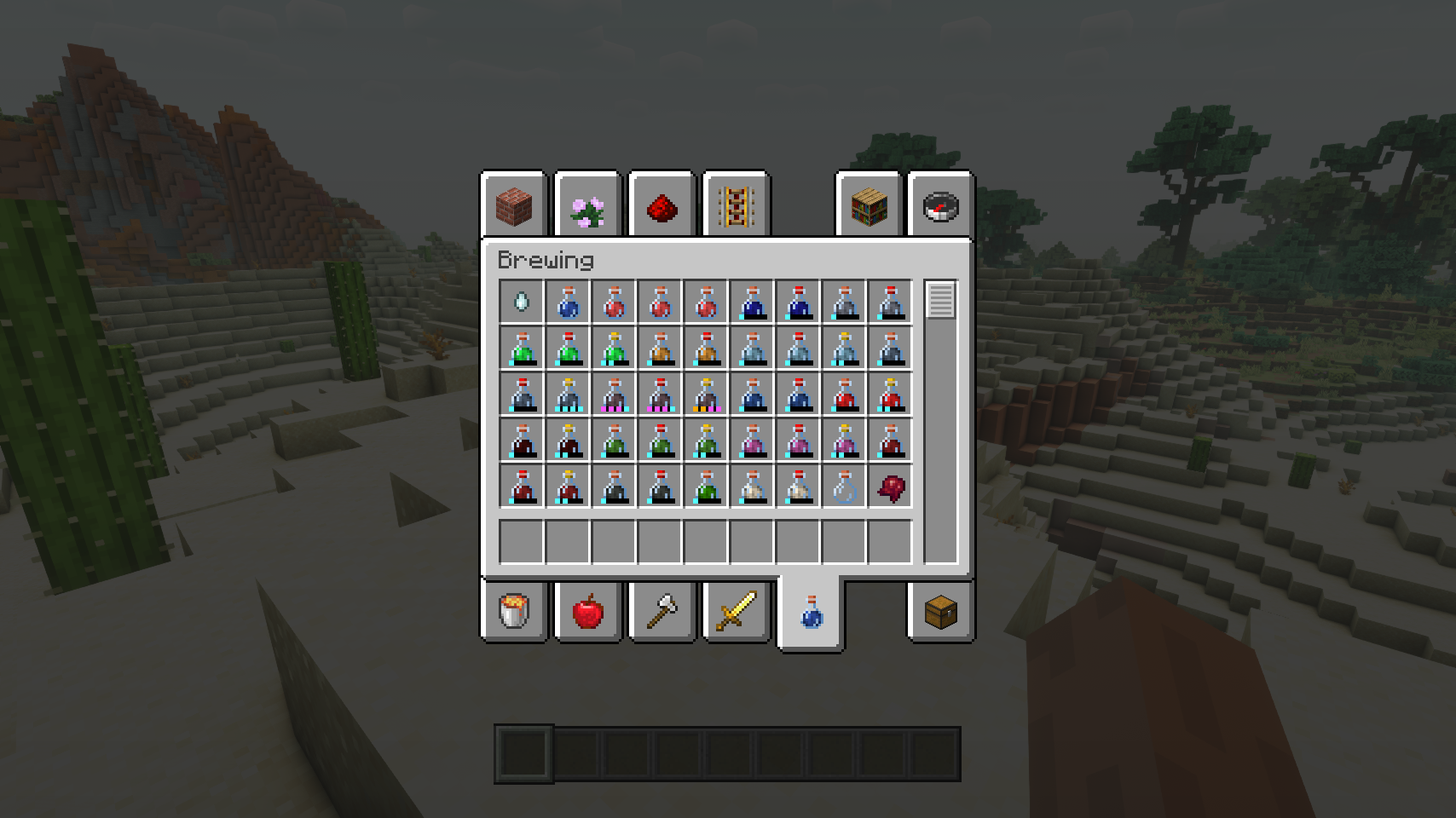
Distinguished Potions adds a bunch of very useful visual features to help you tell potions apart. No more hovering over every potion in a large chest to find out what exact potion that might be, now you can see everything at a glance!
📚 Contents:
The Enchantment Glint is removed from potions, so you can properly see the color of the liquid inside of the bottle.
The Cork On Potion Bottles is colored differently on strong and long potions. The color is similar to glowstone and redstone, respectively, since those are the ingredients that make those strong and long potions.
Potions show a Small Bar containing up to four dots at the bottom (similar to the durability bar of items) to indicate the amount of total effect amplifiers on them. The small dots stack on top of each other in different layers to support numbers higher than four.
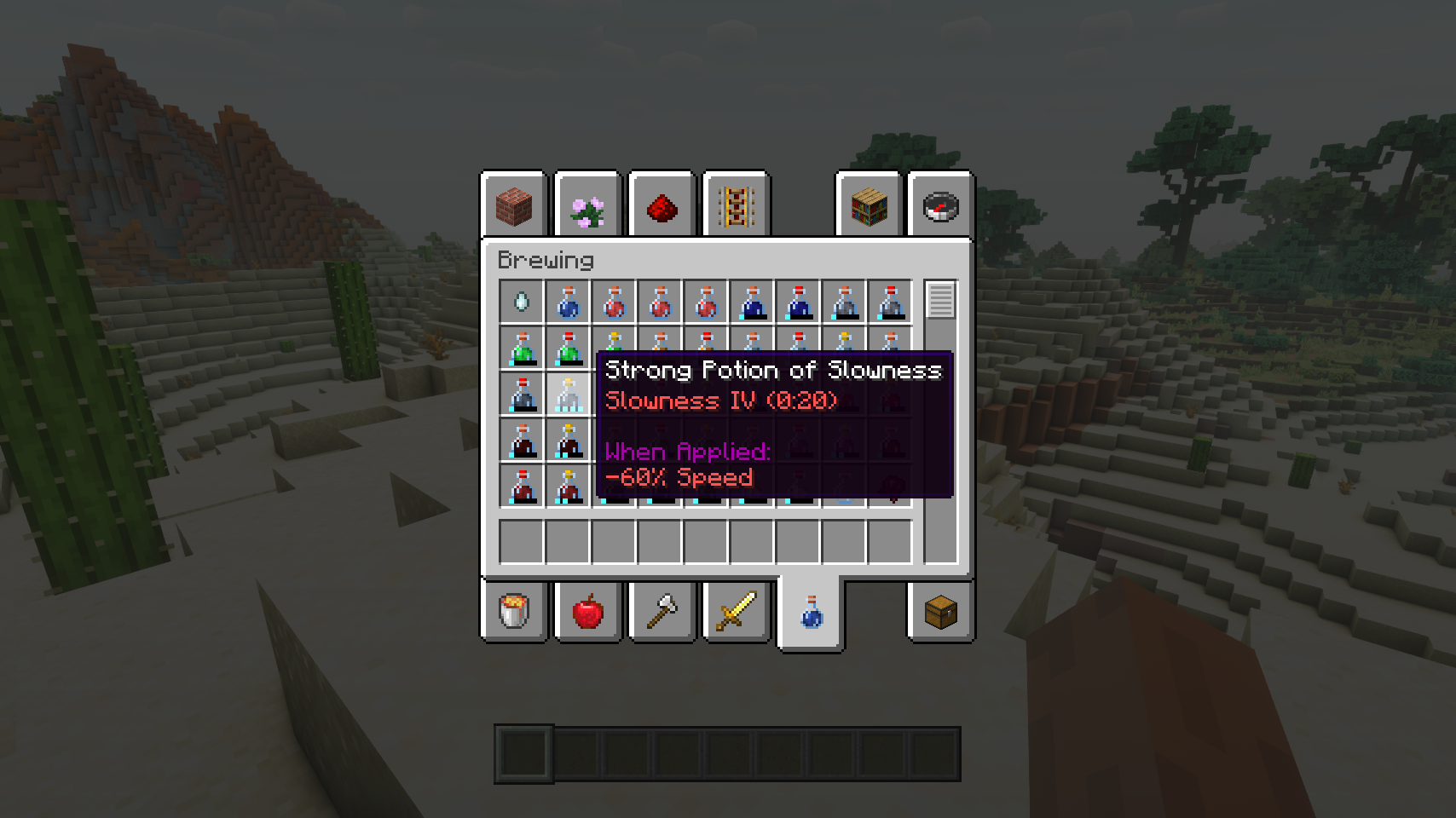
The names of enhanced potions contain the type of potion, so e.g. a speed potion which gives speed for eight minutes is now called "Long Potion of Speed" instead of simply "Potion of Speed".
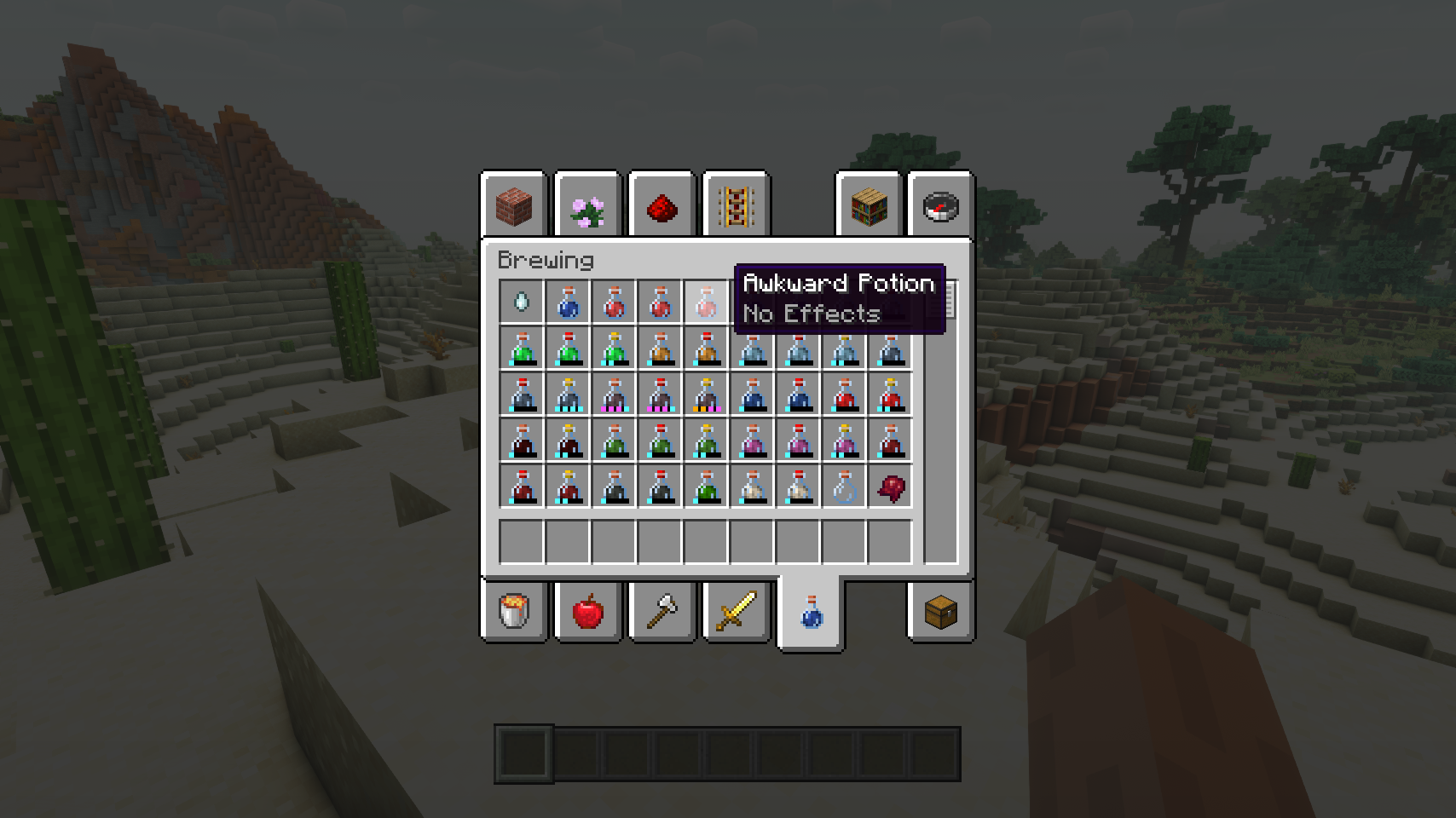
Simply potions, such as awkward, mundane and thick have a Unique Effect Color, so they don't look like water bottles.
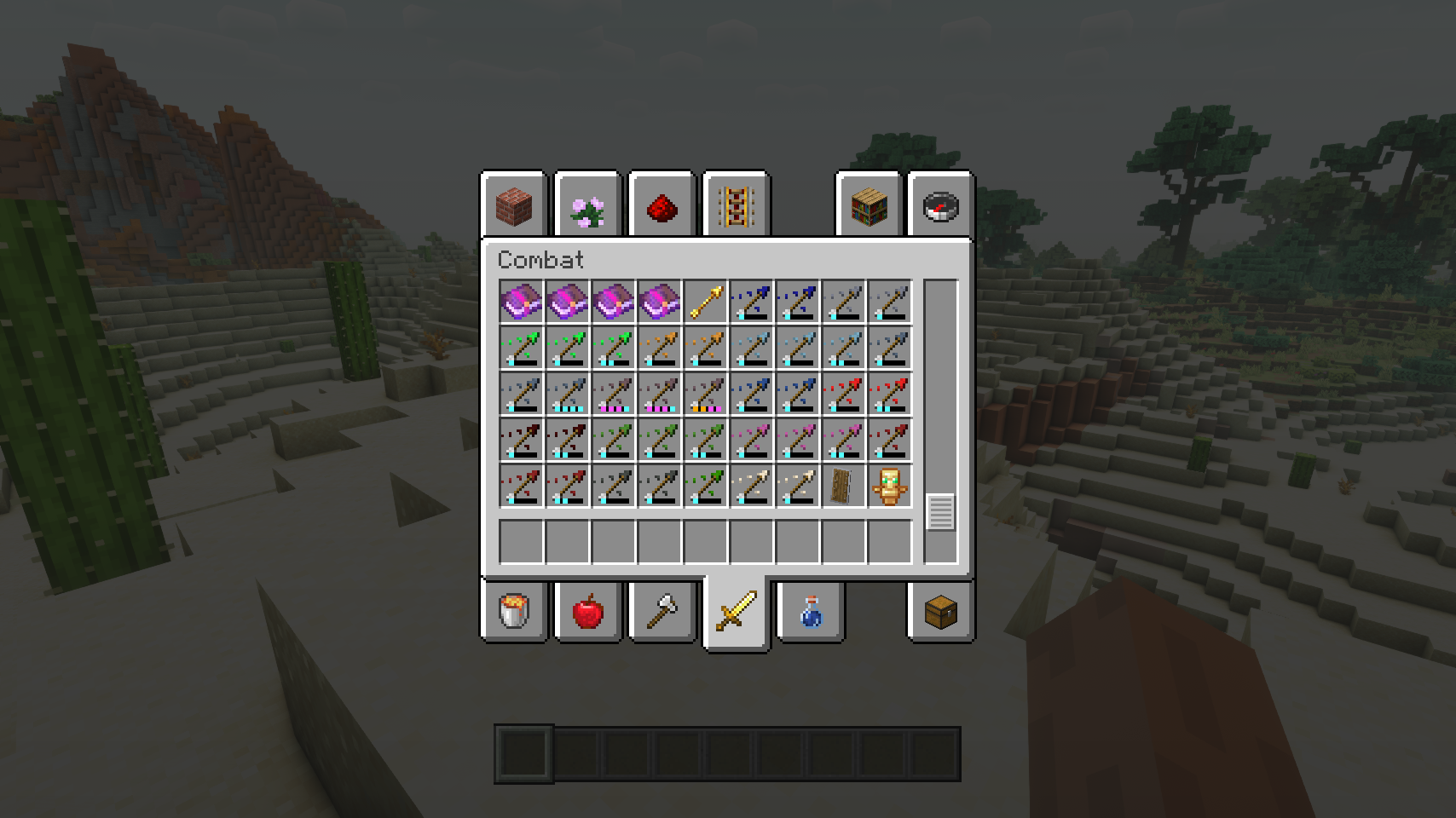
All those features also apply to Tipped Arrows, to help you distinguish those.
📷 Media:
 |
 |
|
| Already much easier to distinguish, right? | Names of enhanced potions are prefixed | |
 |
 |
|
| Also applies to tipped arrows | No confusing awkward potions with water bottles anymore | |
💡 FAQ:
Q: How do I configure this mod?
A: Mods can have three different kinds of configs depending on the kind of settings they provide: Client, Common, and Server.
Client and Common configs are found in /.minecraft/config/, named as <modId>-client.toml and <modId>-common.toml, respectively.
Server configs though are applied per world, therefore you'll find those in /.minecraft/saves/<world>/serverconfig/<modId>-server.toml for local singeplayer worlds, and in /<world>/serverconfig/<modId>-server.toml for you Minecraft server. Changes made to a server config only apply to that one world. Setting default values in server configs for all newly created worlds is possible by copying the modified server config to /.minecraft/defaultconfigs/.
In a local singleplayer world you can quickly find config files by running the /config showfile <modid> command and by choosing CLIENT, COMMON or SERVER. Then click the file name (ending with .toml) that appears in chat to open the file in a text editor. After saving the file, the config will automatically reload in-game after a couple of seconds, so no game restart required.
On some mod loaders editing configs is also supported in-game via the Mods menu option. On some Minecraft versions you can also install my Config Menus for Forge mod for editing configs directly in-game.
🏆 Credits:
Developing Distinguished Potions was helped and inspired by:
- AaronBlader12 and their Potion Visual Revamp suggestion on the MinecraftForum, which most parts of this mod are based on







 |
 |
|
 |
 |
|
 |
 |
|
 |
 |
|
 |
 |
|





Conversation