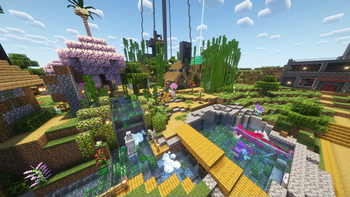

Cobblemon Clumpy Bros Modpack
Modpack used in the Clumpy Bros Cobblemon series! Fabric and NeoForge versions are available!
Versions
About
 These are all of the mods used in the Clumpy Bros Cobblemon series! It includes almost all of the Pokemon thanks to AllTheMons x Mega Showdown, various addons such as Bloo's Gacha Machine and Cobblemon Size Variations, QoL additions such as LambDynamicLights - Dynamic Lights and Quick Shulker Boxes, and much more!
This pack will continue to be updated as more episodes are released. You can choose between Fabric or NeoForge. NeoForge was included starting with Version 1.7.1e. Our series is made using a fabric modpack so you will see different mods in NeoForge. We recommend a minimum memory allocation of 4GB (4096MB). Enjoy!
Fabric Mods/Packs That Are Seen in Videos but Not Included in This Pack
NOTE: The following mods/packs may appear in videos, but are currently not included as they are used for video creation, may not be wanted by the average user, or are in development by Trunky:
Cobblemon 1.7.1
- Carpet
- Chunk loaders
- Pehkui
- ReplayMod
- Silence Mobs
- SlimyFloor (Only on Curseforge)
- Trunky's in development mods (Space, Cobblemon Launchers, and a few others)
- Yes Steve Model
NOTE: The following mods/packs may appear in videos, but are currently not included as they cause compatibility issues:
Cobblemon 1.7.1
- Complete Cobblemon Collection Myths and Legends Compat - (Pheromosa, Seismitoad, Tympole, Palpitoad, Wo-Chien, Ting-Lu, Iron Hands,Virizion, Wurmple, Silcoon, Beautifly, Cascoon, and Dustox)
- Planeta Cobblemon's Pokémon Pack - (Iron Boulder, Iron Jugulis, and Celesteela)
- E19 Cobblemon ONLY Minimap Icons - (Not on Modrinth)
Not being added to 1.7.1 that were in 1.6.1
- Roughly Enough Items (REI)
- Roughly Enough Professions (REP)
- Myths and Legends [Cobblemon Sidemod]
- Sodium Dynamic Lights
- Cobblemon UI Tweaks
- Cobblemon Shearems
- Cobblemon: Ride On!
- Cobblemon Drop Loot Tables
- CobbleFolk Skin Pack (for 1.6)
- Myths and Legends Datapack
- Unethical Resources (Cobblemon Shearems Addon)
- Last Resort v.1.1 [Cobblemon Shearems Addon]
- PokeCenter PCs (Cobblemon Addon)
- AllTheMons x Mega Showdown [Swapped for the Legendary Monuments version]
- E19 Cobblemon Minimap Icons
Cobblemon 1.6.1
- Cobblemon Armors Feature - (In some versions of this Modpack but it is no longer needed)
- Cobblemon: Fight Them All - (Breaks battling and trading)
- Myths & Legends Resource Pack Collection - (AlltheMons x MegaShowdown replaced this)
- MysticMons for Mega Showdown - (Not on Modrinth)
- Complete Cobblemon Collection Myths and Legends Compat - (Used to include: Gulpin, Swalot, Togepi, Togetic, Togekiss, Seismitoad, Tympole, Palpitoad, Mienshao, Stunfisk, Mienfoo, Spidops, Tarountula, Wo-Chien, Ting-Lu, Iron Hands, Inkay, Malamar, Virizion, Wurmple, Zebstrika, Blitzle, Silcoon, Beautifly, Cascoon, Dustox, Chewtle, and Drednaw)
- Planeta Cobblemon's Pokémon Pack - (Iron Boulder, Iron Jugulis, and Celesteela)
- Swirlix and Slurpuff for Cobblemon! - (Swirlix and Slurpuff)
- DracoMon [Cobblemon] - (Drampa)
If You Have FPS Drops or Hardware Limitations Click Here
- Try increasing your ram in the instance settings. It is under the Java and memory tab. Check the box that says custom memory allocation and input whatever ram you can afford to use on the game.
These can cause performance issues but are disabled by default
-
Complementary Shaders - Reimagined (Disabled by Default as of update 1.6.0)
-
Distant Horizons (Disabled by Default as of update 1.0.3)
- Concurrent Chunk Management Engine (Fabric) (Disabled by Default as of update 1.0.3)
- Noisium (Disabled by Default as of update 1.0.3)
If You Need Installation Instructions Click Here
Singleplayer (Only needed if you have a version that is before update 1.0.3 this is not needed if you have 1.0.3 or beyond):- Once the modpack is installed on the Modrinth app click the ⋮ symbol in the top right of the screen on your installation of the modpack.
- There should be two options that show up. Click on Open Folder.
- Once the folder is open, double click on the folder labeled datapacks.
- The contents in the datapacks folder need to be copied and pasted into the save folder of your world.
- Copy and paste the datapacks into the /saves/[WORLDNAME]/datapacks ([WORLDNAME] will not be your world's name, this is an example).
Server:
- If you are hosting a server most mods and all datapacks need to be on the server.
- If you are not sure how to do this we suggest looking up a tutorial.
- If you are using a public hosting site follow their instructions on how to install a modpack.
Fabric Legendary Spawning Issues Using Items Click Here
This mod is only on the 1.0.0-1.6.0 versions of the modpack starting at 1.7.1 this mod is not installed.
The items and spawns are a part of the Myths and Legends mod/datapack. For more information visit 0Skill Wiki.
Common Issues:
- Legendaries will not spawn when right clicking with the item: Ensure you are in the proper biome. If you are unsure of the biome it would spawn in when using the item go to the 0Skill Wiki.





![Cobblemon Official Modpack [Fabric]](https://cdn.modrinth.com/data/5FFgwNNP/e7f9ee2e9d361623847853fe2ddce42f519ee64f.png)




Conversation