
Click Villagers
Click to pick up villagers, reset their trades, change their biomes, claim them and much more!
181.9K
Downloads
·
333
Followers
·
Updated 4 weeks ago
Adventure
Bukkit
Decoration
Economy
Fabric
Folia
Game-mechanics
Mobs
Paper
Purpur
Social
Spigot
Storage
Transportation
Utility
1.20
1.20.1
1.20.2
1.20.3
1.20.4
+14 more
Versions
Gallery

About





ClickVillagers
ClickVillagers is a simple quality of life plugin/mod that makes working with villagers much easier by allowing you to pick villagers up into your inventory, claim and protect them, change their biomes, and much more!

- 🎥 Trailer: https://youtu.be/19qup8i3IyU
Features & How to Use
- Pick villagers up into your inventory by shift + right clicking them.
- Place them back by placing the villager head.
- You can place villagers directly into boats, minecarts, etc.
- Use dispensers to place villagers back automatically. (On Paper/Spigot 1.21+)
- Reset Villager trades directly in the trading menu! (Disabled by default, enable in config. Paper/Fabric Only!)
- Click on the
Reset Tradesrecipe to reset the trades of the villager.
- Click on the
- Clean messages, sound effects and particle effects.
- Language support: German & English (Paper/Spigot only)
See Trades at a Glance
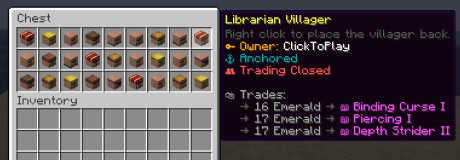
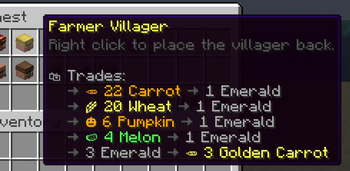
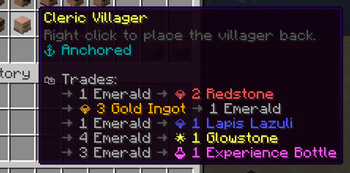
- See picked up villagers' trades in their description!
- For each profession, only relevant trades will be shown. (i.E: only enchanted books for librarians)
- Relevant trades will be formatted with colors and emojis.
- The villager's owner, trade status and anchor status will also be shown.

Anchor Villagers
- Anchor villagers by shift + right clicking with SHEARS.
- Anchored villagers cannot move on their own, but you can still push them around.
Claim & Protect Villagers
- Claim villagers by shift + right clicking with ANY SHOVEL.
- Claimed villagers won't take any damage by default.
- After claiming, access their menu by shift + right clicking with or without a shovel.
- Change a claimed villager's biomes.
- Open/close a claimed villager's trading.
- Add trading partners and only let your trading partners trade with your villagers.

Villager Hoppers
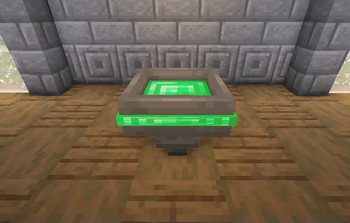
- Use Villager Hoppers to pick up villagers automatically.
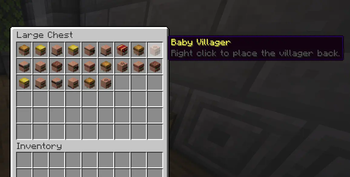
- Baby villagers and claimed villagers won't be picked up by default.
- For Paper/Spigot, craft a villager hopper by combining 1 Hopper and 1 Emerald
- For Fabric, regular hoppers will pick up villagers instead, there is no custom item/recipe.
- Especially useful for villager farms.
Configuration Commands
Since version 1.6, there is a command interface to manage configuration options as well!.
/clickvillagers config set <option> <value>: Sets a configuration option./clickvillagers config get <option>: Gets the value of a configuration option./clickvillagers config path: Prints the path to the configuration file./clickvillagers config reload: Reloads the configuration file.
Configuration (File)
To find the configuration file, run the command /clickvillagers config path.
-
For Paper/Spigot, you will find the configuration file at "plugins/ClickVillagers/config.yml".
-
For Fabric, you will find the configuration file at ".minecraft/config/clickvillagers.json".
- WARNING: If you are using another client (i.E. Modrinth App), the config file will be located at the installation directory instead.
-
Make sure you save the config file after making changes and do the following:
- For Paper/Spigot, reload/restart your server or use the command "/clickvillagers reload".
- For Fabric, restart your game or server fully.
Licensing
- This project is licensed under the GPLv3 license.
Compatibility
Client:
Unknown
Server:
Unknown
Links
GPL-3.0-only






Conversation