What are you searching for?

Camera Utils

Camera Utils

Helpful camera utilities

download 4.3M Downloads · favorite 1,847 Followers · Updated 1 month ago
Adventure Fabric Quilt Utility 1.19 1.19.1 1.19.2 1.19.3 1.19.4 +19 more

Versions

inventory_2
[FABRIC][1.21.11] Camera Utils 1.21.11-1.1.2

fabric-1.21.11-1.1.2 · 1 month ago · 390.86 KB

Fabric Quilt 1.21.11
inventory_2
[FABRIC][1.21.10] Camera Utils 1.21.10-1.1.2

fabric-1.21.10-1.1.2 · 3 months ago · 345.77 KB

Fabric Quilt 1.21.10
inventory_2
[FABRIC][1.21.8] Camera Utils 1.21.8-1.1.2

fabric-1.21.8-1.1.2 · 3 months ago · 353.53 KB

Fabric Quilt 1.21.8
inventory_2
[FABRIC][1.21.10] Camera Utils 1.21.10-1.1.1

fabric-1.21.10-1.1.1 · 4 months ago · 344.43 KB

Fabric Quilt 1.21.10
inventory_2
[FABRIC][1.21.9] Camera Utils 1.21.9-1.1.1

fabric-1.21.9-1.1.1 · 4 months ago · 344.42 KB

Fabric Quilt 1.21.9

About

Camera Utils is a client side Fabric mod that adds convenient features related to the players camera.

Features

  • Dynamic zoom
  • Camera detaching
  • Adjustable third person distance
  • Two customizable third person perspectives
  • Advanced cinematic camera controls
  • Movement smoothing

Dynamic Zoom

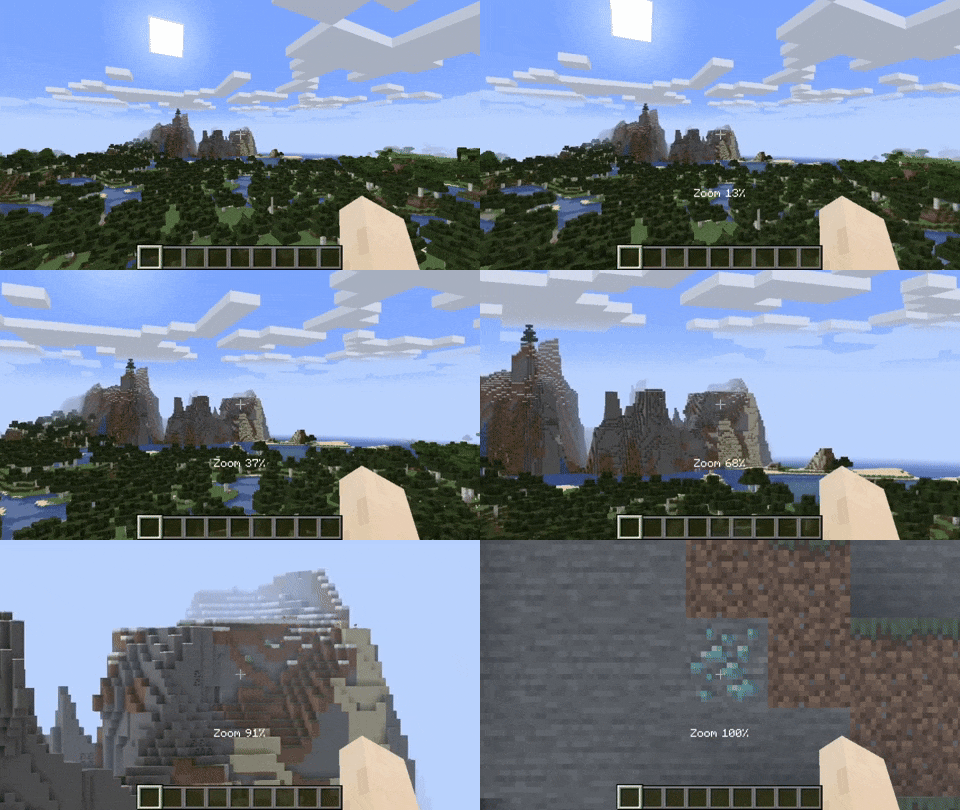
By default the zoom key is bound to Z. Holding the zoom key and scrolling dynamically adjusts the zoom value.
Camera Detaching

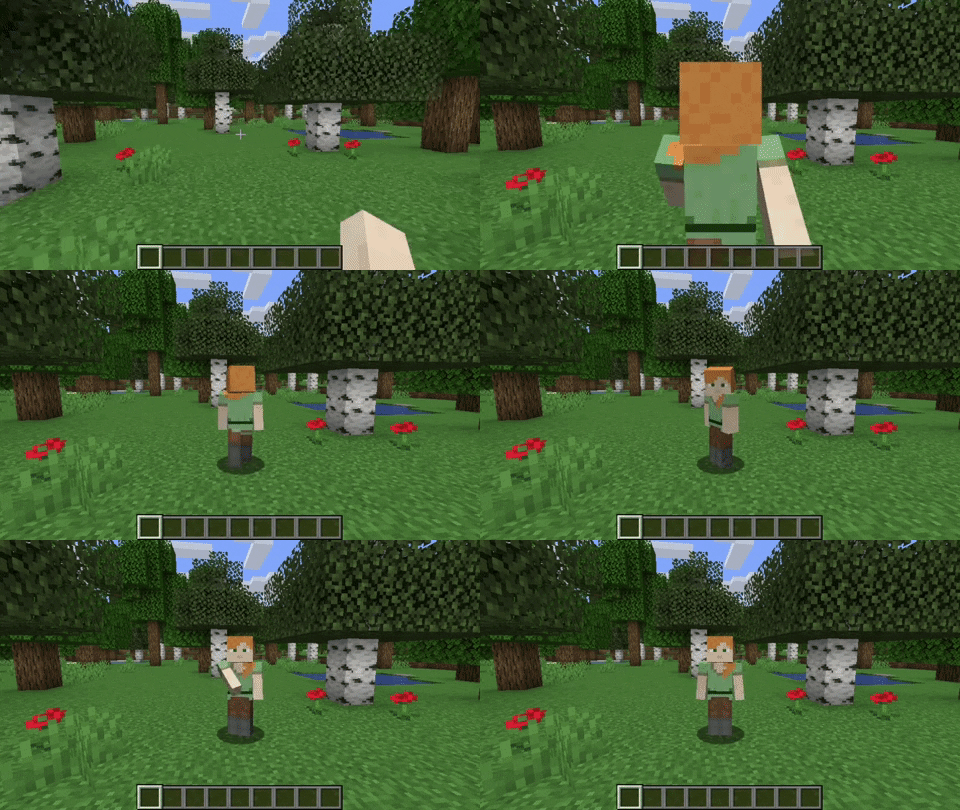
By hitting the detach camera button, the players camera is locked to the current position. You can still control the player like before, just from another point of view. By pressing RIGHT ALT in combination with the detach camera key, the camera goes back to the position, the camera was last detached.
Adjustable Third Person Distance

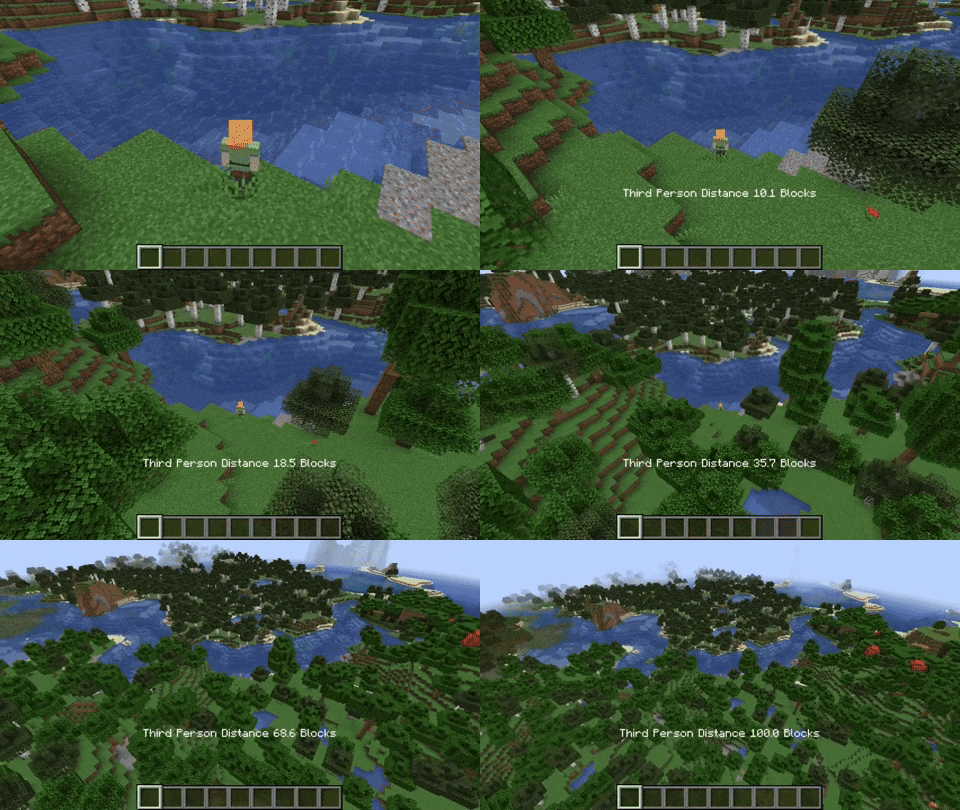
When holding the third person distance modifier in third person, you are able to scroll out up to 100 blocks away from the player.
Customizable Third Person Perspectives

This mod allows for two custom third person perspectives. These are bound to F6 and F7 by default. These can be modified by pressing RIGHT ALT and F6 or F7 respectively.
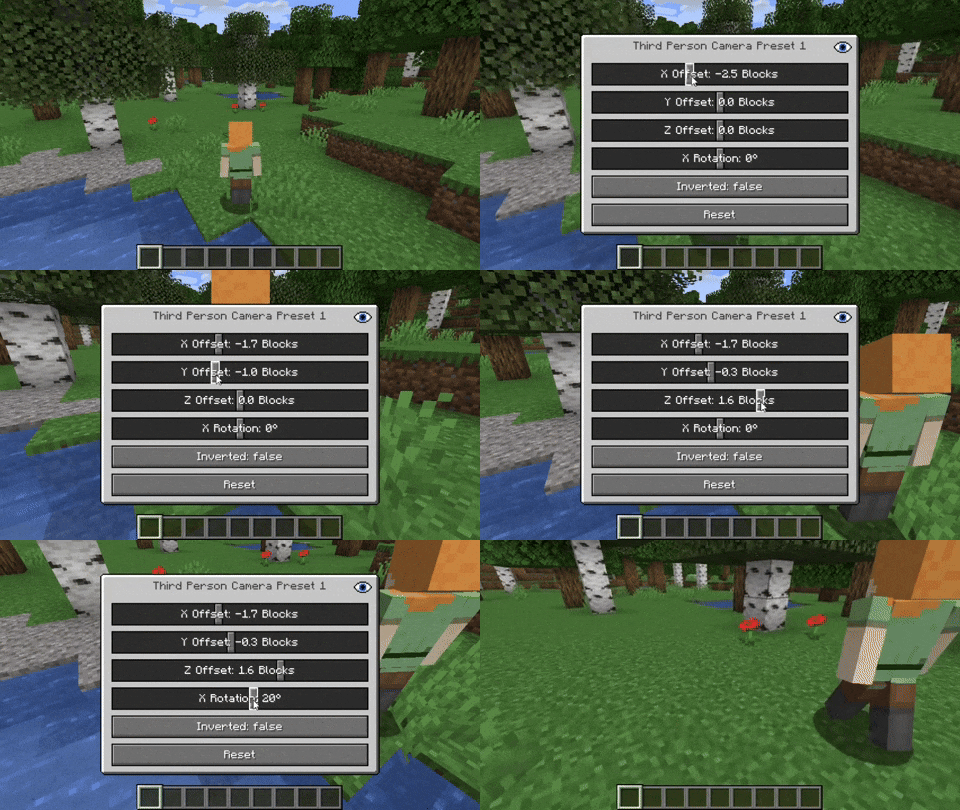
Advanced Cinematic Camera Controls

By pressing RIGHT ALT and the cinematic camera button, you can adjust the properties of the cinematic camera.

Additional Information

Pressing any key related to the camera utils mod in combination with RIGHT ALT will open a settings GUI which allows you to change properties or to reset them back to their default values.

Note that this mod is not compatible with OptiFine.

open_in_new View on Modrinth
Compatibility
Client: Required Server: Unsupported
gavel LicenseRef-All-Rights-Reserved

Conversation

What are your thoughts?

Related projects

Optimization Utility
FerriteCore
FerriteCore

by malte0811

Memory usage optimizations

download 84.3M
favorite 12,712
Utility
Mod Menu
Mod Menu

by Prospector

Adds a mod menu to view the list of mods you have installed.

download 77.7M
favorite 22,127
Library Management Utility
YetAnotherConfigLib (YACL)

by isxander

A builder-based configuration library for Minecraft!

download 66.1M
favorite 7,607
Adventure Transportation Utility
Xaero's Minimap
Xaero's Minimap

by thexaero

Displays a map of the nearby world terrain, players, mobs, entities in the corner of your screen. Lets you create waypoints which help you find the locations you've marked.

download 60.9M
favorite 13,668
lock Cookie consent

SkinMC uses cookies to provide functionality and features.