
What are you searching for?

Block Runner
Block Runner

Block Runner

Encourages path building by making you run faster on certain blocks such as path blocks.

download 1.3M Downloads · favorite 324 Followers · Updated 1 month ago
Fabric Forge Neoforge Utility 1.18.2 1.19 1.19.1 1.19.2 1.19.3 +14 more

Versions

inventory_2
[FABRIC] [1.21.11] BlockRunner v21.11.0

21.11.0 · 1 month ago · 139.15 KB

Release download
Fabric 1.21.11
inventory_2
[NEOFORGE] [1.21.11] BlockRunner v21.11.0

21.11.0 · 1 month ago · 70.82 KB

Release download
Neoforge 1.21.11
inventory_2
[NEOFORGE] [1.21.10] BlockRunner v21.10.0

21.10.0 · 3 months ago · 69.74 KB

Release download
Neoforge 1.21.10
inventory_2
[FABRIC] [1.21.10] BlockRunner v21.10.0

21.10.0 · 3 months ago · 138.55 KB

Release download
Fabric 1.21.10
inventory_2
[NEOFORGE] [1.21.9] BlockRunner v21.9.0

21.9.0 · 4 months ago · 69.84 KB

Release download
Neoforge 1.21.9

About

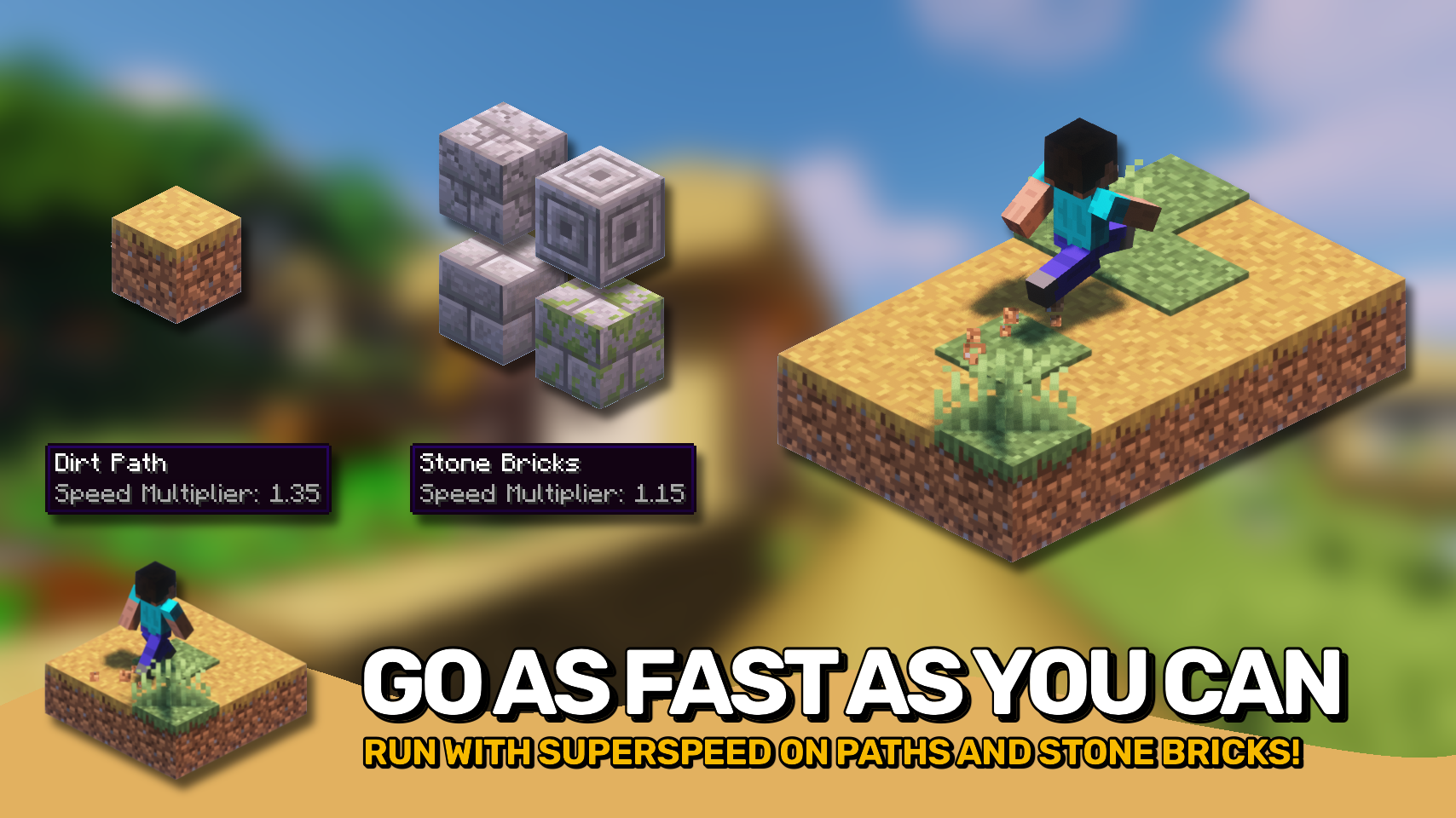
Block Runner makes you run faster on certain blocks, it's that simple. Mainly useful for paths since dirt paths now actually offer some benefit besides looking fancy. You can even set your very own speed values for any block or block tag.

INSTALLATION REQUIRED ON CLIENT & REQUIRED ON SERVER

REQUIRES PUZZLES LIB TO BE INSTALLED (FABRIC & NEOFORGE)

REQUIRES FABRIC API TO BE INSTALLED (FABRIC)

REQUIRES FORGE CONFIG API PORT TO BE INSTALLED (FABRIC)

If available for a mod, configuration is possible directly from in-game using the mod menu (requires Mod Menu by Prospector to be installed on Fabric). Please note that on older Minecraft versions installing Forge Config Screens is also a requirement.

For manual configuration using an external text editor all files are found at .minecraft/config, named as MOD_ID-client.toml, MOD_ID-common.toml, or MOD_ID-server.toml, depending on the type of config. Not all types might exist for a mod, if any at all.

Block Runner also uses an additional custom json config file. You can find it at .minecraft/config/blockrunner.json and add or remove your own custom speed values for blocks and block tags. To reload the config in-game run /reload (the same command that also reloads data packs).


open_in_new View on Modrinth
Categories
Compatibility
Client: Optional Server: Required
gavel MPL-2.0

Conversation

What are your thoughts?

Related projects

Optimization Utility
FerriteCore
FerriteCore

by malte0811

Memory usage optimizations

download 84.3M
favorite 12,712
Utility
Mod Menu
Mod Menu

by Prospector

Adds a mod menu to view the list of mods you have installed.

download 77.7M
favorite 22,127
Library Management Utility
YetAnotherConfigLib (YACL)

by isxander

A builder-based configuration library for Minecraft!

download 66.1M
favorite 7,607
Adventure Transportation Utility
Xaero's Minimap
Xaero's Minimap

by thexaero

Displays a map of the nearby world terrain, players, mobs, entities in the corner of your screen. Lets you create waypoints which help you find the locations you've marked.

download 60.9M
favorite 13,668
lock Cookie consent

SkinMC uses cookies to provide functionality and features.