
BisectHosting Server Integration Menu
BisectHosting Server Ordering Menu
Versions
BH Menu 1.21.9 V2.4.4
2.4.4 · 1 month ago · 168.59 KB
BH Menu 1.21.9 V2.5.4
2.5.4 · 1 month ago · 164.96 KB
BH Menu 1.21.9 V2.5.3
2.5.3 · 1 month ago · 184.29 KB
BH Menu 1.21.6 V2.5.3
2.5.3 · 2 months ago · 161.54 KB
BH Menu 1.21.5 V2.5.3
2.5.3 · 2 months ago · 162.92 KB
About
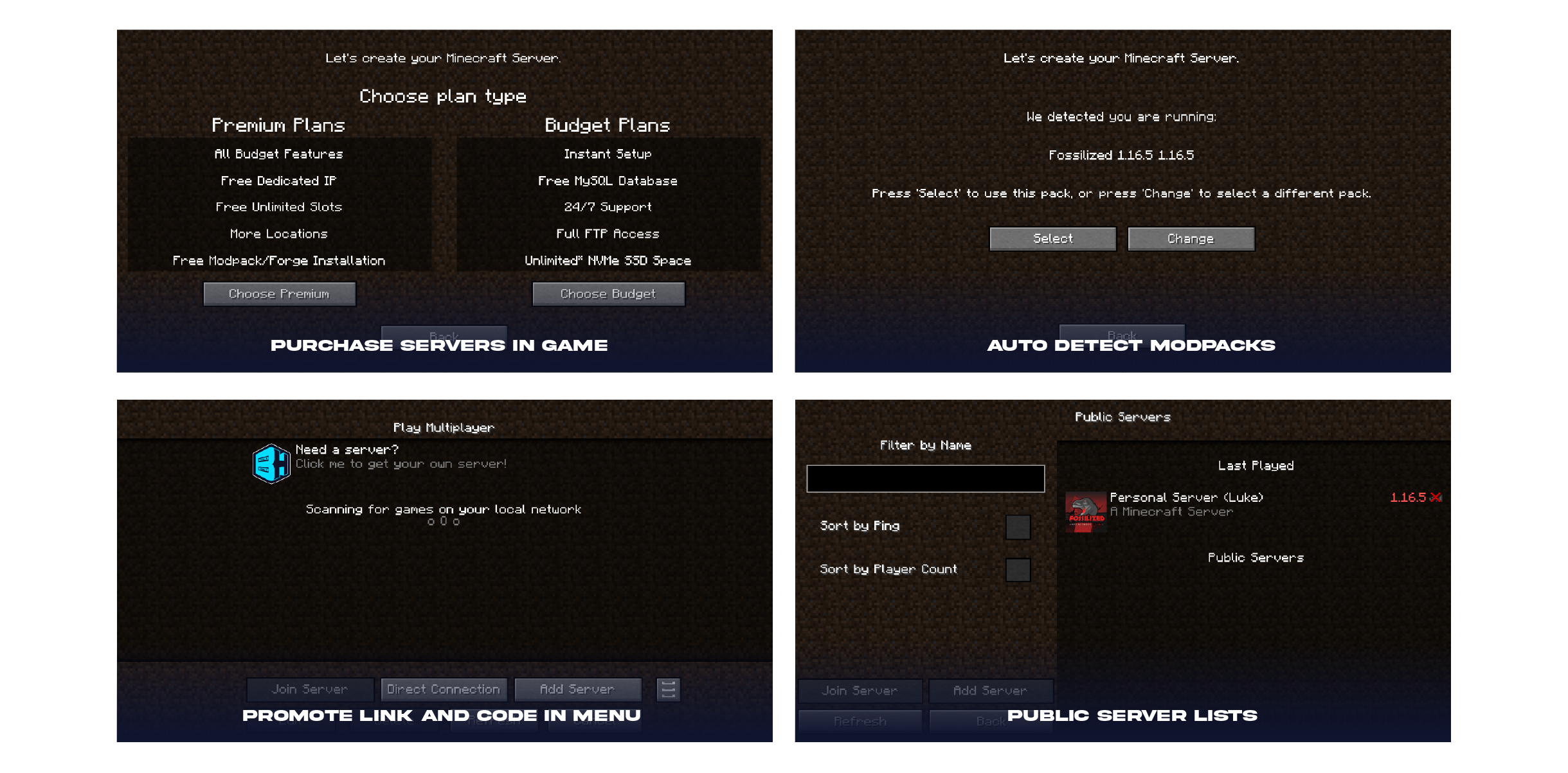
 Introducing the BisectHosting Server Integration Mod! Adding this to your modpack will allow your players to customize and purchase a server directly within the mulitplayer menu! As of V2.0 -- we have added NEW features to list your official server on our public server list!
This mod is intended for BisectHosting Official Partners.
Apply for the Partnership Program.

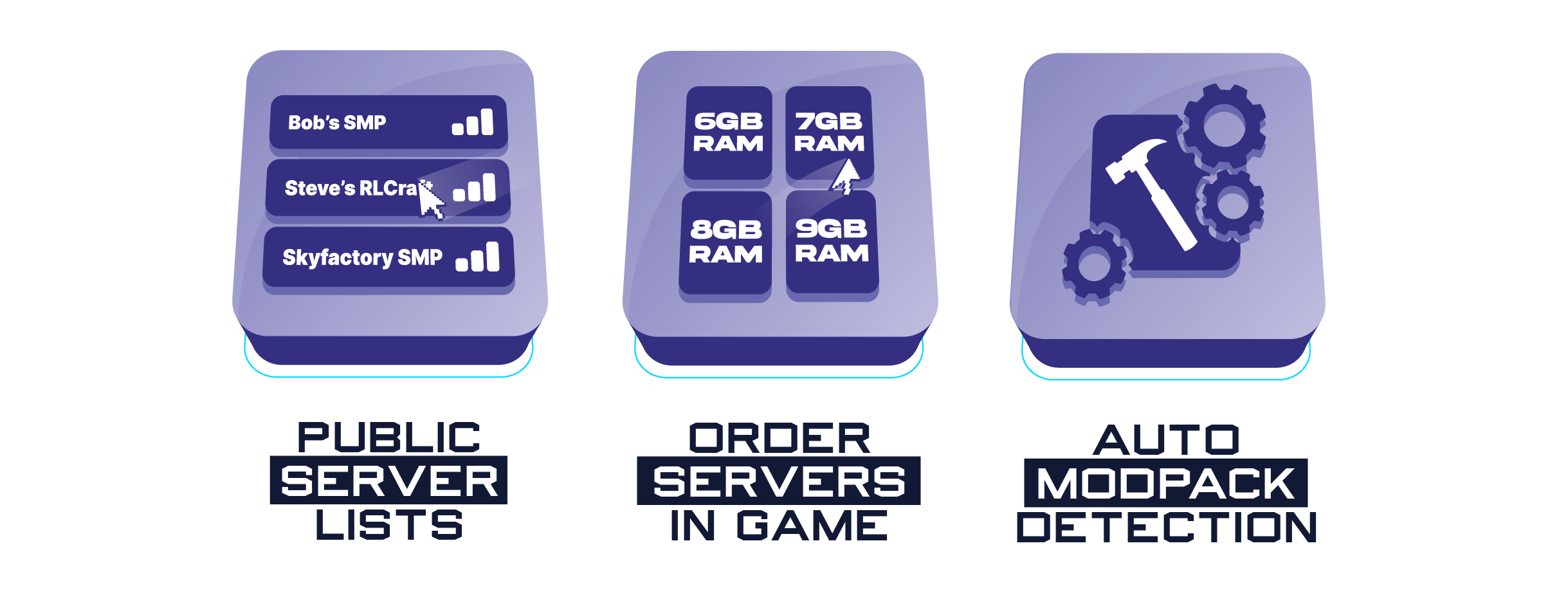 The BH Menu addon is not just a integration mod but comes with some pretty awesome features as well:
📌Public Server Lists (NEW) - When enabled, BisectHosting players can list their modpacks servers as public for anyone to join!
📌Order Servers In Game - Players can purchase servers directly inside the launcher allowing them to pick ram, player slots, and more!
📌Auto Modpack Detection - When players go to purchase a server, it will automatically detect the modpack and suggest the best fit server for their needs! As a BH Partner, you will receive commission from each purchased server!
You can find your Partner ID and Modpack ID by visiting https://bisecthosting.com/partners/console.php
(You must log in to the billing panel to authenticate webpage)

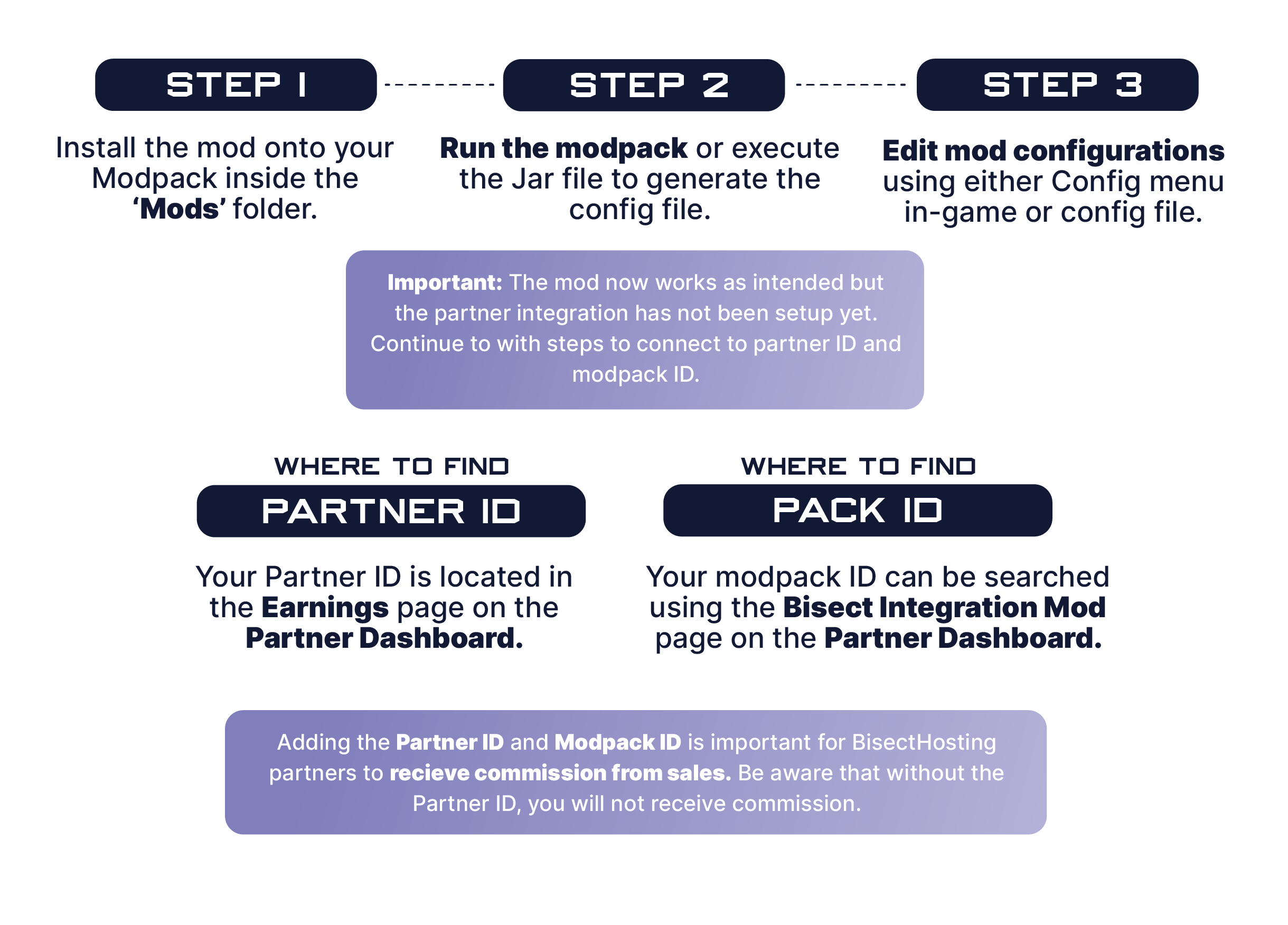 1️⃣ | Step 1. Install the mod onto your Modpack inside the 'Mods' folder.
2️⃣ | Step 2. Run the modpack or execute the Jar file to generate the config file.
3️⃣ | Step 3. Edit mod configurations using either Config menu in game or config file.
1️⃣ | Step 1. Install the mod onto your Modpack inside the 'Mods' folder.
2️⃣ | Step 2. Run the modpack or execute the Jar file to generate the config file.
3️⃣ | Step 3. Edit mod configurations using either Config menu in game or config file.
🧷 | Where to find Partner ID: Your Partner ID is located in the Earnings page on the Partner Dashboard 🧷 | Where to find Pack ID: Your modpack ID can be searched using the Bisect Integration Mod page on the Partner Dashboard.
 The BisectHosting Integration mod is a combination of custom multiplayer oriented features for your players to purchase servers, list servers on our public server list, and suggest the best plan based on the modpack being played.
The mod takes your Partner ID and Pack ID (partner information) and suggests the best ram and plan for players to start a server in the matter of minutes. Once a server is purchased, the partner will receive commission based on their partnership agreement.
Questions? Contact your designated Partner Manager.
 Need help?
❓How to setup the BisectHosting Server Integration Mod❓
❓How to enable Public Server Lists for a modpack❓
❓How to add a modpack server to the Public Server List❓
Related projects

Fabric API
by modmuss50
Lightweight and modular API providing common hooks and intercompatibility measures utilized by mods using the Fabric toolchain.

Cloth Config API
by shedaniel
Configuration Library for Minecraft Mods


Mod Menu
by Prospector
Adds a mod menu to view the list of mods you have installed.
Download BisectHosting Server Integration Menu
or
Select a game version to see available downloads
No versions match your filters
About the creator

BisectLabs
Owner · BisectHosting Server Integration Menu
Member since March 2022
View profile on ModrinthAbout the creator

BisectTicxo
Member · BisectHosting Server Integration Menu
Member since November 2025
View profile on Modrinth
Conversation